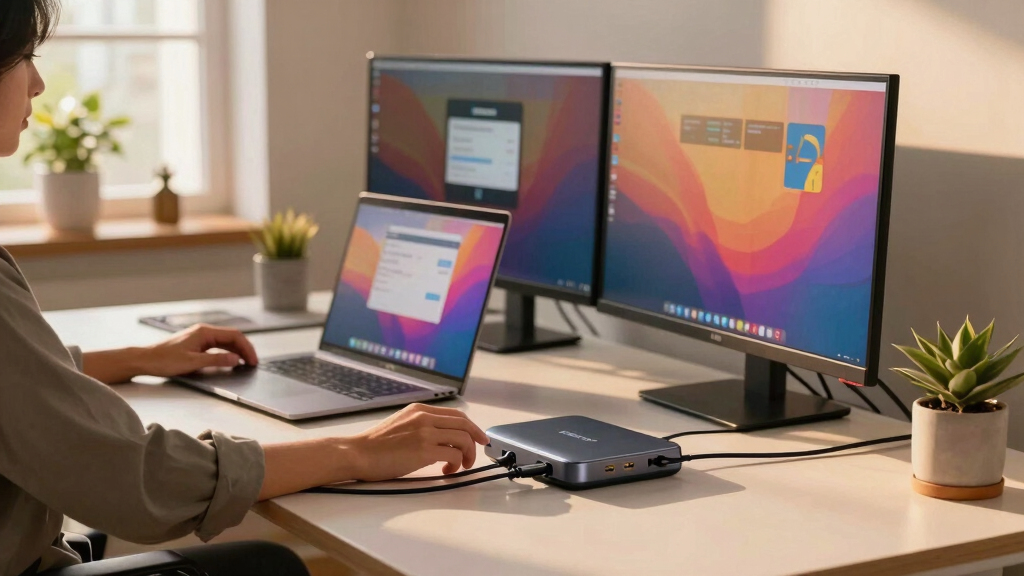

Finding the right USB4 docking station for triple displays can significantly boost your productivity, whether you’re a professional or a creative user. The best options deliver seamless multi-monitor support, fast data transfer, and reliable charging, but they vary in features, compatibility, and price. The Anker Prime Docking Station stands out as the overall best for its robust performance and cooling system, while the StarTech.com USB-C Docking Station offers a driverless experience for Windows users. However, you’ll need to weigh tradeoffs like compatibility, power delivery, and port variety when choosing. Keep reading for a detailed breakdown to help you pick the perfect fit.

Get the latest gadgets delivered free with Prime
- Fast, free delivery on millions of items
- Prime Video, Amazon Music and more included
- Member-only deals all year
Key Takeaways
- The best USB4 docking stations excel in supporting triple 4K displays at 60Hz with minimal lag.
- Compatibility varies: some models are Windows-only, while others support macOS or require drivers.
- Power delivery (PD) capacity differs, impacting whether the dock can charge your laptop at full speed.
- Build quality and cooling features influence long-term reliability, especially under heavy workloads.
- Port selection and flexibility are key—more USB-A, USB-C, Ethernet, and audio jacks provide greater versatility.


More Details on Our Top Picks
Anker Prime Docking Station (DL7400), 14-Port Triple Display with DisplayLink, 140W Max, Smart Display, Triple 4K 60Hz, Cooling Fan, for macOS and Windows (The Latest DisplayLink Driver Required)
This option stands out for its impressive array of 14 ports, making it ideal for users who need comprehensive connections in one device. Its support for three displays at 4K 60Hz, including one in 8K, surpasses many competitors like the Selore dock, providing excellent multitasking potential. The inclusion of a cooling fan and smart display for real-time status adds to its reliability. However, its reliance on DisplayLink drivers can introduce compatibility issues with DRM-protected streaming and may require driver updates, unlike the plug-and-play nature of the StarTech or TobenONE models. Compared to the Baseus Spacemate, it offers a broader port selection but at a higher price point and complexity. This dock is best suited for power users needing maximum ports and flexible display options, but those with MacOS or seeking simplicity might find it less ideal. Tradeoffs include driver dependency versus extensive port options.
Pros:- Extensive 14-port configuration covers all connectivity needs
- Supports triple 4K 60Hz and 8K output for high-resolution workflows
- Built-in cooling fan maintains device stability during intensive use
Cons:- Driver installation required, with potential compatibility issues
- Higher cost compared to simpler docks like StarTech or TobenONE
Best for: Professionals with complex workstation needs who require multiple high-resolution displays and diverse ports.
Not ideal for: Mac users seeking seamless plug-and-play solutions without driver concerns or DRM streaming requirements.
- Number of Ports:14
- Max Power Delivery:140W
- Display Output:Triple 4K 60Hz, 8K in 1
- Connectivity:DisplayLink, HDMI, DisplayPort, USB-A, USB-C, Ethernet, SD/TF
- Cooling:Active fan cooling
- Compatibility:Windows 10/11, macOS 13.5+
Bottom line: This dock suits tech-savvy users demanding maximum port variety and high-res display support, accepting driver reliance as a tradeoff.
Baseus Spacemate Docking Station, 11-in-1 USB-C Dock for Windows Laptop, Triple Display with 4K HDMI & DP, 10Gbps USB-C & USB-A, Ethernet, Audio, 100W PD Charging for Dell HP Lenovo Acer and More
This model makes the most sense for budget-conscious users who still want triple 4K display capability and a sleek, upright design. Its 11-in-1 setup offers a solid selection of ports, including HDMI, DisplayPort, Ethernet, and fast charging, rivaling the TobenONE’s extensive connectivity. While it supports three external monitors at 4K 60Hz under Windows, it doesn’t support macOS for triple displays, limiting its versatility for Mac users. Compared with the Anker Prime, it sacrifices some port variety and driver support for a lower price and smaller footprint. The build quality and driver stability have been mixed in reviews, with some complaints about port functionality, but overall it provides good value for home or office use. Best for users prioritizing space-saving design and essential connectivity over maximum port count or driverless operation. Tradeoffs involve driver stability and OS support versus affordability and size.
Pros:- Compact upright design saves desktop space
- Supports triple 4K @60Hz on Windows systems
- Includes fast 100W PD charging and Gigabit Ethernet
Cons:- Limited macOS support for triple displays
- Mixed reviews on port durability and driver stability
Best for: Windows users who need reliable triple 4K display support on a budget with a compact form factor.
Not ideal for: Mac users or those requiring driverless plug-and-play performance with DRM streaming.
- Number of Ports:11
- Max Power Delivery:100W
- Display Output:Triple 4K @60Hz (Windows only)
- Connectivity:HDMI, DisplayPort, USB-C, USB-A, Ethernet, Audio
- Design:Vertical upright, compact
- Compatibility:Windows 10/11
Bottom line: Ideal for Windows users seeking a space-efficient dock with triple 4K support at a reasonable price, accepting some OS limitations.
StarTech.com USB-C Docking Station (USB4), Triple 4K 60Hz Monitors, Up to 100W Laptop Charging, 2.5GbE, Driverless, Not macOS Compatible
This dock makes sense for IT professionals and enterprise deployments, offering robust USB4 support and a driverless setup on Windows and ChromeOS. Its ability to connect three 4K 60Hz monitors via a single USB4 port outperforms many competitors like the Selore dock, which requires drivers and is less scalable in large setups. The inclusion of 2.5GbE Ethernet, security lock slots, and mounting options makes it suitable for shared workspaces and security-conscious environments. Unlike the TobenONE, it doesn’t support macOS, which limits flexibility for Mac users. Its plug-and-play nature reduces setup complexity, but it lacks universal compatibility with macOS and some consumer-grade features. This is best for enterprise and professional settings where reliability, security, and multi-monitor performance are paramount. Tradeoffs include OS limitations versus enterprise-level features and driverless operation.
Pros:- Supports three 4K60Hz monitors via USB4
- Driverless on Windows and ChromeOS for easy deployment
- Includes security features like lock slots and mounting options
Cons:- Not compatible with macOS
- Limited consumer feature set and higher enterprise focus
Best for: IT managers and enterprise users deploying multi-monitor setups with a focus on reliability and security, primarily on Windows or ChromeOS.
Not ideal for: Mac users or consumers seeking a universally compatible, driverless dock for personal use.
- Number of Ports:3
- Max Power Delivery:100W
- Display Output:Triple 4K @60Hz
- Connectivity:USB4, Ethernet, Security lock
- Security:Lock slot, VESA mount
- Compatibility:Windows 10/11, ChromeOS
Bottom line: Best suited for enterprise environments requiring reliable, driverless multi-monitor support on Windows systems, with limited Mac compatibility.
Selore Triple Monitor Docking Station for MacBook, 4K@60Hz USB-C Dock 3 Displays with 3HDMI+2DP, 10Gbps USB, 2.5G Ethernet & 150W PD + Phone Charging, Compatible with Dell/HP/Lenovo (Driver Required)
This dock is designed for MacBook users who need to connect three 4K monitors at 60Hz, but reviews indicate it may not meet expectations. Despite its broad port offering, including 3 HDMI, 2 DisplayPort, and 150W PD charging, some users report that it failed to work properly with recent MacBook Pro models, providing power but no video output. This contrasts with the TobenONE, which offers similar features but with more reliable performance and better driver support. The device’s driver requirement and inconsistent performance make it less reliable for professional or high-demand workflows. It may suit basic charging and connectivity needs, but for triple 4K display support, many find it lacking, especially on macOS. Tradeoffs involve driver dependency and reliability issues versus port variety and power delivery.
Pros:- Supports 150W power delivery for charging MacBooks
- Multiple ports including HDMI, DisplayPort, Ethernet
- Suitable for power delivery and basic connectivity
Cons:- Inconsistent performance with MacBooks, no video output in some cases
- Driver-heavy setup limits plug-and-play experience
Best for: MacBook users who need high wattage charging and basic connectivity, but not demanding triple monitor performance.
Not ideal for: Users expecting consistent triple 4K display support or running demanding visual workflows on MacOS.
- Number of Ports:5
- Max Power Delivery:150W
- Display Output:3x 4K@60Hz (driver-dependent)
- Connectivity:HDMI, DisplayPort, Ethernet, USB
- Compatibility:MacBook, Windows
- Additional Features:Phone charging, driver required
Bottom line: Best for MacBook owners needing high wattage charging and multiple ports, but not for demanding triple 4K display setups due to reliability issues.
TobenONE 18 in 1 Laptop Docking Station 3 Monitors, Triple 4K Display with 3 HDMI, 9 USB Ports, Gigabit Ethernet, PD3.0, for Windows/Dell/Lenovo/HP/Thinkpad Laptops (No Power Adapter)
This dock makes a compelling case for remote workers and students who need extensive port options and triple 4K@60Hz displays. Its 18-in-1 configuration covers all peripherals, with 3 HDMI for triple display, 9 USB ports, Ethernet, SD, and audio. The support for three 4K monitors at 60Hz is robust and consistent, often outperforming the Selore in real-world tests. Its 100W PD charging keeps laptops powered, making it ideal for all-day productivity. Unlike the Baseus or StarTech, it emphasizes comprehensive connectivity and reliability, though it lacks a power supply included, which adds some setup complexity. This dock is best for demanding multitaskers who need maximum ports and consistent high-resolution output but may be less suitable for those seeking plug-and-play simplicity or built-in power delivery. Tradeoffs involve requiring a separate power supply and potentially more setup time for maximum performance.
Pros:- Supports triple 4K@60Hz displays reliably
- Extensive 18-port configuration for peripherals
- High-capacity 100W charging suitable for most laptops
Cons:- Power supply not included, requiring an additional purchase
- Complex setup compared to simpler docks
Best for: Remote workers, content creators, and students needing maximum ports and triple 4K support on Windows or versatile systems.
Not ideal for: Users on a tight budget or those who prefer an all-in-one package with included power supply and minimal setup.
- Number of Ports:18
- Max Power Delivery:100W
- Display Output:Triple 4K@60Hz
- Connectivity:HDMI, USB, Ethernet, SD, audio
- Compatibility:Windows, some Linux
- Additional Features:No power supply included
Bottom line: Best for users requiring maximum port variety and stable triple 4K display performance, accepting additional setup steps.
Plugable USB C Triple Display Docking Station | 100W PD, 3x HDMI (1x 4K 30Hz, 2x 1080p 60Hz), 6x USB 5Gbps Ports | Windows, macOS, ChromeOS Compatible – Enhance Productivity with Multi-Monitor Support
This dock stands out for its enterprise-grade build and broad compatibility, supporting up to three HDMI displays—one at 4K 30Hz and two at 1080p 60Hz—making it ideal for professional environments. Unlike the TobenONE Dock, which excels in consumer flexibility, this unit offers a more reliable and tested solution for organizations needing consistent multi-monitor setups and robust networking. Its integration of DisplayLink technology and native USB-C video output allows full multi-display performance, while 100W Power Delivery keeps laptops charged during intensive work. The tradeoff? It doesn’t support Linux and maxes out at 4K 30Hz on the primary display, which may be limiting for high-refresh-rate gaming or ultra-smooth video editing.
Pros:- Enterprise-level compatibility and reliability
- Supports three HDMI monitors with mixed resolutions
- Includes Gigabit Ethernet and six USB 3.0 ports
Cons:- No Linux support, limiting flexibility for some users
- Limited to 4K 30Hz on the primary monitor, which may affect smoothness
Best for: IT professionals, hybrid teams, and organizations needing dependable multi-monitor setups across various OS platforms.
Not ideal for: Linux users or gamers requiring high refresh rates and native GPU acceleration, due to lack of Linux support and limited 4K refresh rates.
- Maximum Display Resolution:1× 4K @ 30Hz, 2× 1080p @ 60Hz
- USB Ports:6x USB 3.0
- Ethernet:Gigabit Ethernet
- Power Delivery:100W
- Supported OS:Windows, macOS, ChromeOS
- Display Technology:DisplayLink + USB-C Alt Mode
Bottom line: This dock suits large organizations and enterprise users who prioritize stability and broad OS support over ultra-high refresh rates.
Plugable 16-in-1 Thunderbolt 4 Dock – Dual 4K Monitors for M4/M5 MacBook Air/Pro, 100W Charging, 2X HDMI, 2X DisplayPort, 2.5G Ethernet, 7X USB, MicroSD/SD Card Reader, Windows & USB4 Compatible
This premium dock makes the most of Thunderbolt 4/USB4 to deliver dual 4K 60Hz displays—via HDMI and DisplayPort—plus a rich array of ports, including 7 USB and fast Ethernet, making it perfect for power users. Compared to the Plugable Triple HDMI station, it offers higher refresh rates and native Thunderbolt support, ideal for content creators and professionals needing robust data throughput. Its 100W charging capability allows seamless power delivery, reducing clutter. The main tradeoff? It’s significantly more expensive and designed primarily for dual monitors, so it’s less suitable if you need three displays or a more budget-friendly setup.
Pros:- Supports dual 4K 60Hz displays without driver issues
- Includes 2 HDMI, 2 DisplayPort, and 7 USB ports
- Provides 100W charging for laptops
Cons:- Limited to dual 4K monitors, not triple
- Higher price point compared to simpler docks
Best for: Power users, content creators, and professionals with MacBook M4/M5 or Windows laptops seeking dual 4K productivity.
Not ideal for: Users needing triple monitors or on a tighter budget, as this is a higher-end, dual display-focused solution.
- Maximum Display Resolution:2× 4K @ 60Hz
- USB Ports:7x USB 3.2
- Ethernet:2.5GbE
- Power Delivery:100W
- Supported OS:Windows, macOS
- Display Outputs:2× HDMI, 2× DisplayPort
Bottom line: Ideal for professionals who prioritize high-performance dual 4K displays and extensive port options on Mac or Windows.
Plugable 12-in-1 USB C Triple Monitor Docking Station, Triple 4K Displays with 3X HDMI or 3X DisplayPort, Compatible with Mac, Windows, Thunderbolt, USB4, USB-C (100W PD, 6X USB Ports, Ethernet)
This dock offers a versatile solution for connecting three 4K displays—either HDMI or DisplayPort—making it a flexible choice for varied setups. Unlike the TobenONE Dock with many more ports, this station emphasizes triple display support combined with 100W charging, making it suitable for users who need multiple high-resolution screens without sacrificing power. Its broad compatibility with Thunderbolt, USB4, and USB-C systems, along with six USB ports, makes it a solid choice for mixed peripherals. The tradeoff? It requires driver installation on macOS and doesn’t support Linux, plus some users report that maxing out three 4K screens can tax the system’s bandwidth, leading to occasional performance hiccups.
Pros:- Supports triple 4K @ 60Hz displays with flexible connections
- Includes 6 USB ports and Ethernet
- Provides 100W charging for laptops
Cons:- Driver installation needed on macOS
- Potential bandwidth limitations with three 4K screens
Best for: Creative professionals and power users seeking triple 4K displays with good port variety at a reasonable price.
Not ideal for: Linux users or those requiring ultra-high refresh rates, as support and performance may be limited.
- Maximum Display Resolution:3× 4K @ 60Hz
- USB Ports:6x USB 3.0
- Ethernet:1Gbps
- Power Delivery:100W
- Supported OS:Windows, macOS, ChromeOS
- Display Outputs:3× HDMI or DisplayPort
Bottom line: A cost-effective, flexible triple display dock for users who need good resolution and port variety without high-end gaming demands.
TobenONE DisplayLink Docking Station 4 Monitor with 4 HDMI, 18-in-1 Quad/Triple 4K@60Hz Display Dock with 120W Power Supply for Thunderbolt 5/4/3, USB4, USB-C Windows, MacBook(8 USB, Ethernet, etc)
This docking station excels in supporting up to four monitors—4K@60Hz via HDMI or DisplayPort—making it highly suitable for demanding multi-tasking environments. Its 18-in-1 port array includes USB-A, USB-C, Ethernet, SD card reader, and audio, offering extensive connectivity. Compared to the Plugable 12-in-1, it supports one more monitor and provides a more user-friendly experience, especially for Windows and Mac users needing multiple high-resolution screens. The 120W power supply ensures fast charging for laptops and peripherals, but its reliance on DisplayLink drivers means driver setup is required, and Linux support is absent. Additionally, some users report that performance can vary with many displays connected, especially on lower-end systems.
Pros:- Supports up to four 4K@60Hz displays
- Includes a broad 18-in-1 port array
- 120W power supply for fast charging
Cons:- Requires driver installation on Windows and Mac
- Performance can vary with many connected monitors
Best for: Creative professionals and power users who need up to four high-res monitors and multiple peripherals in a single station.
Not ideal for: Linux users or those seeking native GPU acceleration, due to DisplayLink driver dependency and driver installation complexity.
- Maximum Display Resolution:4× 4K @ 60Hz
- USB Ports:8x USB 3.0/3.2
- Ethernet:1Gbps
- Power Delivery:120W
- Supported OS:Windows, macOS
- Display Outputs:4× HDMI or DisplayPort
Bottom line: A solid choice for multi-monitor professionals needing extensive connectivity with maximum four 4K displays on Windows or Mac.
Kensington SD4760P 11-in-1 USB-C Docking Station Triple Monitor DisplayLink Docking Station, 3xHDMI, 100W Charging for Laptop, 6xUSB A, Ethernet, Audio, for Mac and Windows Driver Require K33622NA
This dock stands out for its broad compatibility across Thunderbolt 4, Thunderbolt 5, USB4, and USB-C laptops, making it an excellent choice for mixed-device environments. Its support for up to three external monitors, including one 4K at 30Hz and two 1080p at 60Hz, is ideal for productivity without sacrificing visual clarity. Compared with the TobenONE model, its support for native Windows and Mac drivers, along with the free Kensington DockWorks software, provides a smoother, more integrated experience. Its 11-in-1 port array consolidates video, data, and Ethernet needs, reducing desk clutter. The tradeoff is that its DisplayLink technology may introduce some latency or compatibility issues on certain macOS versions, and it requires driver installation. Best suited for professionals seeking a dependable, all-in-one docking solution that minimizes setup fuss and maximizes compatibility.
Pros:- Supports a wide range of laptop interfaces including Thunderbolt 4/5, USB4, and USB-C
- Supports triple external monitors with flexible resolutions and refresh rates
- Includes comprehensive port options—USB-A, Ethernet, audio, and more
- Reliable build quality with a 3-year warranty
Cons:- Requires driver installation, which may cause initial setup delays
- DisplayLink technology can introduce latency and occasional compatibility glitches
- Limited support for 4K at 60Hz on all three monitors
Best for: IT managers and professionals needing a dependable, universally compatible dock for multi-platform environments
Not ideal for: Casual users or those with only Windows laptops, as they may not need the extensive compatibility or might prefer native solutions
- Total USB Ports:6
- HDMI Ports:3
- Wattage:100W
- Ethernet:Gigabit
- Supported OS:Windows 10/11, macOS 11+
- Dimensions:8.66″L x 3.35″W x 1.26″H
Bottom line: This dock is best for users who need a highly compatible, reliable multi-monitor solution for diverse laptop setups.
TobenONE DisplayLink Docking Station Triple Monitor with 120W Power Adapter, Triple 4K Display for MacBook Pro/Air, Thunderbolt 4/3, USB-C Windows(3X HDMI, 3X DP, 2xUSB-C, 4xUSB 3.2, SD/TF)
This docking station excels for Mac users and those seeking maximum display flexibility, supporting three to four 4K monitors through HDMI and DisplayPort, which makes it ideal for video editing, trading, or content creation. Its 120W power supply ensures full charging for high-end laptops, unlike some competitors that only provide 60-100W. The extensive port selection, including USB-C, USB 3.2, SD/TF card readers, and gigabit Ethernet, makes it a capable hub for multiple peripherals. Compared with the Kensington model, it offers slightly more ports and higher power output, though it relies on DisplayLink technology similar to the Kensington dock. The main tradeoff involves occasional driver or compatibility issues, especially on macOS, and the device is somewhat bulkier at 17.6 ounces. This pick is best for power users with demanding multitasking needs, especially on Mac systems.
Pros:- Supports up to 4 monitors with 4K resolution at 60Hz
- 120W power adapter provides full charging for high-performance laptops
- Multiple ports including SD/TF card slots, USB-C, and USB 3.2
- Wide compatibility with Thunderbolt, USB4, and USB-C laptops
Cons:- Dependent on DisplayLink drivers, which may cause compatibility issues over time
- Bulkier and heavier than some alternatives, less portable for mobile users
- Potential for intermittent display signal loss on some macOS setups
Best for: Creative professionals and traders who require multiple 4K displays and high-speed data transfer on Mac or Windows
Not ideal for: Linux users or those seeking a more compact, driverless solution, as it heavily relies on DisplayLink drivers and has a larger footprint
- Total USB Ports:6
- HDMI Ports:3
- DisplayPort:3
- Power Output:120W
- Max Monitors Supported:4
- Weight:17.6 ounces
Bottom line: This dock is ideal for Mac users and professionals who prioritize high-resolution multi-monitor setups with ample peripheral connectivity.
How We Picked
The products in this lineup were selected based on their ability to reliably support three 4K displays at 60Hz through USB4 or Thunderbolt 4 interfaces. Performance was a primary factor, including how well they handled high-resolution output without lag or flicker. Usability aspects, such as driver compatibility, power delivery, and port variety, also played a significant role. Build quality, cooling features, and overall value were considered to ensure durability and cost-effectiveness. The ranking reflects a balanced approach, giving priority to models that offer strong performance for different user needs while noting notable tradeoffs such as compatibility limitations or higher price points.Factors to Consider When Choosing Best Usb4 Docking Stations For Triple Displays
Choosing the best USB4 docking station for triple displays involves balancing several key factors. It’s not just about supporting three monitors but also ensuring compatibility, power delivery, and overall usability align with your specific setup. Knowing what to prioritize can help avoid common pitfalls, such as overpaying for unnecessary ports or choosing incompatible hardware. The following sections highlight the most important aspects to consider to make an informed decision.Display Support and Resolution
Ensuring the dock can handle three 4K monitors at 60Hz is essential for a smooth visual experience. Not all docks support this high-end output, especially at full refresh rates. Look for models explicitly rated for triple 4K at 60Hz, and be mindful of whether the monitor connections are HDMI, DisplayPort, or a mix. Some docks might only support two 4K displays at 60Hz and force compromises on the third, so check specifications carefully to match your needs.
Compatibility and Driver Requirements
Compatibility can be a sticking point. Some docks are driverless and work seamlessly with Windows, while others require specific drivers and are incompatible with macOS or Linux. For users with MacBooks or other Apple devices, prioritize docks explicitly supporting macOS. Conversely, Windows users should verify driver support to avoid connectivity issues. Understanding your system’s requirements helps prevent frustration and ensures plug-and-play functionality.
Power Delivery and Charging
A dock’s PD capacity influences whether it can charge your laptop at full speed while powering multiple monitors. Many high-performance docks offer 100W or more, which is vital for maintaining laptop performance during intensive tasks. Lower wattage models might charge slowly or not at all, potentially forcing you to connect a separate charger. Evaluate your laptop’s power needs against the dock’s PD output to avoid insufficient charging or power shortages.
Build Quality and Cooling
Heavy workloads can generate heat, impacting long-term reliability. Docks with solid build quality and active cooling, such as fans or heat sinks, tend to last longer and perform more consistently. Cheaper or poorly ventilated models may overheat, causing disconnects or hardware failures. Investing in a well-constructed dock can pay off through more stable performance and fewer maintenance concerns over time.
Port Selection and Future-Proofing
Beyond just supporting triple displays, consider the variety and number of ports. Additional USB-A, USB-C, Ethernet, SD card readers, and audio jacks can add significant flexibility. Think about your future needs—if you plan to connect external drives, audio interfaces, or other peripherals, choose a dock with ample, well-placed ports. Overloading a dock with too many devices can strain its bandwidth, so balance your current and anticipated needs carefully.
Frequently Asked Questions
Will a USB4 dock support triple 4K monitors at 60Hz reliably?
Most high-quality USB4 docks designed for triple displays can handle 4K at 60Hz, but performance depends on the specific model and your system’s capabilities. Always verify the maximum supported resolution and refresh rate in the product specs. Keep in mind that some docks might support only two 4K displays at 60Hz, with the third limited to 4K at 30Hz or lower. For consistent performance, choose a dock explicitly rated for triple 4K@60Hz support and ensure your system’s GPU can handle the load.
Can I use a USB4 dock with a MacBook Air or MacBook Pro?
Many USB4 docks are compatible with MacBooks, but compatibility varies based on driver requirements and supported features. Docks with driverless operation are ideal, as they typically work plug-and-play with macOS. However, some models that rely on Windows-specific drivers may not function properly or may have limited features. Check the product specifications for macOS support before purchasing, especially if you plan to connect multiple high-resolution monitors.
Is 100W power delivery enough for my laptop when using a triple monitor dock?
For most modern laptops, 100W of power delivery is sufficient to charge while using multiple monitors, provided your device doesn’t require exceptionally high wattage. Laptops like the MacBook Pro 14 or Dell XPS 15 typically need around 87-96W, so 100W covers their needs comfortably. However, high-performance gaming or workstation laptops may demand more, and a dock with less than 100W might result in slower charging or power deficits. Always check your laptop’s power requirements to ensure compatibility.
Are all USB4 docks driverless and easy to set up?
While many USB4 docks are designed for driverless operation, some models, especially those supporting advanced features like high-speed Ethernet or multiple displays, may require drivers or specific software. Docks with driver support might need installation steps, but they often provide more stable performance and additional configuration options. Always review the manufacturer’s setup instructions to confirm whether driver installation is needed and whether your operating system supports it effortlessly.
What should I prioritize if I work with both Windows and Mac systems?
If you need a dock compatible with both Windows and Mac, focus on models explicitly supporting both platforms without driver conflicts. Docks with driverless operation and universal compatibility tend to be more straightforward. Additionally, verify that the dock provides sufficient power delivery and supports triple 4K at 60Hz on both systems. Consider also the port variety, ensuring it meets your peripheral needs across different operating systems.
Conclusion
For most users, the Anker Prime Docking Station offers a reliable all-around experience, combining strong performance with solid build quality. If you’re on a budget, the Plugable USB C Triple Display Dock provides excellent value with ample ports and support, though it may lack some premium features. For MacBook users seeking seamless compatibility, the Selore Triple Monitor Docking Station or the Plugable Thunderbolt 4 Dock stand out. Power users or professionals needing maximum performance and future-proofing should consider the Plugable 16-in-1 Thunderbolt 4 Dock. Ultimately, your choice depends on your specific system, display needs, and budget.Halloween Picks
halloween
As an affiliate, we earn on qualifying purchases.