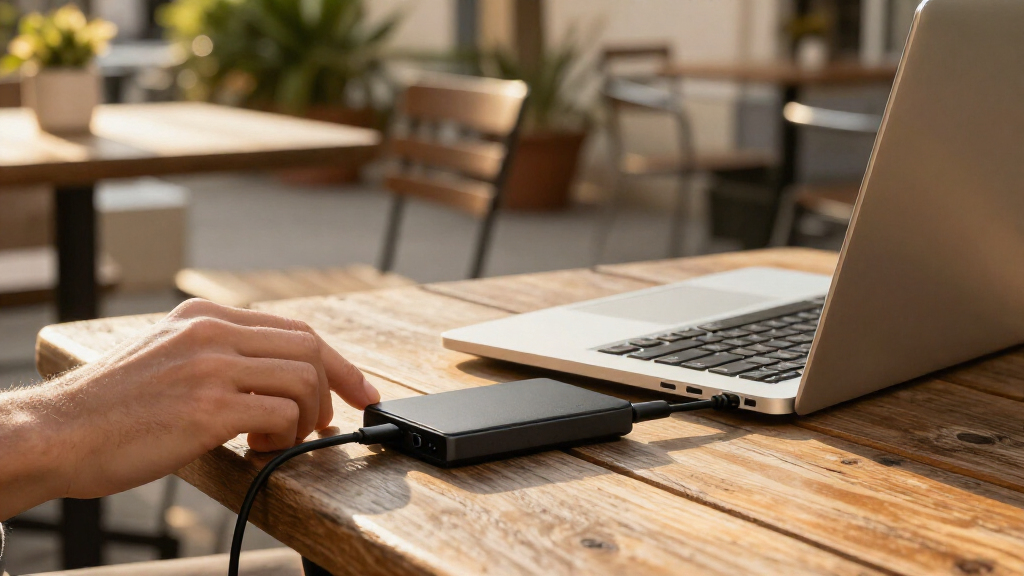

Among these portable SSD drives, I’d put the SanDisk Extreme Portable SSD 2TB near the top for buyers who want a useful balance of capacity and speed, while the Samsung T7 1TB is a straightforward choice for everyday transfers. For larger projects, the SanDisk Extreme 4TB offers more room and a higher stated speed ceiling. The main tradeoffs are capacity versus portability, headline speed versus the limits of your device’s USB connection, and broad compatibility versus the simplicity of a single USB-C connection. I compare those factors across all 11 options below. Read on for the picks, buying advice, and answers to common storage questions.

Get the latest gadgets delivered free with Prime
- Fast, free delivery on millions of items
- Prime Video, Amazon Music and more included
- Member-only deals all year
Complete the kit



Key Takeaways
- Capacity and speed are separate choices: the 4TB SanDisk Extreme combines the lineup’s largest listed capacity with a 2000MB/s speed claim, while the 1TB SanDisk and Samsung T7 suit lighter storage needs.
- USB-C and USB-A flexibility varies: OSCOO and Gigastone list both connection types, which can simplify use across newer and older devices; check the included cable or adapter details before buying.
- SanDisk dominates the capacity range: its listed options span 1TB to 4TB, including models rated up to 1000MB/s and Extreme models rated up to 2000MB/s.
- Smaller drives suit limited, specific workloads: the 500GB SSK and 512GB Gigastone are more compact-capacity choices, but they leave less room for video libraries or ongoing backups.
- Advertised transfer speeds need a compatible host: a drive’s stated maximum is not a guarantee of everyday performance; the computer, port, cable, and workload all affect transfer rates.
| OSCOO 2TB External SSD, USB-C and USB-A, up to 1100MB/s |  | Best for Flexible Connections | Storage capacity: 2 TB | Interface: USB 3.2 Gen 2×2 | Ports: USB-C and USB-A | VIEW LATEST PRICE | See Our Full Breakdown |
| Gigastone USB-C + A Portable SSD 2TB USB 3.2 Gen 2 Up to 1050 MB/s for iPhone, PS5, MacBook, iPad, Android, Laptop, OTG – 3-Year Warranty |  | Best for iPhone ProRes Recording | Storage capacity: 2 TB | Interface: USB-C and USB-A, USB 3.2 Gen 2 | Read speed: Up to 1050 MB/s | VIEW LATEST PRICE | See Our Full Breakdown |
| SanDisk Extreme Portable SSD, 2TB |  | Best Overall for Fast, Rugged Storage | Storage capacity: 2 TB | Read speed: Up to 2000 MB/s | Interface: USB 3.0 | VIEW LATEST PRICE | See Our Full Breakdown |
| SanDisk Extreme Portable SSD, 1TB, Up to 2000MB/s | | Best Compact High-Speed Pick | Storage capacity: 1 TB | Read speed: Up to 2000 MB/s | Interface: USB 3.0 | VIEW LATEST PRICE | See Our Full Breakdown |
| SanDisk 1TB Portable SSD, Up to 1000 MB/s Read Speed, Black |  | Best Simple Everyday Carry | Storage capacity: 1 TB | Connectivity: USB-C | Maximum read speed: Up to 1000 MB/s | VIEW LATEST PRICE | See Our Full Breakdown |
| Gigastone 512GB Portable SSD with USB-C and USB-A |  | Best for Dual-Connector Flexibility | Storage capacity: 512 GB | Connectivity: USB-C and USB-A | Interface: USB 3.2 Gen 2 | VIEW LATEST PRICE | See Our Full Breakdown |
| SanDisk Extreme Portable SSD, 4TB, up to 2000MB/s | | Best for High-Capacity, High-Speed Storage | Storage capacity: 4 TB | Read speed: Up to 2,000 MB/s | Interface: USB-C | VIEW LATEST PRICE | See Our Full Breakdown |
| SanDisk Extreme Portable SSD 2TB, USB-C 3.2 Gen 2 |  | Best for Rugged, Balanced Performance | Storage capacity: 2 TB | Read speed: Up to 1,050 MB/s | Write speed: Up to 1,000 MB/s | VIEW LATEST PRICE | See Our Full Breakdown |
| SanDisk 2TB Portable SSD, Up to 1000MB/s Read Speed | | Best for Lightweight Everyday Carry | Storage capacity: 2 TB | Interface: USB 3.0 | Connector: USB Type-C | VIEW LATEST PRICE | See Our Full Breakdown |
| SSK Portable SSD 500GB External Solid State Hard Drive USB-C Up to 1050 MB/s |  | Best for Compact ProRes Capture | Capacity: 500 GB | Usable capacity on Windows: Approximately 465 GB | Read speed: Up to 1,050 MB/s | VIEW LATEST PRICE | See Our Full Breakdown |
| Samsung T7 Portable SSD, 1TB, Titan Gray, USB 3.2 Gen 2 |  | Best for Cross-Device Compatibility | Storage capacity: 1 TB | Interface: USB 3.2 Gen 2 | Maximum read speed: Up to 1,050 MB/s | VIEW LATEST PRICE | See Our Full Breakdown |
| portable SSD drife | Storage capacity | Interface | Read speed | Drop protection |
|---|---|---|---|---|
| OSCOO 2TB External SSD | 2 TB | USB 3.2 Gen 2×2 | Up to 1100 MB/s | — |
| Gigastone USB-C + A Portable S | 2 TB | USB-C and USB-A, USB 3.2 Gen 2 | Up to 1050 MB/s | — |
| SanDisk Extreme Portable SSD | 2 TB | USB 3.0 | Up to 2000 MB/s | Up to 3 m |
| SanDisk Extreme Portable SSD | 1 TB | USB 3.0 | Up to 2000 MB/s | — |
| SanDisk 1TB Portable SSD | 1 TB | — | — | Up to 2 meters |
| Gigastone 512GB Portable SSD w | 512 GB | USB 3.2 Gen 2 | — | — |
| SanDisk Extreme Portable SSD | 4 TB | USB-C | Up to 2,000 MB/s | Up to 3 m |
| SanDisk Extreme Portable SSD 2 | 2 TB | — | Up to 1,050 MB/s | Up to 3 m |
| SanDisk 2TB Portable SSD | 2 TB | USB 3.0 | — | Up to 2 m |
| SSK Portable SSD 500GB Externa | — | USB 3.2 Gen 2 (USB-C and USB-A) | Up to 1,050 MB/s | — |
| Samsung T7 Portable SSD | 1 TB | USB 3.2 Gen 2 | — | Up to 6 feet |
More Details on Our Top Picks
OSCOO 2TB External SSD, USB-C and USB-A, up to 1100MB/s
I’d choose the OSCOO 2TB when one drive needs to move between newer USB-C devices and older USB-A gear. Its two connector types make that handoff simpler than with the SanDisk Extreme Portable SSD 2TB, which lists USB-C, while the OSCOO’s stated read and transfer ceiling is up to 1100 MB/s on supported interfaces. That’s suited to regular project and media transfers, though it falls short of the SanDisk Extreme’s advertised 2000 MB/s read speed. The zinc-alloy enclosure is described as shock resistant and designed to dissipate heat, and its monitoring and error-correction features add useful drive-management tools. I’d skip it if peak speed is the priority: the advertised rate depends on compatible hardware, and this is the only option here with a listed 2.5-inch form factor.
Pros:- USB-C and USB-A connections suit a mix of newer and older devices.
- 2TB capacity provides room for large media libraries and project files.
- Zinc-alloy enclosure is described as shock resistant and designed for heat dissipation.
- TRIM, SMART monitoring, LDPC error correction, and wear leveling support drive management.
Cons:- Up to 1100 MB/s depends on a compatible USB 3.2 or Thunderbolt interface.
- The listed 2.5-inch form factor may be less convenient for buyers seeking the smallest pocketable drive.
- No write-speed figure is provided, making sustained transfer performance harder to compare.
Best for: People moving files among USB-C phones or laptops and USB-A computers, consoles, or cameras who want 2TB in one drive.
Not ideal for: Buyers seeking the highest listed read speed or a specifically pocket-sized drive; the SanDisk Extreme models advertise up to 2000 MB/s and are described as pocket-sized.
- Storage capacity:2 TB
- Interface:USB 3.2 Gen 2×2
- Ports:USB-C and USB-A
- Read speed:Up to 1100 MB/s
- Form factor:2.5-inch
- Enclosure material:Zinc alloy
- Compatibility:Camera, desktop, gaming console, laptop, smartphone
- Listed features:TRIM, SMART monitoring, LDPC ECC, wear leveling, shock resistance, dust resistance
Our verdict“Choose the OSCOO if you need 2TB and both USB connector types more than the SanDisk Extreme’s higher advertised read speed.”
Gigastone USB-C + A Portable SSD 2TB USB 3.2 Gen 2 Up to 1050 MB/s for iPhone, PS5, MacBook, iPad, Android, Laptop, OTG – 3-Year Warranty
The Gigastone 2TB has the clearest mobile-creation use case in this group: it supports 4K 60fps ProRes HDR recording on listed iPhone 15 and 16 Pro models. That makes it a more purpose-built choice for compatible iPhone video workflows than the OSCOO 2TB, whose listing emphasizes broad device connections rather than a specific recording mode. Its USB-C and USB-A connectors also help when moving footage from a phone to a computer with older ports, and the stated read and write speeds are up to 1050 and 1000 MB/s. The tradeoff is that it doesn’t match the SanDisk Extreme models’ advertised 2000 MB/s read ceiling. Its dust-, shock-, and waterproof features and three-year replacement warranty add reassurance, but buyers should check device compatibility before relying on it for direct recording.
Pros:- Supports listed iPhone 15 and 16 Pro models for 4K 60fps ProRes HDR recording.
- USB-C and USB-A connections broaden compatibility across phones and computers.
- Provides stated read and write speeds of up to 1050 MB/s and 1000 MB/s.
- Dust-, shock-, and waterproof features are paired with a three-year replacement warranty.
Cons:- Its advertised read speed is lower than the SanDisk Extreme models’ stated 2000 MB/s ceiling.
- Direct ProRes recording support is limited to the listed compatible iPhone models.
- The listing does not specify a water-resistance rating or write-speed conditions.
Best for: iPhone 15 or 16 Pro owners recording 4K 60fps ProRes HDR who also need to transfer files between USB-C and USB-A devices.
Not ideal for: Buyers whose main goal is the highest advertised read speed; the SanDisk Extreme Portable SSD models list up to 2000 MB/s.
- Storage capacity:2 TB
- Interface:USB-C and USB-A, USB 3.2 Gen 2
- Read speed:Up to 1050 MB/s
- Write speed:Up to 1000 MB/s
- Compatible iPhones:iPhone 15 and 16 Pro models
- Other listed compatibility:PS5, MacBook, iPad, Android, laptop, OTG devices
- Protection:Dust resistant, shock resistant, waterproof
- Warranty:Three-year replacement warranty
Our verdict“Pick the Gigastone if direct ProRes recording with a compatible iPhone matters more than having the lineup’s highest advertised read speed.”
SanDisk Extreme Portable SSD, 2TB
I rank the SanDisk Extreme Portable SSD 2TB first for buyers who want substantial capacity, a high advertised read speed, and protection suited to travel. Its up-to-2000 MB/s figure is higher than the OSCOO 2TB and Gigastone 2TB listings, while IP65 dust and water resistance and protection against drops up to 3 meters add practical safeguards for field work. Password protection with 256-bit AES encryption gives it a security feature the other two 2TB picks don’t list. The compromise is that the figure describes read speed, not write speed, and the listing specifies USB Type-C rather than OSCOO’s USB-C plus USB-A arrangement. I’d also factor in that password protection requires a software download. For a mixed-media archive that travels, its combination is more rounded than a speed-only choice.
Pros:- Advertised read speed of up to 2000 MB/s is higher than the other listed 2TB drives.
- 2TB capacity suits larger photo, video, and project collections.
- IP65 dust and water resistance plus drop protection up to 3 meters suit travel and field use.
- Password protection with 256-bit AES encryption is listed.
Cons:- No write-speed figure is provided, so the read-speed claim does not describe both sides of file transfers.
- Password protection requires a software download.
- USB Type-C is listed, but USB-A connectivity is not.
Best for: Photographers, video editors, and mobile professionals who carry a 2TB project drive and want listed dust, water, drop, and encryption protections.
Not ideal for: People who need USB-A built into the drive or a clearly stated write speed; the OSCOO and Gigastone list both USB-C and USB-A, and neither detail is provided here for this SanDisk.
- Storage capacity:2 TB
- Read speed:Up to 2000 MB/s
- Interface:USB 3.0
- Connector:USB Type-C
- Dust and water resistance:IP65
- Drop protection:Up to 3 m
- Security:Password protection with 256-bit AES encryption
- Compatible devices:Desktop, laptop, smartphone, tablet
Our verdict“Choose this SanDisk for 2TB of fast, protected portable storage, provided its USB-C connection and unspecified write speed fit your workflow.”
SanDisk Extreme Portable SSD, 1TB, Up to 2000MB/s
For buyers who value a small, fast drive more than a large archive, the SanDisk Extreme Portable SSD 1TB is the focused pick. It shares the 2TB SanDisk Extreme’s advertised read speed of up to 2000 MB/s, IP65 protection, drop protection up to 3 meters, and 256-bit AES password protection, but halves the capacity. That smaller storage allowance can suit active projects and device backups while avoiding the extra space of the SanDisk Extreme Portable SSD 2TB. At a listed 1.6 ounces and 3.35 × 2 × 0.39 inches, it’s also easy to slip into a kit. The tradeoff is less room for long-term media storage, and its speed claim is for reading; the listing says write speeds are lower. Password protection also needs a software download, with support specified for newer Windows and macOS versions.
Pros:- Advertised read speed reaches up to 2000 MB/s.
- Compact listed dimensions and 1.6-ounce weight suit a portable work kit.
- IP65 dust and water resistance and drop protection up to 3 meters add travel protection.
- 256-bit AES password protection is listed.
Cons:- 1TB leaves less room for large libraries than the 2TB SanDisk Extreme.
- Write speeds are lower than the stated maximum read speed, with no specific write figure provided.
- Password protection requires a software download and is listed for Windows 10+ and macOS 12+.
Best for: Traveling editors and laptop users who want a lightweight, protected drive for current projects rather than a large long-term library.
Not ideal for: People keeping extensive video archives or multiple large projects on one drive; the 2TB SanDisk Extreme offers twice the capacity and the same listed read-speed ceiling.
- Storage capacity:1 TB
- Read speed:Up to 2000 MB/s
- Interface:USB 3.0
- Connector:USB Type-C
- Dimensions:3.35 × 2 × 0.39 in
- Weight:1.6 oz
- Protection:IP65 water and dust resistance; drop protection up to 3 m
- Encryption:256-bit AES password protection
Our verdict“Choose this 1TB Extreme when compact, protected high-speed storage matters more than the extra capacity of its 2TB counterpart.”
SanDisk 1TB Portable SSD, Up to 1000 MB/s Read Speed, Black
The SanDisk 1TB Portable SSD is the straightforward choice for everyday file transfers when a compact USB-C drive is enough. Its read speed is listed up to 1000 MB/s, half the advertised ceiling of the SanDisk Extreme Portable SSD 1TB, but the simpler feature set may suit people who don’t need the Extreme model’s IP65 rating, 3-meter drop protection, or password encryption. At 1.12 ounces and 1.77 × 3.35 × 0.39 inches, it’s light enough to carry with a laptop, and protection against drops up to 2 meters offers some practical resilience. The main compromises are the lower stated read speed and the absence of listed waterproofing, dust resistance, or encryption. I’d choose it for routine backups, not for demanding field conditions or sensitive files requiring built-in security.
Pros:- Compact 1.12-ounce design is easy to carry with a laptop.
- USB-C connectivity suits compatible modern devices.
- Read speed is listed up to 1000 MB/s for routine transfers.
- Drop protection is listed up to 2 meters.
Cons:- Its 1000 MB/s read ceiling is below the SanDisk Extreme Portable SSD 1TB’s advertised 2000 MB/s.
- No write-speed figure is provided.
- Waterproofing, dust resistance, and encryption are not listed.
Best for: Laptop owners who need a lightweight USB-C drive for routine backups and file transfers, without the Extreme model’s listed protection and encryption features.
Not ideal for: Outdoor creators, frequent travelers in dusty or wet conditions, and users needing encryption; the SanDisk Extreme Portable SSD 1TB lists IP65 protection and 256-bit AES password protection.
- Storage capacity:1 TB
- Connectivity:USB-C
- Maximum read speed:Up to 1000 MB/s
- Drop protection:Up to 2 meters
- Weight:1.12 ounces
- Dimensions:1.77 × 3.35 × 0.39 inches
- Color:Black
Our verdict“Pick this SanDisk for lightweight everyday USB-C transfers, but choose the Extreme 1TB for higher advertised speed and stronger listed protection.”
Gigastone 512GB Portable SSD with USB-C and USB-A
My pick for a small-capacity drive that can connect to both newer USB-C devices and USB-A ports is the Gigastone 512GB. Its dual-interface setup is handy when files move between a modern phone or tablet and an older laptop without a separate adapter. The listed 500 MB/s maximum speed is more modest than the SSK Portable SSD’s stated 1,050 MB/s read speed, so large project transfers may take longer. Gigastone’s advantage is its stated support for 4K 60fps ProRes HDR recording on compatible iPhones, plus PS5 compatibility. That recording support is limited to certain iPhone models, and 512GB leaves less room for a long video archive than the 2TB SanDisk options. Dust, shock, and waterproof protection are listed, though the description gives no specific rating.
Pros:- USB-C and USB-A connectivity supports a wide range of devices without relying on one connector type.
- Supports 4K 60fps ProRes HDR recording on compatible iPhone models.
- Plug-and-play setup works across listed laptops, tablets, Android devices, and PS5.
- Includes a 3-year replacement warranty and lifetime technical support.
Cons:- The 500 MB/s maximum speed is below the stated speeds of the SSK Portable SSD and SanDisk Extreme 2TB.
- 512GB provides less working room than the 2TB and 4TB drives in this roundup.
- ProRes HDR recording support applies only to compatible iPhone models.
Best for: iPhone owners with a compatible model who want a compact recording drive that can also plug into USB-A laptops and other devices.
Not ideal for: Videographers storing large libraries or transferring large files frequently; 512GB capacity and a 500 MB/s maximum speed are less suited to those demands.
- Storage capacity:512 GB
- Connectivity:USB-C and USB-A
- Interface:USB 3.2 Gen 2
- Maximum transfer speed:Up to 500 MB/s
- Media speed:450 MB/s
- Compatible devices:Android, laptop, MacBook, iPad
- Compatible console:Sony PlayStation 5
- Warranty:3-year replacement warranty; lifetime technical support
Our verdict“Choose the Gigastone if dual USB-C/USB-A connections and compatible-iPhone recording matter more than top transfer speeds or high capacity.”
SanDisk Extreme Portable SSD, 4TB, up to 2000MB/s
For buyers who need substantial portable storage without giving up speed, the SanDisk Extreme 4TB stands apart from the smaller drives here. Its 4TB capacity can hold a broad project archive, while the stated read speed of up to 2,000 MB/s is higher than the 2TB SanDisk Extreme’s 1,050 MB/s. That read figure is not a promise of equally fast writes, and the product data specifically notes lower write speeds, so frequent large backups may not match the headline number. The IP65 rating and protection against drops up to 3 meters also make it a stronger fit for travel than the more basic SanDisk 2TB Portable SSD, which lists 2-meter drop protection but no IP rating. Password protection requires a software download, adding a setup step.
Pros:- 4TB capacity offers substantially more room than the 2TB and 512GB options in this batch.
- Read speeds are listed up to 2,000 MB/s, the highest stated maximum in this group.
- IP65 dust and water resistance and drop protection up to 3 meters suit travel and field work.
- 256-bit AES password protection adds an option for safeguarding stored files.
Cons:- Write speeds are lower than the stated maximum read speed, with no specific write figure provided.
- Password protection requires a software download.
- USB-C is the listed interface, so connecting to USB-A devices may require an adapter.
Best for: Photographers, video editors, and mobile professionals who need a large project library, fast reads, and rated dust and water resistance in a pocket-sized drive.
Not ideal for: Buyers focused on fast, sustained writes or a simple setup without downloaded security software; the listed read speed does not specify write performance.
- Storage capacity:4 TB
- Read speed:Up to 2,000 MB/s
- Interface:USB-C
- Water and dust resistance:IP65
- Drop protection:Up to 3 m
- Encryption:256-bit AES
- Compatible devices:Desktop, laptop, smartphone, tablet
- Compatible platforms:Mac, PC
Our verdict“Pick this SanDisk when you need 4TB of portable storage with fast reads and rated protection, and can accept slower writes and software-based security setup.”
SanDisk Extreme Portable SSD 2TB, USB-C 3.2 Gen 2
The SanDisk Extreme 2TB is the balanced pick for someone who wants meaningful storage, fast reads and writes, and protection suited to regular travel. Its listed speeds—up to 1,050 MB/s read and 1,000 MB/s write—give a clearer performance picture than the 4TB SanDisk Extreme, whose provided headline figure covers reads and whose write speed is lower. The 4TB model is the better choice when capacity takes priority; this 2TB version offers a more even stated speed profile and includes 256-bit AES hardware encryption. An IP65 rating, 3-meter drop protection, and a carabiner loop add practical carry and protection features. As with the other SanDisk encrypted options here, password protection requires a software download, and actual performance depends on the host device and use conditions.
Pros:- Stated read and write speeds of up to 1,050 MB/s and 1,000 MB/s provide a balanced performance profile.
- IP65 water and dust resistance and drop protection up to 3 meters suit mobile use.
- 256-bit AES hardware encryption offers file protection.
- Carabiner loop makes it easier to attach the drive to a bag or gear.
Cons:- Its 2TB capacity is half that of the SanDisk Extreme 4TB.
- Password protection requires a software download.
- Actual performance can vary with the host device and usage conditions.
Best for: Traveling creators and professionals who want 2TB, clearly stated fast read/write speeds, and rated dust, water, and drop protection.
Not ideal for: People who need 4TB in one drive or want security protection without downloading software; the 4TB SanDisk Extreme provides double the capacity.
- Storage capacity:2 TB
- Read speed:Up to 1,050 MB/s
- Write speed:Up to 1,000 MB/s
- Connectivity:USB-C, USB 3.2 Gen 2
- Water and dust resistance:IP65
- Drop protection:Up to 3 m
- Encryption:256-bit AES hardware encryption
- Model:SDSSDE61-2T00-G25
Our verdict“Choose this model for a well-rounded 2TB travel drive with stated fast writes and ruggedness, rather than the 4TB SanDisk if maximum capacity is your priority.”
SanDisk 2TB Portable SSD, Up to 1000MB/s Read Speed
If keeping a 2TB drive light and uncomplicated matters more than rugged ratings, the SanDisk 2TB Portable SSD is the straightforward everyday-carry choice. It weighs 1.12 ounces, connects over USB-C, and works without driver setup, making it convenient for moving files among listed computers, phones, and tablets. Its read speed of up to 1,000 MB/s is close to the SanDisk Extreme 2TB’s 1,050 MB/s figure, but this model does not list a write speed or an IP water-and-dust rating. The Extreme is the stronger choice for field use, with IP65 protection, 3-meter drop protection, and stated fast writes. This standard Portable SSD lists drop protection up to 2 meters, offering some impact protection while keeping the feature set simpler.
Pros:- 2TB capacity fits a substantial working library in a drive weighing 1.12 ounces.
- Read speeds are listed up to 1,000 MB/s for moving large files.
- USB-C connection requires no driver setup.
- Drop protection is listed up to 2 meters.
Cons:- No write-speed figure is provided, unlike the SanDisk Extreme 2TB.
- No water or dust resistance rating is listed.
- The stated storage capacity does not all appear as usable space.
Best for: Commuters and students who want a light 2TB USB-C drive for carrying files between computers and mobile devices without installing drivers.
Not ideal for: Outdoor creators who need stated water and dust resistance or a confirmed fast write speed; the SanDisk Extreme 2TB specifies both ruggedness and write performance.
- Storage capacity:2 TB
- Interface:USB 3.0
- Connector:USB Type-C
- Maximum read speed:Up to 1,000 MB/s
- Weight:1.12 ounces
- Dimensions:1.77 × 3.35 × 0.39 inches
- Drop protection:Up to 2 m
- Compatible platforms:Mac, PC
Our verdict“Choose this SanDisk for a light, no-driver 2TB carry drive, but opt for the SanDisk Extreme 2TB if you need rated weather resistance and specified write speeds.”
SSK Portable SSD 500GB External Solid State Hard Drive USB-C Up to 1050 MB/s
The SSK Portable SSD 500GB is the speed-focused small-capacity option here, pairing a stated 1,050 MB/s read speed with 1,000 MB/s writes in a 36.6 g aluminum enclosure. That makes it a better fit for quick transfers and compatible iPhone ProRes HDR capture than the 512GB Gigastone, which lists a 500 MB/s maximum. Both offer USB-C and USB-A connectivity, but the SSK also includes both cable types and lists S.M.A.R.T., TRIM, and an SLC cache. Its 500GB capacity remains modest beside the 2TB SanDisk drives, and Windows reports about 465GB usable. The data also does not list a water, dust, or drop-protection rating, so the slim aluminum body should not be treated as equivalent to the rated protection on the SanDisk Extreme models.
Pros:- Stated read and write speeds of up to 1,050 MB/s and 1,000 MB/s exceed the Gigastone 512GB’s listed 500 MB/s maximum.
- Includes USB-C and USB-A cables for connection flexibility.
- At 36.6 g, the slim aluminum enclosure is easy to carry.
- Supports 4K 60Hz ProRes HDR video capture on iPhone.
Cons:- 500GB capacity is much smaller than the 2TB SanDisk Portable SSD and SanDisk Extreme options.
- Windows usable capacity is listed at approximately 465GB.
- No water, dust, or drop-protection rating is provided.
Best for: Mobile video creators with a compatible iPhone who want a lightweight drive with stated fast writes, ProRes HDR capture support, and both USB-C and USB-A cables.
Not ideal for: People building a large archive or carrying a drive in rough outdoor conditions; 500GB is limited, and no water, dust, or drop rating is listed.
- Capacity:500 GB
- Usable capacity on Windows:Approximately 465 GB
- Read speed:Up to 1,050 MB/s
- Write speed:Up to 1,000 MB/s
- Interface:USB 3.2 Gen 2 (USB-C and USB-A)
- Dimensions:2.6 × 1.5 × 0.5 in
- Weight:36.6 g
- Enclosure material:Aluminum alloy
- Cache type:SLC cache (25% of capacity)
Our verdict“Pick the SSK for lightweight, fast 500GB storage and compatible-iPhone capture, but choose a 2TB SanDisk if capacity or rated ruggedness matters more.”
Samsung T7 Portable SSD, 1TB, Titan Gray, USB 3.2 Gen 2
The Samsung T7 is a strong fit for buyers who move files between a computer and other compatible devices: it includes both USB-C-to-USB-C and USB-C-to-USB-A cables, rather than limiting the connection options to one port type. Its up to 1,050 MB/s read speed is in the same class as the SanDisk 1TB Portable SSD, while the T7 also specifies write speeds up to 1,000 MB/s. The aluminum body and drop protection up to six feet add reassurance for commuting and everyday carry, and 256-bit AES hardware encryption is useful for sensitive files. The tradeoff is capacity: at 1TB, it offers less room than the 2TB OSCOO and Gigastone options. Maximum speeds also depend on a compatible USB 3.2 Gen 2 connection and UASP support, so older setups may run slower.
Pros:- Includes USB-C-to-USB-C and USB-C-to-USB-A cables for broader connection options
- Read and write speeds rated up to 1,050 MB/s and 1,000 MB/s
- Aluminum construction with drop protection up to six feet
- 256-bit AES hardware encryption
Cons:- 1TB capacity is lower than the 2TB OSCOO and Gigastone alternatives
- Reaching the listed maximum speeds requires compatible USB 3.2 Gen 2 and UASP support
- Compatibility can vary by device
Best for: People who regularly move files between USB-C and USB-A computers, compatible Android devices, cameras, or consoles and want a compact 1TB drive with hardware encryption.
Not ideal for: Video editors and other users with large ongoing libraries who need 2TB or more, or buyers whose devices lack USB 3.2 Gen 2 and UASP support and cannot take advantage of its top speeds.
- Storage capacity:1 TB
- Interface:USB 3.2 Gen 2
- Maximum read speed:Up to 1,050 MB/s
- Maximum write speed:Up to 1,000 MB/s
- Encryption:256-bit AES hardware encryption
- Construction:Solid aluminum unibody
- Drop protection:Up to 6 feet
- Included cables:USB-C to USB-C and USB-C to USB-A
Our verdict“Choose the Samsung T7 if you want a well-connected, protected 1TB SSD for moving files among compatible devices; choose a 2TB alternative if capacity matters more.”
How We Picked
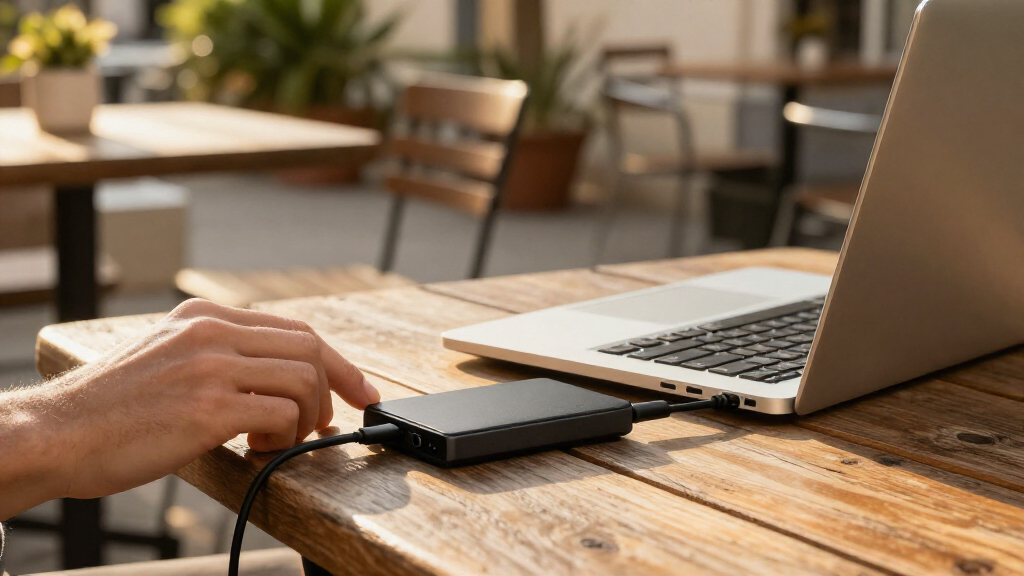
I compared the 11 listed drives on the factors that matter most for portable storage: capacity, stated transfer speed, connection flexibility, and likely use case. I gave more weight to options that offer a practical balance for common tasks, then separated larger-capacity and higher-speed models from simpler or lower-capacity choices. Where a listing names USB-C and USB-A support, I treated that as a compatibility advantage, while leaving room for buyers to check which cables and adapters are actually included.
The ranking reflects the information provided in the product names, not independent performance testing. A 2000MB/s claim can be appealing for large transfers, but it matters less if a device or port cannot support comparable speeds. Capacity, value in practical terms, and ease of matching a drive to a buyer’s devices all shaped the order. I also account for duplication among several SanDisk models: the right pick depends on whether a buyer prioritizes the Extreme line’s higher stated speed, the standard Portable SSD’s 1000MB/s claim, or a particular capacity.
| portable SSD drife | Interface | Read speed | Drop protection |
|---|---|---|---|
| OSCOO 2TB External SSD | USB 3.2 Gen 2×2 | Up to 1100 MB/s | — |
| Gigastone USB-C + A Portable S | USB-C and USB-A, USB 3.2 Gen 2 | Up to 1050 MB/s | — |
| SanDisk Extreme Portable SSD | USB 3.0 | Up to 2000 MB/s | Up to 3 m |
| SanDisk Extreme Portable SSD | USB 3.0 | Up to 2000 MB/s | — |
| SanDisk 1TB Portable SSD | — | — | Up to 2 meters |
| Gigastone 512GB Portable SSD w | USB 3.2 Gen 2 | — | — |
| SanDisk Extreme Portable SSD | USB-C | Up to 2,000 MB/s | Up to 3 m |
| SanDisk Extreme Portable SSD 2 | — | Up to 1,050 MB/s | Up to 3 m |
| SanDisk 2TB Portable SSD | USB 3.0 | — | Up to 2 m |
| SSK Portable SSD 500GB Externa | USB 3.2 Gen 2 (USB-C and USB-A) | Up to 1,050 MB/s | — |
| Samsung T7 Portable SSD | USB 3.2 Gen 2 | — | Up to 6 feet |
Factors to Consider When Choosing Portable SSD Drives
Choosing a portable SSD is less about picking the biggest speed number and more about matching storage to your devices and workload. I’d start with the connection you can actually use, then estimate how much space you need now and how quickly that need may grow. These checks help avoid paying for unused capacity or buying a drive whose headline performance your setup cannot reach.
Match the Drive to Your USB Ports
USB-C describes the connector shape, not a guaranteed transfer rate, so two USB-C ports can behave very differently. Check the specifications for the computer, phone, or tablet you plan to use, including its USB generation and support for external storage. A drive rated up to 2000MB/s will not deliver that ceiling through a slower port or an unsuitable cable. USB-A compatibility can be useful if you move between newer devices and older computers, but confirm whether the needed cable or adapter comes in the box. For a mixed-device household, a dual-connector option may save hassle even if raw speed is not its main advantage. For a single modern laptop, a well-matched USB-C drive may be simpler.
Choose Capacity Around Your Actual Workload
Think about what will live on the drive, not just what you want to copy today. Documents and a modest photo archive can fit comfortably on a smaller drive, while large video files, game libraries, and repeated project backups consume space much faster. Leave working room rather than planning to fill every gigabyte, since a nearly full drive can make file management inconvenient. If your storage needs change seasonally, consider whether one larger drive is easier to manage than several smaller ones. A 4TB option can reduce drive swapping, but it may be unnecessary for routine file transfers. Buyers with a fixed, modest task may prefer a 500GB or 512GB model and keep a separate backup for important files.
Treat Maximum Speed as a Ceiling, Not a Promise
Manufacturer speed figures describe best-case conditions, not every copy operation. Your host port, cable, file sizes, and the drive’s sustained behavior can all change transfer times. Large video files are often a better fit for a fast drive than thousands of small files, which involve different kinds of overhead. If you routinely move large projects and own compatible hardware, a higher-rated model may save time. If you mostly store photos or documents, capacity and compatibility can matter more than a higher maximum. Avoid choosing on the speed number alone when your current computer cannot make use of it.
Decide Whether You Need One Drive or a Backup Plan
A portable SSD is convenient storage, but a single copy of important work is still a single point of failure. Buyers using a drive for travel, client files, or irreplaceable photos should plan a second copy on another device or in a separate backup location. This affects capacity choices: keeping both active projects and backup copies may call for more space than a simple transfer drive. Separate backups also reduce the temptation to treat one portable drive as a permanent archive. If you only need to move files between devices, one drive may be enough for that task. For long-term protection, decide how you will update and verify the second copy.
Pay for Features Your Setup Can Use
Higher capacity and a higher stated speed can justify choosing a more capable model when they solve a real problem. For frequent transfers of large media projects, less waiting may have practical value; for occasional document storage, the benefit may be hard to notice. Check compatibility before paying for a premium speed tier, especially if your computer has an older USB interface. Dual USB-C and USB-A support can also be worth prioritizing when you regularly work across devices with different ports. On the other hand, a smaller-capacity drive is a poor fit if you expect a growing library of footage or backups. Make the tradeoff against your workload rather than assuming the most capable specification is automatically the best choice.
Check Portability Details Beyond Size
Portable use includes more than fitting a drive in a bag: cables, adapters, handling, and the devices you travel with all affect convenience. A short or missing cable can turn a compact drive into an awkward companion, so review package contents and connection requirements before ordering. If the drive will leave your desk often, check the manufacturer’s stated durability and protection details rather than inferring them from a model name. Keep the drive away from excessive heat, moisture, and physical impact unless its specifications explicitly support those conditions. A small-capacity model can be easier to dedicate to one task, such as carrying a current project. For frequent travel, a tidy connection setup and a separate backup may matter as much as headline speed.
Frequently Asked Questions
Will a portable SSD rated up to 2000MB/s work that fast with my laptop?
Not necessarily. That figure is a maximum claim, and your laptop’s USB port, the cable, and the type of files being transferred all affect actual speed. A slower USB connection can limit a fast drive, so check your computer’s port specifications before paying for a higher speed tier. Large continuous files may transfer differently from folders full of small items. If your laptop cannot use the faster connection, a lower-rated drive with enough capacity may be a better match.
Is 1TB enough, or should I choose a 2TB portable SSD?
The answer depends on what you plan to keep on the drive and how quickly that collection grows. One terabyte can suit regular document storage, a selection of photos, or moving current work between devices. Video libraries, large creative projects, and multiple backup copies can use that space quickly, making 2TB a more flexible choice. Estimate the space your files already occupy and leave room for new ones rather than planning to fill the drive immediately. If your needs are modest and predictable, a smaller drive can still be a sensible fit.
Should I choose a USB-C and USB-A model for older computers?
A drive that supports both connection types can make it easier to move files between newer USB-C devices and older USB-A computers. The benefit depends on the cables or adapters supplied, so check the package details before assuming you can connect it straight away. A connection adapter may also affect convenience, even when it allows the drive to work. If all your devices use USB-C, dual-connector support may not add much value. Match the drive to the ports you use most often, while keeping future device changes in mind.
Can I use one of these portable SSDs for both a phone and a computer?
Potentially, but compatibility depends on the phone’s operating system, port, file access, and the drive’s formatting. The Gigastone 2TB listing specifically names phones and several other device types, but buyers should still confirm support for their exact model and intended workflow. A phone may also need an adapter or a compatible file-management app. Check whether the drive’s file system works across all the devices you plan to share it between. If you will move files across different platforms, test the setup with nonessential files before relying on it for important work.
Is a portable SSD a safe place to keep my only copy of important files?
No single drive should be the only copy of files you cannot replace. Portable storage can be lost, damaged, or become unreadable, so keep another copy on a separate drive or in a suitable backup service. A higher capacity model makes it easier to store more material, but it does not remove the need for a second copy. For work files, schedule regular backups and check that the copied files open correctly. If you travel with the SSD, keep its backup in a different place from the drive itself.
Conclusion
For a balanced choice, I’d start with the SanDisk Extreme Portable SSD 2TB, which pairs useful capacity with the Extreme line’s higher stated speed tier. Buyers focused on value and everyday transfers can compare the SanDisk 2TB Portable SSD rated up to 1000MB/s with the 1TB version and choose capacity according to their files. For a premium, high-capacity setup, the SanDisk Extreme 4TB is the clearest fit for buyers who can use its speed and need the extra room. Beginners who want a familiar, straightforward option may prefer the Samsung T7 1TB for everyday storage, while people moving between USB-C and USB-A devices should look closely at the OSCOO 2TB or Gigastone 2TB. For a specific lightweight task, the 500GB SSK or 512GB Gigastone can suit smaller file sets; choose one only if that capacity will last. Match the drive to your ports and workload, then keep a separate backup for anything important.
Halloween Picks

Kalolary 12ft Halloween Witch Haunted House Inflatable Archway

10-Foot Halloween Inflatable Double-Headed Dragon Archway

Halloween Inflatable Haunted House Maze – 20×20 ft with Removable Roof and Blower
As an affiliate, we earn on qualifying purchases.