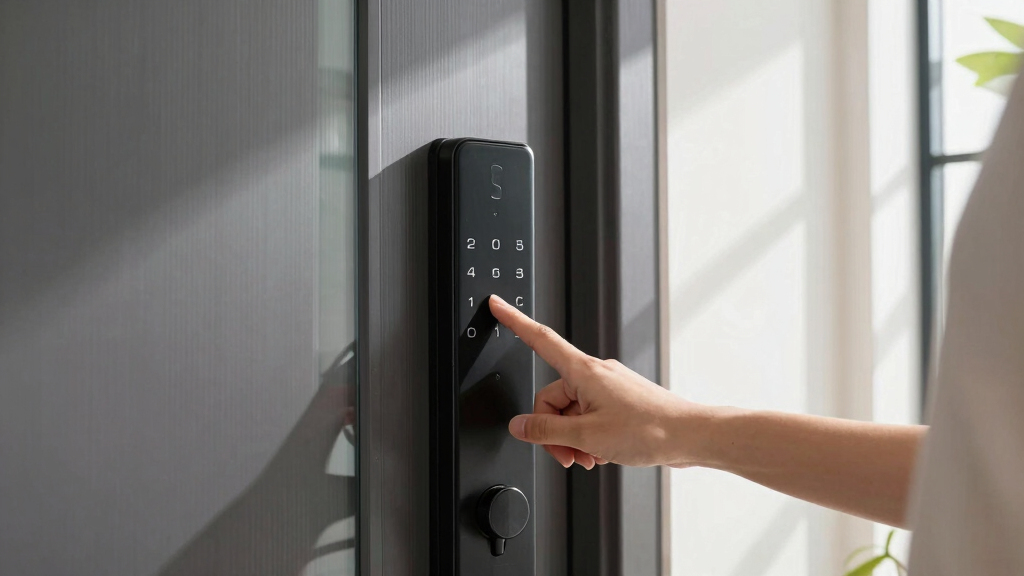

When selecting the best smart locks with fingerprint keypad, security and convenience top the list. The ULTRALOQ Bolt SE stands out for its seamless smart home compatibility, while options like the eufy Security Smart Lock C220 excel in durability with built-in Wi-Fi. Buyers often face tradeoffs between advanced features and ease of installation or cost. Some models focus on smart home integration, while others prioritize ruggedness or affordability. Continue reading for a detailed breakdown of the top options and what makes each unique.
Key Takeaways
- The most versatile models combine robust fingerprint authentication with full smart home compatibility, like the ULTRALOQ Bolt SE.
- Battery life and power reliability are critical; some locks offer extended battery performance, reducing maintenance hassles.
- Ease of installation varies widely, with DIY-friendly options suitable for most users, but more complex models can offer advanced features.
- Wi-Fi connectivity is a common feature among high-end locks, enabling remote control but often at a higher cost or complexity.
- Price ranges reflect feature sets; premium models generally add features like auto-locking, voice assistant integration, and higher durability.



More Details on Our Top Picks
ULTRALOQ Bolt SE Smart Lock, Built-in Wi-Fi, Matter Over Thread, Works with Apple Home, Alexa, Google, 7-in-1 Keyless Entry Deadbolt with Fingerprint ID, App, Keypad, Remote Control, 18 Months Battery
This model stands out for its seamless integration with Matter-enabled ecosystems, making it highly compatible with a broad range of smart home setups. Its ability to store up to 50 fingerprints and passcodes offers flexible access options, surpassing the basic keypad of the Veise Fingerprint Door Lock. Unlike the Yamiry YR01, it includes built-in Wi-Fi for remote control without relying on additional gateways, and supports voice commands via Siri, Alexa, and Google Assistant. The 18-month battery life reduces maintenance, though it requires a 2.4GHz Wi-Fi network and a compatible router within 70 feet, which could be a limitation in larger homes. Its weather-resistant design ensures durability outdoors, but the setup process can be complex for those unfamiliar with smart home integrations. Overall, this lock offers a comprehensive, user-friendly experience for tech-savvy homeowners who want robust connectivity and security.
Pros:- Supports Matter protocol for broad ecosystem compatibility
- Stores up to 50 fingerprints and passcodes for multiple users
- Built-in Wi-Fi enables remote access without extra hubs
Cons:- Requires a 2.4GHz Wi-Fi network and compatible router within range
- Setup and configuration can be complex for beginners
Best for: Tech-savvy homeowners seeking a versatile, highly connected smart lock with extensive access options and smart home compatibility.
Not ideal for: Users with limited Wi-Fi coverage or those who prefer simple, straightforward locks without extensive app configurations.
- Connectivity Protocol:Wi-Fi, Matter over Thread
- Fingerprint Storage:50 fingerprints
- Battery Life:18 months
- Weather Resistance:IP65 Waterproof
- Material:Zinc alloy
- Control Methods:App, Voice, Keypad, Mechanical keys
Bottom line: Ideal for homeowners who want a durable, feature-rich smart lock with excellent connectivity and smart home integration.
Veise Fingerprint Door Lock with 2 Lever Handles – Keyless Entry Door Lock, Electronic Keypad Deadbolt, Digital Smart Code & Front Handle Sets, Auto-Locking, Easy Installation, Matte Black
This pick makes the most sense for those prioritizing affordability and straightforward installation. It offers rapid fingerprint recognition in just 0.3 seconds, outperforming the Yamiry YR01 in speed, and provides multiple unlock modes including passcodes, keys, and physical handles, making it flexible for family use. Unlike the ULTRALOQ Bolt SE, it does not support Wi-Fi or remote app control, which could be a drawback for those wanting control from afar. Its ANSI/BHMA Grade 3 certification guarantees a decent level of security, and the IP54 waterproof rating makes it suitable for outdoor use. The lever handles and weather-resistant zinc alloy body are durable but may not match the sleekness or tech features of premium options. This lock offers broad utility at a lower price point but lacks remote connectivity and advanced smart features.
Pros:- Fast fingerprint recognition (0.3 seconds)
- Multiple unlock modes including passcodes and physical keys
- Weather-resistant and durable zinc alloy construction
Cons:- No Wi-Fi or remote app control support
- Limited to local access, no smart home integration
Best for: Budget-conscious homeowners or renters who need reliable, quick-access fingerprint and keypad entry without remote control features.
Not ideal for: Tech enthusiasts seeking advanced app integration or remote control capabilities for managing access from anywhere.
- Recognition Speed:0.3 seconds
- Waterproof Rating:IP54
- Material:Zinc alloy
- Control Methods:Fingerprint, passcode, keys
- Battery Life:1 year
- Certification:ANSI/BHMA Grade 3
Bottom line: Best suited for users who want a reliable, easy-to-install fingerprint lock without the need for remote management.
Bluetooth Fingerprint Smart Lock with Handle & Keypad – Fits Most US Doors, DIY Install, Keyless Entry: Code, FOB, Auto-Lock. Ideal for Home, Airbnb, Rental, Kids, Seniors. Alexa & Google Compatible
This model makes the most sense for hosts and renters who value multiple access options and ease of installation. It supports six unlocking methods—including fingerprint, keypad, FOB, app, and physical key—outperforming the single mode of the Yamiry YR01. Its DIY installation fits most US doors with no drilling, simplifying setup compared to the ULTRALOQ Bolt SE. The auto-lock feature enhances security, and the app allows remote control, access logs, and code management, making it excellent for property management. While it lacks integrated Wi-Fi, pairing with a WiFi gateway enables remote unlocking, which requires an extra purchase. Its Bluetooth range limits remote access to proximity, but this is a practical compromise for rental use. Overall, it offers a flexible, user-friendly solution for short-term rentals and family use.
Pros:- Supports six unlocking methods including app and FOB
- Easy DIY installation without drilling
- Remote management via optional Wi-Fi gateway
Cons:- Requires extra purchase for Wi-Fi remote access
- Limited Bluetooth range for remote unlocking
Best for: Rental property owners, Airbnb hosts, and families needing versatile access with simple DIY installation and remote management capabilities.
Not ideal for: Homeowners seeking a fully integrated smart lock with built-in Wi-Fi and voice control without additional accessories.
- Unlock Methods:Fingerprint, keypad, FOB, app, key, auto-lock
- Installation:DIY, no drilling
- Connectivity:Bluetooth, optional Wi-Fi gateway
- Battery Life:1 year
- Compatibility:Most US doors
- Control Method:App, keypad, fingerprint, FOB
Bottom line: Great for rental hosts and families needing flexible, easy-to-install access options with optional remote control.
Fingerprint Smart Door Lock with Handle & Keypad – No More Lost Keys, Keyless Entry & Remote Access for Home, Kids, Airbnb & Rental Property, DIY Install, Alexa & Google Compatible
This pick is perfect for families and hosts who want a simple, reliable lock with multiple unlocking options, including fingerprint, keypad, app, and remote control via optional gateway. It excels in ease of installation, fitting most standard doors with no extra drilling, and supports remote management when paired with an external Wi-Fi gateway—an advantage over the Veise that lacks remote capabilities. Its intuitive app interface and voice control compatibility with Alexa and Google make it highly user-friendly, especially for managing access logs and temporary codes. Unlike the ULTRALOQ Bolt SE, it does not include built-in Wi-Fi, but the gateway option adds considerable flexibility. Its focus on ease of use and multi-modal access makes it an appealing choice for dynamic household and rental needs, though additional accessories are required for remote control outside Bluetooth range.
Pros:- Multiple unlock options including remote app and voice control
- Easy installation, no drilling required
- Supports temporary and permanent access codes
Cons:- Requires a Wi-Fi gateway for remote access outside Bluetooth range
- Additional purchase needed for full remote control capabilities
Best for: Families, Airbnb hosts, and property managers who want a straightforward, versatile lock with remote access via gateway and voice control.
Not ideal for: Users wanting an all-in-one, built-in Wi-Fi smart lock without extra gateways or those less comfortable with installing additional accessories.
- Unlock Methods:Fingerprint, keypad, app, remote, key
- Control:App, Alexa, Google (with gateway)
- Installation:No drilling, fits most standard doors
- Battery Life:1 year
- Compatibility:Most US doors
- Connectivity:Bluetooth, optional Wi-Fi gateway
Bottom line: Best suited for users who value multiple entry methods and easy install, with optional remote control for rental or family use.
Smart Door Handle Lock with Keypad: Yamiry Fingerprint Smart Knob – Keyless Entry Digital Lock for Front Door – Deadbolt with APP – Generate Passcode Remotely – DIY Installation
This lock makes excellent sense for users who want a versatile, secure, and easy-to-install option for both indoor and outdoor use. Its 6-in-1 unlocking methods include fingerprint, keypad, app, passcodes, key fob, and mechanical key, outperforming simpler keypad-only options like the Veise. The easy DIY installation fits most US doors without drilling, and the handle is reversible, making it suitable for both left and right-handed doors. Its Bluetooth proximity-based auto-unlock and app control enhance convenience for everyday use, especially in busy households or rental settings. However, it lacks built-in Wi-Fi, relying on a gateway for remote access, which adds complexity and cost. The sturdy stainless steel and zinc finish ensure durability outdoors, but it may be less sleek compared to premium models like the ULTRALOQ Bolt SE. Overall, it balances security, versatility, and ease of installation for diverse home needs.
Pros:- Supports 6 unlocking methods including app and passcode
- Easy DIY installation, no drilling needed
- Auto-unlock via Bluetooth proximity
Cons:- Requires external gateway for remote access
- Bluetooth range limits remote control outside proximity
Best for: Homeowners and rental managers looking for a multi-modal, easy-to-install lock with extensive access options.
Not ideal for: Users seeking an integrated Wi-Fi smart lock for full remote control without extra accessories.
- Unlock Methods:Fingerprint, keypad, passcode, app, key fob, mechanical
- Auto-Unlock:Bluetooth proximity
- Installation:DIY, no drilling
- Material:Stainless steel, zinc
- Control Method:App, keypad, fingerprint
- Connectivity:Bluetooth, gateway for remote
Bottom line: Great for users who want flexible access options with easy DIY setup, especially for rentals and multi-user households.
eufy Security Smart Lock C220, Fingerprint Keyless Entry Door Lock, Built-in Wi-Fi, App Remote Control, Front Door Smart Lock Deadbolt, 8Months Battery, Reliable Power, IP53 Waterproof, BHMA Grade 3
This option stands out for its impressive combination of long battery life, quick fingerprint recognition, and built-in Wi-Fi that eliminates the need for extra hubs. Compared with the Philips Wi-Fi Door Lock, the C220 offers self-learning AI that becomes more accurate over time, reducing unlock errors. Its 8-month battery life minimizes maintenance, and the IP53 waterproof rating ensures durability in various climates. While setup is straightforward, some users might find the app controls slightly less intuitive than Philips’ app, and BHMA Grade 3 means it’s suitable for residential use but not extreme security. This lock is ideal for homeowners seeking a reliable, ecosystem-compatible smart lock with minimal fuss.
Pros:- Eight months of battery life reduces frequent replacements
- Self-learning AI fingerprint recognition improves over time
- Built-in Wi-Fi allows remote control without a bridge
- IP53 waterproof rating for durability
Cons:- BHMA Grade 3 security level may be insufficient for high-security needs
- App interface could be more intuitive for some users
Best for: Homeowners who want reliable, long-lasting battery performance combined with seamless smart home integration.
Not ideal for: Users needing high-security commercial-grade locks, as BHMA Grade 3 offers standard residential security only.
- Battery Life:8 months
- Connectivity:Wi-Fi built-in
- Waterproof Rating:IP53
- Control Methods:Fingerprint, App, Key, Voice
- Material:Aluminum
- Dimensions:7.67 x 4.49 x 4.41 inches
Bottom line: This pick suits those wanting a dependable, ecosystem-compatible smart lock with excellent battery life.
Philips Wi-Fi Door Lock, WiFi Smart Lock Keyless Entry Deadbolt for Front Door, Compatible with Alexa & Google Assistant, Remote Control, Built-in WiFi, APP Fingerprint Passcode Unlock, Auto Locking
This model excels through its flexible unlocking methods—app, passcode, fingerprint, physical key, and voice commands—making it perfect for busy households. Unlike the eufy C220, it offers extensive code management, supporting up to 100 user codes and scheduled access, ideal for rental or multi-user scenarios. Its built-in Wi-Fi provides reliable remote control, while auto-lock features enhance security without user intervention. However, the setup process can be more complex, and it relies on 4 or 8 AA batteries, which may need frequent replacement. Its compatibility with Alexa and Google Assistant enables voice unlocking, but some users report occasional connectivity hiccups. This lock is best for families and rental hosts needing versatile access management.
Pros:- Supports up to 100 custom passcodes
- Remote control via built-in Wi-Fi
- Multiple unlocking options including voice commands
- Auto-lock feature for enhanced security
Cons:- Setup can be more complicated than simpler models
- Occasional connectivity issues reported by users
Best for: Families or rental hosts requiring multiple user codes and remote control from anywhere.
Not ideal for: Those seeking a simple, single-method lock without extensive code management or voice control.
- Connectivity:Wi-Fi
- Code Storage:Up to 100 codes
- Auto Lock:Yes, adjustable
- Control Methods:App, Fingerprint, Passcode, Key, Voice
- Material:Metal
- Dimensions:Not specified
Bottom line: Ideal for households needing flexible, remote access management with voice control features.
Keypad Smart Door Lock with Knob, Yamiry Keyless Entry Digital Lock with Handle, Fingerprint Electronic Knob for Front Door
This keypad lock shines for its high hardness aluminum construction, offering good physical security, and its simple installation process compatible with most American standard doors. Unlike the aforementioned Wi-Fi locks, this model primarily operates via Bluetooth and app control, with optional Wi-Fi gateway sold separately for remote access. Its 5-in-1 unlocking methods—app, password, fingerprint, key fob, and key—provide flexibility but may lack the seamless remote control of Wi-Fi-enabled locks. The lock’s straightforward design makes it suitable for users who prefer a traditional handle combined with modern keyless convenience, though its lack of built-in Wi-Fi by default limits remote access without additional accessories. This lock is perfect for users prioritizing ease of installation and physical robustness.
Pros:- Made of durable aluminum for physical security
- Easy to install on most standard doors
- Multiple unlocking options including app, fingerprint, and key fob
- Affordable with good build quality
Cons:- Requires separate Wi-Fi gateway for remote control
- Bluetooth range limited compared to Wi-Fi locks
Best for: Homeowners who want a secure, easy-to-install keypad lock with multiple local unlocking options.
Not ideal for: Users wanting immediate remote access without extra gateways or complex setups.
- Material:Aluminum
- Control Methods:App, Fingerprint, Key Fob, Key
- Connectivity:Bluetooth
- Installation:Standard door
- Battery:Not specified
- Dimensions:Not specified
Bottom line: Best for those seeking a sturdy, easy-to-install keypad lock with multiple local access methods.
Fingerprint Smart Deadbolt with Keypad – Keyless Entry Lock for Home, Apartment, Office, Airbnb, Rental, Kids & Seniors, App & Code Access, Auto-Lock, Easy DIY Install, Compatible with Alexa & Google
This deadbolt supports up to 100+ fingerprints and codes, making it ideal for families, rentals, or offices with multiple users. Compared to the Philips Wi-Fi Lock, it emphasizes maximum user capacity and easy DIY installation, but it relies on Bluetooth and requires a separate gateway for remote control, which adds to setup complexity. Its auto-lock feature and multiple unlocking options (app, code, fingerprint, key, fob) provide convenience and security, especially for short-term rentals or shared homes. Some users note that the app interface can be less refined, and the Bluetooth connection can occasionally be unstable. Nonetheless, its wide compatibility and large user capacity make it a solid choice for multi-user environments. This lock is best for users who need high capacity and flexible access options.
Pros:- Supports over 100 fingerprints and codes
- Easy DIY installation
- Multiple unlocking methods including app, keypad, fingerprint, key, and fob
- Auto-lock feature for added security
Cons:- Requires separate gateway for remote access
- Bluetooth connection can be inconsistent
Best for: Rental properties, large families, or offices needing many user profiles and straightforward DIY setup.
Not ideal for: Homeowners seeking a purely Wi-Fi connected lock for remote management without Bluetooth limitations.
- User Capacity:Over 100 fingerprints/codes
- Control Methods:App, Keypad, Fingerprint, Key, Fob
- Connectivity:Bluetooth (gateway needed for remote)
- Auto Lock:Yes
- Installation:DIY
- Material:Not specified
Bottom line: Ideal for high-capacity environments where multiple users need flexible, easy-to-install access options.
Philips Wi-Fi Smart Lock with Handle, Keyless Entry Keypad Door Lock with Handle, Front Door Deadbolt Set with WiFi Gateway, App Control, Fingerprint Unlock, PIN Code Unlock, Auto Locking
This smart lock combines stylish handle design with robust app control, supporting multiple unlock methods including fingerprint and PIN code. Unlike other locks in this lineup, it features a handle for a more integrated aesthetic, making it a good choice for users who want a seamless look. Its Wi-Fi connectivity allows remote management, but the setup involves connecting to a gateway, which might be less straightforward for some users. The lock automatically secures the door with auto-lock options, and the biometric fingerprint technology ensures fast access. However, some users report that the app can be slow to respond at times, and the overall size might be less discreet for minimalistic preferences. This lock is perfect for those who want a stylish handle lock with versatile control options and remote management.
Pros:- Stylish handle design for aesthetic appeal
- Multiple unlock methods including fingerprint and PIN
- Auto-lock feature for security
- Remote control via Wi-Fi with app
Cons:- Requires Wi-Fi gateway for remote access
- Larger form factor may not suit minimalist doors
Best for: Design-conscious homeowners who want a handle lock with advanced app and biometric features.
Not ideal for: Users who prefer simple, keypad-only locks without the need for Wi-Fi or handle integration.
- Control Methods:Fingerprint, PIN, App
- Connectivity:Wi-Fi
- Auto Lock:Yes
- Material:Metal
- Dimensions:13.2 x 9.7 x 4.5 inches
- Finish:Matte Black
Bottom line: This lock is best suited for users wanting a stylish handle lock with advanced biometric and remote features.
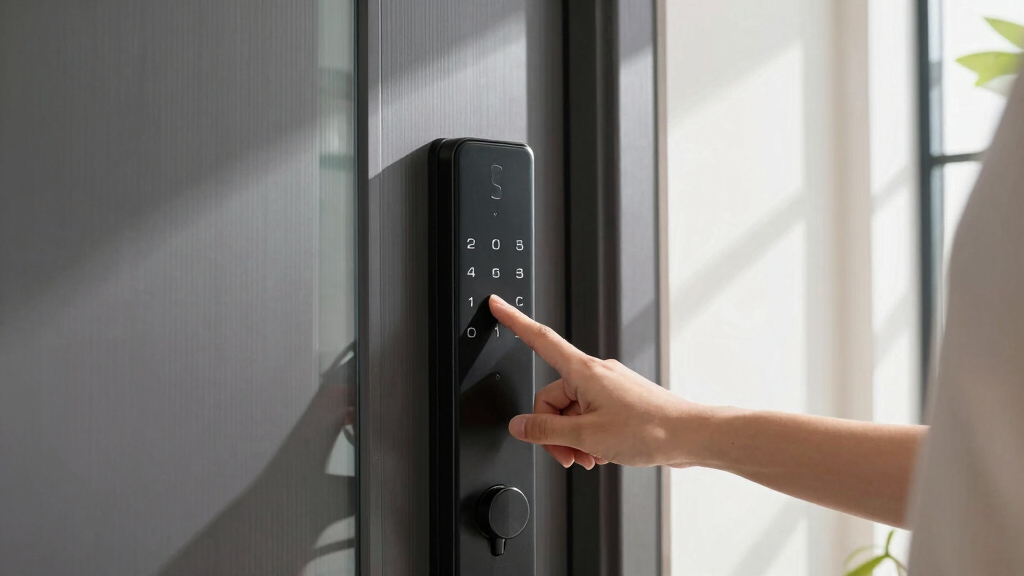
How We Picked
The products in this roundup were selected based on key factors that influence real-world usability. Performance was evaluated through fingerprint recognition speed and accuracy, while build quality assessed durability and resistance to weather. Usability considered installation complexity and app interface design. Value was appraised by balancing features against price, ensuring options suit different budgets. We prioritized smart home compatibility, battery life, and security standards, ranking products that excel across these areas while noting tradeoffs such as cost or installation difficulty.Factors to Consider When Choosing Best Smart Locks With Fingerprint Keypad
Choosing the right smart lock with fingerprint keypad involves considering several critical factors beyond basic features. Buyers should think about compatibility with their existing smart home setup, as some locks work better with Alexa, Google Assistant, or Apple HomeKit. Installation difficulty varies, so assess whether a model suits DIY installation or requires professional help. Battery life is essential for reliable performance over time, especially if you prefer not frequent replacements. Security standards, like encryption and tamper resistance, are vital for safeguarding access. Finally, consider smart features such as auto-locking, remote control, and integration with other security devices to match your specific security needs.Compatibility and Ecosystem Integration
A key consideration is whether the lock seamlessly integrates with your existing smart home ecosystem. Some locks work best with Alexa, Google Assistant, or Apple HomeKit, providing voice control and automation. If you already own smart devices, selecting a compatible lock helps create a unified control system. Compatibility also impacts app features, firmware updates, and overall ease of use. Investing in a lock that aligns with your ecosystem can enhance convenience, but choosing a less compatible model might limit future expandability.Ease of Installation and Maintenance
Many smart locks advertise DIY installation, but actual ease varies. Some models come with straightforward instructions and minimal tools, making setup accessible for most homeowners. Others may require drilling or professional assistance, adding to costs and time. Maintenance factors include battery lifespan, ease of replacing batteries, and firmware updates. A lock with longer battery life reduces the frequency of replacements, and remote status monitoring adds convenience. Avoid overly complex models if you prefer a quick, hassle-free upgrade to your door security.Security Features and Standards
Security remains paramount when choosing a smart lock. Look for models with strong encryption, tamper alarms, and robust fingerprint sensors that resist false acceptance. Certifications like BHMA Grade ratings can indicate durability and resistance to forced entry. Some locks include additional security layers, like auto-lock timers or alarm alerts for unauthorized access attempts. Sacrificing some features for better security standards can be a smart move, especially for exterior doors exposed to weather and potential tampering.Smart Features and Connectivity
Advanced smart features like remote locking, auto-unlock, and activity logs add convenience but often come at increased cost. Wi-Fi connectivity enables remote access, but it introduces potential security vulnerabilities if not properly encrypted. Bluetooth-only models are simpler and tend to be more secure but lack remote control. Consider whether you need features like passcode management, temporary access codes, or keyless entry modes. Matching these features to your lifestyle ensures your lock enhances both security and everyday convenience.Price and Long-Term Value
Smart locks with fingerprint keypads are available across a broad price spectrum. Budget models typically offer basic fingerprint access and manual operation, suitable for secondary doors or renters. Mid-range options balance features and affordability, often including app control and better build quality. Premium models add voice assistant integration, auto-locking, and enhanced durability, ideal for main entrances. Investing more generally yields better security and reliability, but it’s worthwhile to weigh these benefits against your specific needs and budget constraints.Frequently Asked Questions
How reliable is fingerprint recognition on smart locks?
Fingerprint recognition on modern smart locks has improved significantly, offering quick and accurate access for most users. The sensors are designed to work in various lighting conditions and with different finger types, but accuracy can vary depending on the model. Factors like dirt, moisture, or wear can temporarily affect performance, so choosing a reputable brand with high-quality sensors is advisable. For high-traffic or multi-user households, selecting a lock with a high recognition success rate minimizes frustration and security concerns.
Can I install a smart lock with fingerprint keypad myself?
Most smart locks are designed with DIY installation in mind, often including detailed instructions and all necessary hardware. However, complexity varies: some models require basic tools, while others may need more advanced drilling or wiring. Reading the installation instructions carefully and assessing your technical comfort level helps avoid mistakes. If unsure, professional installation can ensure proper setup, especially for securing exterior doors or integration with existing smart systems. The right choice depends on your comfort with tools and the specific lock model’s complexity.
Are smart locks with fingerprint keypad secure enough for outdoor use?
High-quality smart locks with fingerprint sensors are built to withstand outdoor conditions, but their security depends on construction and features. Look for models rated for weather resistance, with features like tamper alarms and encryption. Some cheaper models may be vulnerable to hacking or physical tampering, so investing in a certified, durable lock is wise. Regular firmware updates and strong password management further enhance security. For outdoor doors, selecting a lock with proven weatherproofing and security standards is essential for long-term peace of mind.
Do smart locks with fingerprint keypad work with existing keys?
Many smart locks with fingerprint keypad still include a traditional key option for backup access, which is recommended for emergencies or power failures. Not all models feature this, so if backup key access is important to you, verify this capability before purchasing. The key override typically involves physical keys stored in a secure location, providing peace of mind in case of electronic failure or battery drain. Ensuring the lock supports both digital and physical access offers the most flexibility and security.
How long do the batteries last in smart fingerprint locks?
Battery life varies widely among models, with most lasting between 6 months to a year with typical use. Some options feature low-battery alerts through the app or keypad, giving advance notice to replace batteries. Choosing a lock with an accessible battery compartment simplifies maintenance, and some models support rechargeable batteries, reducing ongoing costs. Longer battery life minimizes the hassle of frequent replacements, especially if the lock is used heavily or installed on an exterior door where power sources are limited.
Conclusion
For those seeking the best overall smart lock with fingerprint keypad, the ULTRALOQ Bolt SE offers a balanced mix of security, smart home compatibility, and ease of use. Budget-conscious buyers or renters will appreciate models like the Veise Fingerprint Door Lock for straightforward installation and reliable performance. For users wanting a premium upgrade, the eufy Security Smart Lock C220 provides robust durability and Wi-Fi connectivity. Beginners or homeowners prioritizing simplicity should consider locks with clear installation guides and straightforward app controls. Ultimately, your choice depends on your security needs, existing smart setup, and budget, but these options cover the most common priorities effectively.