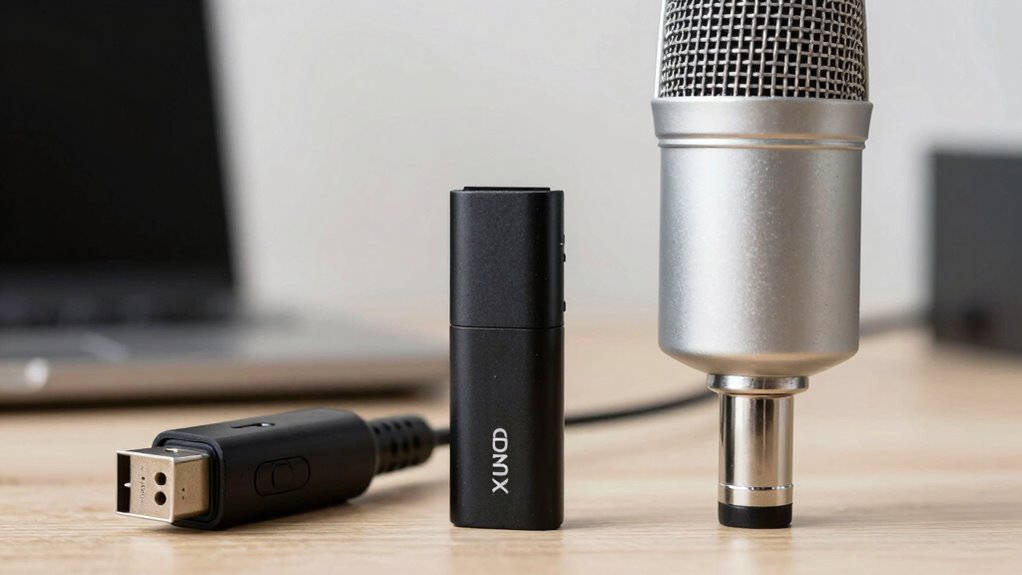
If you’re choosing between a USB and XLR mic, consider your needs first. USB mics are easy to set up, budget-friendly, and perfect for beginners or quick projects, but they lack flexibility and detailed sound quality. XLR mics offer professional-grade sound, more control, and better long-term growth, but require extra gear and skills. To get the best setup for your goals, explore the full comparison—there’s more to discover that’ll help you make an informed choice.

Get the latest gadgets delivered free with Prime
- Fast, free delivery on millions of items
- Prime Video, Amazon Music and more included
- Member-only deals all year
Key Takeaways
- USB mics are ideal for beginners due to easy setup and portability, while XLR mics suit professionals seeking premium sound quality.
- XLR microphones offer greater flexibility and sound customization through external hardware, unlike the simpler USB options.
- USB mics are cost-effective with fewer accessories needed, whereas XLR setups require additional equipment like audio interfaces and cables.
- For quick, casual recording or streaming, USB mics provide convenience; for high-end production, XLR mics are preferred.
- Consider your budget, technical skill, and desired audio quality to choose the microphone type that aligns with your creative goals.
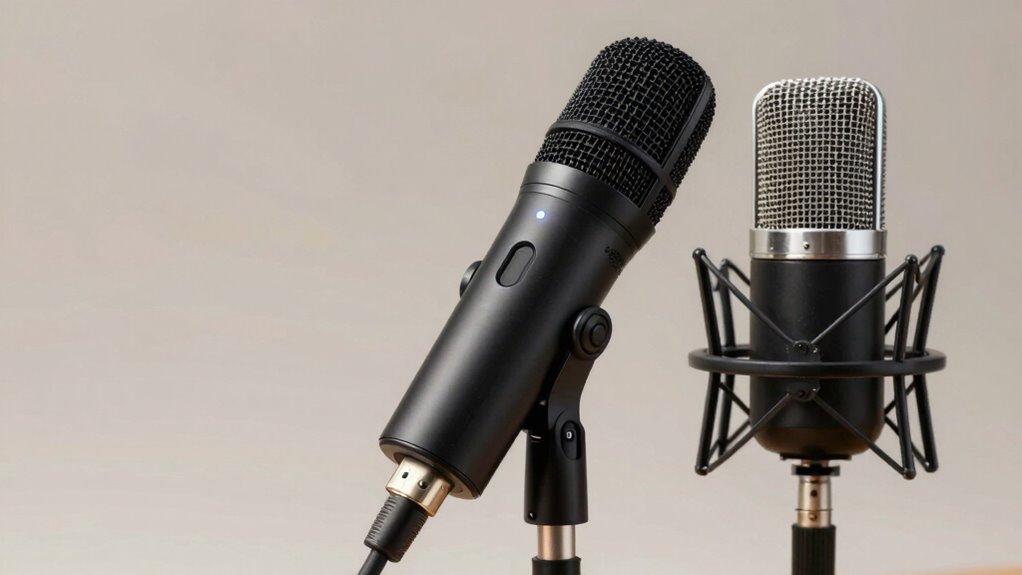
When choosing a microphone for your recording setup, understanding the differences between USB and XLR mics is essential. One of the main factors to consider is audio quality. Generally, XLR microphones are known for delivering superior sound because they typically use high-quality components and allow for more detailed audio capture. They often have better frequency response and less noise, making them ideal for professional recording environments. Conversely, USB microphones have improved considerably over the years, and many now offer impressive audio clarity that’s suitable for streaming, podcasting, or home studios. However, they might still fall short of the depth and richness that a high-end XLR setup can provide.
Another critical aspect is setup complexity. USB microphones are designed for simplicity; you just plug them into your computer’s USB port, and you’re ready to record. This plug-and-play approach makes them perfect for beginners or those who want quick, hassle-free setups. You don’t need additional equipment like audio interfaces or mixers, which simplifies the entire process and reduces costs. On the other hand, XLR microphones require a more involved setup. You need an audio interface or mixer to connect the mic to your computer, along with appropriate cables and possibly additional power sources like phantom power. While this setup might seem more complicated at first, it offers greater flexibility and control over your sound, allowing you to fine-tune your audio with better preamps and audio processing hardware.
The trade-off between setup complexity and audio quality is noteworthy. If you’re just starting out or prioritize ease of use, a USB mic makes a lot of sense. It’s a straightforward solution that can deliver decent results without much fuss. But if you’re aiming for professional-grade audio, investing in an XLR setup might be worthwhile, despite the initial learning curve and extra equipment. The setup complexity increases, but it pays off in the form of cleaner, more nuanced sound that can be shaped to your exact needs.
Ultimately, your choice hinges on your specific goals and resources. If you want a simple, portable option and are willing to accept slightly lower audio fidelity, a USB microphone is your best bet. But if you’re committed to high-quality sound and don’t mind the extra gear and steps, an XLR microphone will give you the audio quality you’re seeking. Understanding these differences will help you make an informed decision that aligns with your creative ambitions. Additionally, considering European cloud solutions can provide reliable support and infrastructure for your recording projects, especially if you’re managing large audio files or collaborating remotely.
As an affiliate, we earn on qualifying purchases.
Frequently Asked Questions
Can I Upgrade My USB Mic to an XLR Mic Later?
Yes, you can upgrade your USB mic to an XLR mic later, but you’ll need to evaluate upgrade options carefully. Compatibility concerns are key—make sure your audio interface supports your new XLR mic. You might also need additional gear like a preamp or mixer. Planning ahead guarantees a smooth transition, so research your chosen mic and interface compatibility to avoid costly surprises down the line.
What Are the Best Accessories for Each Type of Microphone?
Your microphone setup deserves superhero accessories! For an XLR mic, invest in a quality audio interface to boost sound quality and a sturdy boom arm for positioning. A pop filter is essential for both types, reducing plosive sounds that can ruin recordings. These accessories turn your mic into a powerhouse, making your audio clear, professional, and ready to wow any audience.
How Do I Troubleshoot Common Connectivity Issues?
If you’re facing connectivity issues, first check your cable connections to make certain they’re secure and undamaged. For USB mics, try plugging into different ports or using a different cable. For XLR mics, verify the cable and connection to your audio interface. Also, watch out for hardware conflicts—disable other audio devices that might interfere. Restart your device if needed, and update your drivers to resolve most common problems.
Are There Specific Genres or Applications Better Suited for One Type?
If you’re diving into voice over applications or setting up a podcasting rig, choosing between USB and XLR mics can make a difference. USB mics are perfect for beginners or quick setups, while XLR mics excel in professional studio environments with complex podcasting setups. Consider your needs: if you want simplicity, go USB; for richer sound quality and expansion, XLR is the way to go.
What Is the Typical Lifespan of USB Versus XLR Microphones?
You’ll find that XLR microphones typically last longer than USB mics because they have better durability and are built with more robust components. Maintenance requirements are higher for XLR mics, needing regular cleaning and careful handling, but they often withstand wear and tear better over time. USB microphones, while easier to use, may have a shorter lifespan due to their simpler construction and less rugged design.
Conclusion
Choosing between a USB and XLR mic depends on your needs, but remember this: over 60% of creators report that upgrading to an XLR setup improved their audio quality considerably. If you’re serious about professional sound, investing in an XLR mic might be your game-changer. However, if simplicity and affordability matter more, a USB mic can still deliver impressive results. Whichever you pick, making the right choice boosts your content’s clarity and keeps your audience engaged.
Columbus Day / Indigenous Peoples' Day Picks
long weekend sales
As an affiliate, we earn on qualifying purchases.