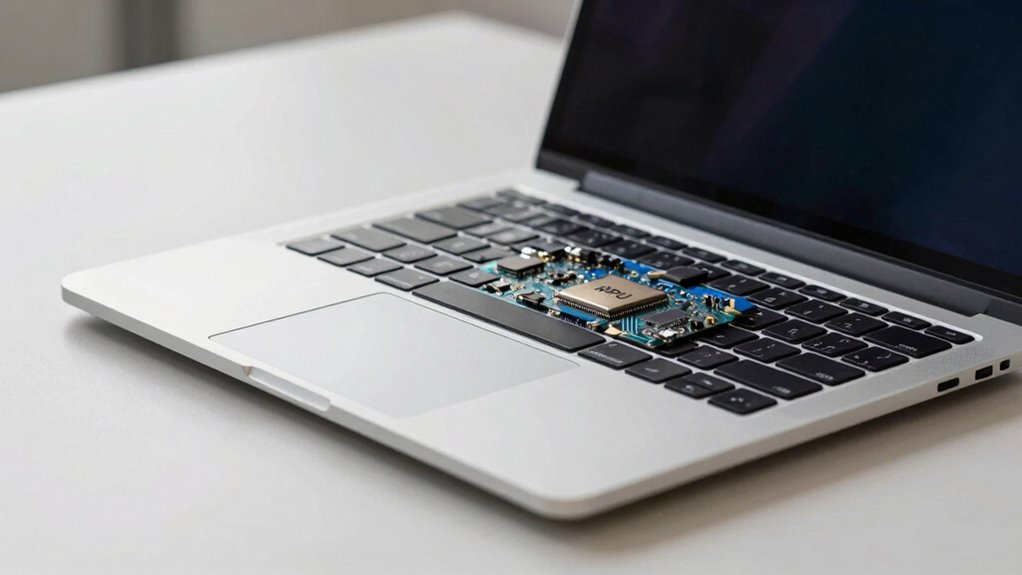

NPUs, or Neural Processing Units, are specialized chips inside new laptops that speed up AI tasks like facial recognition, voice commands, and language translation. They work alongside your main processor to make AI features faster, more responsive, and energy-efficient. This means your device can perform smart functions smoothly without draining batteries or overheating. If you keep exploring, you’ll discover how NPUs are shaping smarter, more efficient devices that adapt to your needs.

Get the latest gadgets delivered free — and shop member deals
- Fast, free delivery on millions of items
- Access to Prime Big Deal Days deals on October 6–7
- Prime Video, Amazon Music and more included
Key Takeaways
- NPUs are specialized chips designed to accelerate AI tasks in modern laptops.
- They improve features like facial recognition, language translation, and image processing.
- NPUs deliver faster AI performance while consuming less power, enhancing battery life.
- They enable real-time AI functions, making devices smarter and more responsive.
- Future NPUs will become more integrated, supporting advanced AI capabilities and energy efficiency.

Have you ever wondered how modern devices handle complex tasks like image recognition or natural language processing so quickly? The answer lies in specialized hardware called Neural Processing Units, or NPUs. These chips are designed specifically to accelerate artificial intelligence tasks, making your devices smarter and more responsive. Unlike traditional CPUs or GPUs, NPUs focus on AI acceleration, allowing them to process vast amounts of data rapidly, all while maintaining power efficiency. This means your laptop can perform advanced AI functions without draining its battery or overheating.
NPUs accelerate AI tasks efficiently, making devices smarter without draining power or overheating.
The core advantage of NPUs is their ability to optimize AI workloads. They’re built to handle deep learning algorithms, which require intense calculations that would bog down general-purpose processors. By offloading these tasks to an NPU, your device can analyze images, understand speech, or generate recommendations at lightning speed. This specialized hardware considerably enhances the overall performance, ensuring that AI features are not just possible but seamless and real-time. Whether you’re using voice assistants, photo editing tools, or augmented reality apps, NPUs make it all happen effortlessly.
Power efficiency is another critical factor driving the adoption of NPUs in new laptops. Traditional processing units might consume a lot of energy when performing AI tasks, which can lead to shorter battery life and increased heat output. NPUs are engineered to do more with less, using fewer watts to achieve faster and more efficient AI processing. This means you get longer battery life and less need for cooling systems, which keeps your device slim and lightweight. As laptops become thinner and more portable, NPUs ensure that power efficiency remains a priority without sacrificing performance.
In essence, NPUs are the backbone behind many of the AI-powered features you see in modern laptops. They’re purpose-built to boost AI acceleration, making tasks like facial recognition, language translation, and predictive text faster and more efficient. This dedicated hardware allows your device to keep up with the increasing demand for intelligent functions, all while conserving energy. As technology continues to evolve, NPUs will become even more integral, enabling smarter, more energy-efficient devices that adapt to your needs seamlessly. So, the next time you marvel at how quickly your laptop responds to commands or processes images, you can thank the powerful, efficient chip inside—your NPU. Additionally, advancements in neural network processing are constantly expanding the capabilities of NPUs, further enhancing their role in future devices. As research progresses, NPUs are expected to incorporate machine learning features directly into their hardware, which will further improve their efficiency and adaptability. Furthermore, ongoing innovations are leading to customized architectures that optimize NPUs for specific AI workloads, boosting their overall performance. These innovations are driven by a growing understanding of AI hardware design, which ensures that NPUs continue to evolve alongside AI technology.
As an affiliate, we earn on qualifying purchases.
Frequently Asked Questions
How Do NPUS Differ From Standard CPUS in Laptops?
You’ll notice that NPUs differ from standard CPUs because they’re optimized for AI acceleration and NPU efficiency. While CPUs handle general tasks, NPUs specifically boost AI-related processes like image recognition or voice commands. This specialization allows NPUs to perform AI tasks faster and more efficiently, saving power and improving performance. So, in your laptop, an NPU enhances AI features by providing dedicated hardware for smarter, quicker responses.
Are NPUS Present in All New Laptop Models?
You might find NPUs in some new laptops, but not all. As NPU hardware integration becomes more common, manufacturers prioritize NPU energy efficiency to boost performance without draining battery life. While high-end models often feature NPUs for AI tasks, many budget laptops still rely on traditional CPUs. So, whether you see an NPU depends on the laptop’s design and intended use, not on a universal standard.
What Impact Do NPUS Have on Battery Life?
NPUs can positively impact your laptop’s battery life by improving power efficiency. Because they handle AI tasks more efficiently than traditional processors, they reduce the workload on the CPU, saving energy. This means your laptop consumes less power during AI-related activities, which can extend battery longevity. Overall, integrating NPUs helps you enjoy longer usage between charges without sacrificing performance, making your device more efficient and portable.
Can Users Upgrade NPUS in Existing Laptops?
You can’t upgrade NPUs in existing laptops due to hardware compatibility and upgrade limitations. Most laptops have the NPU integrated directly onto the motherboard, making it impossible to replace or upgrade without replacing the entire device. If you want improved NPU performance, your best option is to buy a newer laptop with a more advanced NPU. This guarantees compatibility and peak performance without risking hardware damage.
How Do NPUS Improve AI Performance in Everyday Tasks?
Did you know NPUs boost AI performance by up to 20 times? They substantially improve AI acceleration in your daily tasks, making things like voice recognition, image processing, and language translation faster and smoother. NPUs enhance power efficiency, so your laptop uses less energy while delivering better AI capabilities. This means your device responds quicker and lasts longer, transforming your everyday experiences with smarter, more efficient technology.
Conclusion
Now that you know what NPUs are and how they work, you can see they’re a real game-changer for laptops. They handle AI tasks with ease, making your device smarter and more efficient. As the saying goes, it’s all about staying ahead of the curve, and NPUs give you just that. So, keep an eye on these chips—they’re shaping the future of tech, and you’ll want to be in the know.
Fall Picks
fall essentials
As an affiliate, we earn on qualifying purchases.