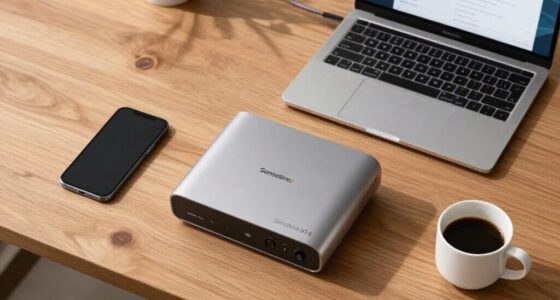
🔍 Read the full analysis: A Practical Guide To AI Transcription For Meetings, Dictation, And Field Work on ThorstenMeyerAI.com

Get the latest gadgets delivered free with Prime
- Fast, free delivery on millions of items
- Prime Video, Amazon Music and more included
- Member-only deals all year
TL;DR
A ThorstenMeyerAI.com roundup compares 11 products for meeting capture, dictation, clinical use, translation and manual transcription. Its central finding is that AI recorders and traditional playback software serve different workflows; buyers should verify accuracy, privacy, language support and compatibility before relying on a tool.
ThorstenMeyerAI.com has published a 11-product guide to transcription tools for meetings, dictation and field work, ranking options that range from AI-enabled recorders to desktop software for manual audio playback, as detailed in the original analysis. The guide names the viaim NoteKit as its overall pick for meeting-centered capture, while stressing that the best choice depends on the workflow rather than the “AI” label.
The roundup separates products into two broad groups: recorders with automated transcription or summaries, and software built around controlling playback while a person types. It identifies the OM SYSTEM AS-2700 as a kit-style option pairing recorder hardware with transcription software, and says PenPower AI VoiceWriter is aimed at users who want to dictate into writing tools.
For hands-on transcription, the guide points to Express Scribe and SpeechExec. Express Scribe’s standard, Pro and foot-pedal bundle options are described as distinct workflow choices, not interchangeable versions. The source also lists the CortexaNote N1 for clinician-focused use and an MMQ recorder with an emphasis on translation.
The roundup says it ranked products by stated workflow fit, capture and dictation features, automation, compatibility cues and included hardware. It does not provide independent accuracy testing or establish that every named feature performs equally well across languages, recording conditions or service plans.
The 11 picks
- 1
 OM SYSTEM AS-2700 Audio Transcription KitView on Amazon →
 - 2
 Philips SpeechExec Transcribe Software, 2-Year Subscription, Version 11.5View on Amazon →
 - 3
 Express Scribe Pro Transcription Software with Infinity IN-USB-3 USB Foot PedalView on Amazon →
 - 4
 CortexaNote N1 AI Voice Recorder for CliniciansView on Amazon →
 - 5
 Express Scribe Pro Transcription Software for PC and Mac (CD-ROM)View on Amazon →
 - 6
 OLZO AI Voice Recorder with Transcription and SummariesView on Amazon →
 - 7
 viaim NoteKit AI Meeting Assistant and Voice RecorderView on Amazon →
 - 8
 Express Scribe Transcription Software – Use with Foot PedalView on Amazon →
 - 9
 MMQ AI Voice Recorder with Real-Time Translation and TranscriptionView on Amazon →
 - 10
 PenPower AI VoiceWriter Dictation and Writing Assistant for Windows and MacView on Amazon →
 - 11
 AI Voice Recorder with Magnetic Back, Transcription and SummariesView on Amazon →
Choosing Between Automation and Control
The comparison matters because “transcription software” can mean very different things: a device that captures a meeting and drafts notes, a dictation tool that feeds writing applications, or software that helps a typist work through an existing audio file. Choosing the wrong category can leave users with extra steps instead of a more efficient process.
Automated transcripts may speed up review, but a generated transcript or summary is not necessarily error-free. Poor microphone placement, background noise, overlapping speakers, accents and specialized vocabulary can affect results. Where wording has legal, clinical or business consequences, users should plan for listening back and correcting the transcript.
Privacy also has practical consequences. A recorder may capture audio locally but send it to an online service for transcription. Buyers handling confidential material need to confirm how audio and text are processed, retained and deleted, and whether the workflow meets their organization’s rules.
How the Guide Groups Its Picks
The source treats the products as a comparison of different work patterns, not a direct ranking of identical tools. A meeting-focused recorder is judged partly on convenient capture and review, while playback software is useful for people who need to control audio carefully as they type. Hardware bundles can matter when a buyer wants a more complete recording-to-transcription setup.
The guide’s top choice, the viaim NoteKit AI Meeting Assistant and Voice Recorder, is presented as a fit for recording and reviewing discussions, rather than for people whose main need is foot-pedal-controlled manual transcription. The OM SYSTEM AS-2700 is framed as a more traditional hardware-and-software workflow. Those distinctions help explain why the roundup does not treat all 11 products as substitutes.
The source material names several products and describes the categories they serve, but does not supply a complete specification sheet for each of the 11 picks. Readers should consult current product documentation for supported devices, subscriptions, languages and service requirements before purchasing.
“The main tradeoff is between automated convenience and hands-on control.”
— ThorstenMeyerAI.com roundup
Accuracy, Privacy and Coverage Checks
The supplied source does not report standardized accuracy tests, independent product reviews or results from recordings made under the same conditions. It also does not establish the language coverage, data-retention rules, processing locations or deletion controls for every product. Those details can depend on the device, software version, account plan and connected service.
It is also unclear from the source whether each recorder transcribes on-device, requires an internet connection, or uploads audio for processing. Claims about summaries, translation or clinical suitability should not be treated as proof that a product meets a workplace’s privacy or regulatory requirements. Buyers should verify current terms and test representative audio before using a tool for sensitive or consequential records.
Verify the Workflow Before Buying
The roundup does not announce a launch date, product update or upcoming testing milestone. The next step for readers is to compare the current specifications and terms for the products that match their task, then test them with typical audio. Check whether the tool handles the required language, speakers, file formats and devices, and whether it supports replay and correction.
Before recording other people, confirm consent requirements and follow organizational policies. For confidential or clinical work, seek approval for the specific service and processing arrangement rather than assuming a physical recorder keeps data private. Product features and service conditions can change, so confirm them directly with vendors before committing important work to a system.
Key Questions
What is the roundup’s overall pick?
The guide names the viaim NoteKit AI Meeting Assistant and Voice Recorder as its overall pick for buyers who want meeting capture paired with AI assistance. That recommendation is specific to meeting-centered use, not every transcription workflow.
Which option is aimed at manual transcription?
The roundup highlights Express Scribe and SpeechExec for traditional audio playback and transcription. Express Scribe’s standard, Pro and foot-pedal bundle options differ by workflow and included equipment.
Does an AI transcript need to be checked?
Yes. The source notes that recording conditions, overlapping speakers, accents and specialist vocabulary can affect results. Review and correct transcripts when errors could change meaning or create risk.
What should buyers check before using a tool for sensitive recordings?
Check where audio is processed, how long audio and transcripts are retained, who can access them and whether deletion controls are available. Confirm that the product and service terms meet workplace requirements.
Does the guide prove which product is most accurate?
No. The source material does not provide standardized accuracy testing. It recommends matching tools to the workflow and verifying accuracy, language support, privacy and compatibility before relying on a product.
Source: ThorstenMeyerAI.com
Halloween Picks
halloween
As an affiliate, we earn on qualifying purchases.