
The most overlooked chair adjustment is the seat tilt, which can substantially boost comfort and posture. By tilting your seat slightly forward (around 5-10 degrees), you encourage your pelvis to align naturally and reduce slouching. This simple tweak keeps your lower back supported and promotes a neutral spine, helping prevent back pain and fatigue. Making this adjustment now can transform your sitting habits—keep going to uncover more simple yet effective ways to improve your ergonomics.

Get the latest gadgets delivered free — and shop member deals
- Fast, free delivery on millions of items
- Access to Prime Big Deal Days deals on October 6–7
- Prime Video, Amazon Music and more included
Key Takeaways
- Many people neglect to adjust their seat tilt, missing ergonomic benefits like better pelvis alignment and reduced back strain.
- Setting the seat tilt to a slight forward angle (around 5-10 degrees) supports the natural lumbar curve.
- Engaging the seat tilt lock ensures consistent support and prevents slouching during long sitting periods.
- Proper seat tilt encourages core engagement and promotes an upright upper body posture.
- Regularly adjusting seat tilt can significantly decrease fatigue, back pain, and improve overall sitting comfort.

Adjusting your chair properly can considerably improve your comfort and reduce the risk of strain or injury. Many people overlook one simple yet effective adjustment that can make a significant difference: the seat tilt. This adjustment isn’t just about comfort; it offers notable ergonomic benefits and plays a crucial role in posture correction. When you set the seat tilt correctly, you help maintain a natural spine alignment, which minimizes pressure on your lower back and neck. Proper seat tilt encourages a more neutral posture, reducing fatigue and discomfort during long hours at your desk.
Proper seat tilt enhances comfort, supports posture, and reduces strain during long work hours.
Most people tend to leave their chairs in a flat or default position, unaware of how much this limits their ergonomic benefits. By adjusting the seat tilt, you can shift your pelvis into a more natural position, preventing slouching or leaning forward. This not only supports your lumbar curve but also promotes better engagement of your core muscles, which are essential for posture correction. When your pelvis is properly aligned, your upper body naturally sits upright, reducing strain on your shoulders and neck. This adjustment can prevent common issues like back pain, shoulder tension, and headaches caused by poor posture. Additionally, understanding the importance of ergonomic design can help you optimize your workspace for health and comfort.
To make the most of this adjustment, start by setting the seat tilt to a slight forward angle—around 5 to 10 degrees—if your chair allows it. This encourages your pelvis to tilt slightly forward, supporting your lower back and encouraging an upright sitting position. If your chair has a locking mechanism, ensure it’s engaged once you’ve found the right tilt so that it stays consistent during your work session. Don’t forget to check your seat height as you adjust the tilt; your feet should rest flat on the floor, with knees at a 90-degree angle. This ensures your spine remains properly aligned and your weight is evenly distributed.
Incorporating this simple adjustment into your daily routine can yield long-term ergonomic benefits. You’ll notice less fatigue, fewer aches, and a more comfortable sitting experience overall. It might seem minor, but the seat tilt is one of the most overlooked yet impactful ways to enhance your posture correction efforts. When you take control of this adjustment, you’re actively protecting your musculoskeletal health, improving your comfort, and making your workspace more ergonomically sound. Remember, small changes can lead to big improvements, and adjusting your chair’s seat tilt is a quick, effective step toward better health and better sitting habits.
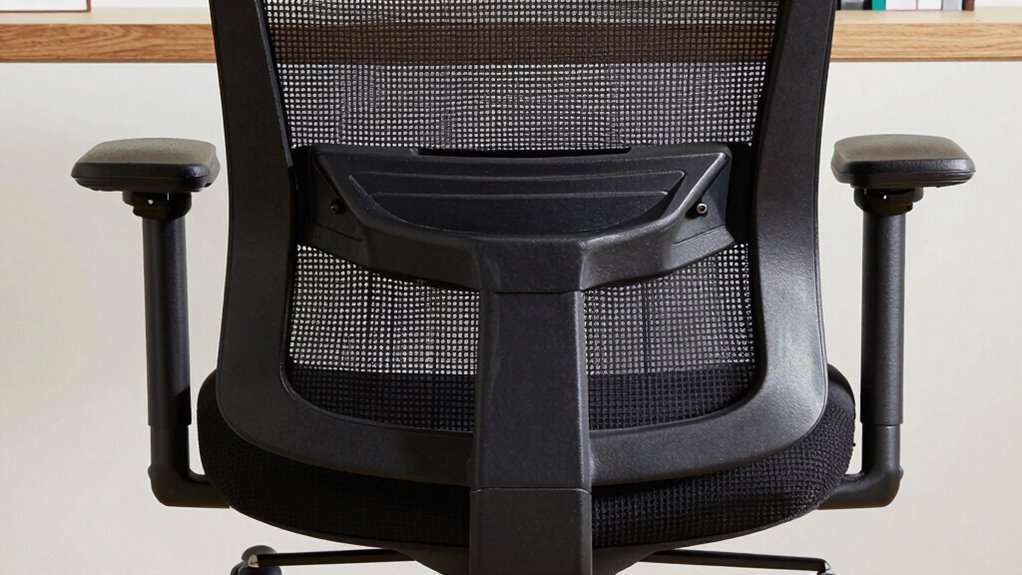
ergonomic office chair with seat tilt lock
As an affiliate, we earn on qualifying purchases.
As an affiliate, we earn on qualifying purchases.
Frequently Asked Questions
How Often Should I Adjust My Chair for Optimal Comfort?
You should adjust your chair as often as needed to maintain ergonomic posture throughout the day. When you notice discomfort or poor alignment, tweak the adjustable features like seat height, backrest angle, or armrests. Regular adjustments help prevent strain and promote comfort. Don’t wait until you’re uncomfortable—make small, frequent changes to stay supported and maintain good posture during long periods of sitting.
Can Improper Chair Height Cause Long-Term Health Issues?
Yes, improper chair height can cause long-term health issues. When your chair isn’t at the right height, you might adopt poor ergonomic posture, leading to strain on your neck, shoulders, and back. Over time, this can negatively impact your spinal health, causing discomfort and potential chronic problems. To protect your spine, make sure your chair supports a neutral posture, with feet flat on the floor and knees at a 90-degree angle.
What Signs Indicate My Chair Is Incorrectly Adjusted?
Your body screams for help when your chair is misaligned. Look for signs like persistent back pain, neck strain, or tingling in your legs—these mean your ergonomic posture is off. If your chair height isn’t right, your feet won’t rest flat, and your knees might be higher than hips. Poor chair alignment causes discomfort and long-term issues, so adjust it to support your natural posture and stay comfortable during long hours.
Is It Better to Use a Footrest With My Chair?
Using a footrest can considerably improve your sitting posture by reducing pressure on your legs and lower back. The footrest benefits include better circulation and added comfort, especially if your feet don’t reach the ground comfortably. Incorporate ergonomic accessories like a footrest to promote proper alignment. It’s a simple adjustment that can prevent discomfort and long-term health issues, making your workspace more supportive and ergonomic.
How Do I Know if My Lumbar Support Is Correctly Positioned?
Imagine sitting at your desk, feeling comfortable yet aware of your posture. To check lumbar support, guarantee it aligns with your lower back’s natural curve, supporting your lumbar positioning. Adjust until you feel a gentle, consistent pressure that encourages good posture awareness. If your lumbar support feels too high or low, tweak it until it’s snug but not constrictive. Proper positioning promotes comfort and helps prevent back pain.
Conclusion
So, next time you plop into your chair, remember the one adjustment you’re probably ignoring. Sure, fiddling with the height or tilt is fun, but this tiny tweak could save your back and your dignity. Don’t be that person who’s resigned to discomfort — because honestly, your behind deserves a throne, not a throne of pain. Give that neglected adjustment a shot; your spine will thank you, and your coworkers might finally stop judging your slouch.
Fall Picks
fall essentials
As an affiliate, we earn on qualifying purchases.