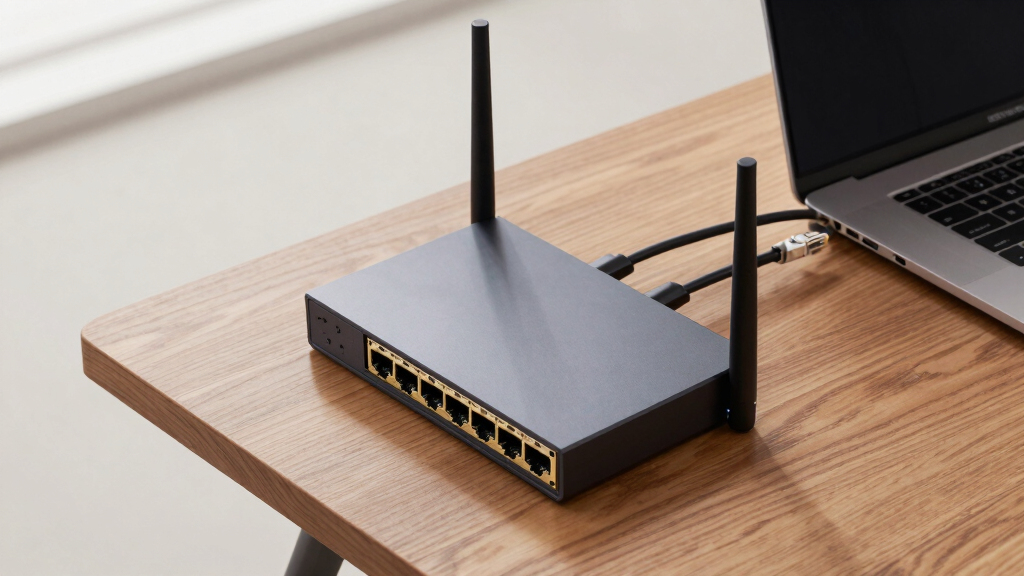

For users seeking high-speed network connections, routers with SFP+ or 10GbE uplinks are essential. The Firewall Appliance 10GbE Mini PC with SFP+ stands out for its compact power, ideal for advanced security setups. The ASUS RT-BE88U WiFi 7 Router offers blazing-fast WiFi combined with multi-gig ports, perfect for mixed environments. Meanwhile, the TP-Link Omada ER8411 excels in enterprise reliability with comprehensive VPN features. Readers will face a common tradeoff: higher performance usually means higher cost and complexity. Continue reading for a detailed breakdown of each option and find the best fit for your network needs.

Get the latest gadgets delivered free — and shop member deals
- Fast, free delivery on millions of items
- Access to Prime Big Deal Days deals on October 6–7
- Prime Video, Amazon Music and more included
Complete the kit



Key Takeaways
- The top picks balance raw throughput with ease of setup and management, making them suitable for different user levels.
- Most high-performance routers tend to favor enterprise-grade features over simple plug-and-play usability.
- Multi-gig ports are becoming standard, but their real-world benefits depend heavily on your existing infrastructure.
- Price tends to correlate with advanced features like VPN, security, and enterprise management tools.
- Choosing the right router depends on your specific use case—whether for small office, data center, or advanced home network.
| Firewall Appliance 10GbE Mini PC with SFP+, Intel Alder Lake N100 |  | Best for Compact, Secure Network Environments | Processor: Intel Alder Lake N100 (4C/4T) up to 3.4GHz | Network Ports: 2x10GbE SFP+, 4×2.5GbE | RAM Support: Up to 32GB DDR4/DDR5 | VIEW LATEST PRICE | See Our Full Breakdown |
| ASUS RT-BE88U WiFi 7 Router – Dual 10G Ports, Up to 7.2 Gbps, Mesh Compatible |  | Best for Fast Wireless and High-Capacity Wired Networks | WiFi Technology: WiFi 7 | Max Throughput: 7.2 Gbps | Number of 10G Ports: 2 | VIEW LATEST PRICE | See Our Full Breakdown |
| TP-Link Omada ER8411 Enterprise Wired 10G VPN Router |  | Best for Enterprise-Grade Scalable Wired Networks | Ports: 1x 10G SFP+, 1x 10G SFP+, 8x Gigabit RJ45 | Max Concurrent Sessions: 2,300,000 | Max Clients: 1000+ | VIEW LATEST PRICE | See Our Full Breakdown |
| Omada Fusion 2.5G Multi-WAN Wired VPN Router |  | Best for Simplified Multi-WAN Management and Easy Deployment | Management: Cloud via Omada | Setup: Bluetooth and Omada App | CPU: Quad-Core | VIEW LATEST PRICE | See Our Full Breakdown |
| Mikrotik CCR2116-12G-4S+ Cloud Core Router, 16GB RAM, 13 Gigabit Ports, 4 SFP+ Ports |  | Best for High-Performance Enterprise Routing with Fiber Connectivity | RAM: 16GB | Ethernet Ports: 13 | SFP+ Ports: 4 | VIEW LATEST PRICE | See Our Full Breakdown |
| Netgate 6100 MAX pfSense+ Security Gateway – Firewall, Router, VPN |  | Best Security-Focused Router with 10GbE Uplink | CPU: 2.2 GHz Quad Core Intel Atom | Memory: 8 GB DDR4 | Throughput (L3 Routing): 18.7 Gbps | VIEW LATEST PRICE | See Our Full Breakdown |
| Alta Labs Route10 | 10 Gigabit Multi-WAN Router with Quad-Core Qualcomm Processor and PoE+ |  | Best Enterprise-Grade 10Gbps Router with Multi-WAN and PoE+ | Speed: 10 Gbps | Ports: 2 SFP+ and 4 2.5 Gbps Ethernet | Processor: Quad-Core Qualcomm | VIEW LATEST PRICE | See Our Full Breakdown |
| routers with sfp plus or 10gbe uplink | Ports |
|---|---|
| Firewall Appliance 10GbE Mini | — |
| ASUS RT-BE88U WiFi 7 Router | One 10G SFP+ port, one 10G WAN/LAN port |
| TP-Link Omada ER8411 Enterpris | 1x 10G SFP+, 1x 10G SFP+, 8x Gigabit RJ45 |
| Omada Fusion 2.5G Multi-WAN Wi | Five 2.5G ports |
| Mikrotik CCR2116-12G-4S+ Cloud | — |
| Netgate 6100 MAX pfSense+ Secu | 10 GbE ports |
| Alta Labs Route10 | 10 Gigabit | 2 SFP+ and 4 2.5 Gbps Ethernet |
More Details on Our Top Picks
Firewall Appliance 10GbE Mini PC with SFP+, Intel Alder Lake N100
This mini PC stands out for its combination of high-speed 10GbE and 2.5GbE ports within a compact form factor, making it ideal for firewall, NAS, or small server deployments. Compared to the Mikrotik CCR2116, it offers more flexible I/O options like HDMI and DP, but at the expense of a more complex setup and the need for compatible network hardware to realize full 10GbE performance. Its support for multiple OS options like pfSense and Proxmox makes it versatile, yet it requires additional RAM and storage components, which aren’t included. The device’s low power consumption and multi-I/O support make it suitable for small-scale, secure networks that need reliable throughput without bulk.Pros:- High-speed 10GbE and 2.5GbE network connectivity
- Multiple I/O options including HDMI, DP, and Type-C
- Supports various open-source OS platforms for customization
Cons:- No RAM or storage included, requiring additional components
- Some drivers and OS compatibility issues may arise
- Dependent on external network hardware for full 10GbE performance
Best for: Small businesses or home labs needing a compact, versatile firewall or NAS appliance with high-speed connectivity
Not ideal for: Large enterprise networks or users seeking an all-in-one router with integrated Wi-Fi and advanced routing features
- Processor:Intel Alder Lake N100 (4C/4T) up to 3.4GHz
- Network Ports:2x10GbE SFP+, 4×2.5GbE
- RAM Support:Up to 32GB DDR4/DDR5
- Storage Slots:M.2 NVMe/PCIe, SATA 3.0, TF card
- Additional Features:HDMI 2.0, DP 1.4, Type-C, GPIO, 4G LTE
- Power Consumption:6W TDP
Our verdict“This mini PC is best suited for network admins needing a compact, flexible firewall or server appliance with 10GbE support.”
ASUS RT-BE88U WiFi 7 Router – Dual 10G Ports, Up to 7.2 Gbps, Mesh Compatible
The ASUS RT-BE88U delivers WiFi 7 speeds up to 7.2 Gbps, combined with dual 10G ports that support demanding wired connections. Compared to the TP-Link Omada ER8411, it offers superior WiFi performance and mesh compatibility, but it might be overly complex for users who only need basic routing. The dual 10G ports facilitate high-throughput wired links, making it a strong choice for homes or small offices with heavy wireless and wired demands. Its advanced features like AiProtection Pro and multi-link operation are ideal for security-conscious users, though setup can be daunting for beginners. This router balances exceptional WiFi with robust wired connectivity, perfect for edge users demanding speed and coverage.Pros:- WiFi 7 speeds up to 7.2 Gbps for demanding wireless devices
- Dual 10G ports for high-capacity wired connections
- Mesh compatibility for seamless whole-home coverage
- Robust security features including AiProtection Pro
Cons:- Complex setup process for less tech-savvy users
- Premium price point relative to basic routers
- Overkill if only basic WiFi or wired connectivity is needed
Best for: Home users or small offices seeking a high-performance WiFi 7 router with fast wired ports and mesh support
Not ideal for: Enterprise environments needing extensive port configurations or dedicated SDN management
- WiFi Technology:WiFi 7
- Max Throughput:7.2 Gbps
- Number of 10G Ports:2
- Ports:One 10G SFP+ port, one 10G WAN/LAN port
- CPU:Quad-core 2.6GHz 64-bit
- Features:Mesh compatible, AI WAN detection, USB, Guest Network, VPN
Our verdict“This router is ideal for tech-savvy users wanting blazing-fast WiFi 7 combined with high-speed wired ports for demanding home or small office networks.”
TP-Link Omada ER8411 Enterprise Wired 10G VPN Router
The TP-Link Omada ER8411 excels in high-density enterprise environments with its array of 10G SFP+ ports, supporting load balancing across up to 10 WAN links. Compared to the Mikrotik CCR2116, it offers a more accessible management platform with Omada SDN, though lacking integrated Wi-Fi. Its impressive capacity for concurrent sessions and clients makes it suitable for large networks, yet its wired-only design limits flexibility for wireless needs. The device’s security features and centralized cloud management make it an ideal choice for organizations prioritizing scalable, secure wired infrastructure. However, it requires contacting TP-Link for detailed cloud service plans, which could add complexity.Pros:- Multiple high-speed 10G SFP+ ports supporting load balancing
- Supports up to 2,300,000 concurrent sessions and 1000+ clients
- Centralized Omada SDN management platform
- Robust security features including firewall policies and DoS defense
Cons:- No integrated WiFi or wireless capabilities
- Requires contacting TP-Link for cloud service details
- Complex setup potentially overwhelming for beginners
Best for: Large enterprise or data center networks needing scalable, high-throughput wired routing with centralized management
Not ideal for: Small offices or home users seeking integrated WiFi or simple plug-and-play setup
- Ports:1x 10G SFP+, 1x 10G SFP+, 8x Gigabit RJ45
- Max Concurrent Sessions:2,300,000
- Max Clients:1000+
- WAN Support:Up to 10 with load balancing
- Management:Omada SDN platform
- Security Features:Firewall, DoS, filtering
Our verdict“This router fits large, security-focused networks needing extensive wired bandwidth and centralized control, but it’s less suited for wireless or small-scale deployments.”
Omada Fusion 2.5G Multi-WAN Wired VPN Router
The Omada Fusion offers a straightforward, user-friendly approach to multi-WAN management with five 2.5G ports, making it suitable for small to medium networks that prioritize ease of setup. Compared with the TP-Link ER8411, it simplifies deployment with Bluetooth and app-based setup, but it doesn’t match the ER8411’s enterprise-level scalability or security features. The touchscreen provides quick troubleshooting, and load balancing with auto failover enhances reliability. This device suits those who prefer cloud management and quick configuration over raw port density or advanced security features. It’s a balanced choice for users seeking high-speed multi-WAN without complexity.Pros:- Easy cloud management and remote access
- Bluetooth setup with Omada App for quick deployment
- High-performance quad-core CPU for smooth operation
- Touchscreen for on-site troubleshooting
Cons:- Limited security feature details
- Requires compatible Omada network devices for full functionality
- Less port density compared to enterprise routers
Best for: Small to medium-sized businesses seeking easy-to-manage, reliable multi-WAN connectivity with high-speed ports
Not ideal for: Large enterprises or highly security-sensitive environments needing extensive security features and port flexibility
- Management:Cloud via Omada
- Setup:Bluetooth and Omada App
- CPU:Quad-Core
- Ports:Five 2.5G ports
- Features:Load balancing, auto failover, touchscreen
Our verdict“This router is well-suited for SMBs valuing simple setup and reliable multi-WAN with high-speed 2.5G ports.”
Mikrotik CCR2116-12G-4S+ Cloud Core Router, 16GB RAM, 13 Gigabit Ports, 4 SFP+ Ports
The Mikrotik CCR2116 offers a robust hardware platform with 4 SFP+ ports, supporting high-speed fiber connections, suitable for large-scale enterprise routing. Compared to the TP-Link Omada ER8411, it provides more raw routing power and port flexibility, but its interface and configuration might be less intuitive for users unfamiliar with Mikrotik’s ecosystem. The 16GB RAM ensures smooth operation under heavy loads, ideal for core network functions. However, its lack of integrated management platform or cloud support makes it less accessible for less technical teams. This device makes the most sense for enterprise deployments needing dense port configurations and fiber uplinks with enterprise-grade hardware.Pros:- Multiple gigabit ports plus 4 SFP+ ports for fiber connections
- High RAM capacity supports intensive routing tasks
- Enterprise-grade hardware and reliable performance
Cons:- Setup can be complex for beginners
- Limited built-in management or cloud features
- Less user-friendly interface for less technical users
Best for: Large enterprise data centers or core network environments needing high port density and fiber connectivity
Not ideal for: Small networks or users seeking plug-and-play solutions with managed cloud interfaces
- RAM:16GB
- Ethernet Ports:13
- SFP+ Ports:4
- Model:CCR2116-12G-4S+
Our verdict“This router is tailored for enterprises requiring high-performance, fiber-capable routing at scale, but it demands technical expertise to configure and manage.”
Netgate 6100 MAX pfSense+ Security Gateway – Firewall, Router, VPN
The Netgate 6100 MAX stands out for its exceptional throughput—up to 18.7 Gbps of L3 routing and over 10 Gbps firewall performance—making it ideal for security-conscious environments needing high-speed data handling. Compared with the Alta Labs Route10, it offers superior security features and a proven pfSense+ platform, but doesn’t include PoE support or multi-WAN capabilities. Its fanless design ensures silent operation, while the 8 GB RAM and powerful quad-core Atom CPU support demanding routing and VPN tasks. However, configuring pfSense+ requires networking knowledge, and the device demands an adult signature upon delivery, which could be inconvenient. This gateway caters best to enterprise or advanced small business networks requiring reliable security and high throughput.
Pros:- Exceptional throughput for routing and firewall tasks
- Fanless, silent operation with low power consumption
- Lifetime pfSense+ software updates included
- Includes TAC Lite support for troubleshooting
Cons:- Requires networking knowledge to set up and manage
- Delivery requires an adult signature, which could delay installation
Best for: Security-focused small to medium-sized businesses needing robust firewall and VPN capabilities over a 10 GbE uplink
Not ideal for: Home users seeking plug-and-play setup or wireless integration, as this device is primarily a wired security appliance requiring technical expertise
- CPU:2.2 GHz Quad Core Intel Atom
- Memory:8 GB DDR4
- Throughput (L3 Routing):18.7 Gbps
- Firewall Throughput:10.1 Gbps
- NAT Throughput:7.9 Gbps
- Ports:10 GbE ports
- Cooling:Fanless
- Software:pfSense+ (pre-loaded)
Our verdict“This option is best suited for security-minded organizations that need high-speed, reliable network protection with minimal noise.”
Alta Labs Route10 | 10 Gigabit Multi-WAN Router with Quad-Core Qualcomm Processor and PoE+
The Alta Labs Route10 excels in high-speed enterprise networking with its 10 Gbps throughput, multi-WAN failover, and PoE+ ports, making it a strong choice for businesses needing reliable, multi-device connectivity. While the Netgate 6100 MAX offers superior security features, the Route10 prioritizes multi-WAN support and PoE+ power delivery—ideal for sites with multiple network connections and powered devices. Its quad-core Qualcomm processor ensures real-time traffic management, but it lacks integrated Wi-Fi, necessitating separate access points for wireless coverage. Setup can be complex for non-technical users, and the premium price reflects its enterprise focus. This router is best for organizations requiring high throughput, multi-WAN redundancy, and device powering capabilities over a wired infrastructure.
Pros:- High 10 Gbps wired routing capacity
- Supports PoE+ for powering network devices
- Multi-WAN failover enhances reliability
- Real-time traffic monitoring and management
Cons:- No integrated Wi-Fi, requires separate access points
- Setup complexity may challenge non-technical users
- Higher price point may be a barrier for small setups
Best for: Mid-sized businesses or network administrators managing multi-WAN setups and powering PoE devices in wired environments
Not ideal for: Home users or small offices with limited technical skills or wireless needs, due to its complex setup and lack of built-in Wi-Fi
- Speed:10 Gbps
- Ports:2 SFP+ and 4 2.5 Gbps Ethernet
- Processor:Quad-Core Qualcomm
- PoE+:Yes
- Multi-WAN Support:Yes
- VPN Protocols:IPsec, WireGuard
Our verdict“This router is ideal for networks that need scalable, high-speed wired connectivity with failover and device powering, suitable for larger or more complex setups.”
How We Picked
These products were selected based on their network throughput capabilities, specifically their support for SFP+ and 10GbE uplinks. We prioritized devices that combine high performance with build quality, usability, and feature sets suited for demanding environments. The ranking considers real-world usability, such as management interfaces and compatibility, as well as value relative to cost. Devices with enterprise features, robust security, and reliable hardware earned higher scores, while also considering potential drawbacks like complexity or high price. Our goal was to identify options that serve both professional and advanced home users, balancing performance and practicality.Factors to Consider When Choosing Best Routers With Sfp Plus Or 10gbe Uplink
When selecting a router with SFP+ or 10GbE uplink capabilities, it’s vital to consider several factors that influence performance, compatibility, and future-proofing. Understanding these can help you avoid common pitfalls and make a purchase that aligns with your network needs and budget. Here are key points to guide your decision:Performance and Throughput
Prioritize routers that support multi-gig Ethernet ports if you need high data transfer rates. Look for devices with sufficient CPU power and RAM to handle your expected traffic loads, especially if running VPNs or security features. Remember, theoretical speeds often surpass real-world performance, so check for reviews or benchmarks that reflect typical usage scenarios.
Port Availability and Compatibility
Ensure the router offers enough SFP+ or 10GbE ports for your current devices, with some room for future expansion. Compatibility with existing switches or fiber modules is critical; mismatched standards can limit performance or require costly upgrades. Consider whether the ports are dedicated or shared with other functions, which can affect network performance.
Ease of Management and Setup
Enterprise-grade routers often come with complex management interfaces, which can be overwhelming for non-experts. Look for models with user-friendly dashboards, good documentation, and support for remote management if needed. Ease of setup can save time and reduce errors, especially in critical network environments.
Security and Features
High-end routers include features like VPN, firewall, intrusion detection, and secure remote access. Evaluate whether these are built-in or require additional licensing. For sensitive environments, security features can justify a higher price but also add complexity in configuration.
Price and Future-Proofing
Balance your budget with your need for scalability and longevity. Investing in a slightly more capable device can prevent costly replacements sooner. Be aware that enterprise features often come with premium prices, but they can significantly extend the useful lifespan of your router.
Frequently Asked Questions
Can I upgrade my existing home router to support 10GbE?
Most typical home routers do not support 10GbE uplinks and upgrading usually requires replacing the entire device. If your internet service or internal network demands such speeds, look for dedicated switches and routers designed for high-speed data transfer. Be mindful that connecting to 10GbE requires compatible devices and cabling, which can add to the cost and complexity.
Is an SFP+ port worth it for a small business or home office?
For small setups with heavy data transfer needs, such as media editing or hosting servers, SFP+ ports can provide significant bandwidth benefits. However, if your network is primarily for browsing or streaming, the added cost and complexity might outweigh the benefits. In most home environments, multi-gig Ethernet ports suffice without the need for fiber modules.
What should I consider about fiber optic compatibility?
Fiber optic compatibility hinges on matching the SFP+ module and cabling standards. Not all SFP+ ports support every module, so verify compatibility with your fiber type and connector. Budget for quality fiber cables and consider future expansion, as fiber offers high-speed and long-distance advantages but requires proper planning and installation.
Are enterprise-grade features necessary for home use?
While enterprise features like advanced VPN or security protocols are beneficial in professional environments, they may be overkill for typical home use. However, if you handle sensitive data or run a home-based business, these features can offer added protection. For most home users, simpler setups with basic security are sufficient, unless future growth is planned.
How do I know if my existing hardware can support a 10GbE uplink?
Check if your current switches, network cards, and cabling support 10GbE standards. Many older devices only support 1GbE, which creates a bottleneck if you upgrade your router. Upgrading to 10GbE-compatible hardware involves additional costs and planning, but it’s necessary to realize the full benefits of a high-speed router with 10GbE uplink.
Conclusion
For most users, the Netgate 6100 MAX pfSense+ offers a robust blend of enterprise features and ease of management, making it ideal for small businesses or advanced home networks seeking reliable security and performance. The ASUS RT-BE88U WiFi 7 Router makes a compelling choice for those prioritizing fast WiFi alongside multi-gig ports, suitable for tech-savvy users wanting speed without enterprise complexity. The Firewall Appliance 10GbE Mini PC is best suited for professionals needing a compact yet powerful security-focused device. Budget-conscious buyers should consider the Alta Labs Route10 for multi-WAN redundancy at a reasonable price. Choose based on your primary needs: overall performance, ease of use, security, or cost-effectiveness.
Fall Picks
fall essentials
As an affiliate, we earn on qualifying purchases.