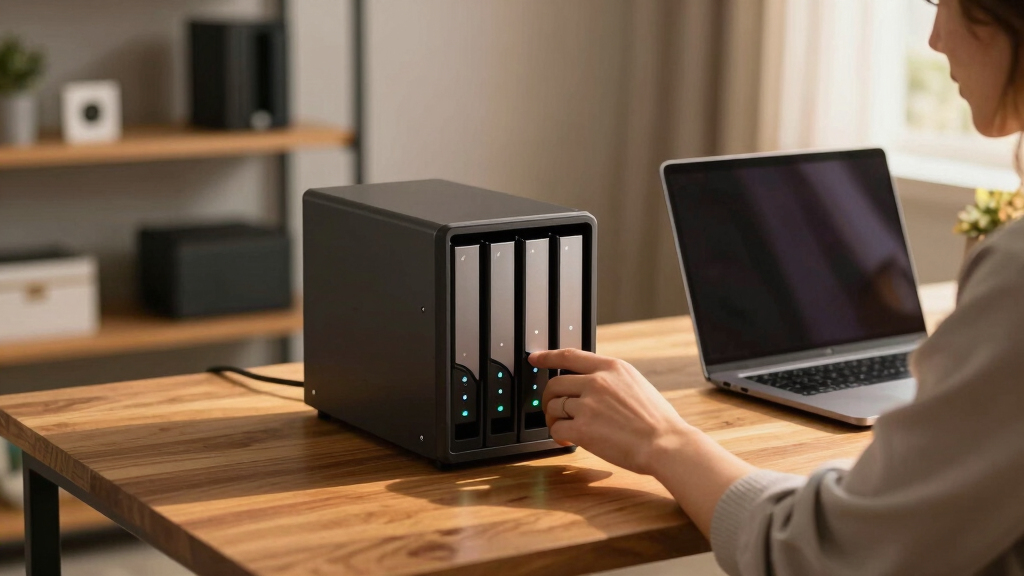

Choosing the best 6 bay NAS devices for creators involves balancing performance, expandability, and ease of use. The top pick, the Asustor Lockerstor 6 Gen3, stands out with its powerful AMD Ryzen CPU and high RAM capacity, ideal for demanding media workflows. The QNAP TS-664 offers excellent network connectivity for collaborative projects, while the Synology DS620slim provides a compact option for space-constrained setups. Each of these options comes with tradeoffs: higher performance often means higher cost, and simpler models might lack the features creators need. Keep reading for a detailed breakdown to find the best fit for your creative setup.
Key Takeaways
- High-performance CPUs like AMD Ryzen or Intel Core are best suited for intensive editing and multitasking.
- Expandability with M.2 NVMe slots and multiple LAN ports is a recurring theme among top-tier options.
- Size and form factor vary, with some models offering compact designs perfect for limited workspace.
- Memory capacity and upgrade options are essential for future-proofing, especially with large media files.
- Network connectivity, particularly 10GbE support, significantly impacts data transfer speeds for creators.





More Details on Our Top Picks
Asustor Flashstor 6 FS6706T – 6 Bay All-SSD NAS Storage, Quad Core 2.0GHz, Six M.2 SSD, Dual 2.5GbE, 4GB RAM DDR4, Network Attached Storage (Diskless)
This all-SSD NAS stands out for its simplicity and blazing-fast performance, ideal for creators needing ultra-responsive storage. Compared to the Synology DS925+ or DS225+, it offers superior SSD throughput, making it perfect for editing, rendering, or real-time data access. However, its reliance on M.2 NVMe drives limits expandability and increases upfront costs, especially if you already own larger HDDs. The unit’s lightweight metal build and user-friendly interface make installation straightforward, and dual 2.5GbE ports support bonding for increased bandwidth. Its main tradeoff is the absence of traditional HDD support, which reduces overall capacity and increases price per terabyte. This pick suits creators prioritizing speed and ease of use over massive storage capacity.
Pros:- Blazing fast SSD performance with six NVMe slots
- User-friendly setup with comprehensive web interface
- Dual 2.5GbE ports support bonding and high throughput
- Lightweight, compact metal design
Cons:- Limited to SSD drives, restricting total storage capacity
- Higher cost due to SSD-only configuration
Best for: Content creators and professionals who need fast, reliable SSD storage for editing and real-time workflows without extensive capacity requirements.
Not ideal for: Users seeking large-scale media libraries or budget-conscious buyers, as SSD-only configurations can be costly and less scalable.
- CPU:Quad-Core 2.0GHz Intel Celeron N5105
- Drive Bays:6 M.2 NVMe SSD slots
- Ethernet:Dual 2.5GbE
- RAM:4GB DDR4
- Form Factor:Diskless
- Size:12.09″D x 7.6″W x 1.89″H
- Weight:2 kg
- Supported Protocols:4K hardware transcoding, Wake on WAN/LAN
Bottom line: Ideal for speed-focused creators who want simple, high-performance SSD storage, but less suited for those needing large, cost-effective capacity.
UGREEN NAS DXP6800 Pro 6-Bay Desktop NAS, Intel i5 1235u 10-Core CPU, 8GB DDR5 RAM, Built-in 128G SSD for System, 2X 10GbE, 2XM.2 NVMe Slots, 8K HDMI, 2XTBT4, Network Attached Storage (Diskless)
This enterprise-grade NAS is designed for professionals needing serious performance, especially with its 10GbE ports and robust processor. Compared to the Synology DS925+ or DS225+, its dual 10GbE ports enable transfer speeds up to 2500MB/s—ideal for large media projects or collaborative workflows. The inclusion of an 8-core i5 CPU and 8GB DDR5 RAM supports demanding multitasking, virtualization, and media editing tasks. Its high capacity (up to 208TB with drives) and RAID support make it excellent for scalable storage solutions. A notable tradeoff is its complexity and higher price point, which may be overkill for small-scale or home users. Its HDMI and TBT4 ports add versatility but increase overall size and power consumption. This model suits creators and small teams who need fast, scalable, and reliable storage with advanced networking features.
Pros:- Dual 10GbE ports support aggregation for 20Gbps bandwidth
- Powerful 12th Gen i5 processor with 8GB DDR5 RAM
- Supports up to 208TB with RAID configurations
- Includes HDMI 8K output and TBT4 ports for multimedia use
Cons:- Higher price and complexity may overwhelm casual users
- Bulkier and consumes more power compared to simpler NAS units
Best for: Small business creators or professional teams requiring high throughput, virtualization, and large media storage.
Not ideal for: Home users or hobbyists with modest storage needs and limited budgets, as its advanced features come with a higher cost and complexity.
- CPU:Intel i5 1235u 10-Core
- RAM:8GB DDR5
- Drive Bays:6 SATA + 2 NVMe
- Ethernet:2 x 10GbE
- Maximum Capacity:up to 208TB
- Video Output:8K HDMI
- Size:8.78″D x 7.83″W x 6.54″H
- Weight:2260 grams
Bottom line: Best for demanding creators and small teams needing high-speed, scalable storage with advanced network and multimedia options.
LincStation S1 6-Bay Desktop NAS – Intel N97 Quad-Core, 8GB DDR5 RAM (up to 16GB), 128GB eMMC, 4X SATA HDD + 2X M.2 NVMe SSD, Dual 2.5GbE, Unraid License Included, Network Attached Storage(Diskless)
The LincStation S1 offers a highly flexible storage setup with support for mixing HDDs and NVMe SSDs, powered by a robust Intel N97 quad-core CPU. Compared to the Synology DS925+ or DS225+, it excels in virtualization and media server tasks thanks to its Unraid OS license, allowing non-RAID drive pooling and easier expansion. Its 8GB DDR5 RAM (expandable to 16GB) supports demanding applications like Docker containers and Plex transcoding. The front-mounted 1.77″ touchscreen simplifies system monitoring, while dual 2.5GbE ports enhance network performance. A tradeoff is its slightly larger footprint and more complex configuration, which might be unnecessary for straightforward storage needs. The tool-free drive access and thermal management make maintenance easier. Ideal for creators requiring advanced customization, virtualization, and hybrid storage options.
Pros:- Supports mixing HDDs and NVMe SSDs for flexible storage
- Pre-installed Unraid OS for advanced customization
- Powerful Intel N97 quad-core CPU with up to 16GB RAM
- Front 1.77″ touchscreen for easy monitoring
Cons:- Larger and more complex to set up than basic NAS units
- Higher cost due to expanded flexibility and hardware
Best for: Power users, developers, and creators needing flexible drive configurations, virtualization, and advanced management.
Not ideal for: Casual home users or those seeking simple, out-of-the-box storage solutions without virtualization or mixed drive support.
- CPU:Intel N97 Quad-Core
- RAM:8GB DDR5, expandable to 16GB
- Drive Bays:4 SATA + 2 NVMe
- Network:Dual 2.5GbE
- Display:1.77″ touchscreen
- Size:6.1″D x 7.7″W x 9.1″H
- Weight:6.6 pounds
- Supported OS:Unraid
Bottom line: Perfect for tech-savvy creators who need customizable, virtualization-capable storage with flexible drive options.
Synology 4-Bay DiskStation DS925+ (Diskless)
The Synology DS925+ is a versatile NAS known for its user-friendly DSM OS and reliable performance, making it a solid choice for creators needing dependable storage and data management. Compared to the more advanced UGREEN NAS or Asustor Flashstor, it offers a balanced mix of performance and ease of use, supporting up to 9 drives with expansion, and excellent data transfer speeds of over 500MB/s. Its dual 2.5GbE ports add redundancy and faster networking, ideal for multi-user environments. The main tradeoff is its limited native capacity (up to 40TB) and the absence of built-in NVMe slots, which reduces options for caching or acceleration. This NAS is best suited for users who prioritize stability, intuitive management, and long-term reliability over raw speed or expandability.
Pros:- Intuitive DSM OS with straightforward setup
- Supports up to 9 drives with expansion units
- Reliable performance with 522/565 MB/s throughput
- Includes dual 2.5GbE ports for redundancy
Cons:- Limited native capacity (up to 40TB)
- No built-in NVMe slots for caching
Best for: Creators and small teams seeking stable, easy-to-manage storage with robust data protection features.
Not ideal for: Power users needing high-speed workflows or large-scale media editing, due to limited native expansion options.
- CPU:Intel Celeron
- Drive Bays:4 bays, expandable
- Network:2 x 2.5GbE
- Max Speed:522/565 MB/s
- Supported Drives:3.5″ HDDs
- Size:8.78″D x 7.83″W x 6.54″H
- Weight:2260 grams
- Warranty:3 Years
Bottom line: Excellent for users valuing stability and ease of use, but less suitable for high-speed, large-capacity demands.
Synology 2-Bay DiskStation DS225+ (Diskless)
The DS225+ is a compact NAS ideal for creators who need reliable storage without the complexity of larger units. Its support for up to 40TB makes it suitable for small projects or backups, and its dual 2.5GbE ports provide fast network connectivity. Compared to the DS925+ or Asustor FS6706T, it offers a more budget-friendly, space-saving option, though with less expandability and lower maximum throughput. Its straightforward setup and Synology’s DSM OS make it accessible for less technical users, but its limited capacity and fewer advanced features restrict use in intensive workflows. The main tradeoff is its smaller size and capacity, which may not meet the needs of growing media libraries or high-demand editing workflows.
Pros:- Compact and space-saving design
- User-friendly DSM OS with easy setup
- Supports stable data transfer with 282/217 MB/s speeds
- Affordable price point
Cons:- Limited to 40TB capacity
- Fewer expansion options and features compared to larger NAS models
Best for: Hobbyists and small content creators looking for affordable, reliable storage with easy management.
Not ideal for: Power users or professionals needing large, high-speed, or expandable storage solutions.
- CPU:Intel Celeron
- Drive Bays:2
- Total Max Capacity:40TB
- Network:2 x 2.5GbE
- Supported Drives:2.5″ HDDs
- Size:8.78″D x 7.83″W x 6.54″H
- Weight:2260 grams
- Warranty:3 Years
Bottom line: Great for small-scale creators needing reliable, simple storage without high capacity demands.
AOOSTAR WTR MAX 6+5 Bays Desktop NAS Barebone, AMD R7 8845HS CPU, 2 * 10GB SFP+ LAN Ports,USB4&Oculink Port,Support ECC RAM, 2*DDR5 5600Mhz Slots,5* M.2 NVME Slots
This model stands out for its powerhouse AMD Ryzen R7 PRO 8845HS processor, which makes it ideal for AI tasks, media editing, and multitasking. Compared to the Synology DS620slim, it offers significantly more CPU power and advanced graphics support via AMD Radeon 780M, which benefits creators working with 4K content or AI workflows. The inclusion of ECC RAM and enterprise-grade CPU enhances long-term reliability, but this comes with a higher complexity in setup and a steep price for the hardware. It also provides dual 10GB SFP+ ports, enabling super-fast network transfer speeds, perfect for creators handling large media files or AI data. The 5 M.2 NVMe slots support a range of SSD configurations, offering massive storage flexibility. However, the system runs large and requires substantial technical knowledge to optimize fully. This pick makes the most sense for tech-savvy creators and professionals needing raw processing power and reliability for demanding tasks.
Pros:- Exceptional CPU and GPU performance for AI, video editing, and multitasking
- Support for ECC RAM ensures data integrity during prolonged 24/7 operation
- Multiple high-speed network ports (2x 10GB SFP+) for rapid large file transfers
- Flexible storage with 5 M.2 NVMe slots and RAID options
Cons:- High initial cost and complex setup requiring technical knowledge
- Large physical footprint and power consumption may not suit small or quiet environments
- Limited out-of-the-box OS support, primarily DIY customization
Best for: Power users and creators running AI, video editing, or large-scale media servers who need maximum performance and flexibility.
Not ideal for: Casual creators or those seeking simple, plug-and-play NAS solutions, as setup and maintenance are complex and expensive.
- Processor:AMD Ryzen R7 PRO 8845HS
- Memory Support:ECC DDR5, 2x 5600MHz slots
- Network Ports:2x 10GB SFP+, 2.5G LAN
- Storage Slots:5x M.2 NVMe, 6x SATA
- Graphics:AMD Radeon 780M
- RAID Modes:0, 1, 5, 6, 10
Bottom line: This NAS is best suited for advanced creators and professionals demanding maximum processing power and reliability.
Synology 6 bay 2.5″ NAS DS620slim (Diskless)
This compact NAS makes a strong case for users wanting reliable storage with good performance, especially in environments where space is limited. Compared to the AOOSTAR WTR MAX, it offers a less powerful CPU (Intel Celeron J3355) but excels in quiet operation, energy efficiency, and straightforward setup for small teams or individual creators. Its 2GB DDR3L RAM supports basic multitasking and media streaming, with the capability to expand up to 6GB, making it flexible for future needs. The device handles 4K video transcodes on the fly thanks to its dual-core processor, which is a plus for media creators. Its RAID options provide data security but lack the raw processing power for AI or heavy multitasking. The main tradeoff involves lower performance compared to high-end workstations but excellent reliability and ease of use for small-scale or entry-level creator setups.
Pros:- Compact and space-efficient design
- Easy to set up with Synology DiskStation Manager (DSM)
- Supports 4K transcoding and multiple RAID configurations
- Quiet operation and energy-efficient
Cons:- Limited CPU power for AI, heavy multitasking, or advanced media editing
- Expandable RAM up to 6GB may still be limiting for demanding applications
- No hardware-accelerated graphics or advanced networking
Best for: Small studios, freelance creators, or small offices needing dependable storage without complex features.
Not ideal for: Pro creators or AI developers who require high CPU and GPU performance for intensive workflows.
- Processor:Intel Celeron J3355
- Memory:2GB DDR3L, expandable to 6GB
- Network:Dual 1GbE
- Drive Bays:6x 2.5″ SATA
- Transcoding:4K
- RAID Modes:0, 1, 5, 6, 10
Bottom line: This NAS is ideal for small-scale creators or offices prioritizing reliability and ease of use over raw power.
Synology 2-Bay DiskStation DS223j (Diskless)
This model offers a simple, reliable storage solution for creators just starting out or with modest needs. Compared to the 6-bay options like the QNAP TS-664, it provides fewer bays but excels in affordability and straightforward setup. Its 2-core ARM CPU and 2GB RAM support basic file sharing, backups, and media streaming, making it suitable for personal creators or small teams. It features hardware-accelerated 4K transcoding, providing decent media capabilities. The RAID support ensures data security, but performance is limited compared to higher-end models. The main tradeoff involves lower processing power and fewer bays, which restricts expansion and intensive workflows. This device makes the most sense for hobbyists or small creators focused on cloud storage, backups, and light media tasks.
Pros:- Affordable and easy to set up
- Supports hardware-accelerated 4K transcoding
- Compact and quiet for personal spaces
- Reliable data protection with RAID options
Cons:- Limited CPU and RAM restrict heavy multitasking
- Only 2 bays, limiting storage expansion
- Not suited for intensive AI or editing workflows
Best for: Beginners, hobbyists, or small creators needing simple, reliable storage and media sharing.
Not ideal for: Professional creators or AI developers needing high processing power and multiple drive bays.
- Processor:Realtek RTD1319
- Memory:2GB RAM
- Drive Bays:2x 2.5″ SATA
- Transcoding:4K
- RAID Modes:0, 1
- Network:1GbE
Bottom line: This NAS is perfect for entry-level creators or personal use where simplicity and affordability are priorities.
Asustor Lockerstor 6 Gen3 AS6806T 6 Bay NAS, AMD Ryzen Quad-Core 2.3GHz, 16GB ECC DDR5, 4 M.2 NVMe Slots, Dual 5GbE and 10GbE, Network Attached Storage for Video & Content Creator (Diskless)
This NAS combines a robust AMD Ryzen quad-core CPU with 16GB ECC DDR5 RAM, making it well-suited for content creators working with high-resolution videos, large files, and multi-user environments. Compared to the QNAP TS-664, it offers dual 5GbE and 10GbE ports, providing excellent network throughput for multi-stream video editing or large media transfers. The 4 M.2 NVMe slots support cache and SSD expansion, boosting performance for demanding creative workflows. Its user-friendly interface and flexible storage options make it accessible for creators with some technical knowledge. The key tradeoff involves its size and power consumption, which may be less ideal for small or quiet home setups. This makes it a strong choice for professional creators and teams who need fast, reliable storage and high bandwidth.
Pros:- Powerful AMD Ryzen CPU with ECC RAM for reliability
- Dual 5GbE and 10GbE ports for high-speed network connectivity
- Supports NVMe SSD caching via 4 M.2 slots
- Flexible storage with RAID and expansion options
Cons:- Larger size and higher power draw
- More complex setup for non-technical users
- Premium price point for high-end performance
Best for: Video editors, content producers, and creators requiring high-speed data access and multiple network interfaces.
Not ideal for: Casual or hobbyist creators with limited space or minimal performance needs.
- Processor:AMD Ryzen Quad-Core 2.3GHz
- RAM:16GB ECC DDR5
- Network Ports:Dual 5GbE, 10GbE
- NVMe Slots:4x M.2
- Drive Bays:6x SATA
- RAID Modes:0, 1, 5, 6, 10
Bottom line: This NAS is ideal for professional content creators and teams needing high bandwidth and reliable performance for intensive workflows.
QNAP TS-664-8G-US 6 Bay High-Performance Desktop NAS with Intel Celeron Quad-core Processor, M.2 PCIe Slots and Dual 2.5GbE (2.5G/1G/100M) Network Connectivity (Diskless)
This system makes a compelling choice for creators needing fast networking and flexible storage options, featuring dual 2.5GbE ports and M.2 PCIe slots for SSD caching or expansion. Compared to the Synology DS620slim, it offers more advanced network throughput and PCIe slots for expanding storage or adding hardware. Its Intel Celeron quad-core CPU supports smooth multitasking and media streaming, suitable for small teams or individual creators handling large files. The 8GB RAM supports decent multitasking, but it may be limited for heavy AI workloads or advanced editing tasks. The main tradeoff is its slightly higher complexity and cost relative to basic NAS models, but its expandability makes it ideal for evolving creative setups. This NAS fits best for creators seeking high network performance and upgrade flexibility without excessive complexity.
Pros:- High-speed dual 2.5GbE ports for faster data transfer
- PCIe slots for SSD caching or expansion
- Supports 4K media streaming and multitasking
- Expandable RAM up to 8GB
Cons:- Limited CPU power for AI or heavy multitasking
- Requires some technical setup for PCIe and storage expansion
- Higher price for advanced features
Best for: Small teams, video editors, and creative professionals who need fast network speeds and expandable storage.
Not ideal for: Power users with intensive AI or 3D rendering needs, as the CPU may be limiting for heavy workloads.
- Processor:Intel Celeron Quad-Core
- Memory:8GB DDR4
- Network:Dual 2.5GbE
- M.2 Slots:2 PCIe NVMe
- Drive Bays:6x SATA
- RAID Modes:0, 1, 5, 6, 10
Bottom line: This NAS is best for creators needing fast networking and expandability in a compact, high-performance package.
Asustor Lockerstor 6 Gen3 AS6806T 6 Bay NAS, AMD Ryzen Quad-Core 2.3GHz, 16GB ECC DDR5, 4 M.2 NVMe Slots, Dual 5GbE and 10GbE, Network Attached Storage for Video & Content Creator (Diskless)
This NAS combines a high-end AMD Ryzen quad-core CPU with 16GB ECC DDR5 RAM, supporting demanding workflows like 4K editing, multi-stream media, and professional content management. Compared to the QNAP TS-664, it offers dual 5GbE and 10GbE ports, ensuring high bandwidth for editing and streaming, plus four NVMe slots for caching or SSD expansion. Its advanced networking and ECC support make it suitable for collaborative environments or multi-user setups. The user interface is user-friendly for those with some technical background, but the size and power consumption may be less suitable for small or quiet home environments. The main tradeoff involves the higher cost and size, but it delivers superior performance for professional content creators and teams relying on fast, reliable storage and high bandwidth.
Pros:- Powerful AMD Ryzen CPU with ECC RAM for stability
- Dual 5GbE and 10GbE ports for maximum network throughput
- Supports NVMe caching via 4 M.2 slots
- Robust multimedia and multi-user performance
Cons:- Larger physical size and higher power consumption
- Requires some technical expertise for setup and maintenance
- Premium cost for high-end features
Best for: Content creators, video editors, and media teams who need high bandwidth and reliable performance for intensive workflows.
Not ideal for: Casual users or hobbyists who do not require high network speeds or extensive expansion options.
- Processor:AMD Ryzen Quad-Core 2.3GHz
- Memory:16GB ECC DDR5
- Network Ports:Dual 5GbE, 10GbE
- NVMe Slots:4x M.2
- Drive Bays:6x SATA
- RAID Modes:0, 1, 5, 6, 10
Bottom line: This NAS is ideal for professional creators and teams needing top-tier performance and network flexibility for demanding content workflows.
UGREEN NAS DH4300 Plus 4-Bay Desktop NASync, Support Capacity 128TB (Diskless), Remote Access, AI Photo Album, Beginner Friendly, 8GB LPDDR4X RAM, 2.5GbE, 4K HDMI, Network Attached Storage (Diskless)
The UGREEN NAS DH4300 Plus excels in ease of use for newcomers transitioning from cloud storage or external drives, thanks to its user-friendly app and simple setup process. Compared with the LincStation N2, it offers a more intuitive experience, especially for those new to NAS, but it lacks support for virtual machines and 3.5″ drives, which could limit future expandability. Its AI photo album recognition adds value for personal media management, and the 8GB RAM coupled with 2.5GbE ensures smooth multitasking and fast file transfers. The main tradeoff is that it doesn’t support Wi-Fi, relying solely on wired Ethernet, which might be inconvenient in some home setups. This pick makes the most sense for users seeking reliable, private storage with minimal technical fuss and media features.
Pros:- Beginner-friendly with intuitive app and setup
- Supports real-time AI photo recognition and classification
- Cost-effective alternative to cloud subscriptions over long-term use
Cons:- No Wi-Fi support; wired Ethernet only
- Limited to 4 drive bays, not ideal for expanding large data archives
Best for: Home users and creators new to NAS technology seeking easy setup and private storage
Not ideal for: Advanced users needing virtual machine support or 3.5″ HDD compatibility
- Support Capacity:128TB (diskless)
- RAM:8GB LPDDR4X
- Network:2.5GbE
- Video Output:4K HDMI
- Support Apps:Docker, AI Photo Album
- Drive Bays:4
Bottom line: Ideal for beginners and families prioritizing simple, private media storage over advanced features.
Asustor Lockerstor 6 Gen2+ AS6706T v2 6 Bay NAS Storage, Intel Quad-Core 2.0GHz CPU, Dual 5GbE Ports, 8GB RAM DDR4, 4 M.2 SSD Slots, HDMI, Network Attached Storage (Diskless)
The Asustor Lockerstor 6 Gen2+ stands out for its robust hardware, dual 5GbE ports, and support for M.2 SSD caching, making it a strong choice for small teams or creators who need high throughput and responsiveness. Compared to the QNAP TS-673A, it offers a more straightforward setup for multiple SSDs and high-speed networking, but it doesn’t have the same level of PCIe expansion options or GPU support. The 8GB RAM and HDMI output make it suitable for direct media monitoring or editing workflows. However, it lacks the extensive virtual machine support and higher-tier RAID options that some enterprise models provide. This device is a solid choice for creators and professionals demanding performance and reliable local access, without the complexity of enterprise setups.
Pros:- Dual 5GbE ports for high-speed network aggregation
- Supports four M.2 SSDs for caching or dedicated storage
- Solid build with easy-to-use interface
Cons:- Limited PCIe expansion for additional cards
- No support for virtual machines or GPUs
Best for: Small creative teams and professionals needing high-speed network and local media access
Not ideal for: Enthusiasts seeking virtual machine or GPU passthrough capabilities for heavy workloads
- CPU:Intel Quad-Core 2.0GHz
- RAM:8GB DDR4
- Network:Dual 5GbE
- Drive Bays:6
- SSD Slots:4 M.2
- Video Output:HDMI
Bottom line: A top-tier NAS for creators who prioritize network speed and local media performance over extensive virtualization.
QNAP TS-673A-8G 6 Bay High-Performance NAS with 2 x 2.5GbE Ports and Two PCIe Gen3 Slots
The QNAP TS-673A-8G offers versatile connectivity with 2 x 2.5GbE ports and dual PCIe slots, making it ideal for creators who need fast network speeds and expandability for SSD caching or additional network cards. Compared to the UGREEN DXP6800 Plus, it provides better support for virtualization with PCIe options for 10GbE or GPU passthrough, though it comes with a steeper learning curve. Its Qtier technology and M.2 NVMe slots deliver optimized storage performance, perfect for editing workflows or media libraries. The tradeoff is that it’s more complex to set up and manage, potentially overwhelming less experienced users. This model is best suited for professional creators who need maximum flexibility, speed, and future-proofing for demanding tasks.
Pros:- Two PCIe Gen3 slots for 10GbE, GPU, or additional expansion
- Supports Qtier auto-tiering and SSD caching
- Dual 2.5GbE ports for fast network access
Cons:- Requires more technical knowledge to configure
- Higher cost and complexity for simple media storage
Best for: Advanced creators and professionals engaging in virtualization, editing, or large media libraries
Not ideal for: Beginners or those seeking straightforward, plug-and-play NAS solutions
- CPU:AMD Ryzen Quad-Core
- RAM:8GB DDR4
- Network:2 x 2.5GbE
- Drive Bays:6
- PCIe Slots:2
- M.2 NVMe Slots:2
Bottom line: A powerful, expandable NAS for creators needing maximum speed and virtualization capabilities, suitable for tech-savvy users.
UGREEN NAS DXP6800 Plus 6-Bay Desktop NAS, Intel i3 1215u 6-Core CPU, 8GB DDR5 RAM, Built-in 128G SSD, 1x 10GbE and 1x 2.5GbE LAN Port, 2X M.2 NVMe Slots, 4K HDMI, Network Attached Storage (Diskless)
The UGREEN DXP6800 Plus is engineered for demanding business environments, boasting a 6-core Intel i3 processor, dual high-speed LAN ports, and extensive storage options with six bays and M.2 slots. Unlike the UGREEN NAS DH4300 Plus, it offers higher processing power and enterprise-focused features, making it suitable for content creators working on large projects or needing complex data handling. Its 8GB DDR5 RAM provides improved performance, and the 4K HDMI output is perfect for real-time media reviews. Its primary tradeoff is that its higher price point and enterprise features may be overkill for casual or home users. This NAS is best suited for creators and businesses requiring high throughput, large capacity, and advanced hardware features.
Pros:- Enterprise-grade 6-core processor with DDR5 RAM
- Dual high-speed LAN ports (10GbE + 2.5GbE)
- Supports six drives plus M.2 NVMe for cache or expansion
Cons:- Higher cost compared to simpler NAS models
- Designed more for enterprise and business workflows than casual use
Best for: Large-scale creators and small businesses needing high-performance data handling and media output
Not ideal for: Casual users or those with limited budgets seeking simple media sharing
- CPU:Intel i3 6-Core
- RAM:8GB DDR5
- Network:1 x 10GbE + 1 x 2.5GbE
- Drive Bays:6
- Built-in SSD:128GB
- Video Output:4K HDMI
Bottom line: A high-performance NAS ideal for creators and small teams managing large data sets and requiring robust hardware.
How We Picked
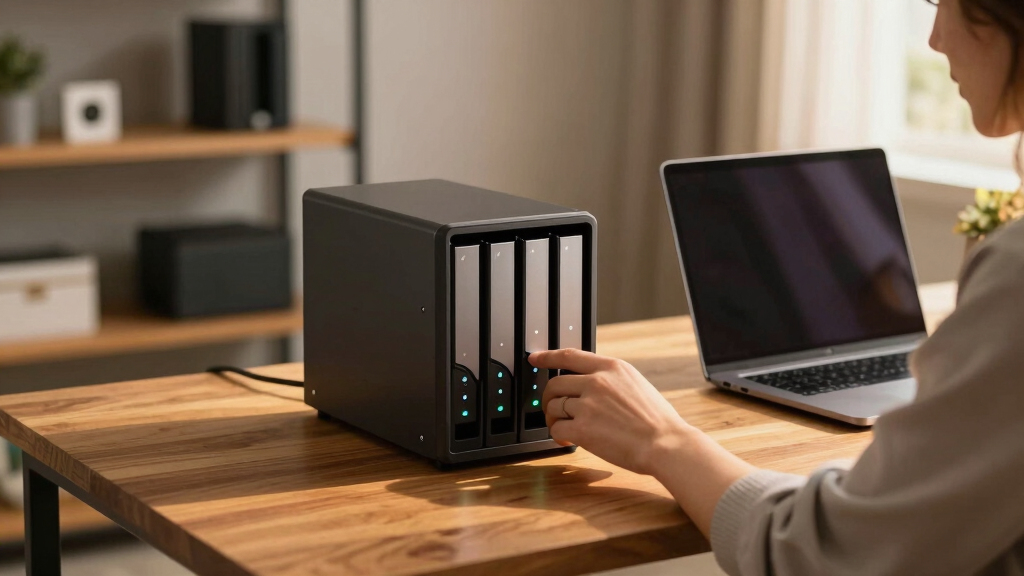
Each NAS device was evaluated based on performance, expandability, build quality, user-friendliness, and value. We prioritized models that support demanding creator workflows, including fast data transfer rates, multiple drive configurations, and robust hardware. Devices with high RAM and CPU options were favored for future-proofing, while ease of setup and management influenced rankings for less technical users. Price-to-performance ratio also played a key role, ensuring that top picks deliver high value without unnecessary expense. The ranking reflects a balance between flagship features and practical usability for creative professionals.Factors to Consider When Choosing Best 6 Bay Nas Devices For Creators
When selecting a 6 bay NAS for creative work, several factors can significantly influence your experience. Understanding these key considerations helps you avoid overspending on features you won’t use or missing out on critical capabilities for your workflow. From hardware specs to expandability and network support, each aspect affects performance and reliability. Here are the main factors to keep in mind:Performance and Hardware Power
For creators, the CPU and RAM are the backbone of smooth editing, rendering, and multitasking. Look for NAS devices equipped with quad-core or higher processors like AMD Ryzen or Intel Core, along with at least 8GB of RAM, expandable where possible. These specs ensure your workflow isn’t bottlenecked by hardware limits, especially when working with large 4K or higher-resolution files. Cheaper models may compromise on these specs, leading to frustrating delays and limited capacity for simultaneous tasks.
Expandability and Storage Flexibility
Beyond the initial six bays, consider the ability to upgrade storage via M.2 NVMe slots or additional drives. Multiple M.2 slots allow for cache acceleration, boosting performance during editing or streaming. Also, check if the NAS supports RAID configurations, which can provide redundancy and data safety. Over time, your storage needs will grow, so choosing a device with room for expansion helps avoid costly replacements in the future.
Network Connectivity
Fast, reliable network connections are vital for creators sharing large files or collaborating remotely. Many high-end models support 10GbE, significantly reducing transfer times compared to traditional Gigabit Ethernet. If your setup involves multiple users or high-volume data transfers, prioritize NAS models with multi-Gig ports and link aggregation features. However, keep in mind that supporting infrastructure, like switches and cabling, must also match these speeds.
Ease of Use and Software Ecosystem
Intuitive management interfaces and robust software support make a big difference, especially if you’re not a network expert. Synology’s DiskStation Manager and QNAP’s QTS are widely praised for their user-friendly design, simplifying setup and ongoing maintenance. Features like automated backups, media indexing, and mobile apps enhance usability. However, more complex features may require a learning curve, so choose a platform aligned with your technical comfort level.
Price and Value
While high-end models offer impressive specs, they often come with a higher price tag. Balance your current needs with future growth plans. A less expensive NAS with upgrade options might be ideal if your budget is tight but you still want reliable performance. Conversely, investing in a premium model can save money and hassle long-term if your workload demands top-tier hardware. Consider the total cost, including drives, accessories, and potential upgrades, to get the best value.
Frequently Asked Questions
Is a 6-bay NAS suitable for professional creative workflows?
Yes, a 6-bay NAS provides ample storage capacity and expandability for professional creators handling large media files. Many models support fast network interfaces and multiple drive configurations, enabling efficient editing, backup, and sharing workflows. While some lower-cost options might lack the power for intensive tasks, most high-performance models are designed to meet demanding creative needs. It’s important to choose a device with a strong CPU, sufficient RAM, and good connectivity to match your workflow requirements.
Should I prioritize CPU power or storage capacity when choosing a NAS?
Both are important but depend on your primary use case. For media editing, transcoding, or running multiple applications simultaneously, CPU power is critical to prevent bottlenecks. If your main concern is storing large media libraries, then capacity and drive flexibility take precedence. Ideally, look for a balance: a capable CPU to handle processing tasks along with enough storage and expandability to grow with your projects. Over-investing in CPU without adequate storage might leave you limited, and vice versa.
Can a 6-bay NAS serve as a media server for 4K editing?
Absolutely, many 6-bay NAS devices support 4K media streaming and editing. Features like hardware transcoding, high RAM capacity, and fast network ports are essential for smooth playback and editing of high-resolution files. Devices with multiple M.2 NVMe slots can provide cache acceleration, reducing lag during media access. However, ensure your network environment supports 10GbE or higher if you work with large files across multiple devices, to avoid slow transfer speeds that hinder your workflow.
What is the benefit of M.2 NVMe slots in a NAS for creators?
M.2 NVMe slots allow you to install SSD caches, which significantly speed up data access times. This is particularly advantageous for creators working with large files, as it reduces lag and enhances editing performance directly from the NAS. SSD caching can make a noticeable difference in workflows involving high-resolution videos or complex project files. Keep in mind, however, that SSDs add to the initial cost, but the performance gains often justify the investment for demanding creative tasks.
Is it worth spending more on a NAS with dual 10GbE ports?
For creators working with large media files or collaborating across multiple users, dual 10GbE ports provide a significant speed boost through link aggregation, effectively doubling available bandwidth. This setup minimizes transfer bottlenecks and streamlines workflow efficiency. If your infrastructure supports 10GbE, investing in a NAS with dual ports is worthwhile. For smaller or less intensive setups, a single 10GbE or even Gigabit Ethernet might suffice, saving costs without sacrificing too much performance.
Conclusion
For general creative professionals seeking a powerful and expandable storage solution, the Asustor Lockerstor 6 Gen3 offers a compelling mix of performance and future-proof features. Those prioritizing network speed and collaborative workflows should consider options like the QNAP TS-664. Beginners or those with limited space might find the Synology DS620slim or DS225+ more suitable. For high-end, demanding environments, investing in premium models such as the Asustor Lockerstor 6 Gen3 or QNAP TS-664 ensures a smooth experience. Ultimately, your choice depends on your specific needs, budget, and technical comfort level, but these selections cover the spectrum for creators in 2026.