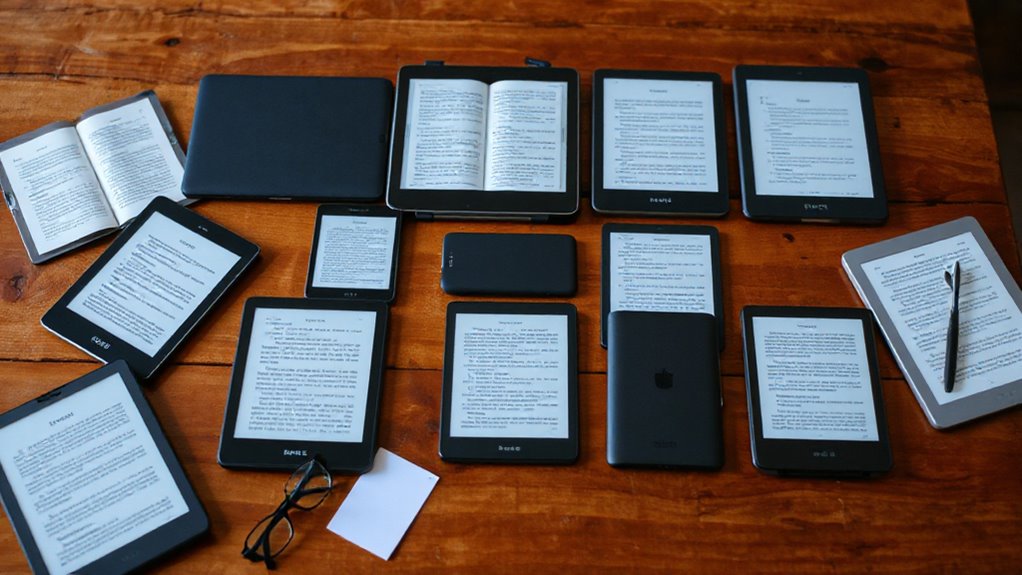

The Kobo Elipsa 2E is my best overall pick for PDFs and textbooks because its 10.3-inch screen and included stylus suit full-page reading and handwritten notes. For color diagrams and Android app flexibility, I’d look at the BOOX Note Air 5 C; for a simpler, smaller reader, the Kobo Libra Colour offers color in a more portable, waterproof design. The main tradeoff is screen size: compact e-readers travel easily, while larger models show more of a textbook page at once. Color, handwriting support, and access to your preferred reading apps also affect the choice. Read on for how the 13 options compare and which fits your study routine.

Get the latest gadgets delivered free with Prime
- Fast, free delivery on millions of items
- Prime Video, Amazon Music and more included
- Member-only deals all year
Complete the kit



Key Takeaways
- The Kobo Elipsa 2E is the most balanced study choice here: its 10.3-inch display gives PDFs more room, and the included stylus supports annotation.
- The BOOX Note Air 5 C is the standout for color diagrams and app flexibility, but Android features add setup and complexity compared with a dedicated Kobo or Kindle.
- A larger screen matters more for fixed-layout textbook PDFs than a larger storage figure; small readers such as the Kobo Clara BW require more zooming and panning.
- Color models serve readers of charts, maps, and illustrated material, while black-and-white E Ink options keep the focus on text and avoid paying for color that may not help with coursework.
- The compact Kindles and entry-level readers are easier to carry and learn, but they are less suited to full-page textbook reading and handwritten study notes than the 10.3-inch BOOX and Kobo models.
| Kobo Elipsa 2E eReader 10.3″ with Kobo Stylus 2 |  | Best for Annotating PDFs | Screen size: 10.3 inches | Display: Glare-free E Ink Carta 1200 touchscreen | Lighting: ComfortLight PRO with adjustable brightness and color temperature | VIEW ON AMAZON | See Our Full Breakdown |
| Kobo Clara BW 6-Inch Waterproof eReader, 16GB, Black |  | Best Compact Waterproof Reader | Display: 6-inch E Ink Carta 1300 HD touchscreen | Lighting: ComfortLight PRO with adjustable brightness, color temperature, and blue light | Reading modes: Dark Mode | VIEW ON AMAZON | See Our Full Breakdown |
| BOOX Note Air 5 C 10.3-Inch Color E Ink Tablet, 6GB RAM, 64GB Storage |  | Best for Color PDFs and App Flexibility | Display: 10.3-inch Kaleido 3 color E Ink | Resolution: Black and white: 2480 × 1860 at 300 ppi; color: 1240 × 930 at 150 ppi | Stylus: 4096 pressure levels | VIEW ON AMAZON | See Our Full Breakdown |
| Amazon Kindle 16 GB (2024, 11th Generation) – Matcha |  | Best for Simple, Portable Reading | Display: 6-inch glare-free, 300 ppi, 16-level grayscale | Storage: 16GB | Dimensions: 157.8 × 108.6 × 8.0 mm | VIEW ON AMAZON | See Our Full Breakdown |
| BOOX Tab Go Color 7 (Gen II) 7″ E Ink Tablet – Black |  | Best Compact Color E Ink Tablet | Screen: 7-inch Kaleido 3 glass display with flat cover lens and 4096 colors | Resolution: 1680 × 1264; 300 ppi black and white, 150 ppi color | Processor: Octa-core | VIEW ON AMAZON | See Our Full Breakdown |
| Neo 64GB eBook Reader – 6″ E Ink ePaper Display, Android, Long Battery Life |  | Best for App Flexibility | Display: 6-inch black-and-white E Ink, 300 ppi | Processor: Quad-core 2.0GHz | RAM: 2GB | VIEW ON AMAZON | See Our Full Breakdown |
| Kobo Libra Colour eReader, 7″ Color E Ink, Waterproof, White |  | Best for Color Reading | Display: 7-inch Kaleido 3 color E Ink | Resolution: 1680 × 1264 | Storage: 32GB | VIEW ON AMAZON | See Our Full Breakdown |
| BOOX Go 10.3 Gen II Lumi E Ink Tablet |  | Best for Textbook PDFs | Screen: 10.3-inch ePaper, 2480 × 1860, 300 ppi | Stylus: BOOX InkSense Plus, 4,096 pressure levels | Processor: Octa-core | VIEW ON AMAZON | See Our Full Breakdown |
| Veidoo 5.8″ E-Reader with HD Carta E-Ink Touch Screen, 32GB Storage, WiFi, Android, White (with Cover) |  | Best Compact Pick | Screen size: 5.8 inches | Screen type: Carta E Ink HD touchscreen | Storage: 32GB | VIEW ON AMAZON | See Our Full Breakdown |
| BOOX Go 7 Black-and-White E Ink Tablet, 4GB RAM, 64GB Storage |  | Best Compact Android Reader | Display: 7-inch monochrome E Ink, 1680 × 1264, 300 ppi | Processor: Octa-core | RAM: 4GB | VIEW ON AMAZON | See Our Full Breakdown |
| Musnap Ocean 7″ E-Ink eBook Reader, 64GB Storage + 4GB RAM, Paper Tablet with Handwriting Support (Stylus Sold Separately) |  | Best for Android Flexibility | Display: 7-inch glare-free E-Ink touchscreen | Operating system: Android | Processor: Octa-core, 2.2GHz | VIEW ON AMAZON | See Our Full Breakdown |
| PocketBook Verse Lite 6″ E-Ink Carta Touchscreen eReader with Frontlight |  | Best for DRM-Protected Libraries | Display: 6-inch E-Ink Carta touchscreen | Frontlight: Integrated | Storage: 8GB | VIEW ON AMAZON | See Our Full Breakdown |
| Amazon Kindle Colorsoft 16 GB (Newest Model) – Color Display, No Ads – Black |  | Best for Color Highlights | Display: 7-inch Colorsoft color display | Storage: 16GB | Battery life: Up to eight weeks per charge | VIEW ON AMAZON | See Our Full Breakdown |
| e readers for pdfs and textbook | Storage | Display | Connectivity | Operating system |
|---|---|---|---|---|
| Kobo Elipsa 2E eReader 10.3" w | 32GB | Glare-free E Ink Carta 1200 touchscreen | Wi-Fi | — |
| Kobo Clara BW 6-Inch Waterproo | 16GB | 6-inch E Ink Carta 1300 HD touchscreen | — | — |
| BOOX Note Air 5 C 10.3-Inch Co | 64GB | 10.3-inch Kaleido 3 color E Ink | Wi-Fi and Bluetooth 5.1 | Android 15 |
| Amazon Kindle 16 GB | 16GB | 6-inch glare-free, 300 ppi, 16-level grayscale | Wi-Fi 2.4 GHz and 5.0 GHz | — |
| BOOX Tab Go Color 7 | 64GB ROM | — | Wi-Fi and Bluetooth 5.1 | Android 13 |
| Neo 64GB eBook Reader | 64GB | 6-inch black-and-white E Ink, 300 ppi | Bluetooth, Wi-Fi, USB | Android |
| Kobo Libra Colour eReader | 32GB | 7-inch Kaleido 3 color E Ink | — | — |
| BOOX Go 10.3 Gen II Lumi E Ink | 64GB | — | Dual-band Wi-Fi and Bluetooth 5.1 | Android 15 |
| Veidoo 5.8" E-Reader with HD C | 32GB | — | Wi-Fi | Android |
| BOOX Go 7 Black-and-White E In | 64GB | 7-inch monochrome E Ink, 1680 × 1264, 300 ppi | Wi-Fi and Bluetooth 5.1 | Android 13 |
| Musnap Ocean 7" E-Ink eBook Re | 64GB | 7-inch glare-free E-Ink touchscreen | Wi-Fi, Bluetooth, USB | Android |
| PocketBook Verse Lite 6" E-Ink | 8GB | 6-inch E-Ink Carta touchscreen | Wi-Fi, USB | — |
| Amazon Kindle Colorsoft 16 GB | 16GB | 7-inch Colorsoft color display | — | — |
More Details on Our Top Picks
Kobo Elipsa 2E eReader 10.3″ with Kobo Stylus 2
The Kobo Elipsa 2E is the clearest fit here for readers who need to mark up long PDFs or textbook pages: its 10.3-inch glare-free screen gives dense layouts more room, and the included rechargeable stylus lets you write directly on documents. Compared with the compact Kobo Clara BW, it is far easier to use for page-sized material, though much less convenient to carry around. The 32GB storage leaves space for a sizable library, and adjustable brightness and color temperature help adapt reading to different rooms. Its tradeoffs are practical: the larger body takes up more bag space, and frequent writing or lighting use can affect the advertised several-week battery life. I’d choose it for document work, not as a pocketable novel reader.
Pros:- 10.3-inch glare-free display gives PDFs and textbook pages more usable space
- Rechargeable Kobo Stylus 2 is included for writing on eBooks and PDFs
- 32GB storage accommodates a large document and eBook library
- Adjustable brightness and color temperature support varied lighting
Cons:- Large screen makes it bulkier to carry than compact readers such as the Kobo Clara BW
- Battery life varies with usage, especially when using lighting and stylus features
Best for: Students and researchers who regularly read, highlight, and annotate full-page PDFs or textbooks
Not ideal for: Commuters seeking a small, light reader for novels, since its 10.3-inch body is bulkier than a 6-inch model
- Screen size:10.3 inches
- Display:Glare-free E Ink Carta 1200 touchscreen
- Lighting:ComfortLight PRO with adjustable brightness and color temperature
- Stylus:Rechargeable Kobo Stylus 2 included
- Storage:32GB
- Connectivity:Wi-Fi
- Battery life:Up to several weeks, depending on use
- Materials:Recycled and ocean-bound plastic
Our verdict“Choose the Elipsa 2E if PDF reading and handwritten annotation matter more than a compact, easy-to-carry design.”
Kobo Clara BW 6-Inch Waterproof eReader, 16GB, Black
The Kobo Clara BW suits textbook readers who want a small, durable device for assigned reading rather than a large screen for page-by-page study. Its 6-inch Carta 1300 HD display is easy to carry and glare-free, while ComfortLight PRO and Dark Mode give more control over the reading view than the basic lighting on the Amazon Kindle 16 GB. Waterproofing adds peace of mind around pools or in the bath. The tradeoff is screen area: diagrams, columns, and full textbook pages will feel cramped beside the Kobo Elipsa 2E, and the Clara has no stylus for handwritten notes. Its 16GB is ample for eBooks, but audiobook capacity is limited to the stated 75 titles. I’d pick it for portable assigned reading, not PDF annotation.
Pros:- Compact 6-inch glare-free display is easy to carry and use in sunlight
- IPX8 waterproof design supports immersion up to 2 meters for up to 60 minutes
- ComfortLight PRO adjusts brightness, color temperature, and blue light
- 16GB storage holds a large eBook library
Cons:- Small screen makes dense PDFs and full textbook layouts harder to read than on the Kobo Elipsa 2E
- No stylus support is specified for handwriting or PDF annotation
- Audiobook capacity is limited to 75 Kobo Audiobooks
Best for: Students who read mostly reflowable eBooks and want a pocketable, waterproof device for campus and travel
Not ideal for: Readers who need to view full textbook pages or write notes on PDFs, because the screen is small and no stylus is included
- Display:6-inch E Ink Carta 1300 HD touchscreen
- Lighting:ComfortLight PRO with adjustable brightness, color temperature, and blue light
- Reading modes:Dark Mode
- Waterproofing:IPX8; up to 60 minutes in up to 2 meters of water
- Storage:16GB
- Capacity:Up to 12,000 eBooks or 75 Kobo Audiobooks
- Color:Black
- Materials:Recycled and ocean-bound plastic
Our verdict“Choose the Clara BW for portable, waterproof eBook reading, and skip it if your textbooks depend on full-page PDF layouts or handwritten notes.”
BOOX Note Air 5 C 10.3-Inch Color E Ink Tablet, 6GB RAM, 64GB Storage
For textbooks with colored charts, diagrams, or a need for third-party reading apps, the BOOX Note Air 5 C offers a different kind of flexibility from the Kobo Elipsa 2E. Its 10.3-inch color E Ink screen and Android 15 support a broader app and document workflow, while the pressure-sensitive stylus has 4096 levels for handwritten notes. That makes it a stronger match for readers who work across formats and services. Color detail is less crisp than black-and-white text at 150 ppi, and E Ink refreshes more slowly and looks darker than LCD or OLED. Unlike the Elipsa, the BOOX includes microSD expansion and built-in speakers and microphone, but the wider feature set can be more than a reader who only wants books needs. I’d favor it for color-heavy study, not fast tablet-style browsing.
Pros:- 10.3-inch color E Ink display gives charts and diagrams color distinction
- Pressure-sensitive stylus supports detailed handwritten annotation
- Android 15 and third-party apps support flexible document workflows
- 64GB storage plus microSD expansion accommodates large files and libraries
Cons:- Color resolution is 150 ppi, lower than the 300 ppi black-and-white mode
- E Ink appears darker and refreshes more slowly than LCD or OLED displays
- Broader Android features may add complexity for readers who only want an eReader
Best for: Students and professionals who annotate color PDFs, use Android reading apps, and need multiple document formats
Not ideal for: Readers who mainly want simple, crisp black-and-white eBooks or fast scrolling, since color E Ink is dimmer and slower than LCD
- Display:10.3-inch Kaleido 3 color E Ink
- Resolution:Black and white: 2480 × 1860 at 300 ppi; color: 1240 × 930 at 150 ppi
- Stylus:4096 pressure levels
- Processor:Octa-core with BSR
- Memory:6GB RAM
- Storage:64GB
- Operating system:Android 15
- Connectivity:Wi-Fi and Bluetooth 5.1
- Expansion:MicroSD card slot
Our verdict“Choose the Note Air 5 C if color documents and Android app flexibility are central to your study workflow.”
Amazon Kindle 16 GB (2024, 11th Generation) – Matcha
The Amazon Kindle 16 GB is a straightforward choice for students whose reading is mostly novels or reflowable course texts rather than dense PDFs. At 158 g with a 6-inch, 300 ppi glare-free display, it is easier to carry and hold for long stretches than the larger Kobo Elipsa 2E or BOOX Note Air 5 C. Its advertised battery life of up to six weeks also favors readers who want fewer charging stops. The tradeoff is a focused feature set: it is not waterproof, has no adjustable warm light, and the supplied details do not list stylus annotation or color. Compared with the waterproof Kobo Clara BW, the Kindle is lighter and has a higher stated battery life, while the Clara adds water protection and adjustable color temperature. I’d choose the Kindle for uncomplicated reading, not textbook markup.
Pros:- Light 158 g body and compact 6-inch design suit daily carrying
- 300 ppi glare-free display keeps text crisp
- Advertised battery life is up to six weeks per charge
- 16GB storage holds thousands of books
Cons:- Not waterproof, unlike the Kobo Clara BW
- No adjustable warm light is listed
- Small screen and no listed stylus support limit textbook PDF study
Best for: Students who carry a lightweight reader for eBooks and reflowable course material and prefer a simple reading setup
Not ideal for: PDF-heavy students who need a large page view, handwritten annotation, waterproofing, or adjustable warm lighting
- Display:6-inch glare-free, 300 ppi, 16-level grayscale
- Storage:16GB
- Dimensions:157.8 × 108.6 × 8.0 mm
- Weight:158 g
- Battery life:Up to 6 weeks per charge
- Charging:About 2 hours with a 9W adapter or 4 hours via USB
- Connectivity:Wi-Fi 2.4 GHz and 5.0 GHz
- Generation:Kindle, 11th Generation, 2024 release
Our verdict“Choose this Kindle for light, simple reading on the move, but choose a larger annotated reader for textbook PDFs.”
BOOX Tab Go Color 7 (Gen II) 7″ E Ink Tablet – Black
The BOOX Tab Go Color 7 Gen II brings color and Android app access into a smaller format than the 10.3-inch BOOX Note Air 5 C. Its 7-inch Kaleido 3 display is easier to carry, and physical page-turn buttons suit readers who move through novels or documents one page at a time. Android 13, broad format support, 64GB storage, and a microSD slot give it more flexibility than the simpler Amazon Kindle 16 GB. For textbooks, though, compactness cuts both ways: full-page PDFs and detailed diagrams need more zooming, while color detail is limited to 150 ppi and the screen can appear darker than LCD. The InkSense stylus is supported but sold separately, and the device does not support EMR. I’d pick it for portable color documents and apps, not as a substitute for a large note-taking screen.
Pros:- Compact 7-inch design weighs about 195 g and includes physical page-turn buttons
- Android 13 supports third-party apps and varied document workflows
- 64GB storage with microSD expansion offers room for documents
- Warm and cool front light tones can be adjusted
Cons:- 150 ppi color resolution is less detailed than the 300 ppi black-and-white mode
- InkSense stylus is not included and there is no EMR support
- Smaller screen requires more zooming on full-page PDFs than the BOOX Note Air 5 C
Best for: Readers who want a compact Android eReader for colored documents, multiple file formats, and app-based reading
Not ideal for: Students who study full-page textbook PDFs or want included stylus annotation, because the screen is small and the stylus is separate
- Screen:7-inch Kaleido 3 glass display with flat cover lens and 4096 colors
- Resolution:1680 × 1264; 300 ppi black and white, 150 ppi color
- Processor:Octa-core
- Memory:4GB RAM
- Storage:64GB ROM
- Operating system:Android 13
- Connectivity:Wi-Fi and Bluetooth 5.1
- Stylus support:Active InkSense stylus supported but not included; no EMR support
- Expansion:MicroSD card slot
Our verdict“Choose the Tab Go Color 7 if portability and app flexibility matter more than a spacious PDF page or bundled handwriting tools.”
Neo 64GB eBook Reader – 6″ E Ink ePaper Display, Android, Long Battery Life
Google Play access and broad document support make the Neo a flexible pick for readers who get textbooks and PDFs from different sources. Its 6-inch, 300 ppi screen keeps text crisp, while 64GB of storage leaves room for a large library and third-party reading apps. Compared with the BOOX Go 7, the Neo offers more storage but has half the RAM, which may make switching between apps less fluid. The small screen is also a real constraint for textbook pages: PDFs can require frequent zooming and panning, unlike the larger BOOX Go 10.3 Gen II Lumi. Its adjustable front light helps in varied lighting, but Google Play requires manual GMS activation, and the monochrome display cannot show color diagrams as intended.
Pros:- 300 ppi glare-free E Ink screen
- Android with Google Play and third-party app support
- 64GB storage and broad document format support
- Adjustable front light with color temperature control
Cons:- 6-inch screen is cramped for textbook PDFs
- 2GB RAM may limit app switching
- Google Play requires manual GMS activation
Best for: Readers who need Google Play apps and substantial storage for mixed ebook and document libraries.
Not ideal for: Students who regularly read full-page textbooks or need color charts; the 6-inch monochrome screen makes both harder to view.
- Display:6-inch black-and-white E Ink, 300 ppi
- Processor:Quad-core 2.0GHz
- RAM:2GB
- Storage:64GB
- Operating system:Android
- Connectivity:Bluetooth, Wi-Fi, USB
- Document formats:PDF, EPUB, DOCX, XLSX, PPTX, and others
- Lighting:Adjustable front light with color temperature control
Our verdict“Choose the Neo for app flexibility and a large file library if you can accept a small monochrome screen for PDFs.”
Kobo Libra Colour eReader, 7″ Color E Ink, Waterproof, White
The Kaleido 3 color E Ink screen gives comics, diagrams, and highlighted passages more context than the monochrome BOOX Go 7. Its 7-inch display and physical page-turn buttons make it a comfortable, compact reader, while OverDrive library borrowing adds a practical route to books beyond the Kobo Store. For textbook PDFs, the extra inch over six-inch readers helps, but the screen is still much smaller than the BOOX Go 10.3 Gen II Lumi, so dense pages may need zooming. Color E Ink also looks more muted than a conventional tablet, and the Stylus 2 needed for annotation is sold separately. This is a better match for illustrated study material and leisure reading than for writing extensive notes across full textbook pages.
Pros:- Color E Ink display for illustrations and marked passages
- IPX8 waterproof rating
- Physical page-turn buttons and compact 7-inch design
- OverDrive library borrowing and Bluetooth audiobook support
Cons:- Small screen for dense textbook PDFs
- Color is less saturated than on LCD screens
- Kobo Stylus 2 is sold separately
Best for: Readers who want color comics, graphic novels, and library ebooks in a waterproof reader with page-turn buttons.
Not ideal for: Students who annotate long textbooks or need large, full-page PDF layouts; the 7-inch screen is limited and the stylus costs extra.
- Display:7-inch Kaleido 3 color E Ink
- Resolution:1680 × 1264
- Storage:32GB
- Battery life:Up to 4 weeks
- Water resistance:IPX8
- Input:Touchscreen and page-turn buttons
- Stylus support:Kobo Stylus 2, sold separately
- File formats:PDF, EPUB, CBZ, CBR, JPEG, PNG, and others
Our verdict“Pick the Libra Colour for portable color reading and library access, but choose a 10.3-inch device for sustained textbook PDF work.”
BOOX Go 10.3 Gen II Lumi E Ink Tablet
For dense textbooks, 10.3 inches at 300 ppi gives this BOOX a clear practical advantage over the 7-inch Kobo Libra Colour: more of a PDF page remains readable without constant zooming. The included pressure-sensitive InkSense Plus stylus suits margin notes and study annotations, while Android 15 and third-party apps support varied reading workflows. Warm and cool front lighting also helps adapt the screen to different rooms. Compared with the smaller BOOX Go 7, this model offers more workspace and a larger battery, but its 364-gram weight and tablet-sized footprint are less convenient for one-handed reading. E Ink refresh modes can leave ghosting, so rapid navigation will not feel as immediate as on an LCD tablet.
Pros:- 10.3-inch, 300 ppi screen suits full-page PDFs
- Included stylus with 4,096 pressure levels
- Android 15 supports third-party apps
- Warm and cool front lighting
Cons:- Larger and heavier than compact e-readers
- E Ink refresh modes can produce ghosting
- 64GB storage may be limiting for very large document collections
Best for: Students and researchers who read full-page PDFs, annotate with a stylus, and use Android document apps.
Not ideal for: Commuters seeking a pocketable or one-handed reader; its 10.3-inch screen and 364-gram weight take more room and hand support.
- Screen:10.3-inch ePaper, 2480 × 1860, 300 ppi
- Stylus:BOOX InkSense Plus, 4,096 pressure levels
- Processor:Octa-core
- RAM:4GB
- Storage:64GB
- Operating system:Android 15
- Front light:Warm and cool lighting with CTM
- Weight:Approximately 364g
- Connectivity:Dual-band Wi-Fi and Bluetooth 5.1
Our verdict“Choose the Go 10.3 Gen II Lumi for textbook pages and handwritten study notes if portability matters less than workspace.”
Veidoo 5.8″ E-Reader with HD Carta E-Ink Touch Screen, 32GB Storage, WiFi, Android, White (with Cover)
At 165 grams, the Veidoo is the easiest option here to carry for reading on the go, and its included full-wrap cover adds protection without needing a separate accessory purchase. The 5.8-inch Carta screen is suited to novels and short documents, while expandable storage gives it room for a larger ebook collection. Compared with the Neo 64GB eBook Reader, it is lighter and includes a cover, but its listed storage starts at 32GB and its screen is even smaller for PDFs. The BOOX Go 7 gives textbook pages more space and has a specified 300 ppi display; Veidoo’s data does not state a resolution. Its niche-brand support and update outlook are also less certain, so it makes most sense as a simple portable reader rather than a primary study device.
Pros:- Lightweight 165-gram design
- Full-wrap protective cover included
- Storage expandable up to 64GB with a TF card
- Carta E Ink screen reduces glare
Cons:- 5.8-inch screen is restrictive for PDFs
- Display resolution is not specified in the supplied product data
- Niche brand may offer limited software updates and support
Best for: Readers who prioritize a light, covered device for novels and occasional short documents while traveling.
Not ideal for: Students who work through textbooks or need a well-established software support path; the screen is small and the brand’s update support may be limited.
- Screen size:5.8 inches
- Screen type:Carta E Ink HD touchscreen
- Storage:32GB
- Expandable storage:Up to 64GB via TF card
- Weight:165g
- Operating system:Android
- Connectivity:Wi-Fi
- Battery life:Several weeks per charge
- Included accessory:Full-wrap protective cover
Our verdict“Choose the Veidoo for lightweight novel reading with a cover included, but look to a larger reader for textbooks.”
BOOX Go 7 Black-and-White E Ink Tablet, 4GB RAM, 64GB Storage
The 7-inch, 300 ppi monochrome screen gives the BOOX Go 7 more room for PDFs than the 5.8-inch Veidoo, while staying far more portable than the 10.3-inch BOOX Go 10.3 Gen II Lumi. Android 13, 4GB RAM, and third-party app support make it a flexible choice for switching among document readers and ebook services. Warm and cool front lighting and physical page-turn buttons suit long reading sessions, and the microSD slot can expand storage beyond the built-in 64GB. Its screen still requires zooming on many textbook pages, and monochrome rendering loses color cues in diagrams. The optional InkSense stylus is sold separately, and other styluses are unsupported, which narrows its appeal for handwriting-heavy study.
Pros:- 300 ppi monochrome display
- Android 13 with third-party app support
- Warm and cool adjustable front light
- Page-turn buttons and microSD card slot
Cons:- 7-inch display still requires zooming for many textbook PDFs
- Optional InkSense stylus is sold separately and other styluses are unsupported
- Monochrome screen cannot preserve color in diagrams
Best for: Readers who want Android app flexibility, page-turn buttons, and a portable screen for ebooks and moderately formatted PDFs.
Not ideal for: Students who need full textbook pages, color diagrams, or included handwriting tools; the screen is small and the compatible stylus is optional.
- Display:7-inch monochrome E Ink, 1680 × 1264, 300 ppi
- Processor:Octa-core
- RAM:4GB
- Storage:64GB
- Operating system:Android 13
- Front light:Adjustable warm and cool light
- Connectivity:Wi-Fi and Bluetooth 5.1
- Expansion:microSD card slot
- Weight:Approximately 195g
Our verdict“Choose the Go 7 for a portable Android reader with more PDF room than a 6-inch device, and move up to 10.3 inches for full textbook pages.”
Musnap Ocean 7″ E-Ink eBook Reader, 64GB Storage + 4GB RAM, Paper Tablet with Handwriting Support (Stylus Sold Separately)
The Musnap Ocean is the most flexible small-screen option here for readers who want PDFs alongside books and office files. Its Android app support, 64GB storage, and compatibility with formats such as PDF, DOCX, and PPTX make it more adaptable than the PocketBook Verse Lite, which focuses on reading and has 8GB of storage. The 7-inch glare-free display is still compact, though, so dense textbook pages may require frequent zooming and panning; it cannot match the page space of the 10.3-inch Kobo Elipsa 2E. Handwriting support adds a note-taking option, but the stylus is sold separately. I’d choose it for a mixed-format library and app flexibility, not for comfortable full-page textbook study.
Pros:- Android and third-party app support broaden reading and document options
- 64GB storage provides more room than the PocketBook Verse Lite’s 8GB
- Supports PDF and office formats including DOCX and PPTX
- Glare-free E-Ink screen has adjustable brightness and color temperature
Cons:- The 7-inch display is small for dense textbook pages and detailed diagrams
- Stylus for handwriting is sold separately
- The listed battery is nonstandard, which may make replacement less convenient
Best for: Readers who need Android apps and room for a mix of PDFs, ebooks, and office documents in a portable reader
Not ideal for: Students who annotate full textbook pages or read dense PDFs for long sessions; the 7-inch screen offers limited page space, and handwriting requires a separate stylus
- Display:7-inch glare-free E-Ink touchscreen
- Operating system:Android
- Processor:Octa-core, 2.2GHz
- RAM:4GB
- Storage:64GB
- Book formats:TXT, EPUB, PDF, MOBI, AZW3, and others
- Connectivity:Wi-Fi, Bluetooth, USB
- Weight:14.9 ounces
Our verdict“Choose the Musnap Ocean if you want Android flexibility and broad file support in a compact E-Ink reader, and can accept a small screen and separately purchased stylus.”
PocketBook Verse Lite 6″ E-Ink Carta Touchscreen eReader with Frontlight
The PocketBook Verse Lite suits readers whose PDFs and textbooks come from more than one digital bookstore or library. Support for Adobe DRM and LCP DRM, along with over 25 listed formats, gives it a clearer advantage for protected files than the Kindle Colorsoft, which is centered on Amazon’s Kindle ecosystem. Its integrated frontlight and glare-free Carta screen also make it a straightforward reader for day and night. The tradeoff is page size: at 6 inches, textbook PDFs and diagrams can feel cramped, especially beside the 7-inch Musnap Ocean or larger Kobo Elipsa 2E. Its 8GB storage is modest for a large collection, though its long stated battery life favors readers who want a simple, low-maintenance device.
Pros:- Supports Adobe DRM and LCP DRM files
- Integrated frontlight for reading in dim rooms
- Glare-free E-Ink Carta touchscreen
- Stated battery life of up to two months
Cons:- The 6-inch display is restrictive for textbook PDFs and graphics
- 8GB storage may constrain large offline libraries
- No handwriting or stylus support is listed
Best for: Readers with Adobe DRM or LCP DRM ebooks who want a compact device for novels and occasional PDFs
Not ideal for: Students who regularly study large textbook PDFs, need space for extensive offline libraries, or want to annotate full pages
- Display:6-inch E-Ink Carta touchscreen
- Frontlight:Integrated
- Storage:8GB
- Battery life:Up to two months
- Connectivity:Wi-Fi, USB
- File support:25+ formats, including PDF, EPUB, Adobe DRM, and LCP DRM
- Weight:0.5kg
- Battery type:Lithium-ion
Our verdict“Pick the PocketBook Verse Lite if DRM compatibility and compact everyday reading matter more than screen space for textbook PDFs.”
Amazon Kindle Colorsoft 16 GB (Newest Model) – Color Display, No Ads – Black
The Kindle Colorsoft is the clearest fit in this group for readers whose textbooks rely on color charts, illustrations, and highlighted passages. Its 7-inch color display makes those elements easier to distinguish than on the black-and-white PocketBook Verse Lite, while the adjustable white-to-amber front light and waterproof build support reading in varied settings. For PDFs, though, color alone does not solve the small-screen problem: full textbook pages may still need zooming, and the listed specs do not establish broad file-format or annotation support. The 10.3-inch Kobo Elipsa 2E offers more room for page layouts and notes, while the Colorsoft keeps a more conventional Kindle reading experience and up to eight weeks of stated battery life. I’d pick it for color-forward Kindle content, not as a dedicated textbook workstation.
Pros:- Color display differentiates illustrations and color-coded highlights
- Adjustable front light shifts from white to amber
- Waterproof design supports reading near water
- Stated battery life of up to eight weeks per USB-C charge
Cons:- The 7-inch screen limits comfortable viewing of full textbook pages
- Color display may have lower contrast than black-and-white E-Ink readers
- 16GB storage and supported file formats may not suit large or varied document libraries
Best for: Kindle readers who want color diagrams and multicolor highlights in illustrated books and shorter documents
Not ideal for: Students who need to work with full-page textbook PDFs, annotate extensively, or use files outside the Kindle ecosystem
- Display:7-inch Colorsoft color display
- Storage:16GB
- Battery life:Up to eight weeks per charge
- Charging:USB-C
- Front light:Adjustable white to amber
- Dark Mode:Yes
- Waterproofing:IPX8
- Ads:No ads
Our verdict“Choose the Kindle Colorsoft if color illustrations and highlights matter more than full-page PDF viewing or broad document flexibility.”

How We Picked
I ranked these readers around the demands of PDFs and textbooks, rather than general ebook reading. Screen size and page handling mattered because textbook PDFs often preserve print layouts that do not reflow to a small display. I also weighed annotation options, color support for diagrams, portability, storage, and how much setup or app flexibility each device appears to offer.
The order reflects the balance of those needs: large screens with useful study features rise above compact devices, while small models remain relevant for portability and simpler reading. I considered drawbacks alongside strengths, including limited room for full-page PDFs, the added complexity of Android-based readers, and whether a stylus is included. Product descriptions do not establish every format or app’s behavior, so buyers should check compatibility with their own files and study services before choosing.
| e readers for pdfs and textbook | Operating system |
|---|---|
| Kobo Elipsa 2E eReader 10.3" w | — |
| Kobo Clara BW 6-Inch Waterproo | — |
| BOOX Note Air 5 C 10.3-Inch Co | Android 15 |
| Amazon Kindle 16 GB | — |
| BOOX Tab Go Color 7 | Android 13 |
| Neo 64GB eBook Reader | Android |
| Kobo Libra Colour eReader | — |
| BOOX Go 10.3 Gen II Lumi E Ink | Android 15 |
| Veidoo 5.8" E-Reader with HD C | Android |
| BOOX Go 7 Black-and-White E In | Android 13 |
| Musnap Ocean 7" E-Ink eBook Re | Android |
| PocketBook Verse Lite 6" E-Ink | — |
| Amazon Kindle Colorsoft 16 GB | — |
Factors to Consider When Choosing E Readers For Pdfs And Textbooks
For textbook use, the right e-reader depends on the files and study habits you already have. I’d start with page layout and annotation, then weigh color, portability, and software flexibility against how much setup you’re willing to manage.
Match the screen to your PDF layout
Before choosing a device, open a representative chapter on your current screen and see whether the PDF is a fixed page or flowing text. A fixed textbook page with columns, footnotes, and diagrams is much easier to read when the display can show most of it at once. On a compact 6-inch reader, fitting the page may make type too small, while zooming can mean repeated panning. A larger display takes more bag space, so the benefit depends on whether you study at a desk or read between classes. Do not choose by diagonal size alone: check the device’s page controls and whether the content can be rotated or cropped. If your course provides reflowable EPUB files alongside PDFs, a smaller screen may be more comfortable than the PDF alone suggests.
Check annotation needs before buying a stylus
Highlighting a passage and writing a multi-line note are different tasks, and buyers often assume every stylus-enabled device handles both equally well. Decide whether you mainly mark text, write in margins, solve problems, or fill worksheets. Then confirm that your specific files allow the kind of annotation you need and that notes can be exported or accessed on another device. An included stylus, as with the Kobo Elipsa 2E, reduces the need to source an accessory, while some handwriting-focused options list the stylus separately. Writing on a small screen can feel cramped even when handwriting is supported. If handwritten work is central to your study routine, favor page area and note handling over a long list of secondary features.
Treat color as a course-specific tool
Color can make maps, charts, labeled diagrams, and highlighted study material easier to distinguish. Its value drops when most of your coursework is prose or monochrome scans. E Ink color is designed for a different experience from a bright tablet display, so do not assume colors will look as vivid as they do on a laptop. Compare a representative diagram on the screen if you can, especially when color distinctions carry meaning. If your materials rarely use color, a black-and-white reader may be the more direct choice. If color is necessary for your subject, check the display type and app support as well as the color feature itself.
Choose software around your existing materials
A reader’s operating system affects how easily you can get course files onto it and work with the services you already use. Android models can offer broader app access, which helps if your textbooks or notes live in particular reading and cloud services. That flexibility can also mean more setup and a less focused reading experience than a dedicated ebook device. Before buying, list the formats your school provides and the apps you need, then check each device’s compatibility rather than relying on the word “Android.” Consider how you will transfer large PDFs and whether your files need to stay synchronized across devices. A reader that fits your existing workflow can save more effort than one with extra features you will rarely use.
Balance portability against study comfort
A compact reader is easier to carry all day, use one-handed, and take on a commute. A larger screen can cut down on zooming and make diagrams or full textbook pages more legible, but it takes up more room and may be less convenient to hold for long periods. Think about where you do most of your reading: a desk, a lecture hall, a train, or several places throughout the day. Waterproofing may matter for reading outdoors or near drinks, but it does not compensate for a screen that makes your PDFs hard to use. Commonly, buyers focus on the largest display and underestimate daily carry; others choose the smallest device and then struggle with page layouts. Give the most weight to the setting where you study most often.
Plan for storage and file upkeep
Textbooks with image-heavy pages can take up more space than ordinary novels, especially when you keep several terms’ worth of material on the device. Consider how many large books, notes, and personal files you want available offline at once. More listed storage is useful only if the reader supports your file sources and makes transfers manageable. Check whether your school materials are downloadable and whether you can archive older courses elsewhere. Also think about how annotations are backed up; losing notes can matter more than needing to reload a textbook. A simple file-management routine can make a modest storage capacity workable, while a large library kept offline may call for more room.
Frequently Asked Questions
Is a 6-inch e-reader large enough for textbook PDFs?
It can work for PDFs made from flowing text or pages with large type, but a typical textbook page may be difficult to read at full-page scale. Zooming helps, though it adds panning and page-navigation steps. For dense layouts, equations, or diagrams, a larger screen is more comfortable. If portability matters most, try one of your actual course files on a compact reader before relying on it as your only study device. A tablet or computer may still be useful for occasional pages that need a wider view.
Will an e-reader let me write directly on any textbook PDF?
Not automatically; annotation depends on the device, software, and file itself. Some readers support stylus writing, while others focus on highlighting and typed notes. Protected files or books opened inside a course platform may restrict marking or exporting annotations. Check whether your required materials can be opened as local PDFs and whether notes can be saved or moved elsewhere. If you need to solve problems on the page, confirm that workflow before choosing by stylus support alone.
Should I choose a color E Ink reader for school?
Choose color when your coursework relies on maps, charts, labeled illustrations, or color-coded notes that are hard to interpret in grayscale. For text-heavy books, color may contribute less than screen size, file compatibility, or annotation tools. Color E Ink also has a different look from a conventional tablet screen, so check a sample if display appearance matters to you. The BOOX Note Air 5 C and Kobo Libra Colour offer different form factors and software approaches, so the choice is not just about color. Match the device to the materials you read most often.
Do I need an Android e-reader to use school reading apps?
Only if the apps or services you rely on require Android access and are supported on the specific device. Dedicated readers can be easier to use for supported books and files, while Android models offer a wider route to reading and cloud apps. That wider access may involve more setup, and not every app will behave as it does on a phone or tablet. Check the exact app names and file workflow before buying. If your courses provide downloadable PDFs, you may not need app flexibility at all.
Is one large e-reader enough to replace a laptop for studying?
A large reader can make long-form reading and page annotation more comfortable, but it may not replace a laptop for writing papers, multitasking, or using specialized course software. E-readers prioritize reading and often have different input and app capabilities from full computers. Consider which tasks happen alongside textbook reading, such as comparing sources or completing online quizzes. If you mainly read and mark up files, a large-screen model may cover much of your routine. For broader coursework, keeping a laptop or tablet available is often more practical.
Conclusion
For the best overall study fit, I’d choose the Kobo Elipsa 2E for its large page area and included stylus. The best premium option is the BOOX Note Air 5 C for readers who need color and broader app access and can accept more setup. For beginners who want straightforward ebook reading alongside occasional documents, the Amazon Kindle 16 GB is a simple, compact starting point, though its small screen is a real limit for dense textbook PDFs. The best portable color choice is the Kobo Libra Colour, while the best value depends on your file needs: the Kobo Clara BW suits text-led reading, but buyers who regularly study fixed-layout PDFs should prioritize screen size over compactness. Match your main course files and study habits to those tradeoffs, and the shortlist becomes much clearer.
Evergreen bestsellers Picks

Samsung 65-Inch 4K OLED Smart TV with Dolby Atmos, 120Hz Refresh Rate, and Amber Protection Bundle

Ninja Prestige Smart XL 10-in-1 Air Fryer and Countertop Oven with Pro Cook System, Stainless Steel, DT551

Shark Rocket Pet Plus Corded Stick Vacuum, Bordeaux/Silver, HV322
As an affiliate, we earn on qualifying purchases.