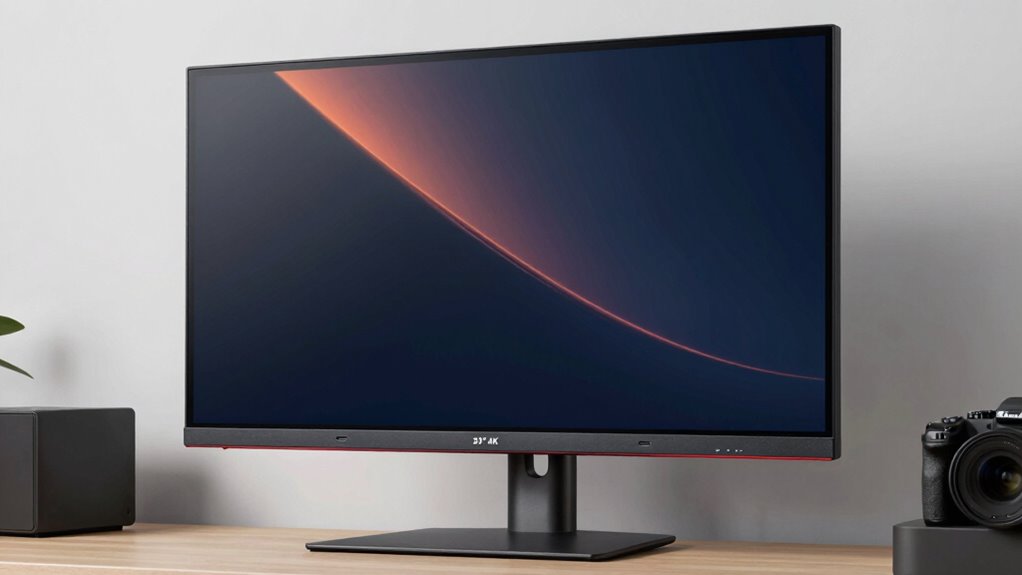

Starting your search for a 32 inch 4k monitor with USB-C means balancing performance, connectivity, and price. The Samsung 32” M7 (M70F) Series stands out as the best overall due to its versatile smart features, while the Dell P3225QE offers excellent color accuracy and build quality for professional use. For those prioritizing affordability, the Sceptre 32-inch 4K UHD Monitor provides decent performance at a lower price point. The main tradeoffs involve balancing resolution, refresh rate, connectivity options, and price—higher-end models often deliver better color and build, but at a premium. Keep reading to explore detailed reviews and help determine the best fit for your needs.

Get the latest gadgets delivered free with Prime
- Fast, free delivery on millions of items
- Prime Video, Amazon Music and more included
- Member-only deals all year
Complete the kit



Key Takeaways
- Top monitors combine 4K resolution with USB-C for seamless connection and high-quality display output.
- Premium models tend to offer better color accuracy, HDR support, and build quality, justifying higher prices.
- Refresh rate varies; most are suitable for productivity, but gamers should prioritize higher refresh rates if needed.
- Built-in speakers are common but vary significantly in quality, influencing overall user experience.
- Design and ergonomics, such as adjustable stands and slim bezels, are key for comfortable, clutter-free setups.
| Samsung 32” M7 (M70F) Series 4K UHD Smart Monitor |  | Best Overall for Versatile Entertainment and Productivity | Size: 32 inches | Resolution: 4K UHD | Series: M7 (M70F) | VIEW ON AMAZON | See Our Full Breakdown |
| Dell 32 Monitor S3225QS 4K UHD VA, 120Hz, FreeSync Premium, Eye Comfort |  | Best for Smooth Visuals and Accurate Colors | Size: 32 inches | Resolution: 3840 x 2160 (4K UHD) | Panel Type: VA | VIEW ON AMAZON | See Our Full Breakdown |
| Sceptre 32-inch 4K UHD Monitor with 70Hz Refresh Rate, Built-in Speakers |  | Best for Budget-Conscious Users Needing Versatile Connectivity | Size: 32 inches | Resolution: 3840 x 2160 (4K UHD) | Refresh Rate: 70Hz | VIEW ON AMAZON | See Our Full Breakdown |
| LG 32UR550K-B 32-inch 4K UHD HDR Computer Monitor |  | Best for Vivid HDR and Ergonomic Flexibility | Size: 32 inches | Resolution: 3840 x 2160 (4K UHD) | HDR: HDR10 | VIEW ON AMAZON | See Our Full Breakdown |
| LG 32UR500K-B Ultrafine 32-inch 4K UHD Monitor with HDR10 |  | Best for Ergonomic Flexibility and Basic HDR | VIEW ON AMAZON | See Our Full Breakdown | |||
| CUNPU Z32UI06-TE 32 Inch 4K USB-C IPS Monitor for Laptop MacBook/Mac mini |  | Best Overall for Versatile High-Quality Visuals | Display Size: 32 inches | Resolution: 3840×2160 (4K) | Panel Type: IPS | VIEW ON AMAZON | See Our Full Breakdown |
| Samsung 32″ ViewFinity S7 (S71H) 4K UHD IPS HDR10 High Resolution Monitor |  | Best for Color Accuracy and HDR Content | Screen Size: 32 inches | Resolution: 3840 x 2160 (4K UHD) | Panel Type: IPS | VIEW ON AMAZON | See Our Full Breakdown |
| LG 32U701SB-B 32-inch 4K UHD Smart Monitor with webOS |  | Best for All-in-One Entertainment and Productivity | Display Size: 32 inches | Resolution: 3840×2160 (4K) | Panel Type: IPS | VIEW ON AMAZON | See Our Full Breakdown |
| LG 32UP83AK-W 32-inch 4K UHD IPS Computer Monitor with HDR10, USB-C, Adjustable Stand |  | Best for Professional and Gaming Balance | Display Size: 32 inches | Resolution: 3840 x 2160 (4K) | Panel Type: IPS | VIEW ON AMAZON | See Our Full Breakdown |
| Samsung 32-Inch ViewFinity S8 (S80UH) High-Resolution Monitor |  | Best for High-End Connectivity and Detail | Size: 32 inches | Resolution: 3840×2160 (4K UHD) | USB-C Power Delivery: 90W | VIEW ON AMAZON | See Our Full Breakdown |
| ViewSonic VX3276-4K-MHD 32 Inch 4K UHD Monitor with HDR10 and HDMI |  | Best Overall for Versatile Visuals and Eye Comfort | Screen Size: 32 inches | Resolution: 3840 x 2160 (4K UHD) | HDR: HDR10 | VIEW ON AMAZON | See Our Full Breakdown |
| Dell P3225QE 31.5-Inch 4K UHD IPS LED Monitor with USB-C |  | Best for Ergonomic Flexibility and Color Accuracy | Size: 31.5 inches | Resolution: 3840 x 2160 (4K UHD) | Refresh Rate: 100Hz | VIEW ON AMAZON | See Our Full Breakdown |
| inch 4k monitors with usb c | Resolution | Connectivity | Size | Refresh Rate |
|---|---|---|---|---|
| Samsung 32” M7 | 4K UHD | Wi-Fi, Bluetooth (specific ports not detailed) | 32 inches | — |
| Dell 32 Monitor S3225QS 4K UHD | 3840 x 2160 (4K UHD) | DisplayPort, HDMI | 32 inches | 120Hz |
| Sceptre 32-inch 4K UHD Monitor | 3840 x 2160 (4K UHD) | 2 x HDMI, 2 x DisplayPort | 32 inches | 70Hz |
| LG 32UR550K-B 32-inch 4K UHD H | 3840 x 2160 (4K UHD) | HDMI, DisplayPort | 32 inches | 60Hz |
| LG 32UR500K-B Ultrafine 32-inc | — | — | — | — |
| CUNPU Z32UI06-TE 32 Inch 4K US | 3840×2160 (4K) | — | — | — |
| Samsung 32" ViewFinity S7 | 3840 x 2160 (4K UHD) | — | — | — |
| LG 32U701SB-B 32-inch 4K UHD S | 3840×2160 (4K) | Built-in streaming apps, remote PC | — | 60Hz |
| LG 32UP83AK-W 32-inch 4K UHD I | 3840 x 2160 (4K) | — | — | 60Hz |
| Samsung 32-Inch ViewFinity S8 | 3840×2160 (4K UHD) | — | 32 inches | — |
| ViewSonic VX3276-4K-MHD 32 Inc | 3840 x 2160 (4K UHD) | HDMI, DisplayPort, Mini DisplayPort | — | — |
| Dell P3225QE 31.5-Inch 4K UHD | 3840 x 2160 (4K UHD) | HDMI 2.1, DisplayPort 1.4, USB-C | 31.5 inches | 100Hz |
More Details on Our Top Picks
Samsung 32” M7 (M70F) Series 4K UHD Smart Monitor
The Samsung M7 Series stands out for combining 4K UHD resolution with an integrated smart platform that supports streaming, gaming, and smart home control, making it a compelling choice for users who want a single device for multiple needs. Unlike the Dell S3225QS, which emphasizes color accuracy and smooth visuals, the M7 prioritizes smart features and adaptive picture quality, though it may lack the extensive connectivity options of some dedicated monitors. The tradeoff is that its advanced smart capabilities can increase the overall cost and dependency on internet connectivity. This monitor is better suited to those who want an all-in-one device that blends entertainment with productivity in a sleek form factor.
Pros:- Vivid 4K UHD display with adaptive picture technology
- Built-in streaming apps, gaming hub, and smart home controls
- Enhanced audio with noise adaptation technology
- Secure data protection with Samsung Knox
Cons:- Limited connectivity options and external port details
- Higher price point for the integrated smart features
- Requires internet connection for full functionality
Best for: Home users seeking a versatile monitor that doubles as a smart TV and productivity hub
Not ideal for: Professional colorists or gamers needing high refresh rates and precise color calibration
- Size:32 inches
- Resolution:4K UHD
- Series:M7 (M70F)
- Features:Smart Monitor, AI Picture Optimizer, Samsung TV Plus, Smart Home Control, Samsung Knox Security
- Connectivity:Wi-Fi, Bluetooth (specific ports not detailed)
- Audio:Enhanced audio with noise adaptation
Our verdict“This monitor suits users who want an all-in-one entertainment and productivity device, despite its higher cost and reliance on internet connectivity.”
Dell 32 Monitor S3225QS 4K UHD VA, 120Hz, FreeSync Premium, Eye Comfort
The Dell S3225QS offers a high-quality VA panel with 4K resolution and a 120Hz refresh rate, making it ideal for users who prioritize smooth visuals and vibrant colors. Compared with the LG 32UR550K-B, which emphasizes HDR support and adjustable ergonomics, the Dell focuses on fast response times and color accuracy across a wide viewing angle, though it lacks a higher refresh rate for gaming. The tradeoff is the limited input options—only HDMI and DisplayPort—potentially restricting connectivity. This monitor makes the most sense for creative professionals or multimedia consumers who value color fidelity and smooth motion without the need for high-end gaming features.
Pros:- Vivid 4K visuals with accurate color reproduction
- 120Hz refresh rate with FreeSync Premium for smooth motion
- Blue light reduction and eye comfort features
- Sleek design with ultra-thin bezels
Cons:- Limited to HDMI and DisplayPort connectivity, lacks USB-C
- No built-in speakers, requiring external audio solutions
- Potentially higher price for premium features
Best for: Content creators and multimedia enthusiasts needing accurate colors and smooth playback
Not ideal for: High-end gamers or users requiring extensive connectivity options
- Size:32 inches
- Resolution:3840 x 2160 (4K UHD)
- Panel Type:VA
- Refresh Rate:120Hz
- Response Time:0.03ms
- Connectivity:DisplayPort, HDMI
Our verdict“This monitor is best suited for users who want high-quality visuals with smooth motion and color accuracy, but not for those needing multiple connectivity ports or gaming at higher refresh rates.”
Sceptre 32-inch 4K UHD Monitor with 70Hz Refresh Rate, Built-in Speakers
The Sceptre 32-inch 4K UHD provides a solid combination of resolution and multiple ports, including HDMI and DisplayPort, making it suitable for diverse setups. Its 70Hz refresh rate limits high-end gaming, but it remains appropriate for general productivity and multimedia viewing. Unlike the LG 32UR500K-B, which offers HDR10, Sceptre’s HDR support is more basic, and its built-in speakers add convenience but may not satisfy audiophiles. The tradeoff is its bulkier design and lower refresh rate, which make it less suitable for fast-paced gaming or professional color work.
Pros:- Crisp 4K resolution with vibrant colors
- Multiple connectivity options including HDMI and DisplayPort
- Built-in speakers for added convenience
- VESA mount compatibility for flexible placement
Cons:- Limited to 70Hz, not suited for fast-paced gaming
- Bulkier design requiring ample desk space
- HDR support is basic compared to higher-end models
Best for: Budget-conscious users who need multiple ports and integrated speakers for everyday use
Not ideal for: High-end gamers or professionals requiring higher refresh rates or advanced color calibration
- Size:32 inches
- Resolution:3840 x 2160 (4K UHD)
- Refresh Rate:70Hz
- Display Technology:IPS
- Contrast Ratio:1,000,000:1
- Connectivity:2 x HDMI, 2 x DisplayPort
Our verdict“This monitor offers versatile connectivity and decent quality at a budget-friendly price, but its lower refresh rate limits gaming potential.”
LG 32UR550K-B 32-inch 4K UHD HDR Computer Monitor
The LG 32UR550K-B delivers impressive 4K UHD visuals with HDR10 support, making it a strong choice for creative work and media consumption. Its adjustable stand allows for personalized ergonomics, a feature not available in the Sceptre or Dell models. The inclusion of gaming features like Dynamic Action Sync and Black Stabilizer adds responsiveness, although the 60Hz refresh rate may fall short for high-end gaming enthusiasts. Compared to the LG 32UR500K-B, this model emphasizes HDR and ergonomic adjustments but offers similar core features. The tradeoff is the slightly lower brightness and color coverage, which could impact the visual fidelity for professional tasks.
Pros:- Vivid 4K UHD with HDR10 for vibrant images
- Ergonomic stand with tilt, height, and pivot adjustments
- Gaming enhancements improve responsiveness
- Built-in stereo speakers with MaxxAudio
Cons:- 60Hz refresh rate limits high-end gaming performance
- Requires software installation for full feature access
- Brightness and color coverage are moderate for professional color work
Best for: Creative professionals and media consumers who prioritize HDR and ergonomic comfort
Not ideal for: Competitive gamers or users requiring higher refresh rates for fast-paced gaming
- Size:32 inches
- Resolution:3840 x 2160 (4K UHD)
- HDR:HDR10
- Refresh Rate:60Hz
- Color Coverage:90% DCI-P3
- Connectivity:HDMI, DisplayPort
Our verdict“This monitor suits creative and media users valuing HDR and ergonomic flexibility, but not high-refresh-rate gaming enthusiasts.”
LG 32UR500K-B Ultrafine 32-inch 4K UHD Monitor with HDR10
The LG 32UR500K-B prioritizes ergonomic adjustments with tilt, height, and pivot options, making it ideal for extended work sessions. Its 4K UHD display with HDR10 ensures vibrant visuals, though its contrast and brightness are modest compared to higher-end models like the Dell S3225QS. The inclusion of built-in stereo speakers and on-screen control simplifies setup and daily adjustments. Unlike the LG 32UR550K-B, this version offers slightly less advanced gaming features but maintains core image quality. The main tradeoff is its limited brightness and color gamut, which may not satisfy professionals working with color-critical tasks or users seeking maximum HDR performance.”
Pros:- Vivid 4K UHD display with HDR10 support
- Ergonomic stand with tilt, height, and pivot adjustments
- Built-in stereo speakers with MaxxAudio
- OnScreen Control for customization
Cons:- Limited to 60Hz refresh rate, less suited for high-speed gaming
- Higher power consumption for extended use
- Requires software for full feature access
Best for: Office workers and multimedia consumers needing ergonomic comfort and decent HDR visuals
Not ideal for: Gamers or professionals requiring high brightness, contrast, or color accuracy
Our verdict“This monitor is well-suited for users prioritizing ergonomic comfort and decent HDR, but not for high-refresh-rate gaming or color-critical work.”
CUNPU Z32UI06-TE 32 Inch 4K USB-C IPS Monitor for Laptop MacBook/Mac mini
This monitor stands out for its stunning 4K IPS display that covers 100% DCI-P3, delivering vibrant colors that excel in photo editing and multimedia. Its single-cable USB-C connection simplifies setups compared to the Samsung S71H, which offers similar resolution but lacks ergonomic adjustments. The CUNPU’s 65W Power Delivery supports charging laptops like MacBook, making it ideal for a clean workspace, yet its premium price may deter budget-conscious users. The ultra-thin bezel enhances multi-monitor configurations, but limited audio features and unclear height adjustment details could be drawbacks for some. Overall, this pick is perfect for creative professionals needing high fidelity and a seamless single-cable experience.
Pros:- Vivid 4K Ultra-HD display with 100% DCI-P3 coverage
- Single USB-C cable for power, video, and data transfer
- Adjustable ergonomic stand for comfortable viewing
- Ultra-thin bezel design for immersive multi-monitor setups
Cons:- Limited details on built-in audio features
- No mention of height adjustment range
- Potentially high price compared to some alternatives
Best for: Creatives and professionals seeking a versatile, color-accurate monitor with single-cable convenience.
Not ideal for: Gamers or users requiring extensive audio options and deep ergonomic customization.
- Display Size:32 inches
- Resolution:3840×2160 (4K)
- Panel Type:IPS
- Color Gamut:100% DCI-P3
- USB-C Power Delivery:65W
- Ports:HDMI 2.0, DisplayPort 1.4, USB-C
Our verdict“This monitor suits creative professionals prioritizing superb image quality and clean connectivity over audio and extensive ergonomic adjustments.”
Samsung 32″ ViewFinity S7 (S71H) 4K UHD IPS HDR10 High Resolution Monitor
The Samsung S71H offers a vibrant 4K IPS display with HDR10 support, making it a strong choice for color-critical work and media consumption. Its IPS panel provides excellent viewing angles, comparable to the LG 32UP83AK-W, but the S71H’s focus on HDR and color fidelity makes it particularly appealing for photo editing. However, its limited port options might require adapters, and its basic gaming features fall short of dedicated gaming monitors. For users who prioritize accurate colors and HDR performance over gaming or extensive connectivity, this monitor delivers high-quality visuals with a sleek design.
Pros:- High-resolution 4K UHD display with vibrant, accurate colors
- Wide 178° viewing angles with IPS technology
- HDR10 support for enhanced contrast and color depth
- Eye Saver Mode reduces eye strain during long sessions
Cons:- Limited port selection may require additional adapters
- Basic gaming features may not satisfy gamers
- Potentially higher cost for premium features
Best for: Photographers, video editors, and media consumers requiring accurate color and HDR support.
Not ideal for: Gamers seeking high refresh rates or users needing multiple connectivity options without adapters.
- Screen Size:32 inches
- Resolution:3840 x 2160 (4K UHD)
- Panel Type:IPS
- HDR:HDR10
- Viewing Angle:178°
- Ports:HDMI, DisplayPort
Our verdict“Ideal for professionals and media enthusiasts prioritizing color accuracy and HDR performance over gaming features.”
LG 32U701SB-B 32-inch 4K UHD Smart Monitor with webOS
This LG model integrates smart features with a 4K UHD IPS panel, making it suitable for streaming, remote work, and light gaming. Its built-in webOS platform, combined with AI Picture Pro and sound enhancements, offers a different experience than the more traditional monitors like the LG 32UP83AK-W. It’s perfect for users who want a multi-functional device that can operate independently of a PC, but the 60Hz refresh rate limits its appeal for fast-paced gaming. The absence of built-in high-quality speakers and reliance on internet connectivity for streaming might be drawbacks for some users. Overall, this monitor excels as a versatile hub for entertainment and light productivity.
Pros:- Vivid 4K UHD display with HDR10 and AI enhancements
- Built-in webOS for streaming, apps, and remote PC access
- AI Sound Pro creates virtual surround sound
- Supports cloud gaming services like Xbox Cloud Gaming
Cons:- Limited to 60Hz refresh rate, not suited for high-speed gaming
- No high-quality built-in speakers or audio output options
- Dependent on internet for streaming and smart features
Best for: Home users seeking an all-in-one display for streaming, casual gaming, and productivity without a separate PC.
Not ideal for: High-end gamers or professionals needing high refresh rates and extensive connectivity options.
- Display Size:32 inches
- Resolution:3840×2160 (4K)
- Panel Type:IPS
- HDR:HDR10
- Refresh Rate:60Hz
- Connectivity:Built-in streaming apps, remote PC
Our verdict“This monitor is well-suited for users wanting an entertainment-focused, all-in-one device for casual use and streaming.”
LG 32UP83AK-W 32-inch 4K UHD IPS Computer Monitor with HDR10, USB-C, Adjustable Stand
The LG 32UP83AK-W offers a strong balance of professional features and casual gaming flexibility. Its HDR10 support enhances visual detail, and the adjustable stand provides ergonomic comfort for long work sessions. USB-C functionality with 60W power delivery simplifies cable management compared to models like the Samsung S80UH, which offers higher wattage but less ergonomic adjustment. Its 60Hz refresh rate makes it less ideal for high-end gaming but sufficient for most professional tasks and casual gaming. The absence of built-in speakers might be a minor inconvenience for some, but overall, this monitor is a versatile choice for users juggling work and play.
Pros:- Vivid 4K UHD with HDR10 support
- Flexible ergonomic adjustments for height, tilt, and pivot
- USB-C port with 60W power delivery for streamlined connectivity
- Good balance of professional and casual gaming features
Cons:- Limited to 60Hz refresh rate, less suitable for competitive gaming
- No high-quality built-in speakers
- Small size may not satisfy users who prefer larger displays
Best for: Professionals and casual gamers seeking an ergonomic, feature-rich display with good connectivity.
Not ideal for: Competitive gamers or users needing very high refresh rates and top-tier audio features.
- Display Size:32 inches
- Resolution:3840 x 2160 (4K)
- Panel Type:IPS
- HDR:HDR10
- Refresh Rate:60Hz
- Stand Adjustments:Tilt, Height, Pivot
Our verdict“Best suited for professionals and casual gamers who want ergonomic comfort and versatile connectivity in a 32-inch form.”
Samsung 32-Inch ViewFinity S8 (S80UH) High-Resolution Monitor
The Samsung S80UH excels with a 4K UHD resolution and a USB-C port offering 90W charging, surpassing other options like the LG 32UP83AK-W in power delivery. Its built-in LAN port and KVM switch provide advanced connectivity for professional setups, making it ideal for multi-device workflows. The ergonomic tilt and swivel support user comfort during extended use, but the absence of built-in speakers and its high price tag could limit its appeal. Its HDR10+ support offers enhanced contrast, but the 60Hz refresh rate remains a limiting factor for fast-paced gaming. Overall, this model is best for power users who prioritize high connectivity and detailed visuals.
Pros:- High-resolution 4K UHD display with detailed imagery
- USB-C with 90W power delivery for charging and data
- Built-in LAN port and ergonomic tilt/swivel
- HDR10+ support for improved contrast and color
Cons:- No built-in speakers or audio options
- High price point for advanced features
- 60Hz refresh rate limits gaming performance
Best for: Power users and professionals needing extensive connectivity, high-resolution detail, and high power delivery.
Not ideal for: Casual users or gamers seeking high refresh rates or integrated audio solutions.
- Size:32 inches
- Resolution:3840×2160 (4K UHD)
- USB-C Power Delivery:90W
- HDR:HDR10+
- Features:LAN port, KVM, tilt & swivel
Our verdict“This monitor appeals to users who need maximum connectivity and detailed visuals, accepting limited gaming and audio options.”
ViewSonic VX3276-4K-MHD 32 Inch 4K UHD Monitor with HDR10 and HDMI
The ViewSonic VX3276-4K-MHD stands out for its impressive 4K resolution paired with HDR10 support, offering vibrant visuals that rival higher-end models like the Dell P3225QE. Its multiple connectivity options, including HDMI and DisplayPort, make it highly adaptable for different setups. However, unlike the Dell, it lacks detailed ergonomic adjustments and does not mention built-in speakers, which could be a drawback for users seeking a fully integrated workspace. This monitor is ideal for those who prioritize detailed visuals and eye care during long viewing sessions but are less concerned about extensive ergonomic customization or speaker quality.
Pros:- High-resolution 4K display delivering crisp, detailed visuals
- HDR10 support enhances color vibrancy and contrast
- Multiple connectivity options for versatile device compatibility
- Eye care features reduce fatigue during extended use
Cons:- Limited information on adjustable stand or ergonomic features
- No built-in speakers, requiring external audio setup
Best for: Creative professionals or long-hour users who need vibrant, detailed visuals with eye protection features.
Not ideal for: Gamers or ergonomic enthusiasts who require adjustable stands or high refresh rates beyond HDR support.
- Screen Size:32 inches
- Resolution:3840 x 2160 (4K UHD)
- HDR:HDR10
- Connectivity:HDMI, DisplayPort, Mini DisplayPort
- Eye Care Features:Flicker-Free, Blue Light Filter
- Built-in Speakers:No
Our verdict“This monitor suits users seeking vibrant visuals and eye comfort, especially for extended work or creative tasks.”
Dell P3225QE 31.5-Inch 4K UHD IPS LED Monitor with USB-C
The Dell P3225QE excels with a larger 31.5-inch IPS panel that ensures wide viewing angles and 99% sRGB coverage, making it ideal for color-critical work. Its 100Hz refresh rate and 5ms response time deliver smoother motion, a feature often overlooked in similar 4K monitors like the ViewSonic. Additionally, the fully adjustable stand—tilt, swivel, pivot, height—sets it apart from competitors that lack ergonomic customization. The inclusion of USB-C with up to 90W Power Delivery makes it a true all-in-one hub for laptops. However, it lacks built-in speakers, which might inconvenience users who prefer an all-in-one solution. This pick is best suited for professionals who need precise colors, smooth motion, and ergonomic flexibility.
Pros:- Excellent 4K resolution with vibrant, accurate colors
- High 100Hz refresh rate for smoother visuals
- USB-C with 90W Power Delivery simplifies desk setup
- Fully adjustable stand for ergonomic comfort
Cons:- No built-in speakers, requiring external audio
- Potentially higher price point compared to similar models
Best for: Creative professionals or remote workers needing accurate colors and ergonomic comfort in a single monitor.
Not ideal for: Casual users or gamers who prioritize high refresh rates or integrated audio features.
- Size:31.5 inches
- Resolution:3840 x 2160 (4K UHD)
- Refresh Rate:100Hz
- Response Time:5ms GTG
- Color Coverage:99% sRGB
- Connectivity:HDMI 2.1, DisplayPort 1.4, USB-C
- Power Delivery:Up to 90W
- Stand Adjustments:Tilt, swivel, pivot, height
Our verdict“This monitor is ideal for those who need top-tier color accuracy, smooth motion, and flexible ergonomics in their workspace.”

How We Picked
These monitors were evaluated based on a combination of performance, build quality, connectivity options, and value. Priority was given to models that offer true 4K resolution along with USB-C for versatile connectivity with modern devices. We considered refresh rates, color accuracy, HDR support, and ergonomic features to ensure the options cater to a range of needs—from professional editing to general productivity. The ranking reflects a balance between feature set and cost-effectiveness, with higher-rated picks providing more advanced display technology or better build quality. Models with reliable ports and decent aesthetics also ranked higher, as these factors impact everyday usability.Factors to Consider When Choosing 32 Inch 4k Monitors With Usb C
Choosing the right 32 inch 4k monitor with USB-C requires understanding several key factors that influence performance and usability. Not all monitors are created equal, and overlooking certain features can lead to dissatisfaction. Here are the main considerations to keep in mind when making your selection, helping you avoid common pitfalls and ensuring your investment matches your specific needs.Display Quality and Color Accuracy
While 4K resolution is standard across these monitors, differences in color accuracy, HDR support, and panel technology can significantly impact your experience. For creative professionals, a monitor with AdobeRGB or DCI-P3 coverage is essential for precise editing. For general use, a good HDR implementation enhances multimedia consumption. Be mindful that cheaper models may cut corners on color accuracy or HDR performance, which can be a disappointment if you rely on visual fidelity.
Connectivity and USB-C Features
USB-C ports are the main selling point, offering single-cable convenience for power, data, and video. However, not all USB-C ports provide the same bandwidth or charging capabilities. Some monitors support power delivery over USB-C, reducing the need for extra chargers, but this feature is often limited to premium models. Check the wattage supported to match your device’s charging needs. Additionally, consider the availability of other ports like HDMI and DisplayPort for flexibility in connecting multiple devices.
Build Quality and Ergonomics
Durability, design, and adjustability matter more than many realize. An adjustable stand helps position the monitor for comfort, especially during long work sessions. Slim bezels improve aesthetics and multitasking, but some models may sacrifice sturdiness or adjustability for a more minimal look. If space allows, a monitor with VESA compatibility expands mounting options. Always verify that the build feels solid and that ergonomic features meet your workspace requirements to prevent discomfort or frequent readjustments.
Performance Factors: Refresh Rate and Response Time
Most 32 inch 4K monitors prioritize clarity and color for productivity, so refresh rates of 60Hz or 75Hz are common and sufficient for most tasks. However, if you plan to use the monitor for gaming or fast-paced video editing, higher refresh rates (120Hz or more) become more relevant. Response time also influences motion clarity, especially during rapid scene changes. Be wary of models that advertise high specs but lack real-world performance; look for real reviews on performance under typical use.
Price and Value Considerations
Higher price often correlates with better display technology, build quality, and extra features like HDR or USB-C power delivery. However, not everyone needs top-tier specs, so prioritize features that match your usage. For instance, casual users might find a mid-range model perfectly adequate, while professionals should consider investing in monitors with excellent color reproduction. Avoid paying for bells and whistles that won’t be used—focus on the core features that improve your workflow or entertainment experience.
Frequently Asked Questions
Can I connect multiple devices to a USB-C monitor?
Yes, many USB-C monitors support daisy chaining or have multiple ports, allowing you to connect several devices simultaneously. However, the actual number of devices and ease of switching depend on the specific model’s port configuration. If you plan to connect a laptop, phone, and external storage, check for additional USB-C or USB-A ports. Always verify that the monitor’s USB-C port supports data transfer and power delivery for seamless multi-device use.
Is HDR support necessary on a 4K monitor for productivity?
HDR support improves visual quality by enhancing contrast and color depth, which can be beneficial for creative professionals or multimedia consumption. For standard productivity tasks like browsing, office work, or coding, HDR is less critical and may not justify a higher price. If you frequently work with visual content or enjoy high-quality media, choosing a monitor with HDR support can make a noticeable difference, but ensure it has proper local dimming and color coverage for true benefits.
Should I prioritize build quality over features?
Build quality influences durability and ease of use, especially if your setup involves frequent adjustments or long-term use. While feature-rich monitors provide better visuals and connectivity, a poorly constructed model can feel flimsy or become unstable over time. Investing in a well-built monitor with ergonomic adjustments can enhance comfort and longevity, making it worth balancing with feature set. Remember, a sturdy stand and VESA compatibility add flexibility for future upgrades.
Are higher refresh rates important on a 4K monitor?
For most productivity tasks, a refresh rate of 60Hz to 75Hz is sufficient, as it provides smooth visuals without unnecessary expense. However, if you engage in gaming or high-speed video editing, higher refresh rates (120Hz or more) can make motion appear smoother and more natural. Keep in mind that higher refresh rates often mean increased cost, so assess whether your typical use justifies the investment. For general use, sticking with standard refresh rates balances performance and value.
How much should I spend on a 32 inch 4K monitor with USB-C?
Pricing varies based on features, build quality, and brand reputation. Entry-level models may be more affordable but could lack advanced color accuracy, HDR, or robust ergonomics. Investing in a mid-range to premium monitor typically provides better display technology, more reliable USB-C ports, and longer-lasting build quality. Consider your primary use—if professional editing or frequent multitasking is involved, spending more can lead to greater satisfaction and fewer compromises over time.
Conclusion
For general users and office workers, the Samsung 32” M7 (M70F) Series offers a versatile, feature-rich experience that balances smart features with connectivity. Creative professionals should lean toward the LG 32UP83AK-W or ViewSonic VX3276-4K-MHD for superior color accuracy and HDR support. Those on a budget might prefer the Sceptre 32-inch 4K UHD Monitor for decent performance at a lower price. For premium needs, the Samsung ViewFinity S7 provides high-end color and build quality, making it ideal for demanding tasks. Ultimately, your choice depends on your specific priorities—whether it’s performance, price, or connectivity—so select the monitor that best aligns with your workflow and budget.
As an affiliate, we earn on qualifying purchases.Black Friday Picks

Kindle Paperwhite (16 GB) – 7 Glare-Free Display, Black