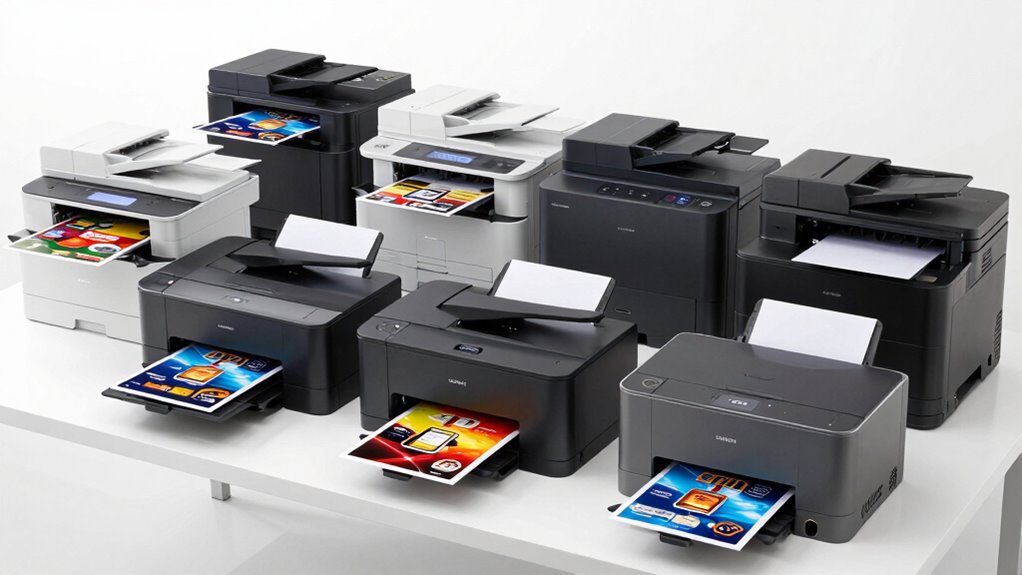

Finding a duplex color laser printer under 1200 that handles marketing materials efficiently can be challenging. The Brother HL-L8430CDW stands out as the best overall choice, thanks to its reliable performance and high-quality output. The HP Color LaserJet Pro 3201dw offers excellent value with fast printing speeds and wireless connectivity, making it ideal for growing teams. However, tradeoffs include balancing initial cost, print quality, and ongoing maintenance. Continue reading to see how these printers compare across key features and which one fits your specific needs best.

Get the latest gadgets delivered free with Prime
- Fast, free delivery on millions of items
- Prime Video, Amazon Music and more included
- Member-only deals all year
Complete the kit



Key Takeaways
- Top-performing models balance print quality, speed, and cost, making them suitable for marketing material production.
- Wireless connectivity and multifunction features significantly improve workflow for busy marketing teams.
- Higher initial investments often bring better durability and lower running costs over time.
- Compact designs are available but may limit paper capacity and expandability, impacting high-volume use.
- Choosing a printer with easy maintenance and reliable support reduces downtime and total ownership costs.
| Brother HL-L8430CDW Business Color Laser Printer |  | Best Overall for High-Demand Environments | Print Speed: Up to 33 ppm | Print Type: Color Laser | Paper Capacity: 250-sheet tray + 50-sheet multipurpose tray, expandable to 1,340 sheets | VIEW ON AMAZON | See Our Full Breakdown |
| Brother MFC-L3780CDW Wireless Color All-in-One Printer |  | Best for Small Business and Home Office Versatility | Print Speed: Up to 31 ppm | Scan Speed: Up to 29/22 ipm | Connectivity: Dual band Wi-Fi, Ethernet, Wi-Fi Direct, USB | VIEW ON AMAZON | See Our Full Breakdown |
| Brother MFC-L8930CDW Business Color Laser All-in-One Printer |  | Best for Security and High Productivity | Print Speed: Up to 33ppm | Scan Speed: Up to 104ipm (two-sided) | Auto Document Feeder Capacity: 80 pages | VIEW ON AMAZON | See Our Full Breakdown |
| HP Color LaserJet Enterprise M554dn Duplex Printer (7ZU81A) |  | Best for High-Volume and Enterprise Security | Print Speed: Up to 35 ppm | Paper Capacity: 650 sheets | Duplex Printing: Yes | VIEW ON AMAZON | See Our Full Breakdown |
| Brother MFC-L3720CDW Wireless Color Laser Printer with Scanner, Copier and Fax |  | Best for Compact All-in-One Office Setup | Print Speed: Up to 19 ppm | Connectivity: Dual-band Wi-Fi, USB, Wi-Fi Direct | Paper Capacity: 250-sheet tray | VIEW ON AMAZON | See Our Full Breakdown |
| Canon Color imageCLASS MF665Cdw Wireless All-in-One Duplex Laser Printer |  | Best Overall for Small to Medium Offices | Functions: Print, scan, copy, fax | Print Speed: Up to 26 ppm (color and mono) | First Print Time: Approximately 10.3 seconds | VIEW ON AMAZON | See Our Full Breakdown |
| Canon Color imageCLASS MF753Cdw II All-in-One Color Duplex Laser Printer |  | Best for Multi-Function Efficiency in Growing Workgroups | Functions: Print, scan, copy, fax | Duplex Printing: Yes | Connectivity: Wireless | VIEW ON AMAZON | See Our Full Breakdown |
| HP Color LaserJet Pro 3201dw Wireless Color Laser Printer with Duplex Printing (499Q9F) |  | Best for Small Teams Requiring Fast, Professional Color Output | Print Speed: Up to 26 ppm black/color | Duplex Printing: Automatic | Input Tray Capacity: 250 sheets | VIEW ON AMAZON | See Our Full Breakdown |
| Lexmark MC2640adwe Multifunction Color Laser Printer with Duplex Printing, 40 ppm, Built-in Wi-Fi |  | Best for High-Volume Office Environments | Printer Type: Laser | Output: Color | Print Speed: 40 ppm | VIEW ON AMAZON | See Our Full Breakdown |
| Brother MFC-L8730CDW Business Color Laser All-in-One Printer |  | Best for Small to Midsize Business with High Productivity Needs | Print Speed: Up to 33 ppm | Auto Document Feeder: 80 pages | Connectivity: Wireless, Ethernet | VIEW ON AMAZON | See Our Full Breakdown |
| Brother HL-L3280CDW Wireless Color Laser Printer |  | Best Overall for Small Offices and Home Use | Print Speed: Up to 27 ppm | Print Type: Color Laser | Duplex Printing: Automatic | VIEW ON AMAZON | See Our Full Breakdown |
| HP Color LaserJet Pro MFP 3301sdw Wireless All-in-One Color Laser Printer |  | Best for Small Office Teams Needing All-in-One Functionality | Printer Type: Laser | Print Speed: Color 30 ppm, B&W 26 ppm | Paper Media: Paper | VIEW ON AMAZON | See Our Full Breakdown |
| Brother HL-L3220CDW Color Laser Printer |  | Best Budget Choice for Home or Small Business | Brand: Brother | Model: HL-L3220CDW | Print Speed: 19 PPM | VIEW ON AMAZON | See Our Full Breakdown |
| duplex color laser printer for marketing materials under 1200 | Print Speed | Connectivity | Duplex Printing |
|---|---|---|---|
| Brother HL-L8430CDW Business C | Up to 33 ppm | Dual-band Wi-Fi, Gigabit Ethernet | Yes |
| Brother MFC-L3780CDW Wireless | Up to 31 ppm | Dual band Wi-Fi, Ethernet, Wi-Fi Direct, USB | — |
| Brother MFC-L8930CDW Business | Up to 33ppm | Dual-band Wi-Fi, Ethernet | — |
| HP Color LaserJet Enterprise M | Up to 35 ppm | Ethernet, USB | Yes |
| Brother MFC-L3720CDW Wireless | Up to 19 ppm | Dual-band Wi-Fi, USB, Wi-Fi Direct | — |
| Canon Color imageCLASS MF665Cd | Up to 26 ppm (color and mono) | — | Automatic 2-sided |
| Canon Color imageCLASS MF753Cd | Not specified | Wireless | Yes |
| HP Color LaserJet Pro 3201dw W | Up to 26 ppm black/color | Dual-band Wi-Fi | Automatic |
| Lexmark MC2640adwe Multifuncti | 40 ppm | Wi-Fi | — |
| Brother MFC-L8730CDW Business | Up to 33 ppm | Wireless, Ethernet | — |
| Brother HL-L3280CDW Wireless C | Up to 27 ppm | Dual-band wireless, Ethernet, Wi-Fi Direct, mobile printing | Automatic |
| HP Color LaserJet Pro MFP 3301 | Color 30 ppm, B&W 26 ppm | — | — |
| Brother HL-L3220CDW Color Lase | 19 PPM | Wireless, Mobile, Network-ready | Automatic |
More Details on Our Top Picks
Brother HL-L8430CDW Business Color Laser Printer
The Brother HL-L8430CDW stands out as the best choice for busy offices needing rapid, vibrant color output with robust security. Its impressive 33ppm speed outpaces many competitors like the Brother MFC-L3780CDW, which offers similar functions but at slightly lower print speeds. While it ships with high-yield toner options, these are sold separately, adding to ongoing costs. Its expandable paper capacity up to 1,340 sheets and triple-layer security make it ideal for high-volume, security-conscious environments. However, the need for optional extra trays can increase initial setup expenses. This model is best suited for teams that value speed, security, and low cost per page, and can handle higher upfront investments for long-term savings. In contrast, it’s less suitable for small teams with minimal print volume due to higher initial costs.
Pros:- Fast print speeds up to 33ppm for high-volume environments
- Low-cost printing with high-yield toner cartridges
- Expandable paper capacity to 1,340 sheets
- Advanced security features including NFC badge authentication
Cons:- High-yield toner cartridges are sold separately, increasing ongoing costs
- Additional paper trays required for maximum capacity add to initial expense
Best for: Large work teams or departments needing high-volume, fast, and secure color printing
Not ideal for: Small offices or home users who prioritize simplicity and lower upfront costs
- Print Speed:Up to 33 ppm
- Print Type:Color Laser
- Paper Capacity:250-sheet tray + 50-sheet multipurpose tray, expandable to 1,340 sheets
- Display:2.7″ color touchscreen
- Connectivity:Dual-band Wi-Fi, Gigabit Ethernet
- Duplex Printing:Yes
- Included Toner Yield:3,000 pages black / 1,800 pages color
- High-Yield Toner Yield:7,500 pages black / 6,500 pages color
- Security:Triple Layer Security, NFC badge reader
Our verdict“This printer is best for large, security-focused offices needing speed and volume at a reasonable total cost.”
Brother MFC-L3780CDW Wireless Color All-in-One Printer
The Brother MFC-L3780CDW offers a well-rounded all-in-one solution tailored to small businesses and home offices. Its 31ppm print speed is sufficient for moderate workflows, though slower than the Brother HL-L8430CDW, which is better suited for high-volume needs. Its integrated scan, copy, and fax capabilities provide comprehensive functionality, but the setup process can be complex, especially for less tech-savvy users. Wireless and Ethernet options, along with NFC security, make it flexible for diverse office setups. The 3.5-inch touchscreen simplifies operation, but the high cost of high-yield toner cartridges may impact ongoing expenses. This model makes the most sense for small teams seeking an all-in-one device that balances features with ease of use, though it may be less ideal for those with heavy daily print demands or tight budgets.
Pros:- All-in-one functionality with print, scan, copy, and fax
- Fast scan speeds and automatic duplex printing
- Wireless and wired connectivity options for flexibility
- Intuitive 3.5-inch touchscreen interface
Cons:- High-yield toner cartridges are costly and may require subscription services
- Complex setup process can deter less tech-savvy users
Best for: Small businesses or home offices needing an all-in-one device with reliable wireless connectivity
Not ideal for: Large offices with high-volume printing needs, due to slower speed and higher ongoing costs
- Print Speed:Up to 31 ppm
- Scan Speed:Up to 29/22 ipm
- Connectivity:Dual band Wi-Fi, Ethernet, Wi-Fi Direct, USB
- Touchscreen:3.5-inch
- Paper Handling:Based on 20 lb. paper
- Energy Star:Yes
- Warranty:1 year
Our verdict“This printer is ideal for small teams needing versatile, reliable all-in-one features with flexible connectivity.”
Brother MFC-L8930CDW Business Color Laser All-in-One Printer
The Brother MFC-L8930CDW is designed for security-conscious, high-volume offices that need fast, flexible printing with extensive features. Its impressive 33ppm speed matches the Brother HL-L8430CDW, but it adds a 7-inch touchscreen with up to 64 shortcuts, making workflow customization easier. Its duplex scan speeds reach an outstanding 104ipm, ideal for large document management tasks. Security features, including NFC badge authentication and triple-layer security, appeal to environments with sensitive data. While it includes standard toner cartridges that offer good value, replacing high-yield cartridges can be costly. The device’s larger footprint and weight may be a concern for smaller spaces. This pick suits offices prioritizing security, speed, and advanced workflow customization, though it may be overkill for small-scale use.
Pros:- Fast print speeds up to 33ppm and two-sided scanning at 104ipm
- Large 7-inch touchscreen with 64 customizable shortcuts
- Enhanced security features including NFC badge authentication
- Compact design with versatile connectivity options
Cons:- High-yield toner cartridges sold separately, increasing costs
- Heavier and larger, less suited for small spaces
Best for: Medium to large offices requiring security, fast document processing, and workflow customization
Not ideal for: Small teams or home users who need a compact, budget-friendly device
- Print Speed:Up to 33ppm
- Scan Speed:Up to 104ipm (two-sided)
- Auto Document Feeder Capacity:80 pages
- Touchscreen:7-inch color
- Custom Shortcuts:Up to 64
- Connectivity:Dual-band Wi-Fi, Ethernet
- Included Toner Yield:3,000 pages black / 1,800 pages color
- High Yield Toner:7,500 pages black / 6,500 pages color
- Security:NFC card reader, triple-layer security
Our verdict“This model is best for security-focused offices that need speed, workflow flexibility, and advanced security features.”
HP Color LaserJet Enterprise M554dn Duplex Printer (7ZU81A)
The HP Color LaserJet Enterprise M554dn emphasizes high-volume throughput with a large 650-sheet input capacity and robust security, making it a strong contender for enterprise environments. Its 35ppm speed surpasses many in this roundup, including the Brother HL-L8430CDW, and supports automatic duplex printing for efficiency. HP’s security features, including malware detection and self-healing capabilities, are industry-leading, appealing to organizations with sensitive data. Its energy-efficient design with Auto-On/Auto-Off technology helps reduce operational costs. However, the lack of detailed specs and higher price point may deter small businesses on a budget. This model is ideal for large-scale, security-sensitive operations needing high speed and volume, though it might be excessive for smaller marketing teams.
Pros:- High-speed printing at up to 35ppm for large workloads
- Large 650-sheet capacity reduces reloads
- Enhanced security with malware detection and self-healing
- Energy-efficient with Auto-On/Auto-Off
Cons:- Limited detailed specs available, making comparisons difficult
- Higher initial cost may be prohibitive for smaller budgets
Best for: Large enterprises or marketing departments with high-volume, secure printing needs
Not ideal for: Small startups or teams with limited print volume looking for a budget-friendly option
- Print Speed:Up to 35 ppm
- Paper Capacity:650 sheets
- Duplex Printing:Yes
- Security:Malware detection, self-healing
- Energy Efficiency:Auto-On/Auto-Off
- Connectivity:Ethernet, USB
Our verdict“This model suits large, security-minded organizations needing high volume and speed at a premium price.”
Brother MFC-L3720CDW Wireless Color Laser Printer with Scanner, Copier and Fax
The Brother MFC-L3720CDW offers a compact, versatile solution for small offices needing printing, scanning, copying, and faxing all in one device. Its 19 ppm print speed is slower compared to models like the Brother HL-L8430CDW, but it compensates with integrated functions and a 3.5-inch touchscreen that simplifies operation. Its 250-sheet paper tray and 50-sheet ADF support moderate workloads, but it’s less suited for high-volume environments. The device’s dual-band Wi-Fi and mobile printing capabilities provide flexibility, yet toner replacement costs can be high over time. Its smaller footprint makes it ideal for tight spaces, though it sacrifices some speed and capacity for size. This pick is best for small teams needing a space-efficient, all-in-one device, while larger or high-volume users should look elsewhere.
Pros:- All-in-one functionality with print, scan, copy, and fax
- Compact design ideal for limited space
- Wireless and mobile printing support
- Large 250-sheet paper tray with 50-sheet ADF
Cons:- Slower print speed at 19 ppm may hinder high-volume workflows
- High toner replacement costs can add up over time
Best for: Small offices or remote teams needing an all-in-one device with space efficiency
Not ideal for: High-volume environments or offices requiring rapid, heavy-duty printing
- Print Speed:Up to 19 ppm
- Connectivity:Dual-band Wi-Fi, USB, Wi-Fi Direct
- Paper Capacity:250-sheet tray
- Auto Document Feeder:50 sheets
- Functions:Print, Scan, Copy, Fax
- Touchscreen:3.5-inch with 48 shortcuts
Our verdict“This printer is best for small offices needing a space-efficient, multifunction device with moderate volume capacity.”
Canon Color imageCLASS MF665Cdw Wireless All-in-One Duplex Laser Printer
This model stands out for its fast print speeds of up to 26 ppm in both color and mono, a versatile 4-in-1 design, and a user-friendly 5-inch touchscreen. Compared with the Lexmark MC2640adwe, the Canon is more compact and easier to set up, making it a better fit for smaller workspaces. While its color laser printing quality is sharp, the ongoing cost of toner remains higher than inkjet alternatives, and the single-sheet multipurpose tray limits handling of specialty media, which can be inconvenient for certain marketing materials. Its wireless connectivity and mobile printing options streamline workflows, especially in busy office settings. However, the toner costs and media handling limits are tradeoffs for its ease of use and reliability.
Pros:- Fast print speeds of up to 26 ppm in both color and mono
- Versatile 4-in-1 functionality (print, scan, copy, fax)
- Intuitive 5-inch color touchscreen and easy wireless setup
- High-capacity toner reduces replacement frequency
Cons:- Color laser toner can be costly to maintain over time
- Single-sheet multipurpose tray limits handling of diverse media
Best for: Small to medium-sized offices needing reliable, multi-functional color printing with minimal fuss
Not ideal for: High-volume print shops or users needing extensive media flexibility, due to its media tray limitations and toner costs
- Functions:Print, scan, copy, fax
- Print Speed:Up to 26 ppm (color and mono)
- First Print Time:Approximately 10.3 seconds
- Display:5-inch color touchscreen
- Wireless:Yes, with easy setup
- Paper Capacity:250-sheet cassette, 1-sheet multipurpose tray
- Automatic Document Feeder:50-sheet single-pass duplex ADF
- Duplex Printing:Automatic 2-sided
- Warranty:3-year limited
Our verdict“This printer is ideal for small offices seeking a reliable, all-in-one color laser with fast speeds and straightforward wireless setup.”
Canon Color imageCLASS MF753Cdw II All-in-One Color Duplex Laser Printer
The Canon MF753Cdw II supports printing, scanning, copying, and faxing with wireless convenience, making it suitable for teams that need a compact yet capable device. While it supports duplex printing like the Canon MF665Cdw, it emphasizes multi-functionality and wireless flexibility over speed, with limited details on its print speed and media capacity compared to the MF665Cdw. This model is better suited for users prioritizing seamless workflow integration and space-saving design, but less so for those who need high-volume, fast printing — especially when compared to the Lexmark MC2640adwe, which offers higher speeds. Its focus on wireless and multifunction features makes it a good choice for dynamic, collaborative environments, though the lack of detailed specs may concern more power users.
Pros:- Supports printing, scanning, copying, and faxing in one device
- Wireless connectivity for flexible placement
- Duplex printing to reduce paper use
- Compact size suited for small workspaces
Cons:- Limited info on print speed and media capacity
- Laser printers tend to have higher initial costs
Best for: Growing teams requiring all-in-one capabilities with wireless flexibility in a compact form
Not ideal for: High-volume printers or users who need detailed speed and media specifications upfront
- Functions:Print, scan, copy, fax
- Duplex Printing:Yes
- Connectivity:Wireless
- Color:Yes
- Size:Compact
- Print Speed:Not specified
- Media Capacity:Not specified
Our verdict“This printer suits teams needing a space-efficient, multi-function device with wireless connectivity, though it may lack the raw speed for high-volume environments.”
HP Color LaserJet Pro 3201dw Wireless Color Laser Printer with Duplex Printing (499Q9F)
The HP Color LaserJet Pro 3201dw offers consistent speeds of up to 26 ppm in both black and color, with automatic duplexing and a 250-sheet input tray, making it ideal for small teams that need reliable, professional-quality documents. Compared to the Canon MF665Cdw, this model emphasizes speed and color precision with a focus on office productivity. Its dual-band Wi-Fi and self-reset features improve connection stability, but it’s restricted to cartridges with original HP chips, which can increase ongoing costs. For users who prioritize fast, high-quality color output with minimal fuss, this makes a strong case, though the cartridge restrictions could be a drawback for budget-conscious buyers or those seeking more media flexibility.
Pros:- Fast black and color printing up to 26 ppm
- Automatic duplex printing reduces paper use
- Dual-band Wi-Fi with self-reset enhances connectivity
- 250-sheet input tray supports busy office needs
Cons:- Restricted to cartridges with original HP chips
- Potentially higher ongoing cartridge costs
Best for: Small teams or offices needing fast, reliable color printing with high-volume capacity
Not ideal for: Users who want open media handling or are looking for lower ongoing cartridge costs
- Print Speed:Up to 26 ppm black/color
- Duplex Printing:Automatic
- Input Tray Capacity:250 sheets
- Connectivity:Dual-band Wi-Fi
- Toner Type:TerraJet
- Cartridge Compatibility:Original HP chips required
Our verdict“This printer is a solid choice for small teams prioritizing speed and reliable color quality with efficient paper handling.”
Lexmark MC2640adwe Multifunction Color Laser Printer with Duplex Printing, 40 ppm, Built-in Wi-Fi
The Lexmark MC2640adwe delivers impressive speeds of 40 ppm and detailed scanning at 100 images per minute, making it ideal for high-volume office settings. Its built-in Wi-Fi and secure architecture support seamless, protected workflows, and the customizable touchscreen enhances user experience. Compared with the Canon MF665Cdw, the Lexmark offers higher speed and more advanced security features, but it’s significantly heavier and bulkier, requiring more dedicated space. Its complex setup and substantial initial investment are tradeoffs that might deter smaller teams or less tech-savvy users, yet for large offices needing rapid document handling and security, it’s a compelling choice.
Pros:- Exceptional print speed of 40 ppm
- High-speed scanning with 100 images per minute
- Built-in Wi-Fi and security features
- Large, user-friendly touchscreen
Cons:- Heavy and space-consuming design
- High initial cost
- Complex setup process
Best for: Large, busy offices requiring high-speed printing, scanning, and secure workflows
Not ideal for: Small or home offices lacking space or those with limited technical support
- Printer Type:Laser
- Output:Color
- Print Speed:40 ppm
- Scan Speed:100 images/min
- Maximum Print Resolution:1200 x 1200 dpi
- Connectivity:Wi-Fi
- Display Type:LCD
- Weight:68.7 pounds
Our verdict“This model is best suited for large offices demanding high-volume, secure, and fast multifunction capabilities with robust security features.”
Brother MFC-L8730CDW Business Color Laser All-in-One Printer
The Brother MFC-L8730CDW combines fast printing at 33 ppm and a large 80-page auto document feeder, making it well-suited for busy environments. Its compact size—25% smaller than previous models—and secure, NFC-enabled login support streamline workflows for small to midsize business teams. When compared to the Canon MF665Cdw, it offers higher print speeds and larger toner yields, but the initial investment can be steep, and setup may challenge less tech-savvy users. Its focus on cost-efficient toner and security makes it a practical choice for offices where volume and data protection matter most, but it might be overkill for light-duty printing needs.
Pros:- Fast print speeds of up to 33 ppm
- Large 80-page auto document feeder
- Secure printing with NFC card reader
- Compact design saves space
Cons:- High upfront cost
- Setup complexity for non-technical users
- Large toner cartridges required for high volume
Best for: Small to midsize businesses seeking fast, secure, and high-volume color printing
Not ideal for: Home users or small offices with infrequent printing needs, due to its higher cost and complexity
- Print Speed:Up to 33 ppm
- Auto Document Feeder:80 pages
- Connectivity:Wireless, Ethernet
- Security Features:NFC card reader, triple-layer security
- Toner Cartridges:Black: 3,000 pages, Color: 1,800 pages
- Dimensions:Smaller than previous models
Our verdict“This printer is ideal for small businesses requiring fast, secure, and high-capacity color printing in a compact form.”
Brother HL-L3280CDW Wireless Color Laser Printer
This model stands out for its blend of speed, compact design, and smart features, making it ideal for small offices or home setups. Compared with the Brother HL-L3220CDW, it offers faster print speeds of up to 27 ppm and a more advanced 2.7-inch touchscreen with cloud app support, which significantly boosts productivity. Its automatic duplex printing helps save paper, and eco-friendly features like Eco Mode appeal to environmentally conscious users. The downside is the included Refresh EZ Print Subscription trial, which automatically charges after the free period, potentially surprising users who forget to cancel. Overall, this printer makes the most sense for users needing quick, wireless color printing with minimal space and a touch interface.
Pros:- Fast print speeds up to 27 ppm with automatic duplexing
- Compact footprint fits small spaces
- 2.7-inch touchscreen simplifies cloud printing from Google Drive, Dropbox, and EverNote
- Eco-friendly features including Eco Mode and Toner Save Mode
Cons:- Subscription trial automatically charges after the free period, which could lead to unexpected costs
- Cartridge deactivation upon cancellation may require expensive replacements
Best for: Small office teams or busy home offices requiring fast, wireless color printing with cloud connectivity
Not ideal for: Users who prefer a straightforward, single-function printer or want to avoid subscription pitfalls
- Print Speed:Up to 27 ppm
- Print Type:Color Laser
- Duplex Printing:Automatic
- Touchscreen:2.7 inches
- Connectivity:Dual-band wireless, Ethernet, Wi-Fi Direct, mobile printing
- Certifications:ENERGY STAR, EPEAT Silver
- Warranty:1-year limited
- Includes:2-month Refresh EZ Print Subscription trial
Our verdict“This pick is ideal for small offices or home users who value speed, connectivity, and eco-conscious features but want to avoid ongoing subscription issues.”
HP Color LaserJet Pro MFP 3301sdw Wireless All-in-One Color Laser Printer
This printer excels in offering a complete office solution, combining fast printing, copying, scanning, and wireless connectivity. When compared to the Brother HL-L3280CDW, it adds scanning and copying, making it more versatile for collaborative environments. Its high-speed output of 30 ppm in color and 26 ppm in black-and-white ensures efficiency during busy periods. The 250-sheet tray minimizes refill interruptions, and auto duplexing helps save paper. However, its weight of nearly 38 pounds can be cumbersome to move, and it lacks a touchscreen, which might slow navigation for some users. This device is best suited for small teams that need a reliable, all-in-one color laser solution without sacrificing speed or quality.
Pros:- Fast print speeds of 30 ppm in color, 26 ppm in black-and-white
- All-in-one functionality including scan, copy, and print
- Wireless and Ethernet connectivity for flexible setup
- Auto duplex printing reduces paper use
Cons:- Relatively heavy at nearly 38 pounds, making relocation difficult
- Limited information on user interface—no dedicated touchscreen
Best for: Small office teams needing a multifunction device with fast color printing and scanning capabilities
Not ideal for: Small businesses with limited space or users requiring a touchscreen interface for ease of use
- Printer Type:Laser
- Print Speed:Color 30 ppm, B&W 26 ppm
- Paper Media:Paper
- Scanner Type:Flatbed
- Maximum Copy Speed:26 pages per minute
- Dimensions:16.46″D x 13.44″W x 16.5″H
- Certifications:Limited warranty
- Includes:Wireless, Ethernet, App control
Our verdict“This all-in-one device is perfect for small teams seeking high-speed, versatile color printing with reliable scanning and copying features, provided weight and interface are not concerns.”
Brother HL-L3220CDW Color Laser Printer
This model makes a compelling case for budget-conscious users needing reliable color laser printing. It offers a straightforward solution with a decent 19 ppm speed and automatic duplexing, which is sufficient for low to moderate volume printing. Its large 250-sheet paper tray reduces the need for frequent refills, and wireless plus mobile printing support simplifies everyday use. Compared to the Brother HL-L3280CDW, it sacrifices some speed and advanced features, but it keeps costs down and remains easy to operate. The main tradeoff is the absence of scanning or copying functions, limiting its utility for users who want an all-in-one device. Still, for home offices or small businesses focused on print-only tasks, this printer delivers solid value.
Pros:- Reliable 19 ppm print speed for basic needs
- Automatic duplex printing saves paper
- Large 250-sheet paper tray reduces refills
- Supports wireless and mobile printing
Cons:- No scanning or copying functions limit versatility
- Laser toner costs can accumulate over time
Best for: Home offices or small businesses needing a reliable, cost-effective color laser printer for printing documents and marketing materials
Not ideal for: Offices requiring scanning or copying capabilities or those with high-volume needs
- Brand:Brother
- Model:HL-L3220CDW
- Print Speed:19 PPM
- Paper Capacity:250 sheets
- Duplex Printing:Automatic
- Connectivity:Wireless, Mobile, Network-ready
- ASIN:B0CFCYYZLM
Our verdict“This printer suits budget-minded users who primarily need good-quality color prints without extra features like scanning, making it a solid pick for infrequent or document-focused use.”
How We Picked
These printers were evaluated based on several criteria critical to marketing professionals: print quality, speed, cost of ownership, connectivity options, and ease of use. We prioritized models that can handle frequent color printing with duplex capability, ensuring they are suitable for marketing materials. Products were ranked by their overall performance, feature set, and value for under 1200, considering both initial purchase price and ongoing costs. This approach helps identify models that balance quality and affordability for professional use.| duplex color laser printer for marketing materials under 1200 | Duplex Printing |
|---|---|
| Brother HL-L8430CDW Business C | Yes |
| Brother MFC-L3780CDW Wireless | — |
| Brother MFC-L8930CDW Business | — |
| HP Color LaserJet Enterprise M | Yes |
| Brother MFC-L3720CDW Wireless | — |
| Canon Color imageCLASS MF665Cd | Automatic 2-sided |
| Canon Color imageCLASS MF753Cd | Yes |
| HP Color LaserJet Pro 3201dw W | Automatic |
| Lexmark MC2640adwe Multifuncti | — |
| Brother MFC-L8730CDW Business | — |
| Brother HL-L3280CDW Wireless C | Automatic |
| HP Color LaserJet Pro MFP 3301 | — |
| Brother HL-L3220CDW Color Lase | Automatic |
Factors to Consider When Choosing Duplex Color Laser Printer For Marketing Materials Under 1200
Choosing the right duplex color laser printer for marketing materials under 1200 involves balancing several factors. While price is a key concern, features like print quality, speed, and connectivity often have a bigger impact on your workflow and results. Understanding the tradeoffs between multifunction capabilities and dedicated printers can help you select a model that matches your daily demands. The following considerations will guide you through the most important aspects of making an informed purchase.Print Quality and Color Fidelity
For marketing materials, vibrant color reproduction and sharpness are essential. Look for printers with high-resolution outputs and color accuracy, especially if your materials include detailed graphics or branding elements. Cheaper models may cut corners on color vibrancy, leading to dull or inconsistent results. Investing in a slightly higher-priced model often results in more vivid prints that better represent your brand.
Speed and Volume Capacity
High print speeds and ample paper capacity support larger marketing campaigns without frequent interruptions. If you produce a high volume of materials regularly, prioritize printers with faster ppm (pages per minute) rates and larger trays. However, faster printers tend to be more expensive upfront, so weigh your typical workload against your budget. For occasional use, a slower but reliable printer may suffice.
Connectivity and Ease of Use
Wireless, Ethernet, and mobile printing options streamline workflows, especially in collaborative environments. A user-friendly interface and straightforward setup can save time and reduce frustration. Be aware that some models might require complex configuration or lack support for certain devices, which can hinder productivity. Prioritize printers with versatile connectivity options compatible with your existing infrastructure.
Total Cost of Ownership
Beyond the initial price, consider toner costs, drum replacements, and energy efficiency. Some models have high-capacity toner cartridges that reduce the frequency of replacements, lowering long-term expenses. Cheaper toner may lead to inconsistent print quality or increased frequency of replacements, offsetting initial savings. Evaluate the availability and cost of consumables before making your decision.
Size, Design, and Maintenance
Space constraints and ease of maintenance matter, especially in smaller offices. Compact printers save space but may have lower paper capacities. Look for models with accessible toner and drum compartments to simplify routine maintenance. A robust build quality can extend the printer’s lifespan and reduce repair costs, adding to overall value.
Frequently Asked Questions
Can these printers handle high-volume printing for large marketing campaigns?
Many of these printers are designed to support high-volume printing, especially models with larger paper trays and high ppm rates. However, for very large campaigns, consider models with extra large toner capacity or the ability to easily swap toner cartridges. Regular maintenance and choosing a model with durable components will also help prevent downtime during peak periods.
Are wireless features reliable on these printers for frequent use?
Most models in this roundup offer robust wireless connectivity, but reliability can vary based on your network environment. For consistent performance, ensure your office Wi-Fi is stable, and consider models with dual-band support or Ethernet options. Firmware updates and proper placement of the printer can also improve wireless stability.
How important is print speed for marketing materials?
Print speed becomes critical if you produce large quantities regularly. Faster ppm rates decrease wait times and improve overall productivity. But speed alone isn’t enough—ensure the printer also maintains high-quality output at those speeds. For small batches or occasional use, a slower model may be more cost-effective without sacrificing quality.
What should I prioritize: higher resolution or faster printing?
This depends on your primary needs. If your marketing materials rely on detailed graphics and vibrant images, prioritize higher resolution outputs. If quick turnaround times are more important, focus on models with faster ppm rates. Ideally, choose a printer that offers a good balance of both, to meet diverse printing needs efficiently.
Are multifunction printers worth the extra cost for marketing teams?
Multifunction models that combine printing, scanning, copying, and faxing can streamline workflows and reduce the need for additional devices. However, they tend to be more expensive and may be more complex to maintain. If your marketing team requires frequent scanning or copying as part of your process, investing in a multifunction printer can save space and improve efficiency. Otherwise, a dedicated printer might be more straightforward and cost-effective.