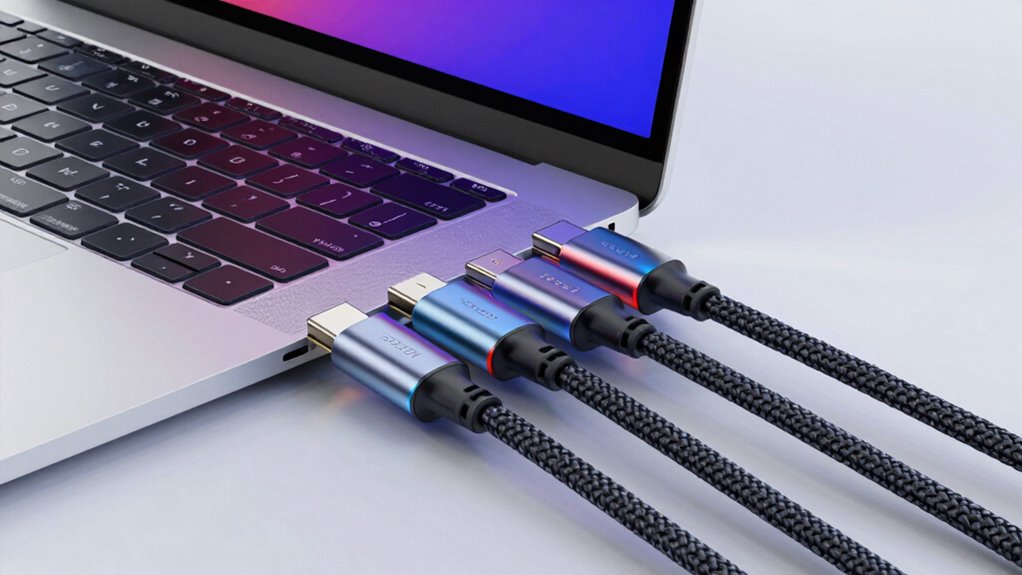

Finding an active USB C cable that reliably supports 100W charging and 4K video at high refresh rates can be challenging. The best cables deliver fast data transfer, robust power, and clear video output without sacrificing quality. The USB C Monitor Cable 15ft stands out as the overall top pick thanks to its long length and high refresh rate support, while the ZeroneTeck USB-C to USB-C Data Cable offers excellent value with solid performance in a compact form. The main tradeoffs in this category often involve balancing cable length, data speeds, and build quality. Keep reading for a detailed breakdown of these options and how to choose the right cable for your needs.

Get the latest gadgets delivered free with Prime
- Fast, free delivery on millions of items
- Prime Video, Amazon Music and more included
- Member-only deals all year
Complete the kit



Key Takeaways
- Longer cables, like the 15ft option, tend to have slightly lower data transfer speeds but are ideal for flexible setups.
- High refresh rate support (144Hz or more) is common in premium cables, essential for gaming or high-frame-rate displays.
- Bundled features like braided exteriors improve durability, especially for daily use or travel.
- Some cables support 8K video, but many max out at 4K@60Hz, so check your device’s capabilities before buying.
- Price often correlates with build quality and feature set; higher-priced cables generally offer more robust performance for demanding tasks.
| USB C Monitor Cable 15ft, USB 3.2 Gen 2 – 4K@144Hz Display, 20Gbps Data, 100W Charging |  | Best Overall for Versatile, Long-Distance Setup | Length: 15 ft | Connector Type: USB 3.2 Gen 2 Type C (Male-to-Male) | Max Video Output: 4K@144Hz / 2K@240Hz / 1080P@240Hz | VIEW ON AMAZON | See Our Full Breakdown |
| USB C 3.2 Gen 2 Cable 10ft, 4K@144Hz, 20Gbps, 100W |  | Best for Balanced Performance and Length | Length: 10 Feet | Connector Type: USB Type C 3.2 | Maximum Data Transfer Rate: 20Gbps | VIEW ON AMAZON | See Our Full Breakdown |
| 100W USB-C to USB-C Cable, 4 ft, Braided, 10Gbps Data Transfer, 4K Video, Right Angle |  | Best Compact and Durable for On-the-Go Use | Length: 4 ft | Connector: USB-C to USB-C | Power Output: 100W | VIEW ON AMAZON | See Our Full Breakdown |
| Cable Matters 20Gbps USB-C to USB-C Monitor Cable (6ft / 1.8m) |  | Best for High-Resolution, High-Performance Desktop Use | Length: 6 ft | Data Transfer Rate: 20 Gbps | Video Output: 8K@30Hz / 4K@120Hz | VIEW ON AMAZON | See Our Full Breakdown |
| ZeroneTeck USB-C to USB-C Data Cable 20Gbps, USB 3.2 Gen 2×2, 4K@60Hz Video, 100W Fast Charging, 3FT |  | Best for Premium Durability and Compact Power | Length: 3 ft | Data Transfer Speed: 20Gbps | Video Output: 4K@60Hz | VIEW ON AMAZON | See Our Full Breakdown |
| USB C Video Cable 3ft, 4K@60Hz, 1080P@120Hz, 10Gbps Data, 100W Charge |  | Best Compact for Short-Distance Connectivity | Length: 3ft | Video Output: 4K@60Hz, 1080P@120Hz | Data Transfer Speed: 10Gbps | VIEW ON AMAZON | See Our Full Breakdown |
| USB C Cable 10FT, 8K@30Hz & 4K@120Hz Video Output, 100W PD Fast Charging, 20Gbps Data Transfer, USB C 3.2 Gen 2×2 Cable |  | Best for High-Res Video and Longer Reach | Length: 10ft | Video Output: 8K@30Hz, 4K@120Hz | Data Transfer Rate: 20Gbps | VIEW ON AMAZON | See Our Full Breakdown |
| 16.5FT USB C to USB C Cable, 100W Fast Charging, 20Gbps Data Transfer, 8K Video Support |  | Best for Long-Distance High-Performance Use | Length: 16.5ft | Video Output: 8K@60Hz | Data Transfer Rate: 20Gbps | VIEW ON AMAZON | See Our Full Breakdown |
| active usb c cable for 100w and 4k video | Length | Video Output | Compatibility | Data Transfer Rate |
|---|---|---|---|---|
| USB C Monitor Cable 15ft | 15 ft | — | Laptops, monitors, phones, tablets, PS5, docks, hubs | 20 Gbps |
| USB C 3.2 Gen 2 Cable 10ft | 10 Feet | — | — | — |
| 100W USB-C to USB-C Cable | 4 ft | 4K UHD @ 60Hz | — | — |
| Cable Matters 20Gbps USB-C to | 6 ft | 8K@30Hz / 4K@120Hz | USB-C monitors, docks, Thunderbolt 4/USB-C laptops | 20 Gbps |
| ZeroneTeck USB-C to USB-C Data | 3 ft | 4K@60Hz | — | — |
| USB C Video Cable 3ft | 3ft | 4K@60Hz, 1080P@120Hz | USB 3.1/3.0/2.0, various USB-C devices | — |
| USB C Cable 10FT | 10ft | 8K@30Hz, 4K@120Hz | Thunderbolt 3/4, DP Alt Mode | 20Gbps |
| 16.5FT USB C to USB C Cable | 16.5ft | 8K@60Hz | USB-C devices, some requiring Thunderbolt 3/4 | 20Gbps |
More Details on Our Top Picks
USB C Monitor Cable 15ft, USB 3.2 Gen 2 – 4K@144Hz Display, 20Gbps Data, 100W Charging
This 15-foot cable stands out for combining high performance with exceptional flexibility. Unlike the shorter Cable Matters 20Gbps USB-C Monitor Cable, its extended length allows for more adaptable desk arrangements without sacrificing support for 4K@144Hz or 20Gbps data transfer, thanks to its robust design. The braided nylon jacket and 15,000+ bend cycles ensure durability under frequent use, and its support for 100W charging covers most power needs. The main tradeoff is that, due to its length, signal integrity might degrade if used with very high-end, sensitive setups or on older hardware lacking proper DP Alt Mode support. Compared to shorter cables, it offers convenience but requires compatible devices for optimal video output.
Pros:- Long 15ft length enables flexible, clutter-free desk layouts
- Supports 4K@144Hz, 20Gbps data, and 100W charging in a single cable
- Braided construction rated for over 15,000 bends ensures durability
- Includes a velcro strap for easy storage
Cons:- Signal quality may diminish on very high-end or older systems due to length
- Requires devices supporting DP Alt Mode for video output
Best for: Power users needing a long, all-in-one cable for gaming, dual-monitor setups, or flexible office arrangements
Not ideal for: Tight workspace environments where cable length could cause clutter or signal issues on very high-end setups
- Length:15 ft
- Connector Type:USB 3.2 Gen 2 Type C (Male-to-Male)
- Max Video Output:4K@144Hz / 2K@240Hz / 1080P@240Hz
- Data Transfer Rate:20 Gbps
- Max Power Delivery:100W (20V/5A)
- Compatibility:Laptops, monitors, phones, tablets, PS5, docks, hubs
Our verdict“This cable is ideal for users who prioritize long reach and all-in-one functionality in versatile setups.”
USB C 3.2 Gen 2 Cable 10ft, 4K@144Hz, 20Gbps, 100W
This 10-foot cable offers a solid middle ground for those who want reliable high-speed performance without the extremes of length. Its support for 4K@144Hz and 20Gbps transfer rate makes it comparable to the USB C Monitor Cable 15ft, but with a more manageable length that minimizes potential signal degradation. It’s well-suited for users with mid-sized desks or those who prefer a cleaner setup. The cable’s braided design and strain relief add durability, though it requires devices that support DP Alt Mode for full video output. Compared to shorter cables, it balances performance with convenience, though it’s still slightly long for some tight workspaces.
Pros:- Supports 4K@144Hz video output for high-refresh-rate displays
- Fast 20Gbps data transfer enables quick file handling
- Durable braided sheath with strain relief enhances longevity
- Supports 100W charging for most laptops and devices
Cons:- Requires DP Alt Mode support for video on some devices
- Length might be excessive for small or minimalist setups
Best for: Professionals or gamers seeking a reliable, mid-length cable for high-res monitors and fast data transfer
Not ideal for: Users with very tight or cluttered spaces where even 10 feet might be excessive
- Length:10 Feet
- Connector Type:USB Type C 3.2
- Maximum Data Transfer Rate:20Gbps
- Maximum Power:100W
- Maximum Voltage:20V
- Compatible Devices:Laptops, monitors, smartphones, docks
Our verdict“This cable suits those who need a reliable, mid-length option for high-res, high-speed connections without sacrificing portability.”
100W USB-C to USB-C Cable, 4 ft, Braided, 10Gbps Data Transfer, 4K Video, Right Angle
This 4-foot braided cable prioritizes durability and convenience, especially with its right-angle connector that reduces bending strain. While it supports 100W charging and 4K@60Hz video, its data transfer rate of 10Gbps falls behind the 20Gbps options like the USB C 3.2 Gen 2 Cable 10ft or the ZeroneTeck. The shorter length makes it excellent for portable use or tight spaces like desks with limited clearance. Its compatibility depends heavily on device support for charging and video, and it may not handle the highest data loads or resolutions required for demanding workflows. Still, for quick connections and durability, it excels.
Pros:- Compact 4-foot length ideal for portable or tight setups
- Right-angle connector reduces strain and enhances longevity
- Durable braided nylon construction withstands daily wear
- Supports 100W charging and 4K@60Hz video
Cons:- Limited to 10Gbps data transfer compared to higher-speed cables
- Short length may be restrictive for some setups
Best for: Mobile professionals or users needing a compact, durable cable for occasional high-speed data and 4K video
Not ideal for: Power users or gamers needing 20Gbps data rates and long cable reach
- Length:4 ft
- Connector:USB-C to USB-C
- Power Output:100W
- Data Transfer Speed:10Gbps
- Video Output:4K UHD @ 60Hz
- Design:Braided nylon, right-angle
Our verdict“This cable is perfect for mobile users who need a durable, compact connector with reliable power and video support, but not for those requiring maximum data throughput.”
Cable Matters 20Gbps USB-C to USB-C Monitor Cable (6ft / 1.8m)
Compared with the longer USB C Monitor Cable 15ft, this 6-foot option offers a more suited length for desktop setups while maintaining premium specs. It supports 8K@30Hz or 4K@120Hz video output, making it ideal for high-end displays and docks, especially with its 20Gbps data transfer rate. The 240W power delivery is a standout feature, enabling charging of most laptops, tablets, and phones in a single cable. However, its reliance on DisplayPort Alt Mode means compatibility depends on the monitor and device support for this feature. It’s best for users with high-performance monitors and docking stations who prefer a shorter, more manageable cable for high-res workflows.
Pros:- Supports ultra high-resolution video with 8K@30Hz or 4K@120Hz
- 240W charging supports most high-end laptops and devices
- Supports 20Gbps data transfer for quick file handling
- Compatible with Thunderbolt 4 and USB-C docks
Cons:- Requires devices and monitors supporting DisplayPort Alt Mode
- Slightly shorter length may limit flexibility in some setups
Best for: Content creators and professionals who need a high-performance cable for desktop setups with 4K or 8K displays
Not ideal for: Users with mobile or portable workflows needing longer cables or less demanding resolutions
- Length:6 ft
- Data Transfer Rate:20 Gbps
- Video Output:8K@30Hz / 4K@120Hz
- Power Delivery:240W
- Compatibility:USB-C monitors, docks, Thunderbolt 4/USB-C laptops
- Pins:24
Our verdict“This cable suits desktop users with high-resolution demands who value shorter, high-performance connections over extended reach.”
ZeroneTeck USB-C to USB-C Data Cable 20Gbps, USB 3.2 Gen 2×2, 4K@60Hz Video, 100W Fast Charging, 3FT
This 3-foot cable emphasizes durability and safety, featuring a built-in E-Marker chip, graphene shielding, and gold-plated connectors. It supports 20Gbps data transfer, 4K@60Hz video, and 100W charging, making it suitable for high-performance tasks on compatible devices. Its shorter length and reinforced construction make it a top pick for portable use, especially compared to longer cables like the USB C 3.2 Gen 2 Cable 10ft or the USB C Monitor Cable 15ft. The main limitation is that full 20Gbps speeds and maximum charging depend on device support, and it may not be suitable for setups requiring longer reach or higher video resolutions like 8K.
Pros:- Supports 20Gbps data transfer for fast file handling
- Supports 4K@60Hz video output to monitors and TVs
- 100W fast charging with E-Marker chip for safety
- Gold-plated connectors and graphene shielding enhance durability
Cons:- Maximum speeds and video resolutions depend on device support
- Limited to 3 feet, less flexible for larger setups
Best for: Travelers and professionals needing a rugged, compact cable with reliable performance for daily high-speed data and charging
Not ideal for: Home or office users who require longer cables or 8K video support
- Length:3 ft
- Data Transfer Speed:20Gbps
- Video Output:4K@60Hz
- Charging Power:100W
- Durability:50,000+ bend cycles, 15,000+ insertion
- Warranty:3 years
Our verdict“This cable is excellent for users who prioritize durability, compactness, and reliable high-speed performance for portable high-end workflows.”
USB C Video Cable 3ft, 4K@60Hz, 1080P@120Hz, 10Gbps Data, 100W Charge
This 3-foot cable excels in environments where space is limited, supporting 4K output at 60Hz and high-speed data transfer up to 10Gbps. Compared with the longer 16.5FT USB C to USB C Cable, it offers less flexibility in distance but delivers reliable performance for desktop setups or monitor connections. Its braided design enhances durability, but the short length can be a drawback if your devices are farther apart. The cable’s support for 100W charging and compatibility with a broad range of USB-C devices makes it a versatile choice for users who prioritize a tidy, high-performance connection in a fixed setup.
Pros:- Supports 4K video output at 60Hz for clear visuals
- High-speed data transfer up to 10Gbps
- Fast charging up to 100W for compatible devices
- Durable braided nylon exterior
Cons:- Limited to 3ft length, restricting placement options
- Transfer speeds depend on device support
- Not suitable for longer-distance setups
Best for: Users needing a reliable, short cable for stationary setups like connecting a monitor directly to a laptop.
Not ideal for: People with multi-device setups requiring longer reach or on-the-go use where portability is key.
- Length:3ft
- Video Output:4K@60Hz, 1080P@120Hz
- Data Transfer Speed:10Gbps
- Fast Charging:100W
- Compatibility:USB 3.1/3.0/2.0, various USB-C devices
Our verdict“Ideal for users who need a compact, high-quality cable for stationary, high-performance connections.”
USB C Cable 10FT, 8K@30Hz & 4K@120Hz Video Output, 100W PD Fast Charging, 20Gbps Data Transfer, USB C 3.2 Gen 2×2 Cable
This 10-foot cable is tailored for creative professionals or gamers who need extended reach without sacrificing performance. It supports 8K@30Hz and 4K@120Hz output, rivaling the capabilities of the USB C Cable 10FT, 8K@30Hz & 4K@120Hz Video Output, but with a focus on longer distance. Its 20Gbps data transfer and 100W charging make it suitable for demanding tasks, though the required device support for DP Alt Mode and Thunderbolt 3/4 may limit compatibility with some older hardware. The reinforced construction adds durability, making it a dependable option for intensive daily use or on-the-go scenarios.
Pros:- Supports 8K video output for ultra-high-resolution displays
- Fast data transfer at 20Gbps speeds
- Powerful 100W charging capability
- Reinforced, durable construction
Cons:- Requires device compatibility with DP Alt Mode or Thunderbolt 3/4
- Longer length may reduce portability
- Not ideal for casual, short-distance use
Best for: Professionals needing a long, durable cable for high-resolution displays and fast data transfer in studio or travel environments.
Not ideal for: Average users whose devices don’t support DP Alt Mode or Thunderbolt, as they won’t realize full video or data performance.
- Length:10ft
- Video Output:8K@30Hz, 4K@120Hz
- Data Transfer Rate:20Gbps
- Fast Charging:100W
- Compatibility:Thunderbolt 3/4, DP Alt Mode
Our verdict“Best suited for professionals who need a long, high-performance cable for demanding visual and data tasks.”
16.5FT USB C to USB C Cable, 100W Fast Charging, 20Gbps Data Transfer, 8K Video Support
This 16.5-foot cable delivers impressive length for flexible setups, supporting 8K video at 60Hz and data transfer up to 20Gbps. Compared to the 10-foot USB C Cable 10FT, 8K@30Hz & 4K@120Hz Video Output, it offers greater reach but with some tradeoffs in portability. Its reinforced construction ensures durability during frequent use or travel, and the 100W charging capability makes it suitable for laptops and high-power devices. However, the extended length can sometimes reduce overall data transfer speeds if both devices don’t support Thunderbolt 3/4, and it might be less convenient for tight workspace setups.
Pros:- Supports 8K video output for high-resolution displays
- High-speed data transfer at 20Gbps
- Powerful 100W charging support
- Reinforced, durable design
Cons:- Longer length may reduce portability and ease of use
- Requires compatible devices supporting Thunderbolt 3/4 for full speed
- Potentially less effective in tight spaces
Best for: Content creators, gamers, or professionals needing a lengthy, high-performance cable for versatile, high-res connections across larger spaces.
Not ideal for: Users with limited space or those prioritizing ultra-portability, as the longer cable may be cumbersome to carry or manage.
- Length:16.5ft
- Video Output:8K@60Hz
- Data Transfer Rate:20Gbps
- Fast Charging:100W
- Compatibility:USB-C devices, some requiring Thunderbolt 3/4
Our verdict“Best for users who need a long, durable, high-performance cable for extended setups and high-res visuals.”
How We Picked
To select these cables, I focused on key performance factors that matter most for users needing 100W charging and 4K video output. This included evaluating data transfer speeds, video refresh rate support, power delivery capabilities, build quality, and cable length options. Compatibility with the latest USB standards (such as USB 3.2 Gen 2 or higher) was essential, along with positive reviews about durability and usability. The ranking reflects a balance between performance, value, and real-world versatility, prioritizing cables that excel in high-demand scenarios like gaming, creative work, or multiple device setups.| active usb c cable for 100w and 4k video | Compatibility |
|---|---|
| USB C Monitor Cable 15ft | Laptops, monitors, phones, tablets, PS5, docks, hubs |
| USB C 3.2 Gen 2 Cable 10ft | — |
| 100W USB-C to USB-C Cable | — |
| Cable Matters 20Gbps USB-C to | USB-C monitors, docks, Thunderbolt 4/USB-C laptops |
| ZeroneTeck USB-C to USB-C Data | — |
| USB C Video Cable 3ft | USB 3.1/3.0/2.0, various USB-C devices |
| USB C Cable 10FT | Thunderbolt 3/4, DP Alt Mode |
| 16.5FT USB C to USB C Cable | USB-C devices, some requiring Thunderbolt 3/4 |
Factors to Consider When Choosing Active Usb C Cable For 100w And 4k Video
When choosing an active USB C cable for 100W and 4K video, understanding the key factors that influence performance and durability is vital. Not all cables are created equal, and selecting the right one depends on your specific setup and usage habits. Here are the main aspects to consider to make an informed choice:Power Delivery (Wattage Support)
Verify that the cable explicitly supports 100W charging, which is crucial for powering laptops or fast-charging tablets. Not all cables can handle this wattage, especially longer ones, so checking the specification is essential. Higher wattage support often comes with thicker, more durable cables that can withstand heat and wear over time. Failing to match your device’s power requirements can lead to slower charging or compatibility issues.
Data Transfer Speeds
Look for cables that support at least 10Gbps to ensure smooth data transfer for large files or multiple peripherals. For high-resolution video and fast data, cables with USB 3.2 Gen 2×2 or higher are preferable. Cheaper cables might advertise fast speeds but fall short in real-world performance, especially under load or after extended use. Prioritize cables with proven high-speed performance to avoid bottlenecks.
Video Output Capabilities
Not all cables support 4K at high refresh rates or 8K video. Check that the cable supports at least 4K@60Hz for standard use and consider higher refresh rates if you’re into gaming or professional video editing. For those needing 8K output, verify that the cable explicitly mentions support for 8K at 30Hz or higher. Incompatible cables may work for basic 4K video but will limit your display options.
Build Quality and Durability
Cables with braided exteriors, reinforced connectors, and heat-resistant materials last longer, especially in daily or travel use. Cheaply made cables may fail prematurely or become unreliable over time. Consider the length you need—longer cables often have more points of potential failure—and opt for reinforced designs if you plan to move them frequently. A sturdy build saves money in the long run by reducing replacements and downtime.
Cable Length and Flexibility
Longer cables, like those over 10 feet, offer flexibility but often come with slight compromises in speed or durability. Shorter cables are generally more reliable and support higher data rates but limit your placement options. Think about your setup—if you need a cable to connect a laptop to a distant monitor, a longer, well-built cable is worth the investment. Conversely, for desk setups, shorter, high-quality cables can be more dependable.
Frequently Asked Questions
Can all USB C cables support 100W power delivery?
No, not all USB C cables are built to handle 100W charging. Many inexpensive cables support only 60W or less, which might be insufficient for larger laptops or fast-charging devices. Always check the specifications to confirm support for 100W or higher, especially for active cables intended for demanding tasks. Using a cable that doesn’t support the required wattage can result in slow charging or potential damage.
Will a 4K@60Hz cable work with a 4K@144Hz monitor?
Most cables supporting 4K@60Hz are not capable of handling higher refresh rates like 144Hz. To achieve 4K at 144Hz, you need a cable that explicitly supports higher bandwidths, such as USB 3.2 Gen 2×2 or DisplayStream standards. Using a lower-spec cable may result in reduced video quality, flickering, or no signal at all at higher refresh rates. Always verify the video output specifications before purchasing.
Are longer cables less reliable for high-performance tasks?
Longer cables can sometimes introduce slight performance drops, especially in data transfer speeds or video quality, due to increased resistance and potential signal degradation. High-quality active cables mitigate this issue with better shielding and signal boosting, but compromises can still occur at very long lengths. For critical high-performance needs, shorter cables or active extension solutions are often more dependable.
What makes a cable ‘active’ compared to passive?
Active USB C cables include built-in electronics that amplify or regenerate signals, allowing longer distances and higher data or power transfer capabilities without degradation. Passive cables rely solely on the copper wiring, which limits their effective length and performance. For demanding setups requiring 100W and 4K video at longer distances, active cables are generally more reliable and capable of maintaining high standards.
Is it worth paying more for a premium cable?
Investing in a premium cable often results in better durability, higher data transfer speeds, and more reliable power delivery. For professional or high-demand use, the extra cost can prevent issues like signal loss or cable failure. However, if your needs are basic, a mid-range cable with proven specs can still deliver satisfactory performance at a lower price. Always match your budget with your specific performance requirements.
Conclusion
For those seeking the best overall experience, the USB C Monitor Cable 15ft offers a robust combination of length, performance, and durability. Budget-conscious buyers should consider the ZeroneTeck USB-C to USB-C Data Cable for reliable performance at a lower price. Professionals or gamers who demand the highest refresh rates and video quality will find the USB C Cable 10FT, 8K@30Hz & 4K@120Hz a fitting choice. Beginners and occasional users can start with more affordable, well-rated options, while power users should prioritize cables explicitly supporting 100W and high refresh rates for seamless, high-performance setups.Black Friday Picks

Kindle Paperwhite (16 GB) – 7 Glare-Free Display, Black
As an affiliate, we earn on qualifying purchases.