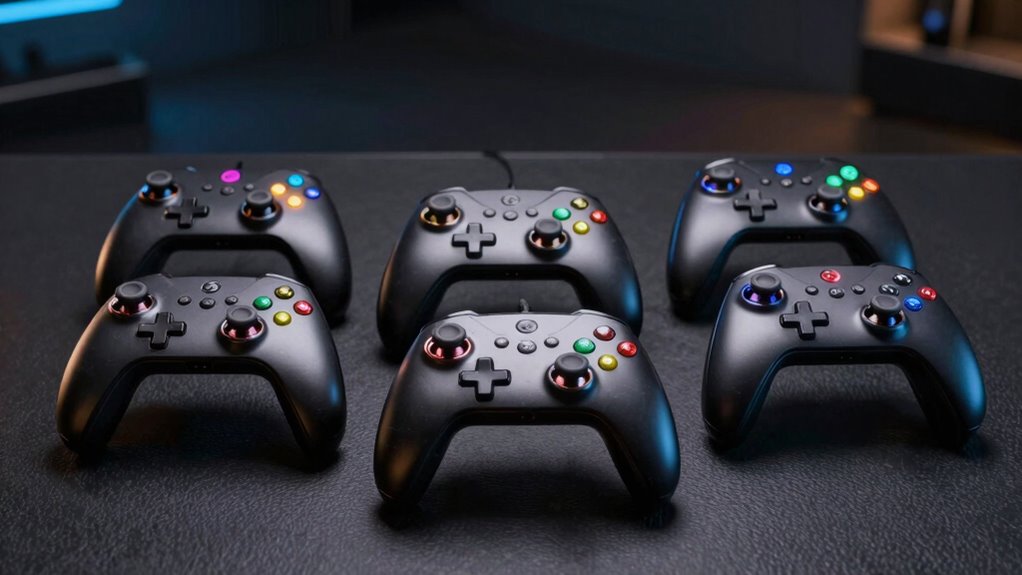

If you’re looking for the best budget HOTAS for VR flight sim in 2026, I recommend checking out options like the Thrustmaster T-Flight Hotas X, T16000M FCS Flight Pack, T16000M FCS HOTAS, T-Flight Stick X, and TWCS Throttle. These controllers offer a great mix of affordability, compatibility, and control accuracy essential for immersive VR flying. Stick with me, and you’ll find detailed info to help you pick the perfect one.
Key Takeaways
- Affordable HOTAS options like Thrustmaster T-Flight Hotas X and T16000M offer essential features for VR flight sim compatibility.
- Ensure HOTAS controllers have customizable mappings and profiles for seamless integration with VR hardware and software.
- Prioritize models with precise sensors, adjustable resistance, and broad compatibility to enhance control accuracy in VR environments.
- Look for ergonomic designs with detachable parts and wide hand rests for extended comfort during VR flight sessions.
- Choose durable, plug-and-play HOTAS with software support and stable construction for reliable performance in VR flight simulation.
| Thrustmaster T-Flight Hotas X (Compatible with PC) |  | Best Starter HOTAS | Compatibility: PC only | Programmability: 12 programmable buttons, internal memory | Control Axes: 5 axes | VIEW LATEST PRICE | See Our Full Breakdown |
| Thrustmaster T16000M FCS Flight Pack (Compatible with PC) |  | Precision Control | Compatibility: PC only | Programmability: Custom profiles via T.A.R.G.E.T software | Control Axes: 4 axes, including twist rudder | VIEW LATEST PRICE | See Our Full Breakdown |
| Thrustmaster T16000M FCS HOTAS (Compatible with PC) | 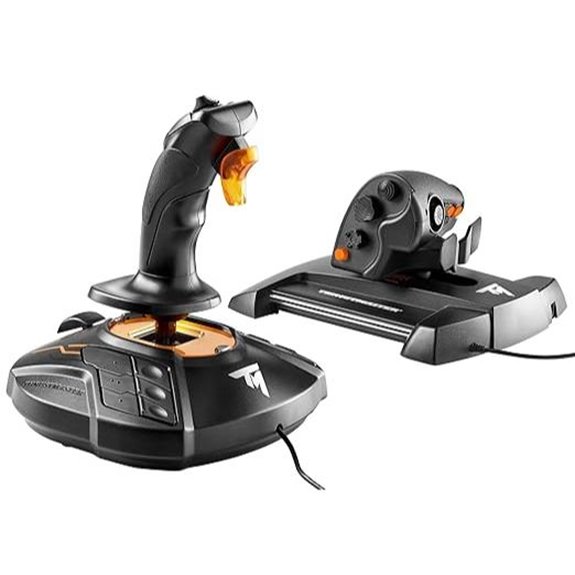 | Advanced Accuracy | Compatibility: PC only | Programmability: 16 action buttons, custom profiles via T.A.R.G.E.T | Control Axes: 4 axes, including twist rudder | VIEW LATEST PRICE | See Our Full Breakdown |
| Thrustmaster T-Flight Stick X (Compatible with Windows PC) | 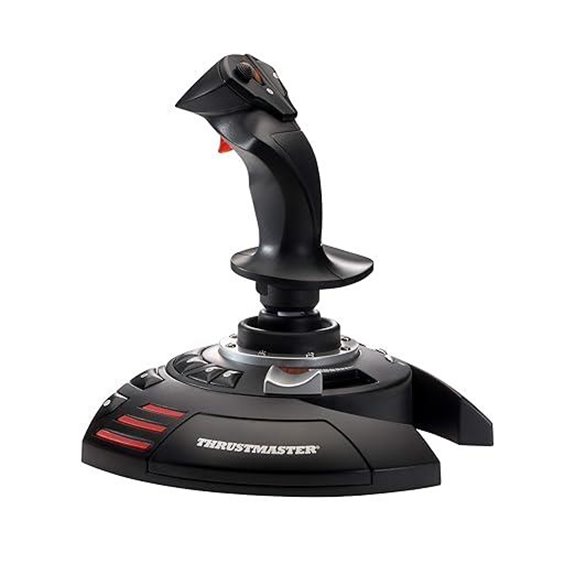 | Easy Setup | Compatibility: Windows PC | Programmability: MAPPING and PRESET buttons, internal memory | Control Axes: 1 joystick axis, rudder via handle | VIEW LATEST PRICE | See Our Full Breakdown |
| Thrustmaster TWCS Throttle (Compatible with PC) | 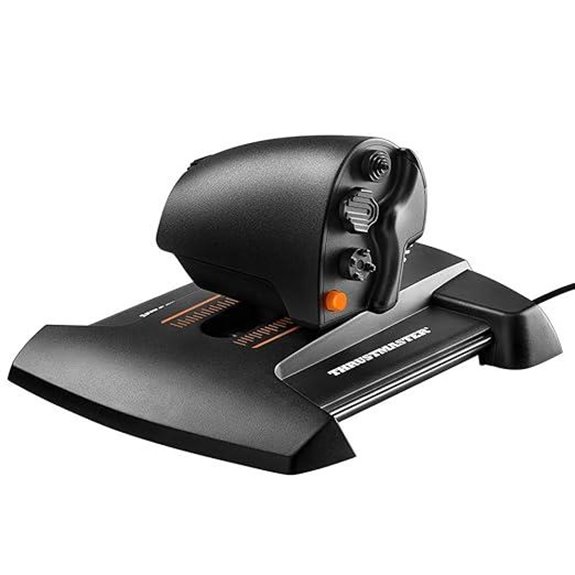 | Seamless Throttle | Compatibility: Windows PC | Programmability: 14 action buttons, software profile creation | Control Axes: 5 axes (+3), including rudder | VIEW LATEST PRICE | See Our Full Breakdown |
More Details on Our Top Picks
Thrustmaster T-Flight Hotas X (Compatible with PC)
If you’re looking for an affordable HOTAS that doesn’t compromise on comfort and functionality, the Thrustmaster T-Flight Hotas X is an excellent choice for PC flight sim enthusiasts. Its wide hand-rest offers maximum comfort during long sessions, while the detachable, real-size throttle provides ergonomic control. The weighted base ensures stability, so it stays put during intense maneuvers. With 12 programmable buttons and five axes, you can customize controls to suit your style. The internal memory saves your settings even when disconnected. Plus, the plug-and-play setup makes it easy to get started right away, making it a solid budget option.
- Compatibility:PC only
- Programmability:12 programmable buttons, internal memory
- Control Axes:5 axes
- Additional Buttons:12 programmable buttons + hat
- Design Features:Wide hand-rest, detachable throttle, weighted base
- Software Support:Pre-configured, exclusive mapping button
- Additional Feature:Detachable throttle control
- Additional Feature:Wide hand-rest comfort
- Additional Feature:Internal memory saves settings
Thrustmaster T16000M FCS Flight Pack (Compatible with PC)
The Thrustmaster T16000M FCS Flight Pack stands out as an excellent choice for PC flight sim enthusiasts who prioritize precision and customization without breaking the bank. It connects easily via USB and supports both 32-bit and 64-bit Windows systems. The controller offers exceptional accuracy, surpassing many other systems, thanks to its H.E.A.R.T technology that maintains consistent precision over time. Its fully ambidextrous design features three removable components, making it adaptable for left or right-handed users. With 16 tactile action buttons, an 8-way POV hat switch, and four independent axes—including twist rudder—it’s highly versatile and customizable with T.A.R.G.E.T software.
- Compatibility:PC only
- Programmability:Custom profiles via T.A.R.G.E.T software
- Control Axes:4 axes, including twist rudder
- Additional Buttons:16 action buttons + hat switch
- Design Features:Ambidextrous, removable components
- Software Support:T.A.R.G.E.T software, profile creation
- Additional Feature:Fully ambidextrous design
- Additional Feature:T.A.R.G.E.T software support
- Additional Feature:16 tactile action buttons
Thrustmaster T16000M FCS HOTAS (Compatible with PC)
For gamers seeking precise and reliable control without breaking the bank, the Thrustmaster T16000M FCS HOTAS stands out as an excellent choice for VR flight sim enthusiasts on PC. It connects via USB and supports both 32-bit and 64-bit Windows systems, ensuring broad compatibility. The controller features 16 braille-style action buttons, 14 more, and an 8-way POV hat with two switches, giving you plenty of control options. Its magnetic Hall effect sensors deliver high accuracy, especially on the stick, which includes 4 axes and a twist rudder. Overall, this HOTAS offers solid precision and functionality at an affordable price point.
- Compatibility:PC only
- Programmability:16 action buttons, custom profiles via T.A.R.G.E.T
- Control Axes:4 axes, including twist rudder
- Additional Buttons:16 action buttons + hat switch + additional controls
- Design Features:Magnetic sensors, multiple controls
- Software Support:T.A.R.G.E.T software, high accuracy sensors
- Additional Feature:Hall effect magnetic sensors
- Additional Feature:4 independent axes
- Additional Feature:Multiple switches and hats
Thrustmaster T-Flight Stick X (Compatible with Windows PC)
The Thrustmaster T-Flight Stick X stands out as an excellent choice for budget-conscious VR flight sim enthusiasts using Windows PCs, thanks to its quick and straightforward plug-and-play setup. Its compatibility makes installation hassle-free, so you can get flying fast. The design offers stability with a weighted base and comfort with an ergonomic throttle lever and wide hand rest. The precise joystick features adjustable resistance, and the rotating handle with a locking system provides accurate rudder control. Additional controls like an airbrake trigger, multidirectional hat, and customization buttons enhance versatility. Plus, internal memory stores your settings, making it a practical, reliable, and affordable option for VR flight sims.
- Compatibility:Windows PC
- Programmability:MAPPING and PRESET buttons, internal memory
- Control Axes:1 joystick axis, rudder via handle
- Additional Buttons:Multiple buttons, slider, mini-stick
- Design Features:Weighted base, ergonomic throttle
- Software Support:Internal memory, quick setup
- Additional Feature:Precise, adjustable resistance
- Additional Feature:Built-in locking rudder handle
- Additional Feature:Internal memory for profiles
Thrustmaster TWCS Throttle (Compatible with PC)
If you’re looking for a reliable throttle that offers precise control without breaking the bank, the Thrustmaster TWCS Throttle stands out as an excellent choice for PC flight sim enthusiasts. It connects via USB and supports Windows 10, 8, 7, and Vista. Designed for comfort, it features a low-position grip for accurate, fingertip control. Equipped with S.M.A.R.T technology, it delivers smooth sliding motion and high precision. With 5 (+3) axes, 14 action buttons, and an 8-way POV hat switch, it offers extensive customization. Plus, the included T.A.R.G.E.T software lets you tailor profiles for different games, boosting your control experience.
- Compatibility:Windows PC
- Programmability:14 action buttons, software profile creation
- Control Axes:5 axes (+3), including rudder
- Additional Buttons:14 action buttons + hat switch
- Design Features:Low-position throttle, smooth sliding rails
- Software Support:T.A.R.G.E.T software, customizable profiles
- Additional Feature:S.M.A.R.T sliding rails
- Additional Feature:5+3 axes controls
- Additional Feature:Extensive button customization
Factors to Consider When Choosing a Budget HOTAS for VR Flight Sim

When selecting a budget HOTAS for VR flight sims, I focus on compatibility with VR systems to guarantee smooth integration. I also look for options that balance affordability with control precision, so my experience feels realistic without breaking the bank. Additionally, features like customization and easy setup can make a big difference in how enjoyable and hassle-free my flights are.
Compatibility With VR
Choosing a budget HOTAS for VR flight sim requires careful attention to compatibility to guarantee smooth gameplay. First, verify the HOTAS works seamlessly with your VR headset and software, so controls sync perfectly during flights. Check that it connects to your PC without conflicts or additional compatibility issues with your VR hardware. Look for models with customizable mappings, allowing you to tailor controls specifically for VR immersion. Precise and responsive input is critical, so verify the HOTAS’s responsiveness to ensure accurate control in VR environments. Additionally, consider the physical design—controls should be arranged to prevent obstruction of your headset movement and maintain cockpit immersion. Proper compatibility ensures that your VR flight experience feels natural, intuitive, and free of technical hiccups.
Budget-Friendly Options
Finding a budget-friendly HOTAS for VR flight sims means focusing on core features like control precision, ease of setup, and compatibility, since these factors directly impact your immersive experience without breaking the bank. While cheaper options usually have fewer programmable buttons and axes, they still offer essential flight controls that work well in VR. Many affordable HOTAS units are compatible with VR headsets and can considerably boost immersion. Entry-level models tend to prioritize straightforward setup and basic functionality over extensive customization, making them ideal for newcomers or casual players. These cost-effective options often feature simplified designs, sometimes with detachable or ergonomic elements to improve comfort during long sessions. Ultimately, striking a balance between affordability and core features ensures a satisfying VR flight sim experience without overspending.
Control Precision Matters
Control precision plays a crucial role in getting the most out of your budget HOTAS for VR flight sims. High-quality sensors and axis resolution directly impact your ability to fly accurately and respond swiftly. Hall effect magnetic sensors offer higher precision and durability than potentiometers, making them a smart choice for budget setups. The number of programmable buttons and axes also matters; more options mean better customization for complex maneuvers. Adjustable resistance and tactile feedback further enhance control fidelity, helping you react more exactly during flight. Additionally, consistent calibration and low latency are essential, especially in VR, where spatial awareness is essential. Focusing on these factors ensures your HOTAS provides the accuracy needed to fully enjoy immersive VR flight experiences without breaking the bank.
Customization Features
When selecting a budget HOTAS for VR flight sims, focusing on customization features can considerably enhance your experience. Look for systems with multiple programmable buttons and axes, so you can tailor controls to your preferences. It’s also important that the device has internal memory to save custom setups, ensuring your configurations stay intact even when disconnected. Check if it includes software or profiles for creating and loading different mappings for various flight sims, making switching seamless. Some models offer preset or mapping buttons for quick changes during gameplay, which is a real time-saver. Additionally, features like adjustable resistance, remappable controls, and modular components let you personalize the feel and layout further, giving you a more intuitive and immersive VR flying experience without breaking the bank.
Ease of Setup
Choosing a budget HOTAS that’s easy to set up can make a big difference in how quickly you get into your VR flight sims. I look for plug-and-play designs that don’t require complicated software or extensive configuration. Compatibility with Windows 10 and 11 is essential, so I don’t waste time installing drivers or troubleshooting issues. Removable or simple control components also speed up setup and calibration, making assembly hassle-free. Clear instructions and intuitive software interfaces are a big plus, helping me get started without confusion. Features like internal memory for saving profiles or pre-configured functions are helpful, allowing me to jump right into flying with minimal adjustments. Overall, an easy-to-setup HOTAS keeps the focus on the thrill of flight, not on technical headaches.
Build Durability
A HOTAS that’s built to last can save you money and frustration over time. When choosing a budget model, I look for high-quality materials like reinforced plastics or metal components, which resist wear from frequent use. Well-secured buttons and switches are essential to withstand repeated pressing without degrading. Stability is also vital—I prefer models with a solid base or mounting options to prevent slipping during intense maneuvers. Components like the joystick and throttle should feature shock absorption or reinforced joints, ensuring durability during long gaming sessions. Corrosion-resistant parts are a plus, especially if I plan to use the HOTAS in different environments. Overall, a durable build means fewer repairs, better performance, and longer-lasting enjoyment.
Software Compatibility
Ensuring your HOTAS software is compatible with your flight simulation setup is essential for a smooth VR experience. I look for devices that support popular flight sim software and work with the latest versions, so I don’t run into compatibility issues. Custom control profiles are a bonus, allowing me to tailor the controls exactly how I like them. Easy calibration and mapping are critical for precise control during intense VR sessions, so I prioritize HOTAS that offer straightforward software for adjustments. Regular updates from the manufacturer are also important—they keep the device compatible with new or updated flight sim titles. Additionally, I consider if the software supports multi-device setups, which lets me connect peripherals like throttle quadrants or pedals for an immersive VR flying experience.
Ergonomic Comfort
To stay comfortable during long VR flight sessions, paying attention to ergonomic features on a HOTAS is essential. A wide hand rest helps reduce fatigue, letting you fly longer without discomfort. Adjustable resistance in the joystick allows you to customize the feel, matching your grip preference for better control. Detachable or customizable throttle controls ensure a comfortable fit for your hand size and ergonomic needs. A weighted base stabilizes the HOTAS, preventing unwanted movement that can cause strain or distraction during intense moments. Additionally, multi-directional control hats and easily accessible buttons should be positioned naturally, minimizing wrist and finger strain. Prioritizing these ergonomic features helps create a more comfortable, immersive VR flight experience, making your sessions enjoyable and less tiring over time.
Frequently Asked Questions
Are These HOTAS Options Compatible With Mac or Only Windows?
Most HOTAS options are primarily designed for Windows, so compatibility with Mac can be hit or miss. I recommend checking each product’s specifications or user reviews to confirm. Some HOTAS controllers support Mac through specific drivers or software, but many work best with Windows. If you’re using a Mac, look for models explicitly stating Mac compatibility or consider using third-party software to bridge the gap.
Do Any of These HOTAS Include Programmable Buttons for Customization?
Absolutely, many of these HOTAS options offer a range of programmable buttons, giving you the freedom to tailor controls to your liking. I’ve found that this feature really enhances immersion, especially in VR. While some models excel in customization, it’s always worth double-checking their software support for Mac compatibility. With a bit of research, you can find an affordable HOTAS that lets you personalize your flying experience without breaking the bank.
Can These HOTAS Setups Be Used Effectively for Other Simulation Genres?
Yes, these HOTAS setups work well for other simulation genres too. I’ve used mine for space sims, racing, and even drone flying, and they feel versatile and responsive. The programmable buttons let me customize controls to suit different games, making switching between genres smooth. If you’re into multi-genre gaming, a flexible HOTAS can really enhance your experience across various simulations.
What Is the Typical Lifespan or Durability of These Budget HOTAS Units?
Most budget HOTAS units last around 2 to 3 years with regular use, but durability varies based on build quality and handling. I’ve found that gentle handling and occasional maintenance can extend their lifespan. While they may not be as robust as premium options, many still provide solid performance for the price. If you’re careful, your HOTAS can serve you well through many virtual flights.
Are There Any Recommended Accessories to Enhance VR Flight Sim Experience?
I recommend adding a quality VR headset stand to keep everything organized and accessible. A good throttle or pedal set can really boost realism, and a comfortable, adjustable seat helps immerse you fully. Also, consider a tactile feedback joystick for a more authentic feel. These accessories make your VR flight experience more immersive, comfortable, and enjoyable, turning your setup into a true cockpit!
Conclusion
Choosing the right budget HOTAS is like finding a trusted co-pilot—reliable, responsive, and ready to help you soar through VR skies. With options like Thrustmaster’s lineup, you don’t have to break the bank to elevate your flight sim experience. Remember, the perfect setup isn’t just about cost; it’s about finding a partner that feels like an extension of your own wings. So, pick wisely and let your virtual flights take off!