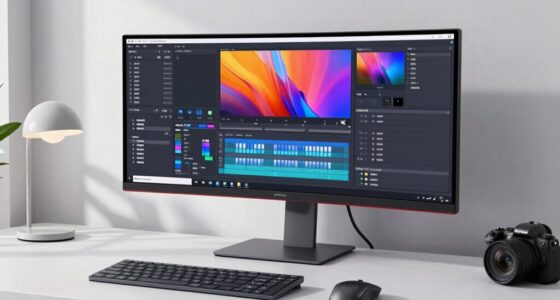
Choosing the right monitor for a thunderbolt dock setup can significantly enhance your workspace, offering seamless connectivity and stunning visuals. The LG 27MD5KB-B UltraFine 5K stands out as the best overall pick thanks to its exceptional resolution and Thunderbolt 3 support, ideal for creative professionals. For those seeking great value, the Dell UltraSharp U2724DE provides reliable performance with a versatile dual-monitor bundle. If premium build quality and advanced features are your priority, the Microsoft Surface Thunderbolt 4 Docking Station offers a sleek, feature-rich experience. Keep in mind, tradeoffs often involve balancing resolution, connectivity options, and price. Continue reading for a detailed breakdown of these options and more, to find the perfect fit for your Thunderbolt dock setup.

Get the latest gadgets delivered free with Prime
- Fast, free delivery on millions of items
- Prime Video, Amazon Music and more included
- Member-only deals all year
Complete the kit



Key Takeaways
- High-resolution monitors like the LG UltraFine 5K deliver stunning visuals but come at a higher price point.
- Dual monitor bundles from Dell provide excellent value for multi-display setups with Thunderbolt compatibility.
- Premium docks like Microsoft‘s offer advanced features but may have a steeper learning curve or higher cost.
- Connectivity options such as multiple Thunderbolt ports and USB-C are key for flexible setups.
- Build quality and ergonomic features vary; investing in adjustable stands can boost comfort during extended use.
| Anker Prime Docking Station, 14-in-1 Laptop Docking Station Dual Monitor |  | Best Overall for Versatile Connectivity and Power | Connectivity: 14-in-1 | Total Power Output: 160W | USB-C Ports: 3 at 100W each | VIEW ON AMAZON | See Our Full Breakdown |
| LG 27MD5KB-B UltraFine 5K IPS Monitor with Thunderbolt 3 & USB-C |  | Best for High-Resolution Mac Users | Display Size: 27 inches | Resolution: 5120 x 2880 | Color Gamut: 99% DCI-P3 | VIEW ON AMAZON | See Our Full Breakdown |
| Dell UltraSharp U2724DE 27-inch Thunderbolt Hub Dual Monitor Bundle |  | Best for Creative Professionals and Multitaskers | Display Size: 27 inches | Resolution: 2560×1440 QHD | Color Coverage: 99% sRGB, 95% DCI-P3 | VIEW ON AMAZON | See Our Full Breakdown |
| Dell UltraSharp 27 Thunderbolt Hub Monitor – U2726DER, QHD |  | Best for Clutter-Free Workspaces with Single-Cable Power | Display Size: 27 inches | Display Technology: IPS | Resolution: QHD 1440p | VIEW ON AMAZON | See Our Full Breakdown |
| UGREEN 8-in-1 Thunderbolt 4 Docking Station, Dual 4K@60Hz, 3xTBT4, 40Gbps |  | Best for High-Speed Data and Dual 4K Display Support | Number of Thunderbolt 4 ports: 3 | USB A Ports: 3 | Display resolution support: Dual 4K@60Hz | VIEW ON AMAZON | See Our Full Breakdown |
| ViewSonic VG2758-2K 27 Inch 1440p IPS Docking Monitor with USB-C and Ergonomic Stand (Renewed) |  | Best Overall for Versatile Thunderbolt Dock Setup | Display Size: 27 inches | Resolution: 2560 x 1440 (QHD) | Refresh Rate: 100Hz | VIEW ON AMAZON | See Our Full Breakdown |
| Dell UltraSharp 27 4K Thunderbolt Hub Monitor U2725QE |  | Best for High-Resolution Clarity and Professional Use | Manufacturer: Dell | Model: U2725QE | Size: 27 inches | VIEW ON AMAZON | See Our Full Breakdown |
| Anker Prime TB5 Docking Station, 14-in-1 Thunderbolt 5 Dock for Laptops |  | Best for Power Users Needing Extensive Connectivity | Upstream Port: Thunderbolt 5 | Downstream Ports: 2 Thunderbolt 5, 2 USB-C, 3 USB-A | Card Readers: SD and TF | VIEW ON AMAZON | See Our Full Breakdown |
| Microsoft Surface Thunderbolt 4 Docking Station – Black |  | Best for Surface Users Requiring Dual 4K Monitors | Hardware Interface: USB | Compatible Devices: Microsoft Surface | Total USB Ports: 6 | VIEW ON AMAZON | See Our Full Breakdown |
| Dell Pro Thunderbolt 4 Smart Dock SD25TB4 – USB-C Station 130W, 4K Display Support, Dual Thunderbolt 4, HDMI 2.1, 2X DP 1.4, 2.5GbE, Wi-Fi, Eco-Friendly Design |  | Best for Enterprise-Level Multi-Display and Power Delivery | Hardware Interface: DisplayPort, Ethernet, HDMI, Thunderbolt 4, USB, USB Type C | Compatible Devices: Laptops, tablets, smartphones | Total Usb Ports: 6 | VIEW ON AMAZON | See Our Full Breakdown |
| Lenovo ThinkPad Thunderbolt 4 Smart Dock Gen 2 |  | Best for Enterprise-Grade Remote Management and High-Resolution Support | Thunderbolt 4 Bandwidth: 40 Gbps | Display Support: One 8K 60Hz or two 4K 144Hz monitors | Power Delivery: Up to 100W | VIEW ON AMAZON | See Our Full Breakdown |
| Dell WD22TB4 Thunderbolt 4 Dock 180W – 40Gbps, Supports Dual/Triple Monitors & 4K Displays |  | Best for Versatile Multi-Monitor Setups with High Power Capacity | Power Delivery: 130W to Dell laptops, 90W to non-Dell | Ports: 2 DisplayPort 1.4, 1 HDMI 2.0, 2 USB 3.2 Gen 1, 2 USB 3.2 Gen 2, 2 Thunderbolt 4, Ethernet, USB-C DisplayPort Alt Mode | Compatibility: Thunderbolt 3/4, USB4, USB-C with DisplayPort Alt Mode, Windows 10/11, Ubuntu, Chrome OS, macOS (with limitations) | VIEW ON AMAZON | See Our Full Breakdown |
More Details on Our Top Picks
Anker Prime Docking Station, 14-in-1 Laptop Docking Station Dual Monitor
This dock stands out for its impressive 14-in-1 connectivity, supporting dual 4K displays with clear visuals, making it ideal for users who need multiple monitors along with fast data transfer. Unlike the Dell U2724DE, it offers higher port versatility, including multiple USB-C ports with 100W power delivery, which streamlines device management. The tradeoff is that it doesn’t support monitors with 5120×1440 resolution and isn’t compatible with Linux, which could be limiting for some users. Its support for Windows and ChromeOS broadens its appeal, and the 160W total power output ensures quick charging for most laptops. However, the display support is limited to dual 4K or 1080p, so it’s less suited to high-res ultrawide setups. This makes it the best pick for those who want a flexible, high-power dock to manage multiple devices efficiently.
Pros:- Supports dual 4K displays with crisp visuals
- Fast charging with 160W total output
- Multiple ports for comprehensive device management
- Broad OS compatibility
Cons:- No support for 5120×1440 monitor resolution
- Displays on macOS appear identical, limiting dual-monitor workflows
Best for: Creative professionals or developers who need extensive device and display options in one dock
Not ideal for: Linux users or those needing high-resolution ultrawide monitor support
- Connectivity:14-in-1
- Total Power Output:160W
- USB-C Ports:3 at 100W each
- USB-A Port:1 at 12W
- Display Support:Dual 4K at 60Hz or 1080p
- Supported Connections:USB-C, USB4, Thunderbolt
Our verdict“This dock is best suited for users needing extensive connectivity and power in a versatile setup, with some resolution limitations.”
LG 27MD5KB-B UltraFine 5K IPS Monitor with Thunderbolt 3 & USB-C
This monitor excels with its stunning 5120 x 2880 5K resolution and vibrant 99% DCI-P3 color gamut, perfect for creative professionals who prioritize image accuracy. Compared to the Dell U2724DE, it offers a higher resolution, but is limited to macOS, which could restrict Windows users. The Thunderbolt 3 port delivering up to 94W power simplifies workspace setup for MacBook users, eliminating extra adapters. The premium price reflects its high-end display quality, but users seeking compatibility with Windows or Linux will find it incompatible, which limits its versatility. Its high color accuracy and 5K resolution make it an ideal choice for photographers and designers working exclusively within the Apple ecosystem, but it’s less suitable for mixed-OS environments.
Pros:- Exceptional 5K resolution with vibrant colors
- Thunderbolt 3 with 94W power delivery simplifies setup
- Excellent color accuracy for creative work
- Apple ecosystem optimized
Cons:- Limited to macOS compatibility
- Premium price may be prohibitive for some
Best for: Mac-based creative professionals needing ultra-high-resolution display and color precision
Not ideal for: Windows or Linux users seeking a more flexible or affordable 5K monitor
- Display Size:27 inches
- Resolution:5120 x 2880
- Color Gamut:99% DCI-P3
- Brightness:500 nits
- Ports:Thunderbolt 3 (up to 94W), 3 USB-C
- Compatibility:macOS
Our verdict“This monitor is ideal for Mac users demanding top-tier resolution and color fidelity, with limited cross-platform flexibility.”
Dell UltraSharp U2724DE 27-inch Thunderbolt Hub Dual Monitor Bundle
This bundle offers a 27-inch QHD IPS display with factory calibration, making it well-suited for professional environments where color accuracy matters. It includes Thunderbolt 4, USB-C, and daisy chaining, providing flexibility for multi-monitor setups, similar to the Dell U2725QE. Compared with the LG UltraFine, it supports multiple monitors with easier daisy chaining, but at a slightly lower resolution. The ergonomic stand with full adjustments enhances comfort during long work sessions. Its premium features come with a higher price and the need for compatible Thunderbolt 4 hardware to unlock full capabilities. This makes it best for users seeking a balanced mix of color accuracy, connectivity, and ergonomic flexibility in a multi-monitor environment.
Pros:- High color accuracy with factory calibration
- Supports daisy chaining for multiple monitors
- Ergonomic stand with full adjustability
- Multiple connectivity options including Thunderbolt 4
Cons:- Premium price point
- Requires compatible hardware for full Thunderbolt 4 features
Best for: Designers or developers who need multiple calibrated screens with flexible connectivity
Not ideal for: Budget-conscious users or those requiring ultra-high resolution setups
- Display Size:27 inches
- Resolution:2560×1440 QHD
- Color Coverage:99% sRGB, 95% DCI-P3
- Connectivity:Thunderbolt 4, USB-C, USB-A
- Power Delivery:90W
- Warranty:3 years
Our verdict“Best suited for creative professionals needing multiple calibrated displays with flexible connectivity options.”
Dell UltraSharp 27 Thunderbolt Hub Monitor – U2726DER, QHD
This monitor features a sleek, borderless design with a 27-inch QHD display, making it attractive for professional setups. Its 98% Display P3 coverage and factory calibration ensure accurate colors, similar to the Dell U2724DE but with a more streamlined aesthetic. The single Thunderbolt 4 port supports video, data, and up to 90W power delivery, reducing cable clutter and simplifying connections—especially appealing for users who prefer a minimalist workspace. However, the 27-inch size might be limiting for those who prefer larger screens, and without built-in USB-C ports, it offers fewer options for peripheral connections. It’s ideal for users who want a high-quality display with minimal cable mess, but those needing larger or more versatile ports may find it restrictive.
Pros:- High color accuracy with 98% Display P3
- Single Thunderbolt 4 connection for video, data, and power
- Sleek, borderless design
- Factory calibration for color precision
Cons:- Limited to 27 inches, smaller than some users prefer
- No built-in USB-C ports for peripheral expansion
Best for: Professionals seeking a clean, single-cable setup for color-accurate work
Not ideal for: Users requiring larger screens or extensive port options
- Display Size:27 inches
- Display Technology:IPS
- Resolution:QHD 1440p
- Contrast Ratio:2000:1
- Brightness:350 nits
- Color Gamut:98% Display P3
Our verdict“This monitor is perfect for users seeking a sleek, color-accurate display with minimal cable clutter, but it may not suit those wanting larger screens or multiple ports.”
UGREEN 8-in-1 Thunderbolt 4 Docking Station, Dual 4K@60Hz, 3xTBT4, 40Gbps
The UGREEN dock offers a compelling combination of high-speed data transfer and dual 4K display support, making it a strong choice for demanding multitaskers. With 3 Thunderbolt 4 ports and 40Gbps transfer speeds, it easily handles large files and multiple displays, comparable to the Anker Prime but with a focus on data speed. The 85W charging supports most laptops, but the need for the 140W GaN charger limits its portability and full functionality. It’s less suited for users with MacBooks that have older Thunderbolt versions or non-compatible models. For those prioritizing rapid data transfer alongside dual 4K visuals, this dock offers a balanced solution, though it requires users to be mindful of power source requirements.
Pros:- Supports dual 4K@60Hz displays
- High data transfer speeds up to 40Gbps
- Provides 85W charging for compatible laptops
Cons:- Requires connection to the 140W charger for full performance
- Limited compatibility with some MacBook models with M-Chips
Best for: Professionals needing fast data transfer combined with dual 4K display support
Not ideal for: Users with incompatible MacBook models or those seeking an all-in-one charger without additional setup
- Number of Thunderbolt 4 ports:3
- USB A Ports:3
- Display resolution support:Dual 4K@60Hz
- Maximum data transfer speed:40Gbps
- Power delivery:85W
- Power input:140W GaN charger
Our verdict“This dock is ideal for users demanding rapid data transfer and dual 4K display capability, with some setup considerations for power supply.”
ViewSonic VG2758-2K 27 Inch 1440p IPS Docking Monitor with USB-C and Ergonomic Stand (Renewed)
This 27-inch 2K IPS monitor stands out for its high-resolution display, vibrant colors, and extensive connectivity options, making it ideal for multi-monitor workspaces. Unlike the Dell U2725QE with 4K, the ViewSonic offers a smoother 100Hz refresh rate, which benefits tasks requiring more fluid visuals. Its single-cable USB-C connection supports data, video, and up to 100W charging, reducing clutter. The ergonomic stand allows precise adjustments for comfort, a feature not fully detailed in the Dell monitor. The multi-port USB hub and daisy-chaining capability make it a flexible choice for busy setups. However, being a renewed product introduces some uncertainty about warranty and condition. Devices without full USB-C compatibility might miss out on a seamless connection, and complex stand adjustments could be a challenge for some users.
Pros:- High-resolution 2K IPS display with accurate colors
- Single-cable USB-C with 100W power delivery
- Fully adjustable ergonomic stand for tailored comfort
- Multiple connectivity options including daisy chaining
Cons:- Renewed status may impact warranty and reliability
- Complex stand adjustments may be difficult for some users
- Requires compatible devices for full USB-C functionality
Best for: Professionals needing a high-resolution, adjustable monitor with flexible connectivity for a Thunderbolt dock setup.
Not ideal for: Users seeking a plug-and-play experience with minimal setup or who prefer brand-new products with full warranty coverage.
- Display Size:27 inches
- Resolution:2560 x 1440 (QHD)
- Refresh Rate:100Hz
- Panel Type:IPS
- Connectivity:USB-C, HDMI, DisplayPort
- USB Hub:5-Port
- Power Delivery:100W
- Ergonomics:Tilt, swivel, rotate, height adjustment
- Additional Features:Flicker-Free, Blue Light Filter, Daisy Chain
Our verdict“This monitor suits users who prioritize image quality and ergonomic flexibility in a multi-monitor Thunderbolt setup.”
Dell UltraSharp 27 4K Thunderbolt Hub Monitor U2725QE
The Dell UltraSharp U2725QE offers crisp 4K visuals on a 27-inch screen, making it ideal for detailed work like photo editing or design. Compared to the ViewSonic, it provides a sharper image but lacks specific ergonomic features and detailed connectivity options. Its Thunderbolt port enables fast data transfer and simple connection to compatible docks, streamlining high-res workflows. The absence of adjustable stand details makes it less adaptable than the ViewSonic’s fully ergonomic setup. While its 4K resolution is impressive, the lack of detailed specs on adjustability and port versatility means it might fall short for complex multi-monitor setups requiring extensive customization.
Pros:- Sharp 4K display ideal for detailed visual work
- Dedicated Thunderbolt port for fast data and video transfer
- Large 27-inch size supports multitasking
Cons:- Limited information on ergonomic adjustments
- Price and user ratings are unspecified, making value assessment difficult
- Potentially higher cost for the resolution quality
Best for: Graphic designers and professionals requiring sharp visuals with reliable Thunderbolt connectivity.
Not ideal for: Users needing a more adjustable or multi-port flexible monitor for diverse workflows, or those on a tight budget.
- Manufacturer:Dell
- Model:U2725QE
- Size:27 inches
- Resolution:4K
- Connectivity:Thunderbolt
- Warranty:Information not specified
Our verdict“This monitor is best suited for professionals prioritizing ultra-sharp visuals and straightforward Thunderbolt connectivity over flexible ergonomics.”
Anker Prime TB5 Docking Station, 14-in-1 Thunderbolt 5 Dock for Laptops
The Anker Prime TB5 Docking Station stands out due to its impressive port selection, supporting dual 8K displays at 60Hz and 14 total ports for data, video, and charging. Compared to dedicated monitors like the ViewSonic or Dell, it’s a powerhouse for connecting multiple high-resolution displays and peripherals simultaneously. The Thunderbolt 5 interface offers blazing-fast data transfer, ideal for professionals working with large media files. However, its premium price and complex setup might deter casual users or those unfamiliar with multi-device configurations. Its cooling system helps prevent overheating during intensive use, but the high cost and potential setup complexity are tradeoffs for advanced users who require maximum connectivity and performance.
Pros:- Supports dual 8K@60Hz display output
- Supports high-speed data transfer with Thunderbolt 5
- Large array of ports including SD/TF card readers and Ethernet
- Advanced cooling system for reliability during heavy workloads
Cons:- Premium price point may be prohibitive
- Complex setup for non-technical users
- Designed more for desktop use than portability
Best for: Creative professionals and power users who need dual 8K output and extensive port options in a Thunderbolt dock.
Not ideal for: Casual users or those with simple connection needs who might find the setup overwhelming or unnecessary.
- Upstream Port:Thunderbolt 5
- Downstream Ports:2 Thunderbolt 5, 2 USB-C, 3 USB-A
- Card Readers:SD and TF
- Ethernet:2.5Gbps
- Video Output:HDMI 2.1 or DisplayPort 2.1
- Max Power:140W
Our verdict“This dock is best for demanding professionals who need maximum connectivity, high-resolution output, and fast data transfer in a Thunderbolt setup.”
Microsoft Surface Thunderbolt 4 Docking Station – Black
The Microsoft Surface Thunderbolt 4 Dock is tailored for Surface users needing reliable dual 4K monitor support and high-speed connectivity. Its Thunderbolt 4 ports deliver fast data transfer and charging, simplifying setups for Microsoft ecosystem fans. Compared to the Dell or Anker docks, it offers a more eco-friendly design, incorporating recycled ocean-bound plastics, which appeals to environmentally conscious buyers. Its compact size and compatibility with Surface devices make it particularly appealing for portable professional setups. However, this dock’s limited device compatibility—primarily designed for Surface—reduces its versatility for users with other laptops. Additionally, the lack of detailed information about included accessories or power supply could be a concern for some buyers.
Pros:- High-speed Thunderbolt 4 ports for fast transfer and charging
- Supports dual 4K monitors for increased productivity
- Eco-friendly recycled ocean-bound plastic construction
- Compact, lightweight design for portability
Cons:- Limited to Microsoft Surface compatibility
- No information on included power supply or accessories
- Potentially higher cost for specialized ecosystem
Best for: Surface device owners needing a reliable, eco-friendly dual 4K monitor solution with Thunderbolt 4.
Not ideal for: Users with non-Surface laptops or those seeking universal compatibility with multiple brands and models.
- Hardware Interface:USB
- Compatible Devices:Microsoft Surface
- Total USB Ports:6
- Number of Ports:8
- Dimensions:11″ L x 4.4″ W x 3.2″ H
- Weight:14.4 ounces
- Color:Black
Our verdict“Ideal for Surface users wanting a compact, eco-conscious dual 4K setup with Thunderbolt 4 capabilities.”
Dell Pro Thunderbolt 4 Smart Dock SD25TB4 – USB-C Station 130W, 4K Display Support, Dual Thunderbolt 4, HDMI 2.1, 2X DP 1.4, 2.5GbE, Wi-Fi, Eco-Friendly Design
The Dell Pro Thunderbolt 4 Smart Dock SD25TB4 excels in supporting multiple 4K displays—up to four simultaneously—making it a standout for demanding multitasking environments. Its 130W charging capacity ensures fast power delivery to laptops and devices, reducing the need for separate chargers. Compared with the Anker dock, it offers broader compatibility with Windows-based systems and more comprehensive display options, including HDMI 2.1 and dual DisplayPort 1.4. Its eco-friendly design and remote management features appeal to enterprise users. However, its weight at 580 grams adds some portability concerns, and the high feature set comes with a correspondingly higher price. Limited information on included accessories might also be a consideration for buyers.
Pros:- Supports up to four 4K displays simultaneously
- Power delivery of 130W for fast charging
- Versatile connectivity including HDMI 2.1 and dual DP 1.4
- Eco-friendly design with remote management
Cons:- Heavier weight may affect portability
- Higher price point for advanced features
- Limited info on included accessories
Best for: IT professionals and enterprise environments requiring extensive multi-monitor support and high power delivery.
Not ideal for: Casual users or those with minimal multi-monitor needs, as its advanced features may be overkill.
- Hardware Interface:DisplayPort, Ethernet, HDMI, Thunderbolt 4, USB, USB Type C
- Compatible Devices:Laptops, tablets, smartphones
- Total Usb Ports:6
- Number of Ports:12
- Total HDMI Ports:1
- Wattage:180W
- Dimensions:1.39″ x 3.54″ x 8.07″
Our verdict“This dock is tailored for professionals needing extensive multi-display support, high wattage charging, and enterprise features.”
Lenovo ThinkPad Thunderbolt 4 Smart Dock Gen 2
The Lenovo ThinkPad Thunderbolt 4 Smart Dock Gen 2 stands out for its robust support of high-resolution displays, including 8K or dual 4K setups, making it ideal for professional workflows that demand clarity and detail. Unlike the Dell WD22TB4, which leans toward multi-monitor flexibility with more ports and higher wattage, this dock emphasizes remote management features suitable for IT-heavy environments. The 40 Gbps bandwidth ensures smooth data transfer for demanding tasks, while the 100W power delivery simplifies workspace setup by charging laptops efficiently. However, its bulkier size and higher price tag make it less suitable for those needing portable solutions or casual use. This dock is best suited for enterprise users or power users who prioritize performance and remote management over portability.
Pros:- Supports high-res displays up to 8K at 60Hz or dual 4K at 144Hz
- Extensive connectivity options including Thunderbolt 4, HDMI 2.1, and USB-C
- Up to 100W power delivery for fast laptop charging
- Remote management features suitable for large organizations
Cons:- Requires compatible Thunderbolt 4 ports, limiting device compatibility
- Bulkier and more expensive than simpler docks
Best for: Business professionals in need of a reliable, high-performance dock with remote management capabilities
Not ideal for: Casual users or those prioritizing portability, due to its bulk and cost
- Thunderbolt 4 Bandwidth:40 Gbps
- Display Support:One 8K 60Hz or two 4K 144Hz monitors
- Power Delivery:Up to 100W
- Ports:Thunderbolt 4, HDMI 2.1, DisplayPort 1.4, USB-A 3.2 Gen 2, USB-C 3.2 Gen 2, RJ45
- Compatibility:Universal across operating systems
- Management:Lenovo Accessories Fleet Manager (LAFM)
Our verdict“This is the ideal choice for enterprise environments or power users who need high-resolution support and remote management features.”
Dell WD22TB4 Thunderbolt 4 Dock 180W – 40Gbps, Supports Dual/Triple Monitors & 4K Displays
The Dell WD22TB4 Thunderbolt 4 Dock offers impressive versatility, supporting dual or even triple monitor setups with 4K resolution, making it a strong contender for creative and professional multitasking. Compared with the Lenovo ThinkPad Smart Dock, which emphasizes remote enterprise management, this Dell dock excels in flexibility for a wider range of devices and operating systems, thanks to its compatibility with Thunderbolt 3/4, USB-C, and multiple video outputs. The substantial 130W power delivery to Dell laptops and included cables simplify setup, though some non-Dell systems might need additional software like DisplayLink to handle multiple monitors, especially on macOS. Its broad port selection, including Ethernet and multiple video options, makes it ideal for users with complex peripheral needs but less suited for those seeking a more streamlined, less bulky solution.
Pros:- Supports dual and triple monitor configurations with 4K resolution
- High power output up to 130W for Dell laptops
- Multiple video outputs including DisplayPort and HDMI
- Includes essential cables and accessories for immediate setup
Cons:- Requires compatible Thunderbolt 4 or USB-C with DisplayPort Alt Mode, limiting universal compatibility
- Some macOS users need additional drivers like DisplayLink for multiple monitors
- Potentially bulky and less portable for mobile users
Best for: Creative professionals or multi-monitor users with Dell or compatible laptops requiring high wattage and extensive connectivity
Not ideal for: Mac users or those with older laptops that lack Thunderbolt 4 or USB-C with DisplayPort Alt Mode support
- Power Delivery:130W to Dell laptops, 90W to non-Dell
- Ports:2 DisplayPort 1.4, 1 HDMI 2.0, 2 USB 3.2 Gen 1, 2 USB 3.2 Gen 2, 2 Thunderbolt 4, Ethernet, USB-C DisplayPort Alt Mode
- Compatibility:Thunderbolt 3/4, USB4, USB-C with DisplayPort Alt Mode, Windows 10/11, Ubuntu, Chrome OS, macOS (with limitations)
- Cable Inclusions:USB-C, HDMI, DisplayPort cables, Ethernet cable, microfiber cloth
- Weight:Not specified
Our verdict“This dock suits users with demanding multi-monitor setups and high power needs, especially within Dell or Windows environments.”

How We Picked
These products were selected based on their compatibility with Thunderbolt docks, performance in multi-monitor setups, build quality, and connectivity options. Priority was given to models that support dual 4K or higher resolutions, as well as docks that offer extensive port options and reliable performance. We evaluated user reviews, brand reputation, and feature sets to rank these options, aiming to balance value, ease of use, and future-proofing. The top picks are those that best serve a variety of needs—from professional workflows to casual multi-screen use—while maintaining high standards of quality and compatibility.Factors to Consider When Choosing Monitor For Thunderbolt Dock Setup
When selecting a monitor for a Thunderbolt dock setup, several factors can influence your overall experience. Understanding these considerations helps avoid common pitfalls, such as choosing a monitor with insufficient resolution or incompatible ports, which can limit your productivity or cause setup frustrations. Prioritizing features based on your specific needs ensures you get the best value and performance. Let’s explore the key factors to keep in mind before making your purchase.Resolution and Screen Size
Higher resolution monitors, such as 4K or 5K, provide sharper images and more workspace, which is especially beneficial for creative tasks or multitasking. However, they often come with a higher price tag and require more powerful hardware to drive the display effectively. Screen size should match your workspace and usage—larger monitors improve productivity but can also dominate a small desk. Consider your typical tasks: professional editing benefits from larger, high-res screens, while general use may be fine with 27-inch or smaller displays.
Connectivity and Compatibility
For a Thunderbolt dock setup, ensure the monitor supports Thunderbolt or USB-C with Power Delivery (PD) to simplify connections and reduce clutter. Multiple Thunderbolt ports on the monitor allow daisy-chaining or connecting additional peripherals, which can streamline your workspace. Check the dock’s output capabilities against the monitor’s input options—mismatched ports can limit performance or require adapters. Compatibility with your specific Mac, Windows, or other systems is also crucial for a hassle-free experience.
Build Quality and Ergonomics
Durable build quality and adjustable stands contribute to long-term comfort, especially if you spend hours at your desk. Look for monitors with height adjustment, tilt, swivel, and pivot features to customize your viewing angle. An ergonomic design reduces neck and eye strain, making extended work sessions more sustainable. While premium models often excel here, many mid-range options now include solid stands and VESA compatibility to upgrade ergonomics cost-effectively.
Color Accuracy and Panel Type
If your work involves photo editing, graphic design, or video production, prioritize monitors with high color accuracy and IPS panels. These screens offer wider viewing angles and more consistent colors compared to TN panels. For general productivity, a good quality IPS panel with decent color coverage is sufficient. Keep in mind that higher-end panels tend to be more expensive, but they can significantly improve your visual experience for professional tasks.
Price and Future-Proofing
Balancing cost against features is key. Investing in a monitor with future-proof features like Thunderbolt 4 or USB-C PD can extend the lifespan of your setup. However, more expensive models often include additional features you might not need immediately. Evaluate your current needs and anticipated future use—sometimes a slightly lower-spec model with upgrade options makes more sense than overpaying for features you won’t use soon.
Frequently Asked Questions
Can I connect a 4K monitor to a Thunderbolt dock that only supports 1080p?
Yes, you can connect a 4K monitor to a Thunderbolt dock with a lower supported resolution, but the display will be limited to the maximum resolution supported by the dock or the port. This can lead to reduced image quality and less workspace. For optimal performance, choose a monitor that matches or exceeds your dock’s maximum resolution capabilities, ensuring you get the full benefit of your high-resolution display.
Is it better to get a monitor with Thunderbolt or USB-C support for my dock?
Both options are viable, but Thunderbolt offers higher bandwidth and more advanced features, such as daisy chaining multiple devices or supporting higher resolutions like 5K. USB-C is more common and generally less expensive, with good support for 4K displays and power delivery. Your choice depends on your specific needs—if you require maximum performance and future-proofing, Thunderbolt is preferable; for general use, USB-C may suffice.
Do I need a monitor with built-in speakers for my Thunderbolt dock setup?
Built-in speakers can be convenient but often do not match the audio quality of dedicated external speakers or headphones. If audio quality is a priority, consider a monitor with decent integrated speakers only as a secondary feature. For professional audio work or immersive sound experiences, external audio equipment remains the better choice. Ensure your dock supports audio output if you plan to use external speakers.
How important is color accuracy in a monitor for Thunderbolt dock setups?
Color accuracy is vital if your work involves visual precision, such as photo editing, graphic design, or video production. Monitors with high color gamut and IPS panels provide consistent, vibrant colors across wider viewing angles. For everyday tasks or general productivity, color accuracy is less critical, and you can opt for more affordable models that still deliver sharp images and reliable performance.
Should I prioritize a monitor with multiple Thunderbolt ports?
Multiple Thunderbolt ports on a monitor can greatly enhance flexibility by enabling daisy chaining and connecting multiple peripherals without cluttering your desk with cables. This setup simplifies your workspace and allows for easier expansion. However, monitors with multiple Thunderbolt ports tend to be more expensive and may have additional features you don’t need. Consider your current and future connectivity needs carefully to decide if this investment makes sense for your setup.
Conclusion
For most users, the LG 27MD5KB-B UltraFine 5K offers the best blend of performance and compatibility, making it ideal for creative professionals or anyone needing high-resolution displays. The Dell UltraSharp U2724DE makes a compelling choice for those seeking value with dual-screen flexibility. If you prioritize premium features and sleek design, the Microsoft Surface Thunderbolt 4 Docking Station is a strong candidate. Beginners or those on a tighter budget should consider more affordable options with reliable performance, while power users requiring advanced connectivity will benefit from high-end docks with multiple Thunderbolt ports. Tailor your choice based on your specific workflow, budget, and future needs to ensure a setup that grows with you.
As an affiliate, we earn on qualifying purchases.Black Friday Picks

Kindle Paperwhite (16 GB) – 7 Glare-Free Display, Black