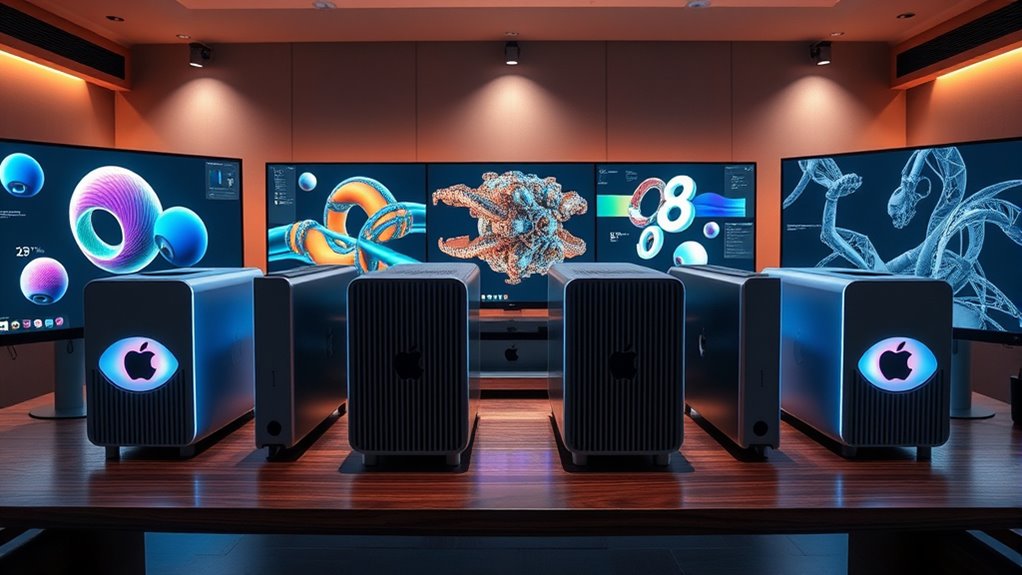

When selecting a Mac Pro for 3D and simulation, performance and expandability are key. The Apple Mac Studio with M5 Max stands out as the best overall for its powerful GPU and CPU combination, ideal for demanding rendering and simulations. The Mac mini with M4 Pro offers impressive value for those on a tighter budget, while the Mac Pro Quad Core Xeon provides traditional expandability for professional setups. Buyers face tradeoffs between raw power, cost, and future-proofing, especially as newer chips continue to reshape performance expectations. Continue reading for a detailed breakdown of each option and what makes them suitable for different user needs.

Get the latest gadgets delivered free with Prime
- Fast, free delivery on millions of items
- Prime Video, Amazon Music and more included
- Member-only deals all year
Complete the kit



Key Takeaways
- The M5 Max chips dominate the high-end Mac Pro options, offering significant GPU and CPU power for rendering and simulations.
- Expandability remains limited in Mac mini models, making them better for users with lighter workflows or those who prioritize budget.
- Renewed and refurbished Macs often deliver top-tier performance at a lower price but may lack the latest features or warranty coverage.
- The tradeoff between raw power and cost is clear: premium models provide top performance, but mid-range options can still handle intensive 3D work.
- Future-proofing is a key consideration; investing in the latest chipsets and higher RAM can extend your Mac’s relevance for demanding projects.
| Apple 2026 MacBook Pro Laptop with M5 Pro Chip, 14.2-inch Liquid Retina XDR Display, 24GB RAM, 2TB SSD, Space Black |  | Best for Portability and Power in a Compact Design | Processor: Apple M5 Pro chip with 18-core CPU and 20-core GPU | Display: 14.2-inch Liquid Retina XDR | Memory: 24GB Unified Memory | VIEW ON AMAZON | See Our Full Breakdown |
| Apple MacBook Pro 16-inch with M5 Max, 18-core CPU, 40-core GPU, 128GB RAM, 2TB SSD, Space Black |  | Best for Maximum Processing and GPU Power in a Portable 16-Inch Form | Processor: M5 Max, 18-core CPU, 40-core GPU | Display: 16.2-inch Liquid Retina XDR | Memory: 128GB Unified Memory | VIEW ON AMAZON | See Our Full Breakdown |
| Apple MacBook Pro 16-inch with M1 Max Chip (2021, Space Grey, Renewed) |  | Best for Budget-Conscious Professionals with High Performance Needs | Processor: Apple M1 Max | Display: 16.2-inch Liquid Retina XDR | Memory: 64GB RAM | VIEW ON AMAZON | See Our Full Breakdown |
| Apple MacBook Pro Laptop with M5 Max, 18-core CPU, 40-core GPU, 14.2-inch Liquid Retina XDR Display, 64GB RAM, 2TB SSD, Silver |  | Best for High-Performance Portability in a Compact 14.2-Inch Form | Processor: M5 Max, 18-core CPU, 40-core GPU | Display: 14.2-inch Liquid Retina XDR | Memory: 64GB Unified Memory | VIEW ON AMAZON | See Our Full Breakdown |
| Apple 2026 Mac mini Desktop Computer with M5 Pro Chip |  | Best Compact Desktop for Versatile 3D and Simulation Work | Processor: M5 Pro chip | Ports: Three Thunderbolt 5, HDMI, 2.5Gb Ethernet, two USB-C, headphone jack | Memory Bandwidth: 307GB/s | VIEW ON AMAZON | See Our Full Breakdown |
| Apple 2026 Mac Studio Desktop Computer with M5 Max Chip |  | Best Overall for 3D and Simulation Workstations | Processor: M5 Max chip | Memory: up to 128GB | Storage: up to 614GB/s bandwidth, up to 2x faster storage | VIEW ON AMAZON | See Our Full Breakdown |
| Apple 2026 MacBook Pro Laptop with M5 Pro Chip, 16.2-inch Liquid Retina XDR Display, 48GB RAM, 1TB SSD, Wi-Fi 7, Space Black |  | Best for Mobile 3D and Simulation Power | Processor: Apple M5 Pro chip with 18-core CPU and 20-core GPU | Display: 16.2-inch Liquid Retina XDR | Memory: 48GB Unified Memory | VIEW ON AMAZON | See Our Full Breakdown |
| Apple MacBook Pro 2023 with M2 Max Chip, 16-inch, 32GB RAM, 1TB SSD, Silver (Renewed) |  | Best Value for High-Performance 3D/Simulation Users | Processor: M2 Max chip with 12 CPU cores and up to 38 GPU cores | Display: 16.2-inch Liquid Retina XDR | RAM: 32GB | VIEW ON AMAZON | See Our Full Breakdown |
| Apple Mac Pro Quad Core 3.7GHz Xeon (ME253LL/A) 64GB RAM, 512GB SSD (Renewed) |  | Best for Fixed, High-Performance Workstations | Processor: 3.7 GHz Xeon E5-1620v2 Quad Core | RAM: 64GB DDR3 ECC SDRAM | Storage: 512GB SSD | VIEW ON AMAZON | See Our Full Breakdown |
| Apple MacBook Pro 16-inch with M3 Pro Chip (Renewed Premium) |  | Best for Heavy Mobile 3D and Simulation Work | Processor: M3 Pro 12-core CPU, 18-core GPU | Display: 16.2-inch Liquid Retina XDR | Memory: 18GB RAM | VIEW ON AMAZON | See Our Full Breakdown |
| Apple 2024 MacBook Pro with M4 Max Chip, 14-inch, 36GB RAM, 1TB SSD, Silver (Renewed) |  | Best Overall for Portable Power and Versatility | Processor: M4 Max Chip | Display: 14-inch Liquid Retina XDR | RAM: 36GB | VIEW ON AMAZON | See Our Full Breakdown |
| Apple 2024 MacBook Pro with M4 Pro Chip, 16-inch, 24GB RAM, 512GB SSD, Silver (Renewed) |  | Best for Large-Display Power and Extended Work Sessions | Display: 16.2-inch Liquid Retina XDR | Processor: M4 Pro Chip | RAM: 24GB | VIEW ON AMAZON | See Our Full Breakdown |
| Mac mini with M4 Pro Chip, 12-core CPU, 16-core GPU, 48GB Memory, 512GB SSD, Gigabit Ethernet |  | Best Compact Desktop for Dedicated Workstations | Processor: M4 Pro chip | CPU: 12-core | GPU: 16-core | VIEW ON AMAZON | See Our Full Breakdown |
| Apple 2024 Mac mini Desktop Computer with M4 Pro Chip, 24GB RAM, 512GB SSD, Gigabit Ethernet |  | Best Small Form Factor for Demanding Creative Work | Processor: M4 Pro chip | CPU: 12-core | GPU: 16-core | VIEW ON AMAZON | See Our Full Breakdown |
| mac pro for 3d and simulation | Processor | Storage | Ports | Display |
|---|---|---|---|---|
| Apple 2026 MacBook Pro Laptop | Apple M5 Pro chip with 18-core CPU and 20-core GPU | 2TB SSD | Three Thunderbolt 5, MagSafe 3, SDXC, HDMI, headphone jack | 14.2-inch Liquid Retina XDR |
| Apple MacBook Pro 16-inch with | M5 Max, 18-core CPU, 40-core GPU | 2TB SSD | Three Thunderbolt 5, MagSafe 3, SDXC, HDMI, headphone jack | 16.2-inch Liquid Retina XDR |
| Apple MacBook Pro 16-inch with | Apple M1 Max | 2TB SSD | — | 16.2-inch Liquid Retina XDR |
| Apple MacBook Pro Laptop with | M5 Max, 18-core CPU, 40-core GPU | 2TB SSD | Three Thunderbolt 5, MagSafe 3, SDXC, HDMI, headphone jack | 14.2-inch Liquid Retina XDR |
| Apple 2026 Mac mini Desktop Co | M5 Pro chip | — | Three Thunderbolt 5, HDMI, 2.5Gb Ethernet, two USB-C, headphone jack | — |
| Apple 2026 Mac Studio Desktop | M5 Max chip | up to 614GB/s bandwidth, up to 2x faster storage | 4 Thunderbolt 5, 2 USB-C, 2 USB-A, HDMI, SDXC, headphone jack | — |
| Apple 2026 MacBook Pro Laptop | Apple M5 Pro chip with 18-core CPU and 20-core GPU | 1TB SSD | Three Thunderbolt 5, MagSafe 3, HDMI, SDXC, headphone jack | 16.2-inch Liquid Retina XDR |
| Apple MacBook Pro 2023 with M2 | M2 Max chip with 12 CPU cores and up to 38 GPU cores | 1TB SSD | MagSafe, 3 Thunderbolt 4, SDXC, HDMI, headphone jack | 16.2-inch Liquid Retina XDR |
| Apple Mac Pro Quad Core 3.7GHz | 3.7 GHz Xeon E5-1620v2 Quad Core | 512GB SSD | — | — |
| Apple MacBook Pro 16-inch with | M3 Pro 12-core CPU, 18-core GPU | 512GB SSD | MagSafe, 3 Thunderbolt 4, SDXC, HDMI, headphone jack | 16.2-inch Liquid Retina XDR |
| Apple 2024 MacBook Pro with M4 | M4 Max Chip | 1TB SSD | — | 14-inch Liquid Retina XDR |
| Apple 2024 MacBook Pro with M4 | M4 Pro Chip | 512GB SSD | Three Thunderbolt 5, MagSafe 3, SDXC, HDMI | 16.2-inch Liquid Retina XDR |
| Mac mini with M4 Pro Chip | M4 Pro chip | 512GB SSD | Thunderbolt, HDMI, Ethernet | — |
| Apple 2024 Mac mini Desktop Co | M4 Pro chip | 512GB SSD | Thunderbolt, HDMI, Ethernet | — |
More Details on Our Top Picks
Apple 2026 MacBook Pro Laptop with M5 Pro Chip, 14.2-inch Liquid Retina XDR Display, 24GB RAM, 2TB SSD, Space Black
This 14-inch MacBook Pro stands out for its balance of performance and portability, featuring the new M5 Pro chip with 18-core CPU and 20-core GPU, making it ideal for demanding 3D modeling and simulation tasks. While it doesn’t match the raw power of the 16-inch M5 Max models, its lighter weight (3.52 pounds) and compact form factor make it more accessible for professionals who need mobility. The 14.2-inch Liquid Retina XDR display offers stunning visuals, crucial for detailed design work, and the 24GB RAM paired with a 2TB SSD ensures smooth multitasking and fast load times. Compared to the larger models, this laptop sacrifices some raw GPU power but gains in portability and all-day battery life. The premium price might be a barrier for budget-conscious buyers, and its weight is still notable for a portable device.
Pros:- Balanced performance with the M5 Pro chip and AI capabilities
- Stunning Liquid Retina XDR display for detailed visuals
- Compact and lightweight for portable use
- Large 24GB RAM and 2TB SSD support demanding workflows
Cons:- Premium price may be prohibitive for some users
- Heavy for a portable device at over 3.5 pounds
Best for: Designers and 3D artists needing a portable yet powerful machine for on-the-go work
Not ideal for: Heavy simulation workloads requiring maximum GPU power, where a larger or desktop setup is preferable
- Processor:Apple M5 Pro chip with 18-core CPU and 20-core GPU
- Display:14.2-inch Liquid Retina XDR
- Memory:24GB Unified Memory
- Storage:2TB SSD
- Battery Life:All-day
- Ports:Three Thunderbolt 5, MagSafe 3, SDXC, HDMI, headphone jack
Our verdict“This model suits professionals who prioritize portability without sacrificing significant performance for 3D and simulation tasks.”
Apple MacBook Pro 16-inch with M5 Max, 18-core CPU, 40-core GPU, 128GB RAM, 2TB SSD, Space Black
This 16-inch MacBook Pro is engineered for professionals demanding top-tier performance, featuring the M5 Max chip with an 18-core CPU and 40-core GPU, making it highly suitable for intensive 3D rendering and simulation work. Its larger display offers more workspace and immersive visuals, ideal for detailed modeling and complex workflows. The 128GB RAM and 2TB SSD ensure smooth multitasking and rapid data access. Compared with the 14.2-inch M5 Pro model, this device provides significantly more GPU power, but its size and weight (around 4.8 pounds) make it less portable. The high price reflects its premium hardware, limiting accessibility for some users. Its bulkiness and cost might deter those needing a lightweight solution, but it excels in raw power for demanding creative tasks.
Pros:- Exceptional GPU and CPU performance with M5 Max chip
- Large 16.2-inch Liquid Retina XDR display for detailed work
- Massive 128GB RAM supports heavy multitasking
- Excellent battery life for a high-performance machine
Cons:- Heavy and bulky compared to smaller laptops
- High cost may be out of reach for some users
Best for: 3D professionals and simulation experts needing desktop-like power in a portable laptop
Not ideal for: Travelers or users needing ultra-lightweight equipment, due to its weight and size
- Processor:M5 Max, 18-core CPU, 40-core GPU
- Display:16.2-inch Liquid Retina XDR
- Memory:128GB Unified Memory
- Storage:2TB SSD
- Battery Life:All-day
- Ports:Three Thunderbolt 5, MagSafe 3, SDXC, HDMI, headphone jack
Our verdict“This pick is geared toward professionals who require maximum processing and GPU power without sacrificing portability too much.”
Apple MacBook Pro 16-inch with M1 Max Chip (2021, Space Grey, Renewed)
The 2021 MacBook Pro with M1 Max chip offers impressive processing power for demanding 3D and simulation tasks, especially considering its renewed status. Equipped with 64GB RAM and a 2TB SSD, it handles multitasking and large datasets smoothly. Its 16.2-inch Liquid Retina XDR display with ProMotion technology rivals newer models for visual fidelity. While it doesn’t feature the latest M5 Max chip, its performance remains strong, making it a solid choice for those seeking high-end specs at a lower cost. The renewed condition might raise concerns about warranty and longevity, but it offers excellent value compared to brand-new high-end models. Its connectivity options, including Thunderbolt 4, HDMI, and SDXC, support professional workflows. However, some might find it less future-proof or limited by older hardware updates.
Pros:- Powerful M1 Max chip handles demanding workloads
- Large 64GB RAM and 2TB SSD for multitasking and storage
- High-quality Liquid Retina XDR display with ProMotion
- Versatile connectivity options
Cons:- Renewed condition may come with warranty concerns
- Older hardware might limit future upgrades
Best for: Professionals needing high performance at a more accessible price point, willing to consider renewal risks
Not ideal for: Those who want the latest hardware or maximum future-proofing, as it’s based on older generation tech
- Processor:Apple M1 Max
- Display:16.2-inch Liquid Retina XDR
- Memory:64GB RAM
- Storage:2TB SSD
- Battery Life:All-day
- Connectivity:Thunderbolt 4, HDMI, SDXC
Our verdict“This model is suitable for professionals who want high performance without the latest hardware, accepting some renewal risks.”
Apple MacBook Pro Laptop with M5 Max, 18-core CPU, 40-core GPU, 14.2-inch Liquid Retina XDR Display, 64GB RAM, 2TB SSD, Silver
This 14.2-inch MacBook Pro with the M5 Max chip is built for professionals who need serious processing and GPU power in a portable package. Its 18-core CPU and 40-core GPU rival larger models in performance, making it ideal for complex 3D simulations and rendering. The 14.2-inch Liquid Retina XDR display provides excellent clarity and contrast, essential for detailed visual work. With 64GB RAM and 2TB SSD, multitasking remains smooth even with large datasets. Compared with the 16-inch M5 Max models, this laptop offers much greater portability, though it sacrifices some screen real estate and potentially some cooling capacity. Its premium price and integrated components limit upgrade options, but for mobile power, it hits the mark.
Pros:- High-performance M5 Max chip with 18-core CPU and 40-core GPU
- Compact and lightweight for portability
- Stunning Liquid Retina XDR display with high contrast
- Generous 64GB RAM and fast storage support demanding workflows
Cons:- Premium price can be steep
- Limited upgradeability due to integrated hardware
Best for: Creative professionals needing high-end power in a lightweight, portable design
Not ideal for: Users requiring maximum screen size or upgradeability, or those on a tight budget
- Processor:M5 Max, 18-core CPU, 40-core GPU
- Display:14.2-inch Liquid Retina XDR
- Memory:64GB Unified Memory
- Storage:2TB SSD
- Battery Life:All-day
- Ports:Three Thunderbolt 5, MagSafe 3, SDXC, HDMI, headphone jack
Our verdict“This model is ideal for mobile professionals who need top-tier processing power without the bulk of larger laptops.”
Apple 2026 Mac mini Desktop Computer with M5 Pro Chip
The Mac mini with the M5 Pro chip offers a compact yet powerful solution for demanding workflows, especially when space is limited. Its small form factor hides a processor with 18-core CPU and 20-core GPU, capable of handling complex 3D modeling and simulations. Equipped with multiple high-speed ports, including Thunderbolt 5, HDMI, and USB-C, it supports up to three external displays, making it highly versatile for multi-monitor setups. The 307GB/s memory bandwidth and fast SSD options enable quick data access and efficient multitasking. Compared with laptops like the MacBook Pro models, the mini offers greater flexibility for customization and peripheral attachment, though it lacks integrated display and peripherals. Its fixed design limits future hardware upgrades, but it delivers solid performance for dedicated workstations.
Pros:- Compact and space-saving design
- Powerful M5 Pro chip with high AI capabilities
- Multiple high-speed ports support diverse peripherals
- Supports up to three external displays
Cons:- No included peripherals or display
- Limited upgrade options due to fixed hardware
- Potentially high cost for advanced features
Best for: Small studios or individuals needing a powerful, space-efficient desktop for 3D and simulation tasks
Not ideal for: Users seeking portability or upgradeability, as the mini’s hardware is fixed and non-upgradable
- Processor:M5 Pro chip
- Ports:Three Thunderbolt 5, HDMI, 2.5Gb Ethernet, two USB-C, headphone jack
- Memory Bandwidth:307GB/s
- Storage Speed:Up to 2x faster storage
- Display Support:Supports up to three external displays
- Wireless:Wi-Fi 7, Bluetooth 6
Our verdict“This Mac mini serves professionals who need a small, powerful workstation with extensive connectivity and multi-display support.”
Apple 2026 Mac Studio Desktop Computer with M5 Max Chip
The Mac Studio with M5 Max stands out for its combination of power and compactness, making it an excellent choice for demanding 3D rendering and simulation tasks. Compared to the Mac Pro’s traditional workstation design, this model offers a more streamlined desktop experience without sacrificing performance, thanks to the M5 Max chip’s high efficiency. Its extensive connectivity, including Thunderbolt 5 and multiple USB ports, ensures compatibility with a variety of peripherals and external displays. The main tradeoff lies in its high price and the lack of user-upgradable components—users should consider that the GPU details are less transparent than in larger systems. This pick makes the most sense for professionals seeking a powerful, space-efficient solution that integrates seamlessly into an Apple-centric workflow.
Pros:- Exceptional performance for AI, rendering, and large datasets
- Extensive connectivity including Thunderbolt 5 and multiple USB ports
- Compact size fits easily on most desks and runs quietly
Cons:- High cost may limit accessibility for some users
- Limited information on GPU performance specifics
Best for: Pro 3D artists and simulation specialists who need high performance in a small footprint
Not ideal for: Users requiring internal hardware upgrades or extensive internal expansion options
- Processor:M5 Max chip
- Memory:up to 128GB
- Storage:up to 614GB/s bandwidth, up to 2x faster storage
- Ports:4 Thunderbolt 5, 2 USB-C, 2 USB-A, HDMI, SDXC, headphone jack
- Wireless:Wi-Fi 7, Bluetooth 6
- Dimensions:7.76 x 7.76 x 3.74 inches
Our verdict“This device is ideal for professionals who prioritize a compact yet powerful workstation within an Apple ecosystem.”
Apple 2026 MacBook Pro Laptop with M5 Pro Chip, 16.2-inch Liquid Retina XDR Display, 48GB RAM, 1TB SSD, Wi-Fi 7, Space Black
The MacBook Pro with M5 Pro combines high-end processing with a stunning display, making it ideal for mobile professionals engaged in 3D modeling and simulation. Its 16.2-inch Liquid Retina XDR screen provides color accuracy and HDR detail essential for visualization work, outperforming the smaller MacBook Pro models with M4 or M2 chips. While the M5 Pro’s 18-core CPU and 20-core GPU deliver impressive performance, the device’s weight at 4.71 pounds can be a drawback for those who need ultra-portability. Connectivity is robust, with Wi-Fi 7 and multiple Thunderbolt 5 ports, but the high price may limit access for some. This laptop suits users who need serious power on the go without sacrificing display quality.
Pros:- Powerful M5 Pro chip with advanced AI capabilities
- Large, vibrant Liquid Retina XDR display for detailed visualization
- Excellent connectivity, including Wi-Fi 7 and multiple ports
- Up to 48GB RAM supports heavy multitasking
Cons:- Heavy for a portable laptop, limiting ease of travel
- High cost with limited availability details
Best for: Mobile professionals handling complex 3D workflows and simulation tasks
Not ideal for: Users seeking a lightweight, ultraportable device or with tight budget constraints
- Processor:Apple M5 Pro chip with 18-core CPU and 20-core GPU
- Display:16.2-inch Liquid Retina XDR
- Memory:48GB Unified Memory
- Storage:1TB SSD
- Battery Life:All-day
- Ports:Three Thunderbolt 5, MagSafe 3, HDMI, SDXC, headphone jack
Our verdict“This laptop is perfect for professionals needing high processing power and a high-quality display in a portable form factor.”
Apple MacBook Pro 2023 with M2 Max Chip, 16-inch, 32GB RAM, 1TB SSD, Silver (Renewed)
The MacBook Pro with M2 Max offers a compelling balance of performance and price, especially for those who need serious computing power without the premium of the latest M5 chips. Its 16.2-inch Liquid Retina XDR display rivals newer models in visual fidelity, making it suitable for detailed 3D work. While it doesn’t match the raw power of the M5 Max or M5 Pro, the M2 Max’s 12-core CPU and up to 38-core GPU handle complex tasks effectively. Being a renewed product, warranty and longevity might be concerns, and its weight at over 4 pounds can be limiting for frequent travelers. Still, this model provides professional-grade performance at a more accessible price point.
Pros:- Strong M2 Max chip with high-performance CPU and GPU
- Excellent display quality with HDR support
- Long battery life, up to 22 hours
Cons:- Renewed condition may affect warranty and durability
- Heavier and larger than ultraportables
- Limited storage options for some workflows
Best for: Budget-conscious professionals needing reliable 3D and simulation performance
Not ideal for: Heavy mobile users who prioritize the latest hardware or maximum portability
- Processor:M2 Max chip with 12 CPU cores and up to 38 GPU cores
- Display:16.2-inch Liquid Retina XDR
- RAM:32GB
- Storage:1TB SSD
- Battery Life:Up to 22 hours
- Ports:MagSafe, 3 Thunderbolt 4, SDXC, HDMI, headphone jack
Our verdict“This is a solid choice for professionals seeking high-end performance at a more accessible price, especially if mobility is less critical.”
Apple Mac Pro Quad Core 3.7GHz Xeon (ME253LL/A) 64GB RAM, 512GB SSD (Renewed)
The Mac Pro with Xeon and dual AMD FirePro D300 graphics is designed for stationary, high-intensity workloads, making it suitable for detailed 3D modeling and simulation. Its quad-core Xeon processor, combined with 64GB ECC RAM, provides a stable and robust environment for large datasets and complex rendering. Compared to the newer M-series Macs, this machine’s internal architecture is less flexible, and its limited internal expansion options constrain future upgrades. Its compact cylindrical design saves space but also restricts internal hardware modifications. It’s ideal for users who prioritize raw processing stability over internal expandability and mobility.
Pros:- Powerful 3.7 GHz Xeon processor for demanding workloads
- Large 64GB ECC RAM enhances stability with large datasets
- Fast 512GB SSD for quick file access
- Multiple high-speed ports including Thunderbolt 2
Cons:- Limited internal upgrade options due to small form factor
- High price for hardware that cannot be easily expanded
Best for: Dedicated studio environments requiring high processor stability and large RAM capacity for 3D and simulation tasks
Not ideal for: Users needing portable or upgradable systems or on a tight budget
- Processor:3.7 GHz Xeon E5-1620v2 Quad Core
- RAM:64GB DDR3 ECC SDRAM
- Storage:512GB SSD
- Graphics:Dual AMD FirePro D300 2GB GDDR5
- Connectivity:Six Thunderbolt 2 ports, HDMI 1.4, USB 3.0, Ethernet
- Form Factor:Compact space gray cylinder
Our verdict“This workstation is best suited for static, high-reliability environments where consistent performance outweighs upgrade flexibility.”
Apple MacBook Pro 16-inch with M3 Pro Chip (Renewed Premium)
The MacBook Pro 16-inch with M3 Pro provides a compelling blend of performance and portability, making it suitable for professionals who need to run complex 3D rendering and simulation tasks remotely. Its 12-core CPU and 18-core GPU deliver solid processing power, comparable in some respects to older M5 models but at a more accessible price point. The 16.2-inch Liquid Retina XDR display ensures high-quality visualization, critical for detailed modeling. The main consideration is its weight and size, which could be limiting for those who prioritize ultra-light portability. As a renewed product, warranty support could be a concern. Overall, it’s a robust option for mobile workstations.
Pros:- Powerful M3 Pro chip with high-performance CPU and GPU
- Large, high-quality Liquid Retina XDR display
- Long battery life up to 22 hours
- Good port selection, including HDMI and SDXC
Cons:- Heavy and bulky for frequent travel
- Premium price, especially for renewed units
Best for: Creative professionals who need mobility combined with substantial processing power for 3D and simulation tasks
Not ideal for: Those who require maximum internal expandability or have budget constraints
- Processor:M3 Pro 12-core CPU, 18-core GPU
- Display:16.2-inch Liquid Retina XDR
- Memory:18GB RAM
- Storage:512GB SSD
- Battery Life:Up to 22 hours
- Ports:MagSafe, 3 Thunderbolt 4, SDXC, HDMI, headphone jack
Our verdict“This model offers a portable yet capable environment for high-demand 3D and simulation workflows, best suited for mobile professionals.”
Apple 2024 MacBook Pro with M4 Max Chip, 14-inch, 36GB RAM, 1TB SSD, Silver (Renewed)
This 14-inch MacBook Pro with M4 Max excels for users who need high performance on the move, offering a powerful processor and stunning Liquid Retina XDR display. Compared to the 16-inch M4 Pro model, it sacrifices some screen real estate but gains in portability, making it ideal for professionals who work both in-office and remotely. The all-day battery life and multiple ports support demanding workflows without frequent recharging or dongle hunting. However, being a renewed product, it might come with limited warranty, and its weight makes it less suited for frequent travel. This pick is perfect for mobile 3D artists and simulation engineers who need robust specs without being tied to a desk.
Pros:- Powerful M4 Max chip handles complex 3D rendering and simulations smoothly
- Brilliant Liquid Retina XDR display provides excellent contrast and color accuracy
- Multiple ports, including Thunderbolt 5 and HDMI, support versatile peripherals
Cons:- Renewed product may have limited warranty coverage
- Heavy for a portable device, around 3.5 pounds
- Premium price point may be prohibitive for some
Best for: 3D artists and simulation professionals who require portable, high-performance hardware for demanding workflows
Not ideal for: Users seeking a lightweight, budget-friendly machine or those prioritizing maximum screen size for detailed visual work
- Processor:M4 Max Chip
- Display:14-inch Liquid Retina XDR
- RAM:36GB
- Storage:1TB SSD
- Color:Silver
- Battery Life:All-day
Our verdict“This MacBook Pro is best for mobile professionals who need top-tier performance without sacrificing display quality and port variety.”
Apple 2024 MacBook Pro with M4 Pro Chip, 16-inch, 24GB RAM, 512GB SSD, Silver (Renewed)
This 16.2-inch MacBook Pro with M4 Pro offers a significant boost in screen real estate and power, making it ideal for intensive 3D modeling and simulation tasks. Unlike the 14-inch M4 Max model, it prioritizes a larger display for more detailed work, which can improve workflow efficiency when working with complex scenes or multiple windows. Its high-quality Liquid Retina XDR screen and six-speaker system with Dolby Atmos elevate the visual and audio experience. However, the larger size and weight reduce portability, and its premium price may be a barrier for some users. This device suits professionals who primarily work in a fixed location but need serious computational muscle and a generous display.
Pros:- Powerful M4 Pro chip provides excellent performance for rendering and simulations
- Large 16.2-inch Liquid Retina XDR display enhances productivity and visual precision
- Excellent battery life supports long work sessions
Cons:- Heavy and bulky, making it less portable for frequent travel
- Limited storage options without upgrades
- Premium price may deter budget-conscious buyers
Best for: 3D artists and simulation specialists working primarily at a desk who value a large, high-quality screen for detailed work
Not ideal for: Travelers or mobile professionals who need a lightweight, compact machine for frequent on-the-go use
- Display:16.2-inch Liquid Retina XDR
- Processor:M4 Pro Chip
- RAM:24GB
- Storage:512GB SSD
- Ports:Three Thunderbolt 5, MagSafe 3, SDXC, HDMI
- Battery Life:All-day
Our verdict“This MacBook Pro is best for stationary professionals who need a large display and robust performance for intensive 3D tasks.”
Mac mini with M4 Pro Chip, 12-core CPU, 16-core GPU, 48GB Memory, 512GB SSD, Gigabit Ethernet
The Mac mini with M4 Pro combines a small footprint with high performance, making it suitable for dedicated 3D or simulation workstations. Its compact size and multiple connectivity options allow it to fit into tight spaces while supporting demanding workloads. Compared with the larger MacBook Pros, it offers similar raw power in a fixed, desk-bound form, with the added advantage of multiple ports, including Ethernet for network-intensive tasks. However, its limited upgradeability and lack of a dedicated GPU restrict future-proofing and performance ceiling. This makes it ideal for users who want a dedicated, space-efficient machine for intensive tasks and already have a monitor and peripherals set up.
Pros:- Compact size fits easily in small workspaces
- High-performance M4 Pro chip handles intensive 3D rendering
- Multiple ports, including Thunderbolt and Ethernet, for versatile connectivity
Cons:- Limited upgrade options due to integrated components
- No dedicated GPU, which may impact very GPU-heavy workflows
- Higher cost relative to performance for some users
Best for: Small offices, studios, or home setups where space is limited but high processing power is needed for 3D rendering and simulations
Not ideal for: Users requiring upgrade flexibility or those needing a dedicated high-end GPU for very complex scenes
- Processor:M4 Pro chip
- CPU:12-core
- GPU:16-core
- Memory:48GB
- Storage:512GB SSD
- Ports:Thunderbolt, HDMI, Ethernet
Our verdict“Ideal for small, dedicated workstations where size and performance are priorities, but upgradeability is less critical.”
Apple 2024 Mac mini Desktop Computer with M4 Pro Chip, 24GB RAM, 512GB SSD, Gigabit Ethernet
The Mac mini with M4 Pro offers a similarly compact design as the previous model but now with a more powerful chip and increased memory for demanding 3D and simulation tasks. It excels for users who need a small, unobtrusive desktop that can handle intense workflows without sacrificing performance. Compared to the 16-inch MacBook Pro, this desktop remains stationary, providing a stable platform for long rendering sessions or simulation runs. Its multiple ports, including Thunderbolt and Ethernet, enable flexible setup options. The main limitations are the absence of a dedicated GPU and the higher price for the performance level, which may be overkill for lighter users. It’s best for dedicated professionals with existing peripherals seeking maximum performance in a tiny footprint.
Pros:- Small, space-saving form factor perfect for tight spaces
- Robust M4 Pro chip for demanding workloads
- Multiple connectivity options including Thunderbolt and Ethernet
Cons:- Limited storage capacity for large datasets
- No dedicated graphics card, limiting GPU-heavy tasks
- Premium price for a small desktop performance
Best for: Creative professionals and developers needing a space-efficient, high-performance desktop for 3D modeling and simulations
Not ideal for: Users who need GPU-intensive performance or upgrade flexibility, or those with large data storage needs
- Processor:M4 Pro chip
- CPU:12-core
- GPU:16-core
- Memory:24GB
- Storage:512GB SSD
- Ports:Thunderbolt, HDMI, Ethernet
Our verdict“Best suited for professionals needing a compact yet powerful workstation for complex 3D and simulation tasks, assuming existing peripherals are available.”

How We Picked
Our evaluation focused on performance metrics critical for 3D and simulation tasks, such as CPU and GPU power, RAM capacity, and storage options. We also considered build quality, expandability, and user experience—especially how well these Macs handle rendering, modeling, and simulation workloads. Cost and value were key factors, along with the availability of newer chips that future-proof the system. By comparing these aspects across both new and renewed models, we prioritized options that deliver the best balance of performance and long-term usability, ranking them to suit different professional and budget needs.| mac pro for 3d and simulation | Battery Life |
|---|---|
| Apple 2026 MacBook Pro Laptop | All-day |
| Apple MacBook Pro 16-inch with | All-day |
| Apple MacBook Pro 16-inch with | All-day |
| Apple MacBook Pro Laptop with | All-day |
| Apple 2026 Mac mini Desktop Co | — |
| Apple 2026 Mac Studio Desktop | — |
| Apple 2026 MacBook Pro Laptop | All-day |
| Apple MacBook Pro 2023 with M2 | Up to 22 hours |
| Apple Mac Pro Quad Core 3.7GHz | — |
| Apple MacBook Pro 16-inch with | Up to 22 hours |
| Apple 2024 MacBook Pro with M4 | All-day |
| Apple 2024 MacBook Pro with M4 | All-day |
| Mac mini with M4 Pro Chip | — |
| Apple 2024 Mac mini Desktop Co | — |
Factors to Consider When Choosing Mac Pro For 3d And Simulation
Choosing the right Mac Pro for 3D and simulation requires more than just raw specs. You should consider how the processor handles rendering workloads, the amount of RAM needed for complex models, and the GPU’s capacity for real-time visualization. Expandability and future compatibility are equally important if your projects grow in scope. Additionally, the tradeoff between price and performance influences which model makes sense for your budget. Recognizing these factors helps prevent overspending on features you won’t use or missing out on essential power needed for demanding tasks.Performance and Workload Compatibility
For 3D and simulation work, high CPU and GPU performance are non-negotiable. Look for models with the latest chips, such as the M5 Max, which excel at rendering and real-time visualization. Lower-tier chips might suffice for simpler projects but can bottleneck workflows involving complex scenes or physics simulations. Assess your typical project requirements to choose appropriately without overpaying for unnecessary power.
Memory and Storage Needs
Ample RAM is critical for handling large models and multitasking between rendering, simulation, and other software. Aim for at least 32GB if your budget allows, with 64GB or more for very intensive tasks. Storage speed and capacity also matter; SSDs provide quick access to large project files, reducing wait times. Balancing these with your budget ensures smoother workflows without limiting future growth.
Expandability and Upgradability
While traditional Mac Pros offer slots for upgrading RAM and storage, most newer Macs like the Mac mini or Mac Studio are limited in this regard. Consider your long-term needs—if you anticipate increasing project complexity, investing in a model with better expandability might save money and hassle later. However, remember that many compact models rely on external solutions for expansion, which can add clutter and cost.
Cost versus Performance
Premium models deliver unmatched power but come with higher prices. Mid-range options can still perform well for most 3D and simulation tasks, especially if you optimize software settings. Avoid overspending on features that won’t benefit your specific workflows, but don’t sacrifice critical performance on cost-cutting measures that could hinder productivity. Finding the right balance is key to getting value without compromise.
Future-Proofing Your Investment
Opting for the latest chipsets and higher RAM configurations can extend the lifespan of your Mac, especially as software demands grow. Think about the longevity of your investment—spending a little more now on a future-proof system may save costs and headaches later. Compatibility with upcoming updates and hardware expansions also influences how well your Mac will serve your needs over time.
Frequently Asked Questions
Can I upgrade the RAM on the Mac mini for 3D work?
Most Mac minis, including the models with M4 Pro and M5 chips, do not support user-upgradable RAM. When purchasing a Mac mini for 3D and simulation, it’s advisable to select a configuration with ample memory upfront, ideally 32GB or more. This ensures your workflow remains smooth as project files and software demands increase. For future-proofing, consider models with higher RAM capacities since upgrading later isn’t an option.
Is a renewed Mac Pro a good choice for professional 3D rendering?
Renewed Macs, such as the M1 Max or Xeon-based Mac Pro, can offer excellent performance at a lower price point. However, they may lack the latest hardware updates or full warranty coverage. For critical professional work, it’s essential to verify the renewal process and warranty terms. While they can be a smart budget-conscious choice, ensure they meet your minimum performance needs and consider the potential limitations in future software compatibility.
Would a Mac Studio with M5 Max outperform a Mac Pro Xeon for 3D tasks?
Yes, the Mac Studio with M5 Max typically offers better performance-to-cost ratio for 3D and simulation workloads, thanks to its advanced integrated GPU and CPU architecture. It’s designed for high-demand creative tasks and often outperforms older or less powerful Mac Pro models in rendering and real-time visualization. However, if expandability and traditional workstation features are critical, the Mac Pro Xeon may still hold appeal despite being less efficient for some workflows.
Is it worth investing in the latest M5 Max chip for 3D work?
Investing in the latest M5 Max chip provides a significant boost in rendering speed, GPU performance, and overall responsiveness. For intensive 3D modeling, simulation, and rendering, this chip ensures smoother workflows and shorter project times. Although it comes at a higher cost, the performance gains and future software compatibility generally justify the investment for professional users who need reliable, high-end power.
Should I prioritize GPU or CPU when choosing a Mac Pro for 3D and simulation?
Both components are important, but for most 3D and simulation tasks, the GPU tends to have a more direct impact on rendering speed and visualization performance. A powerful GPU accelerates real-time rendering, shading, and physics simulations. However, a strong CPU is still necessary for managing large projects and multitasking. Ideally, select a system with a balanced configuration, but if forced to choose, prioritize GPU power for intensive visual work.
Conclusion
For most users, the Mac Studio with M5 Max offers the best overall performance for 3D and simulation in 2026, combining power, efficiency, and future-proofing. Professionals needing maximum expandability might lean toward the Mac Pro Xeon, despite its higher cost and complexity. Budget-conscious creators will find the Mac mini with M4 Pro a compelling choice, delivering strong performance at a lower price point. Beginners or those just starting with 3D work should consider the MacBook Pro options with M2 Max or M4 Pro chips, balancing portability with power. Ultimately, your decision should align with your project’s complexity, budget, and long-term growth plans.
As an affiliate, we earn on qualifying purchases.Black Friday Picks

Kindle Paperwhite (16 GB) – 7 Glare-Free Display, Black